In This Article
A 3D printer for schools can turn a Year 5 doodle into a pocket-sized rocket before the bell goes. Buy badly, though, and it becomes a very expensive doorstop by half-term. The horror stories in staffrooms follow one pattern: a hobbyist machine, no ventilation plan, and one lone teacher who becomes the unofficial “printer person” until they go on leave.

This guide is built to stop that story repeating. It compares seven real, currently available options against what UK classrooms actually need: safe enclosures, forgiving software, sensible budgets and a clear link to what pupils are taught. Spec sheets can’t tell you how a Year 8 will treat a nozzle. So where published reviewer reports exist, they’re summarised here, and where they don’t, that’s stated plainly.
What Is a 3D Printer for Schools?
A 3D printer for schools is a desktop fused filament fabrication machine chosen for classroom use. It is enclosed or guarded, reasonably quiet, largely self-calibrating, and backed by teaching resources. It melts plastic filament, usually PLA, and builds pupils’ digital designs layer by layer, supporting design and technology, science and computing lessons.
Why does this matter now? Design and technology is a statutory subject, and the national curriculum programmes of study for design and technology expect pupils to move from designing purposeful products in key stage 1 to prototyping and computer-aided design in key stage 2 and beyond. A printer turns that expectation into something pupils can hold. It also forces a useful lesson that no worksheet can: your first design will probably be wrong.
Quick Comparison: 3D Printer for Schools at a Glance
| Printer | Enclosure | Price range (check current price) | Best For |
|---|---|---|---|
| Bambu Lab A1 mini | Open frame | £170–£270 | Staff-led primary use on a tight budget |
| Elegoo Centauri Carbon | Fully enclosed | £250–£350 | Budget-friendly secondary classrooms |
| Flashforge Adventurer 5M Pro | Enclosed, HEPA and carbon filter | £350–£450 | Primary and secondary with close supervision |
| Creality K1C | Enclosed, carbon filter | £300–£450 | Fast, robust D&T workshops |
| Bambu Lab P1S | Enclosed, carbon filter | £400–£600 | Multi-colour projects and heavy use |
| Prusa Core One+ | Enclosed, heated chamber | £1,000–£1,300 (assembled) | Long-term departmental workhorse |
| UltiMaker Sketch Large | Enclosed, particulate filter | £3,500–£4,500 + VAT (two-printer bundle) | A ready-made classroom bundle |
The table shows a clear split. Budget buyers can get an enclosed machine for the price of a decent school laptop, while the premium end is paying for support, resources and longevity rather than raw speed. If safety is your first filter, only the Bambu Lab A1 mini falls outside the enclosed group, so it needs the most planning. Prices are approximate ranges at the time of research and will vary by retailer and bundle.
💬 Just one click — help others make better buying decisions too!😊
Top 7 3D Printer for Schools: Expert Analysis
1. Bambu Lab A1 mini — smallest footprint, gentlest learning curve
The standout here is how little the machine asks of a non-specialist. It arrives pre-assembled and calibrates itself, which spares busy teachers the bed-levelling ritual.
The build volume is 180 × 180 × 180 mm. In practice that suits keyrings, name tags, gears and small prototypes, but not a hollow rocket you can wear on your head. Silent mode runs below 48 dB, so it won’t compete with a lesson. It prints PLA, PETG and TPU, which covers nearly everything a school needs. Multi-colour printing needs the AMS lite in the Combo version.
The catch is the open frame. The hot nozzle and moving parts are exposed, so on paper this is a printer for staff-led demonstrations or older pupils, not unsupervised Year 3s. HSE-backed schools guidance discusses fitting a filtered hood to open-frame machines, which is worth budgeting for.
Published coverage describes it as beginner-oriented with minimal manual adjustment. I couldn’t verify a large pool of classroom-specific user reviews, so treat that sentiment as tentative.
Pros:
- ✅ Self-calibrating, so setup takes minutes
- ✅ Quiet silent mode suits shared classrooms
- ✅ Small footprint fits a standard desk
Cons:
- ❌ Open frame needs a supervision plan
- ❌ Small 180 mm build volume limits project size
Price: roughly £170–£270 depending on whether you add multi-colour capability. Verdict: strong value, provided the safety plan is in place.
2. Elegoo Centauri Carbon — enclosed CoreXY on a modest budget
The headline is value: a fully enclosed, fast printer at a price that once bought a basic open-frame machine.
Specs worth translating: a 256 × 256 × 256 mm build volume is big enough for a full class set of identical parts. It has a hardened steel nozzle, so it tolerates abrasive filaments, and four pressure sensors handle levelling. Speeds up to 500 mm/s are a ceiling rather than a daily reality, and one reviewer noted quality suffers if settings and materials aren’t right.
Based on the spec comparison, this is a sensible pick for a secondary D&T department stretching a grant across several machines. It’s less obviously a first choice for a school with no technical support.
Reviewers are generally positive on value, calling it a performance bargain for PLA and PETG. Others report that initial calibration took about twenty minutes and needed some manual tweaking, and that the firmware is semi-proprietary, which limits tinkering.
Pros:
- ✅ Large 256 mm build volume for the money
- ✅ Enclosed frame limits access to hot parts
- ✅ Hardened nozzle copes with tougher filaments
Cons:
- ❌ Calibration reported as slower than rivals
- ❌ Semi-proprietary firmware limits advanced tinkering
Price: around £250–£350. Verdict: excellent value if someone on staff enjoys a little tinkering.
3. Flashforge Adventurer 5M Pro — HEPA-filtered enclosure built with classrooms in mind
This is the printer whose maker explicitly positions it for families, schools and educational institutions, and the design shows it.
It’s a fully enclosed CoreXY machine with a 220 × 220 × 220 mm build volume, a 280°C direct-drive extruder and a built-in camera for monitoring. The enclosure includes HEPA and activated carbon media. Flashforge claims it captures 99% of particulates and VOCs, which is a manufacturer figure I couldn’t independently verify. Quick-release nozzles change in about three seconds, which suits a classroom where nozzles get blocked at 2:55 p.m.
One honest caution: listings quote different top speeds (some say 600 mm/s, Flashforge’s own comparison page says 300 mm/s), so treat headline speed as marketing. Wi-Fi, Ethernet and USB cover most school network set-ups.
A published review called it fast, user-friendly and fairly priced, with an on-device self-test of about ten minutes on first start. A Flashforge Education Program is also reported to offer discounts to schools.
Pros:
- ✅ Filtered, fully enclosed chamber for classroom comfort
- ✅ Built-in camera allows remote print checking
- ✅ Quick-release nozzles cut downtime
Cons:
- ❌ Modest 220 mm build volume
- ❌ Speed figures vary between listings
Price: roughly £350–£450. Verdict: the safest-feeling entry for a 3D printer for primary schools.
4. Creality K1C — fast, enclosed, and ready for tougher filaments
The hook is robustness: a hardened nozzle and 300°C ceiling in a compact enclosed body.
The build volume is 220 × 220 × 250 mm and top speed is quoted at 600 mm/s with 20,000 mm/s² acceleration. In a classroom, speed matters less than the fact that a 45 dB machine with an AI camera and carbon filter can sit in a working room. The Klipper-based Creality OS offers vibration compensation, and a touchscreen keeps basic operation simple.
Sources disagree on assembly: one retailer describes it as semi-assembled, while another says it’s pre-assembled and prints within minutes. Check what your supplier delivers before you plan a staff training slot.
Roundups tag it as suitable for beginners and classrooms, but I couldn’t verify a robust pool of independent classroom-specific reviews. Comparison sites position it as the cheapest enclosed “600 mm/s-class” machine with AI detection and a hardened nozzle.
Pros:
- ✅ Hardened steel nozzle handles abrasive filaments
- ✅ Enclosed with carbon filter and camera
- ✅ Larger 250 mm height suits taller prints
Cons:
- ❌ Assembly requirements vary by supplier
- ❌ Fewer education resources than rivals
Price: around £300–£450. Verdict: a strong all-rounder for a 3D printer for secondary schools.
5. Bambu Lab P1S — polished software and multi-colour ready
The standout is how little fuss it asks for. Pressure advance and vibration compensation are handled automatically.
It offers a 256 × 256 × 256 mm build volume, up to 500 mm/s, a 300°C nozzle, a 100°C bed and an enclosed chamber with an activated carbon filter. With AMS, it supports up to 16 colours, which is a genuine hook for art and design. Wi-Fi, Bluetooth and a built-in camera support remote monitoring.
Community testing summarised by one review site describes near-zero calibration effort, and users there report two-plus years of daily print-farm use without major part replacements. Tom’s Hardware gave it an Editor’s Choice award and noted setup in about fifteen minutes. Note that Tom’s Hardware also reports Bambu has released a Bambu Lab P2S as its successor, so compare both before ordering.
Pros:
- ✅ Near-zero calibration routine for staff
- ✅ Multi-colour printing with AMS
- ✅ Strong community and software support
Cons:
- ❌ Proprietary ecosystem and cloud features
- ❌ Heavier than compact rivals at roughly 13 kg
Price: around £400–£600, and bundle deals vary. Verdict: great for a department with heavy multi-unit demand.

6. Prusa Core One+ — teacher-friendly support and a heated chamber
The big idea is longevity: a heated chamber and a company that actively supports schools.
The enclosed CoreXY design heats its chamber up to 55°C, which suits ABS, ASA and nylon, though PLA remains the safer school default. Optional HEPA filtration integrates directly into the enclosure for schools, and the assembled version comes with a free Prusa Academy beginner course. The machine ships with tuned profiles for over 200 filaments, which spares teachers from guessing temperatures.
TechRadar’s Prusa Core One review reported consistent quality across all test prints and a printer ready in under ten minutes. Tom’s Hardware pointed to the enclosure as a nice safety feature for schools.
Pros:
- ✅ Optional HEPA filtration suits school settings
- ✅ Free beginner course with assembled units
- ✅ Consistent print quality in published reviews
Cons:
- ❌ Highest price of the single-printer options
- ❌ Heated-chamber materials add safety complexity
Price: roughly £1,000–£1,300 assembled, with a kit costing less. Verdict: the best long-haul purchase if procurement budgets allow.
7. UltiMaker Sketch Large — the ready-made classroom bundle
What stands out is the packaging: this is a complete classroom bundle rather than a lone machine.
The two-printer set from one UK education supplier includes 12 licences (two for teachers, ten for pupils), a certification programme, cloud tools, six PLA spools, four build plates, spatulas and snips. The software integrates with Tinkercad, Fusion 360 and Onshape, and over 600 lesson plans are available through Thingiverse Education. Each printer has an enclosed chamber with a particulate filter.
This is as close as the market gets to a turnkey 3D printer bundle for schools. I couldn’t verify user reviews for this exact bundle, though Tech & Learning praised the earlier MakerBot-branded Sketch solution for lesson-plan-led STEM learning. It’s typically sold through education suppliers, so check whether a current Amazon.co.uk listing exists.
Pros:
- ✅ Two printers and licences in one purchase
- ✅ Lesson plans reduce teacher prep time
- ✅ Enclosed with particulate filtration
Cons:
- ❌ Highest upfront cost
- ❌ Availability differs by supplier
Price: in the region of £3,500–£4,500 plus VAT for the bundle. Verdict: pricey, but you’re paying for support and curriculum material.
Spec Comparison: What the Differences Mean for a 3D Printer for Schools
| Printer | Enclosure and air handling | Materials and limits | Standout classroom feature |
|---|---|---|---|
| Bambu Lab A1 mini | Open frame | PLA, PETG, TPU; 300°C | Silent mode below 48 dB |
| Elegoo Centauri Carbon | Enclosed, insulated | PLA and PETG strong; abrasive-ready nozzle | Large 256 mm volume |
| Flashforge Adventurer 5M Pro | Enclosed, HEPA plus carbon | To 280°C | Built-in camera |
| Creality K1C | Enclosed, carbon filter | To 300°C, hardened nozzle | AI camera |
| Bambu Lab P1S | Enclosed, carbon filter | To 300°C | Up to 16 colours with AMS |
| Prusa Core One+ | Enclosed, heated chamber, optional HEPA | ASA, ABS, PC, nylon capable | Free beginner course |
| UltiMaker Sketch Large | Enclosed, particulate filter | PLA-centred classroom use | Bundled licences and lessons |
The pattern is clear: air handling and support matter more to a classroom than raw speed. The Flashforge Adventurer 5M Pro and Prusa Core One+ lead on filtration options, while the Bambu Lab P1S wins on multi-colour flexibility. Buyers prioritising ABS or nylon should note that these materials raise ventilation demands well above PLA.
How to Choose a 3D Printer for Schools: Seven Steps
- Start with the year groups. A 3D printer for primary schools needs guarded hot parts and quick results, while sixth-form engineering can handle open frames and tougher materials.
- Insist on an enclosure. HSE research found that enclosing a desktop printer in a filtered hood cut particle emissions by 97% in lab testing.
- Choose self-calibrating hardware. Every minute spent levelling a bed is a minute not teaching.
- Check the software ladder. Look for Tinkercad-friendly workflows for beginners and a proper slicer for older pupils.
- Plan for printing time. A single print can take an hour or two, so one machine rarely serves thirty pupils.
- Ask about support. Education programmes, lesson plans and training reduce reliance on one enthusiastic teacher.
- Budget for consumables. Filament, nozzles and build plates are ongoing costs.
Treat these as a scoring sheet, not a ranking. A school with strong technician support can accept more tinkering than one where the D&T lead teaches six other subjects.
3D Printer for Primary Schools: What Works at Key Stage 1 and 2
A 3D printer for primary schools lives or dies on safety and speed of reward. Younger pupils lose interest if a print takes all afternoon, so small, quick models such as name badges, chess pieces and simple mechanisms work best.
For key stage 1, the curriculum emphasis is on designing purposeful products, and technology is often adult-operated. Here the printer is a teacher’s demonstration tool: pupils draw, the teacher scans or models, and the class watches the result arrive. Key stage 2 pupils can use free browser-based CAD, such as Tinkercad, to design and iterate.
Among the options here, the Flashforge Adventurer 5M Pro is the most natural fit for primary settings because of its enclosure and filtration, with the Bambu Lab A1 mini as a cheaper staff-run alternative. Keep printers on a stable table out of reach, and treat the camera feature as a bonus for teachers, not an excuse to leave the room.
3D Printer for Secondary Schools: Key Stage 3, 4 and Beyond
A 3D printer for secondary schools has a different job: supporting genuine iteration. At key stage 3 the programme of study expects pupils to develop and communicate design ideas, including three-dimensional modelling, and to understand how designers weigh up user needs.
At key stage 4, GCSE D&T and engineering coursework reward quick prototyping loops: design, print, test, fail, improve. Faster machines like the Creality K1C and Elegoo Centauri Carbon shine here because a failed prototype costs minutes rather than a week. At key stage 5, the Prusa Core One+ and Bambu Lab P1S earn their keep through stronger materials and multi-colour work.
Secondary departments should also think about throughput. One 3D printer for secondary schools won’t handle a Year 10 cohort’s coursework deadline, so plan for several identical units, which leads neatly into the next section.
Matching a Key Stage Curriculum to Your Printer
The simplest way to justify a purchase is to map it to the key stage curriculum, not to features. Here’s how the maths works:
- Key stage 1: Pupils design purposeful products and evaluate their ideas. A teacher-run printer demonstrates how a drawing becomes an object.
- Key stage 2: Pupils use computer-aided design, prototypes and annotated sketches. A shared printer lets every group test one iteration.
- Key stage 3: Pupils identify user needs and develop designs through three-dimensional modelling. Multiple printers allow whole-class iteration.
- Key stage 4 and 5: Coursework demands functional parts, tolerances and material choices.
Cross-curricular uses matter too. Science can print cell models, geography can print terrain, maths can print solids and nets, and computing can link design to physical outputs. A key stage curriculum map attached to your business case also helps governors understand what the money delivers.
3D Printer Bundle for Schools: What’s Actually Worth Paying For
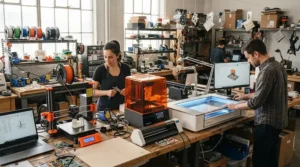
A 3D printer bundle for schools sounds like a bargain, but bundles vary wildly. The best ones include things you’d otherwise forget: spare build plates, filament, tools, licences and training. The UltiMaker Sketch Large classroom bundle is the clearest example, pairing two printers with licences, certification and lesson plans.
Other bundles are lighter. The Bambu Lab A1 mini Combo adds an AMS lite for multi-colour work, and assembled Prusa Core One+ units come with a beginner course. UltiMaker’s UK education partner has also run filament-bundle discounts tied to printer spend, which can matter when consumables are a hidden cost.
When comparing any 3D printer bundle for schools, ask four questions. Does it include filament? Does it include teaching resources? Does it include training? And what happens when a part fails? A cheap bundle without these answers is a printer with extra steps.
Procurement Budgets: Planning the Spend
Procurement budgets shape this decision more than any spec. The DfE’s buying procedures and procurement law for schools guidance treats purchases under £10,000 as low value, £10,000 to £40,000 as medium and over £40,000 as high, though your school’s own rules set the real thresholds.
For most schools, a single printer or small bundle falls into the low-value band, where catalogue buying is typical. Medium-value purchases usually involve researching suppliers and getting at least three quotes, and higher-value ones may need a formal process. Frameworks approved by the DfE can save time, and there’s a free Get Help Buying for Schools service. New public procurement thresholds also applied from 1 January 2026, so check current figures.
Smart procurement budgets include a running-costs line. Filament, nozzles, build plates and a replacement allowance can add a meaningful slice to the first-year total. Think of the purchase price as the cover charge, not the bill.
Multi-Unit Classroom Setups: Running Several Printers Without Chaos
Multi-unit classroom setups solve the throughput problem, but they create new ones. Four identical machines are easier to support than four different models, because nozzles, plates and spares become interchangeable.
A workable pattern is a rota: one group prints while others design, then groups rotate. Using multi-unit classroom setups also lets you assign roles, such as print manager, quality checker and clean-up lead, so pupils learn workshop discipline.
Network management matters. Cloud-connected printers and built-in cameras raise safeguarding and data-protection questions that your IT lead and data protection officer should review before purchase. Print queues, standard slicer profiles and a shared spares box prevent most problems. In multi-unit classroom setups, standardising on one model such as the Creality K1C or Bambu Lab P1S is usually smarter than mixing brands.
Safety, Ventilation and Compliance for a 3D Printer for Schools
Safety isn’t the dull section; it’s the one that keeps the programme running. HSE’s research report RR1146 on emissions from desktop 3D printers found that desktop printers emit particles small enough to enter the airways, and that some filaments release vapours hazardous to health when heated.
CLEAPSS guidance G276, issued with HSE endorsement, covers 3D printing in schools and colleges. Practical takeaways: use PLA wherever possible, enclose printers or fit filtered extraction, and don’t let pupils stand close to a running machine. University guidance citing HSE advises a clearance time of around twenty minutes before opening an enclosure after printing.
Check electrical safety marks, such as UKCA or CE, on any machine, and include printers in your normal electrical-testing routine. Place printers on stable surfaces, store filament dry, and keep a clear policy for who may remove hot parts. This is general guidance; your school’s risk assessment and CLEAPSS membership should lead.
✨ Don’t Miss These Exclusive Deals!
🔍 Take your classroom to the next level with these carefully selected printers. Click on any highlighted product name to check current pricing and availability. These machines will help you create authentic design-and-make lessons your pupils will remember!
3D Printing vs Traditional Workshop Methods
| Method | Strength | Limitation | Best For |
|---|---|---|---|
| 3D printing | Complex shapes, rapid iteration | Slow for big batches | Prototyping and CAD learning |
| Laser cutting | Fast, precise flat parts | Mostly 2D | Packaging, signage, enclosures |
| CNC routing | Strong, large parts | Higher cost and noise | Advanced D&T workshops |
| Outsourcing prints | No equipment to manage | Slow, loses hands-on learning | One-off specialist parts |
3D printing wins when the learning goal is iteration, because pupils can fix a design and reprint it the same day. It loses when you need dozens of identical flat parts, where a laser cutter is far quicker. The honest takeaway is that a 3D printer for schools complements a workshop rather than replacing it, and the strongest departments mix methods.
Setting Up Your First 3D Printer for Schools: A 30-Day Plan
Week one: unbox and test. Place the printer on a stable table away from pupils’ bags, run the manufacturer’s self-test, and print one pre-made model.
Week two: train two adults. Never depend on a single member of staff. Set a standard slicer profile and one approved filament.
Week three: pilot with one class. Start with a tiny design task, such as a keyring, and note where pupils get stuck.
Week four: write the routine. Create a one-page guide covering filament changes, build plate cleaning, clearance time and who to call when a print fails.
Common first-month mistakes include buying multiple filament types, skipping a spare nozzle, and letting prints run unattended in unsupervised rooms. A simple maintenance log, checked weekly, prevents most breakdowns.
Real-World Scenarios: Three School Profiles
A one-form-entry primary school, budget under £500. One enclosed machine, run by a teacher, used for key stage 2 design projects. The Flashforge Adventurer 5M Pro fits best, with the Bambu Lab A1 mini as a staff-only fallback if budget is tighter.
A secondary D&T department with 30-pupil classes. Four to six matching machines in a dedicated corner. The Creality K1C or Elegoo Centauri Carbon keeps unit costs down, while a technician manages spares.
A multi-academy trust buying across several sites. Standardising on the Prusa Core One+ or an UltiMaker Sketch Large bundle simplifies training and support, and justifies a formal quote process.

FAQ
❓ How many printers does a class of 30 need?
❓ Which filament is safest for school use?
❓ Do suppliers offer education discounts?
❓ What ongoing costs should a school expect?
❓ Can pupils operate the printer unsupervised?
Conclusion
The best 3D printer for schools isn’t the fastest or cheapest. It’s the one your staff will actually use in September, February and the grey week before Easter. For primary settings, the Flashforge Adventurer 5M Pro offers the most reassuring enclosure and filtration, while the Bambu Lab A1 mini suits tight budgets with staff-led use. Secondary departments get excellent value from the Creality K1C and Elegoo Centauri Carbon, while the Bambu Lab P1S adds multi-colour flexibility.
For long-term departments and trusts, the Prusa Core One+ and the UltiMaker Sketch Large bundle justify their higher price through support and teaching resources. Whichever you choose, map it to the key stage curriculum, plan your procurement budgets with running costs included, and design your multi-unit classroom setups around one standard model.
Check current prices and availability before you buy, because they change often. Done well, your first printer won’t end up in the cupboard; it’ll be the thing pupils queue to use.
✨ Ready to bring 3D printing into your classroom?
🚀 Click any highlighted printer above to check current pricing and availability, and give your pupils a tool that turns ideas into objects they can hold!
Recommended for You
- Industrial 3D Printer For Prototyping: 7 Proven Picks (2026)
- 3D Printer For Engineering Parts: 7 Best Picks (Honest 2026 Guide)
- 3D Printer For Cosplay Props: 7 Ultimate UK Picks (2026)
Disclaimer: This article contains affiliate links. As an Amazon Associate, I earn from qualifying purchases. If you purchase products through these links, we may earn a small commission at no additional cost to you.
✨ Found this helpful? Share it with your friends! 💬🤗
