In This Article
A 3D printer for engineering parts is a machine that builds functional, load-bearing components (brackets, housings, jigs, gears, fixtures) from thermoplastics or photopolymer resins, with enough accuracy, strength and heat resistance to survive real mechanical work. In practice, a 3D printer for engineering parts means an enclosed frame, a hardened nozzle and support for reinforced polymers.

Here’s the twist: the technology is old news, but the price of getting it right has collapsed. Most of these machines use fused filament fabrication, a name coined by the RepRap community so the acronym would be free of legal restrictions. In 2026, an enclosed CoreXY printer with a 320°C hardened-steel nozzle is listed on Amazon UK for roughly £210–£300. That’s a sum that once bought a wobbly open-frame kit and a lifetime supply of regret.
Now the bad news. Spec sheets lie by omission. A machine can boast 600 mm/s and still warp a nylon bracket like a crisp packet on a radiator. So this guide does what a product page can’t. It interprets every number and compares seven real machines across budgets. It settles FDM vs SLA for engineering parts, and it walks you through a proper CAD-to-print workflow. Whether you’re hunting a 3D printer for functional prototypes, a 3D printer for mechanical parts, or both, you’ll finish knowing what to buy and what to ignore.
Quick Comparison: 7 Machines at a Glance
Here’s the cheat sheet. Prices are UK ranges at the time of research, so check the current price on Amazon UK or an authorised reseller before you commit.
| Product | Process | Build volume | Price range (UK) | Best For |
|---|---|---|---|---|
| Elegoo Centauri Carbon | FDM, enclosed | 256 × 256 × 256 mm | ~£210–£300 | Budget carbon-fibre-ready prints |
| Elegoo Saturn 4 Ultra 16K | MSLA resin | 212 × 118 × 220 mm | ~£450–£580 | Fine-detail fit checks |
| Bambu Lab P2S | FDM, enclosed | 256 × 256 × 256 mm | ~£480 (≈£700 with AMS 2 Pro Combo) | Fast, fuss-free all-rounder |
| QIDI Plus4 | FDM, heated chamber | 305 × 305 × 280 mm | ~£600–£700 | Nylon and PC on a budget |
| Prusa Core One L | FDM, heated chamber | 300 × 300 × 330 mm | ~£1,500–£1,700 | Large, repairable workshop machine |
| Bambu Lab H2D | FDM, dual nozzle | 350 × 320 × 325 mm | ~£1,300–£1,700 (bundle-dependent) | Multi-material, high-temperature work |
| Formlabs Form 4 | MSLA resin | 200 × 125 × 210 mm | Low-to-mid £2,000s ex VAT (printer only); £4,000+ for full packages | Production-grade resin parts |
The Elegoo Centauri Carbon offers the best value below £300. But if you’ll print nylon or polycarbonate regularly, the QIDI Plus4‘s heated chamber justifies the extra few hundred pounds. The Bambu Lab P2S is the safe middle path, while the Bambu Lab H2D and Prusa Core One L suit people whose parts are big, hot or numerous. Resin buyers should note that the Elegoo Saturn 4 Ultra 16K and Formlabs Form 4 trade toughness for finish, which we’ll unpack shortly.
💬 Just one click — help others make better buying decisions too!😊
Top 7 Picks: Which 3D Printer for Engineering Parts Fits Your Bench?
Every machine below was chosen for engineering work, not looks. Specs come from manufacturer and retailer data plus published reviews. Nothing here is claimed from personal testing. One safety note up front: the University of Edinburgh’s 3D printer guidance recommends UKCA/CE-marked, fully enclosed printers with filtration for particulate and chemical emissions. Keep that in mind as you read.
1. Elegoo Centauri Carbon — cheapest ticket into carbon-fibre printing
Let’s start with the machine that made pricier rivals sweat. Both the extruder gears and the nozzle are hardened steel, so abrasive carbon-fibre filaments won’t eat the hardware. The hotend reaches 320°C and the bed 110°C. In plain English, PETG-CF, PLA-CF and most nylons are on the menu, and the 256 mm cube leaves room for jigs and enclosures. Elegoo quotes ±0.1 mm printing accuracy, which is a fair aspiration but not a tolerance guarantee.
Here’s what the spec sheet won’t shout: the chamber is enclosed but not heated. For ABS and ASA, reviewers advise heat-soaking the bed at 110°C for 20–30 minutes before printing. Reviewer sentiment praises the value and the absence of clogs over long test runs. It also flags dim interior lighting and a top panel that must come off for PLA, and some users report heat-break fan failures, so inspect that fan periodically. A newer Elegoo Centauri Carbon 2 exists, with a 350°C nozzle but still no active chamber heating.
Pros:
- ✅ Hardened nozzle handles carbon-fibre filaments out of the box
- ✅ 256 mm cube build volume at entry-level pricing
- ✅ Auto-levelling and a built-in camera included
Cons:
- ❌ No active chamber heating for ABS, ASA or nylon
- ❌ Less polished ecosystem than pricier rivals
Around £210–£300 depending on offers (check the current Amazon UK listing). It’s outstanding value as a first 3D printer for engineering parts, provided you accept its limits with hot polymers.
2. Elegoo Saturn 4 Ultra 16K — 16K resolution for sharp fit-check models
Resin is the odd one out in this line-up, and deliberately so. Instead of drawing layers with a nozzle, the Elegoo Saturn 4 Ultra 16K exposes whole layers through a 16K mono LCD. That gives a 14 × 19 µm XY resolution across a 211.68 × 118.37 × 220 mm build volume. Translation: gauges, snap-fit test pieces and master patterns come out crisp enough to check tolerances that a 0.4 mm nozzle can’t resolve. A smart tank heater keeps the resin at 30°C, which helps consistency in a chilly British garage.
My analysis: standard resins are generally more brittle than carbon-fibre nylon, so treat this as a form-and-fit machine, not a load-bearing one. In the FDM vs SLA for engineering parts debate, it wins on finish and loses on toughness. One reviewer called the price a steal next to professional resin machines, and another felt the heated tank and better camera justified the premium over the 12K model. The caveats are a 16.1 kg weight and the need for proper ventilation.
Pros:
- ✅ Extremely fine detail for fit checks and patterns
- ✅ Heated tank and tilt release aid consistency
- ✅ Fraction of the cost of professional resin systems
Cons:
- ❌ Resin is messy and demands ventilation and PPE
- ❌ Standard resins are brittle for load-bearing parts
Roughly £450–£580 at the time of research (UK retailers have listed it around £460). Great as an FDM companion, not a replacement.
3. Bambu Lab P2S — the fast, fuss-free all-rounder
If a 3D printer for engineering parts were a hire car, the Bambu Lab P2S would be the reliable saloon: unglamorous, quick, and it starts every morning. It reaches 600 mm/s with 20,000 mm/s² acceleration and a servo-style extruder with 70% more force than the P1S. That means confident extrusion of dense reinforced filaments, not just faster Benchies. The supported materials list includes carbon-fibre PETG, nylon and PAHT-CF, with a 300°C nozzle limit.
The catch is the chamber. It’s enclosed but not actively heated, and one reviewer saw roughly 33°C inside while reporting no clogs or overhang problems. For small-to-medium ABS or nylon parts that’s fine. For a 200 mm polycarbonate housing, expect warping and look at a heated-chamber rival. Reviewers praise reliability and polish, while criticising the lack of active chamber heating and the waste from multicolour printing.
Pros:
- ✅ Fast, consistent prints with minimal tuning
- ✅ Quick-swap hardened nozzle and servo extruder
- ✅ Mature slicer and material profiles
Cons:
- ❌ No active chamber heating for large ABS or PC
- ❌ Multicolour printing creates plenty of purge waste
UK pricing is around £480 for the printer, or around £700 for the AMS 2 Pro Combo; check the current price. It’s the best-balanced buy here for a first 3D printer for functional prototypes.
4. QIDI Plus4 — heated chamber for nylon and PC without the premium
Big, heavy and unapologetically technical, the QIDI Plus4 is what you buy when warping is your nemesis. It pairs a 305 × 305 × 280 mm build volume with a 370°C hotend, a 65°C heated chamber and a 120°C bed. A warm chamber slows cooling, so layers stay fused. That’s exactly what nylon, PC and carbon-fibre blends need to avoid splitting mid-print. QIDI even lists PPS-CF (a serious high-performance polymer) as supported.
What most buyers overlook: Tom’s Hardware notes that PLA and TPU need the lid popped off, since that heat is too much for low-temperature plastics. Treat this as a dedicated engineering machine, not a do-everything one. It’s also about 27 kg, so clear a sturdy bench. The same reviewer framed it as a natural step up for practical printing, with a bigger build area than Bambu’s smaller machines. Community and accessory support is typically smaller than for Bambu or Prusa, so factor that in.
Pros:
- ✅ Active 65°C chamber for warp-free nylon and PC
- ✅ 370°C hotend opens high-performance polymers
- ✅ Larger build volume than 256 mm-class rivals
Cons:
- ❌ Heavy, with a large footprint
- ❌ PLA and TPU need the lid removed
UK listings run around £600–£700, including on Amazon UK; check the current price. Verdict: the cheapest route to genuine heated-chamber printing.
5. Prusa Core One L — big, repairable and properly heated
The Prusa Core One L is the sensible adult in the room. It offers a 300 × 300 × 330 mm volume, an actively heated chamber up to 60°C and a bed up to 120°C. Its AC convection bed varies by under 2°C across 99% of the surface, so large flat parts stay flat. Two nozzles ship in the box: a high-flow brass one and an abrasion-resistant one. That saves you an early shopping trip when you move to carbon-fibre filaments.
The 290°C nozzle ceiling rules out the hottest polymers, so this is a nylon-and-polycarbonate machine, not a PPS one. TechRadar’s verdict sums up the trade-off: a superb professional-grade printer, but more than most people need, and costly. It suits experienced users who don’t need multi-filament printing. In exchange you get an EU-made, open, repairable platform.
Pros:
- ✅ Heated chamber and AC bed for large, warp-free parts
- ✅ Abrasion-resistant nozzle included in the box
- ✅ Open, repairable design with strong support
Cons:
- ❌ Premium price for a single-filament printer
- ❌ 290°C limit excludes the hottest polymers
UK retailers list it at roughly £1,500–£1,700; check the current price. A serious investment, best for workshops printing large parts weekly.
6. Bambu Lab H2D — dual nozzle, 350°C and room to grow
The Bambu Lab H2D is the machine you buy when your parts have overhangs, supports and ambitions. It uses a dual-nozzle system with a 350 × 320 × 325 mm total build volume, and nozzles reach 350°C with 65°C active chamber heating. In practice, one nozzle can print structural material while the other lays a support or flexible polymer, cutting post-processing on complex assemblies. TechRadar picks it as its best overall printer.
The downsides are physical. Reviewers flag its 34 kg weight, initial dual-nozzle calibration time and a 1,500 W power draw. A standard UK 13 A socket copes, but you’ll want a sturdy bench. It ships on a pallet due to its size and weight. Note the optional laser module is a separate purchase, and you probably won’t need it.
Pros:
- ✅ Dual nozzles for support material and multi-material parts
- ✅ 350°C nozzles and 65°C active chamber
- ✅ Largest build volume in this guide
Cons:
- ❌ Heavy, power-hungry and pallet-delivered
- ❌ Overkill for single-material bracket printing
UK pricing runs from around £1,300 for the base machine to roughly £1,500–£1,700 for AMS bundles; check the current price. Justified only if you’ll use the dual-nozzle capability.
7. Formlabs Form 4 — production-grade resin with quoted ±35 µm accuracy
The Formlabs Form 4 is the pro resin benchmark. It uses Low Force Display technology to complete most prints in under two hours in a 200 × 125 × 210 mm build volume. A reseller quotes ±35 micron dimensional accuracy, so treat it as a manufacturer claim, but it’s the sort of figure that matters when you’re printing tight-fitting assemblies. It’s also a calibrated, validated ecosystem rather than a tinkerer’s project. Validated material profiles are the real selling point.
The workflow needs planning, though. The newer, larger build platform requires the second-generation Form Wash, so budget for wash-and-cure hardware. Independent reviewers advise skipping it if your parts are large and simple, or you can’t establish a safe, documented resin workflow. In the FDM vs SLA for engineering parts decision, this is the finish-and-precision champion.
Pros:
- ✅ Rapid, repeatable prints with validated resins
- ✅ Fine detail and tight quoted tolerances
- ✅ Automated resin handling and calibration
Cons:
- ❌ Needs wash-and-cure hardware and a safe resin space
- ❌ Small build volume for large enclosures
Reviewers have quoted prices from £4,439 ex VAT for the package, while the bare printer costs roughly £2,000+ ex VAT; check current price with a UK reseller. Worth it for teams producing small, precise parts regularly.
Engineering Spec Showdown
| Product | Heat ceiling | Thermal control | Best For |
|---|---|---|---|
| Elegoo Centauri Carbon | 320°C nozzle | Enclosed, passive | Budget carbon-fibre prints |
| Bambu Lab P2S | 300°C nozzle | Enclosed, passive | Fast small-to-medium parts |
| QIDI Plus4 | 370°C nozzle | Active chamber to 65°C | Nylon, PC and PPS-CF |
| Prusa Core One L | 290°C nozzle | Active chamber to 60°C | Large, warp-prone parts |
| Bambu Lab H2D | 350°C nozzles | Active chamber to 65°C | Multi-material assemblies |
| Elegoo Saturn 4 Ultra 16K | Resin tank at 30°C | Heated tank | Fit checks, master patterns |
| Formlabs Form 4 | Resin auto-heated | Automatic heating | Precision production parts |
Look at the middle column: the real divide isn’t speed, it’s thermal control. The QIDI Plus4 and Bambu Lab H2D both offer 65°C chambers, but the QIDI Plus4 does it for roughly half the price. The Prusa Core One L trades a lower nozzle ceiling for repairability and bed uniformity, and the two resin machines sit outside the heat race altogether.
✨ Ready to Build Your Print Shop?
🔍 Take your workshop to the next level with these carefully compared machines.Click on any highlighted product name to check current pricing and availability. Pick the right printer once and your next fifty brackets will thank you!
Your CAD-to-print workflow in Seven Steps
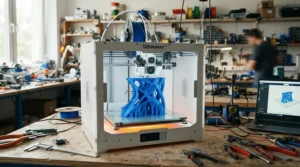
A printer is only half the story. The other half is what happens between your CAD window and the build plate, and a tidy CAD-to-print workflow prevents most failed brackets before they exist.
- Design for the process. Add fillets to stress corners and avoid sharp internal edges, which concentrate load.
- Build in clearance. As a rule of thumb, allow roughly 0.2–0.4 mm on sliding fits and print a test coupon first. Holes tend to print undersized.
- Orient for load. Peer-reviewed research on FDM strength found strength across layers (the Z axis) is weaker than along deposited filaments. Align layers with the main tension, never across it.
- Export cleanly. Formlabs’ software accepts STL, OBJ and 3MF files, and 3MF is usually the tidiest.
- Slice for strength. Extra perimeters generally carry more load than infill percentage.
- Dry before you print. For PA-CF, one guide suggests drying filament for 8–12 hours at 80°C.
- Measure and feed back. Record shrinkage offsets and update the CAD. That loop is what turns any 3D printer for functional prototypes into a repeatable process.
Real-World Scenarios: Three Buyers, Three Machines
Specs are abstract, so here are three hypothetical buyers.
The garage prototyper. Under £300, a cold garage, printing on weekends. The Elegoo Centauri Carbon with PETG-CF suits brackets and enclosures, provided they avoid big ABS parts.
The two-person product studio. Around £1,500–£1,800, printing daily, parts up to 30 cm. The Prusa Core One L gives a heated chamber and a rugged, repairable frame. If their parts need soluble or flexible supports, the Bambu Lab H2D earns its weight.
The precision workshop. Small gauges, fixtures and fit-check parts where tolerance and strength must be predictable. The Formlabs Form 4, paired with an FDM machine like the Bambu Lab P2S for tougher parts, covers both worlds.
Notice the pattern: nobody buys “the best” printer. They buy the one that matches budget, environment and frequency. That’s the honest way to choose a 3D printer for engineering parts.
Problem → Solution: Fixing the Five Most Common Print Failures
- Warping on ABS or nylon. Use an enclosure and a brim. On the Elegoo Centauri Carbon, heat-soak the bed first; on the QIDI Plus4 or Prusa Core One L, let the active chamber do it.
- Layer splitting. Usually cold chamber or wet filament. Dry the spool and raise chamber temperature.
- Holes too tight. Add 0.2–0.4 mm to hole diameters in CAD and re-test.
- Parts snapping along layers. Reorient so layers run parallel to load, as covered in the CAD-to-print workflow above.
- Stringing and bubbling. Almost always moisture. Store engineering filament in sealed boxes with desiccant, which is doubly important in a damp British winter.
How to Choose a 3D Printer for Engineering Parts
Follow these seven steps and you’ll dodge most expensive mistakes.
- Start with material, not the printer. Decide whether you need PETG-CF, ABS, nylon or PC, because that dictates everything else.
- Match the chamber to the material. Passive enclosures suit small parts; large nylon or PC parts want active heating.
- Insist on hardened hardware. Carbon-fibre filaments wear brass nozzles quickly.
- Size the build volume to your largest part. Add about 20% headroom for orientation options.
- Check enclosure, filtration and marking. Prefer UKCA/CE-marked, enclosed machines.
- Weigh ecosystem and UK support. Warranty, spares and community help matter more than launch-day speed claims.
- Budget the whole system. Add a filament dryer, spare nozzles and ventilation before you compare prices.
FDM vs SLA for engineering parts: Which Process Should You Pick?
FDM melts and stacks plastic; SLA cures liquid resin with light. Resin tends to win on surface finish and fine detail, and photopolymerisation can offer better results than filament printing but costs considerably more. FDM wins on toughness, material choice and running cost. For structural brackets, FDM with reinforced nylon is usually the smarter buy.
| Factor | FDM | SLA (resin) | Outsourced machining |
|---|---|---|---|
| Toughness | High with reinforced filaments | Often brittle in standard resins | Highest (metals) |
| Finish and detail | Visible layer lines | Smooth, fine detail | Excellent |
| Running cost | Low per part | Moderate (resin, wash, film) | High per part |
| Best For | Bambu Lab P2S, QIDI Plus4 | Formlabs Form 4, Elegoo Saturn 4 Ultra 16K | One-off metal parts |
The table shows why many workshops own both: FDM for parts that carry load, resin for parts that must fit precisely. If you only have room for one, FDM is the better all-rounder. Machining stays the answer for metals and safety-critical loads.
Tolerance and Strength: What the Datasheet Won’t Tell You
Marketing loves headline numbers, but tolerance and strength depend on orientation, material and process. FDM tensile strength in the XY plane is typically four to five times higher than in the Z direction, so identical parts can behave very differently depending on how you print them. On dimensions, Elegoo quotes ±0.1 mm for the Elegoo Centauri Carbon, while a reseller quotes ±35 µm for the Formlabs Form 4. Both are manufacturer claims, not guarantees for your geometry.
Nylon adds another wrinkle: it absorbs moisture, which can shift both dimensions and stiffness. Design with clearances, print a test coupon, and keep filament dry. Never rely on a printed part for a safety-critical load without testing it. Understanding tolerance and strength as design variables, not printer features, is what separates hobby prints from engineering parts.
Engineering-grade filament: What to Buy, Dry and Avoid
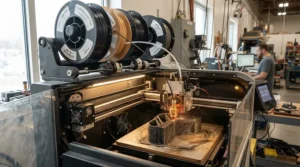
A good printer with poor filament is a sports car on budget tyres. Here’s the working shortlist of engineering-grade filament:
- PETG-CF: stiff, easy to print, good all-rounder for brackets and housings.
- PLA-CF: very stiff but brittle and heat-sensitive. One guide suggests printing it at 220–230°C.
- ABS/ASA: heat and UV resistant. Typical settings are 240–250°C with a 100–110°C bed and the door closed.
- PA-CF (nylon): strong and wear-resistant, but needs a hardened nozzle and thorough drying.
- PC: tough and heat-resistant; one guide suggests 270–280°C nozzle temperatures, so it needs a capable hotend.
Store spools in sealed boxes with desiccant. Basic PLA is cheap (around £18 per kilo at one UK retailer), but engineering-grade filament costs noticeably more. Buy small spools until you’ve dialled in your settings.
3D Printer for Functional Prototypes: Speed, Fit Checks and Fast Iteration
A 3D printer for functional prototypes lives or dies by iteration speed. The Bambu Lab P2S and Elegoo Centauri Carbon both print fast enough to test three design variants overnight, so your CAD gets better every morning. For form-and-fit checks, the Elegoo Saturn 4 Ultra 16K produces crisp mating surfaces you can inspect before committing to a tougher FDM print.
Prioritise auto-levelling, camera monitoring and reliable first layers. Chasing peak speed matters less than avoiding failed overnight prints. Prototypes rarely need the hottest polymers, so a passive-chamber machine is usually enough. Save the heated-chamber spend for production parts.
3D Printer for Mechanical Parts: Gears, Brackets and Load-Bearing Jobs
A 3D printer for mechanical parts faces harder questions: wear, creep, heat and repeated loading. Nylon composites such as PA-CF suit gears, bushings and clips, while PETG-CF suits static brackets. For large parts, the Prusa Core One L and QIDI Plus4 offer the thermal stability that keeps layers bonded.
Design around the printing process: thicker walls, generous fillets and layers aligned with load. Test under realistic conditions, including temperature and vibration, before trusting a part. And remember the honest limit: 3D printing complements machining, it doesn’t replace it for safety-critical metal components.
Long-Term Cost and Maintenance: What You’ll Really Spend
The sticker price is the opening bid. Carbon-fibre filaments wear nozzles, so keep hardened spares. Belts, fans and build plates are consumables on every machine, and resin adds bottles, wash solvent and release film. Electricity is modest: peak draw for the Bambu Lab H2D is around 1,500 W, but only while heating.
Now the ROI logic. If outsourcing a small bracket costs tens of pounds and printing it costs a couple of pounds of filament, a £500 printer pays for itself within a modest number of parts. Those figures are illustrative, so run your own numbers. Include filament dryers, spare nozzles and ventilation in the budget, and you’ll compare machines like a grown-up.
Safety, Regulations and Compliance for UK Workshops
Printing plastic isn’t risk-free. The HSE’s research report RR1146 on desktop 3D printer emissions found ultrafine particles are likely emitted as filament is extruded, and that an enclosed extraction hood cut particle emission rates by 97–99%. Practical takeaways: use enclosed printers, ventilate the room, and don’t park a printer next to your bed.
Resin adds skin and vapour concerns. Repeated exposure to some resin components, including acrylates, may cause irritation or allergic sensitisation, so wear nitrile gloves, ventilate and keep resin out of kitchens. For workplace use, prefer UKCA/CE-marked equipment and follow COSHH assessments.
Frequently Asked Questions
❓ How much does a 3D printer for engineering parts cost in the UK?
❓ Do I need an enclosed printer for nylon and ABS?
❓ Can 3D printed parts replace machined aluminium brackets?
❓ Is a resin printer safe to run in a UK home?
❓ Which 3D printer for engineering parts is easiest for beginners?
Conclusion: Choosing Your 3D Printer for Engineering Parts
There’s no single best 3D printer for engineering parts, only the best match for your material, budget and space. Under £300, the Elegoo Centauri Carbon is the value pick. For a fast, low-drama all-rounder, the Bambu Lab P2S is my safest recommendation. If nylon and polycarbonate are your daily bread, the QIDI Plus4 brings a heated chamber at a friendlier price, while the Prusa Core One L suits workshops that value large builds and repairability. The Bambu Lab H2D earns its keep on complex, multi-material assemblies.
On the resin side, the Elegoo Saturn 4 Ultra 16K is a budget fit-check companion, and the Formlabs Form 4 is the precision option when tolerance and strength really matter. Keep the basics in mind: choose your engineering-grade filament first, respect the CAD-to-print workflow, and think honestly about FDM vs SLA for engineering parts. Whether you’re after a 3D printer for functional prototypes or a 3D printer for mechanical parts, matching machine to job beats chasing headline speeds every time.
Recommended for You
- 3D Printer For Cosplay Props: 7 Ultimate UK Picks (2026)
- Resin Printer For Miniatures: 7 Best Picks For Painters (2026)
- 3D Printer For Miniatures: 7 Best Picks For UK Wargamers (2026)
Disclaimer: This article contains affiliate links. As an Amazon Associate, I earn from qualifying purchases. If you purchase products through these links, we may earn a small commission at no additional cost to you.
✨ Found this helpful? Share it with your friends! 💬🤗
