In This Article
Somewhere between “I’ll just paint the models that come in the box” and “I now own three types of isopropyl alcohol,” there’s a moment every tabletop hobbyist hits: the realisation that a 3D printer for miniatures could replace half your shopping list. It’s not a small decision. You’re choosing between a machine that smells faintly of nail salon and one that smells faintly of hot glue, and either way you’re about to become That Person who mentions layer height at the pub quiz.
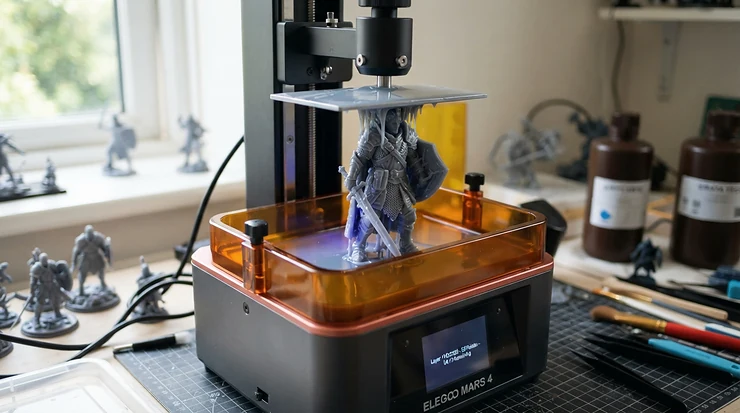
A 3D printer for miniatures is a desktop machine — usually resin (MSLA/LCD) or filament (FDM) — that builds tabletop-scale models and terrain from a digital file, layer by microscopic layer, instead of you buying every unit individually from a shop. For 28-32mm gaming figures, resin dominates because it resolves detail filament simply can’t; for terrain, dungeon tiles and scenery, FDM often wins on cost and convenience. Britain has more reason than most countries to care about this: the tabletop wargame that arguably built the entire hobby, Warhammer 40,000, is a miniature wargame produced by Games Workshop and is particularly popular in the United Kingdom, and it was born in a Nottingham workshop, not a Californian garage.
This guide covers seven real, currently available machines — resin and FDM — at budget, mid-range and premium price points, plus the honest analysis Amazon listings won’t give you: which printer actually suits which kind of hobbyist, what resin curing involves before you commit to it, and where FDM quietly outperforms resin despite the marketing noise favouring the fancier tech. Every price below is a range, not a snapshot, because resin printer pricing moves around more than a Warhammer points update.
Quick Comparison Table
| Printer | Type | Best For | Price Range |
|---|---|---|---|
| Elegoo Saturn 4 Ultra 16K | Resin | Batch-printing whole armies | £420-£480 |
| Elegoo Mars 5 Ultra | Resin | First-time resin buyers | £220-£270 |
| Anycubic Photon Mono M7 Pro | Resin | Speed without sacrificing detail | £400-£450 |
| Phrozen Sonic Mini 8K S | Resin | Character detail on a budget | £280-£340 |
| Creality HALOT-MAGE S 14K | Resin | Showcase-grade resolution | £500-£600 |
| Bambu Lab A1 Mini | FDM | Budget terrain and scatter scenery | £180-£230 |
| Bambu Lab P1S | FDM | Large enclosed terrain builds | £550-£650 |
A quick read of that table tells its own story: the resin machines cluster tightly on price because the underlying LCD-and-resin-vat architecture hasn’t changed much since 2023 — what’s improved is resolution and automation, not the fundamental cost of the parts. The two FDM entries bookend the table almost by design, because filament printers scale from toy-box simple to genuinely industrial without resin’s detail ceiling ever coming into play. Notice, too, that price doesn’t map neatly onto “best” — the Phrozen Sonic Mini 8K S sits in the middle of the pack cost-wise but punches well above it on character detail, which is exactly the kind of nuance a plain spec sheet buries.
💬 Found a printer here that fits your setup? Bookmark this page before you go down a resin-vs-FDM rabbit hole on a forum somewhere — you’ll want to come back to it.
Top 7 3D Printers for Miniatures: Hands-On Expert Analysis
1. Elegoo Saturn 4 Ultra 16K — best all-rounder for army-scale batches
If you’ve ever tried to print an entire combat patrol in one overnight run and watched half the models fail because the plate wasn’t level, the standout feature here is the automated approach that’s meant to stop that happening at all. The 16K monochrome LCD delivers roughly 18.9-micron pixels across a build plate large enough to hold dozens of 32mm figures at once, and it pairs that with tank heating, AI-assisted failure detection, and WiFi cluster printing for running several jobs in parallel.
In practice that resolution means chainmail links and facial detail stay crisp rather than smearing into a grey blur, and the auto-leveling genuinely appears to have been fixed in this generation — earlier Saturn models had a reputation for vat leaks and leveling gremlins at launch, and reviewers consistently report those issues resolved on the current firmware. Who should care: anyone printing for a whole army rather than one hero model, and anyone tired of babysitting a printer through every job.
Elegoo Saturn 4 Ultra 16K owners in aggregated reviews describe noticeably lower failure rates than previous Saturn generations, alongside praise for the tilt-vat mechanism that reduces the peel force responsible for most mid-print snaps.
Pros:
- ✅ 16K resolution resolves fine armour and facial detail cleanly
- ✅ Tank heating keeps resin viscosity stable in a cold hobby room
- ✅ AI failure detection can halt a doomed print early
Cons:
- ❌ Large vat means wasted resin on small single-model jobs
- ❌ Higher upfront cost than compact single-figure printers
At around £420-£480 depending on retailer promotions, the Elegoo Saturn 4 Ultra 16K earns its keep the moment you’re printing six or more models a week rather than one.
2. Elegoo Mars 5 Ultra — best compact printer for first-time resin buyers
The headline reason to start here is the tilt-vat mechanism borrowed down from Elegoo’s flagship line, which lowers peel force on a machine that costs a fraction of the price. Specced with an 18-22 micron XY resolution on a 6.6-inch monochrome screen, it’s tuned for compact, single-figure batches rather than volume production, and the smaller footprint means it can live on a desk rather than commandeering a shed.
What most buyers overlook about this model is that resolution this fine matters more for tiny miniatures than for large terrain, because facial detail on a 32mm model is measured in fractions of a millimetre — this is precisely the segment where the Mars line was built to excel.
Reviewers consistently note the auto-leveling on the current generation actually works, a departure from earlier Elegoo machines where that feature was more theoretical than practical, and the dual pour-spout resin tank gets singled out repeatedly as a small but appreciated convenience during clean-up.
Pros:
- ✅ Genuinely reliable auto-leveling on the current firmware
- ✅ Compact footprint suits a desk or small hobby corner
- ✅ Resolution rivals machines costing twice as much
Cons:
- ❌ Small build plate limits batch size per print run
- ❌ Not suited to larger terrain or display-base printing
Priced around £220-£270, the Elegoo Mars 5 Ultra is the easiest on-ramp into resin printing for someone who’s never touched isopropyl alcohol in their life.
3. Anycubic Photon Mono M7 Pro — fastest detail-to-speed ratio in its class
The standout feature that separates this from the pack is the heated, auto-fill resin vat — genuinely unusual at this price and aimed squarely at people sick of manually topping up resin mid-batch. The 14K optical system delivers 16 x 24 micron resolution across a 223 x 126 x 230mm build volume, and Anycubic’s own published figures put standard-resin speeds as high as 63mm/h with high-speed resin pushing further still.
Based on the spec comparison with rivals like the Elegoo Mars line, the practical upshot is fewer manual interruptions per print job, which matters more than raw speed once you’re running multiple batches a week.
Aggregated review sentiment is genuinely mixed on build quality specifics: several owners praise it as excellent straight out of the box, while a recurring complaint concerns the resin vat’s awkwardly rounded corners, which reviewers say make pouring resin back into bottles without spilling needlessly fiddly.
Pros:
- ✅ Auto-fill and auto-return vat cuts manual top-ups
- ✅ 14K resolution holds up against pricier rivals
- ✅ Dual linear-rail Z-axis keeps builds mechanically stable
Cons:
- ❌ Vat’s rounded corners make pouring resin back messy
- ❌ Cooling fan noise is louder than earlier Anycubic models
At roughly £400-£450, the Anycubic Photon Mono M7 Pro suits hobbyists who print often enough that the automated resin handling pays for itself in saved evenings.
4. Phrozen Sonic Mini 8K S — best detail-per-pound for character miniatures
Here’s what the spec sheet won’t tell you outright: the gap between this printer’s 8K resolution and the 12-14K machines above it is around three microns on a finished model — a difference reviewers repeatedly describe as invisible to the naked eye once a miniature is off the plate and under primer. With a 7.1-inch monochrome screen at roughly 22-micron XY resolution, it was built specifically with tabletop figures in mind rather than as a general-purpose resin printer stretched to cover minis as an afterthought.
Long-time miniature painters testing it against Games Workshop and Forge World sculpts have described the output as matching, and in some cases exceeding, official miniature ranges for facial and armour detail.
The honest caveat, raised in more critical reviews, concerns cold-weather reliability: resin viscosity rises sharply below around 18°C, and this compact machine lacks the tank heating found on pricier siblings, so unheated garages and sheds in a British winter are genuinely the wrong environment for it.
Pros:
- ✅ Detail rivals printers costing significantly more
- ✅ Purpose-built screen size suits 28-32mm figures well
- ✅ Small footprint fits a desk or shelf easily
Cons:
- ❌ No tank heating, so cold rooms cause print failures
- ❌ Small build volume rules out bigger display pieces
Sitting around £280-£340, the Phrozen Sonic Mini 8K S is the pick for painters who care about facial detail on heroes and characters more than batch size.
5. Creality HALOT-MAGE S 14K — highest resolution ceiling for showcase models
The standout advantage is resolution headroom: a 14K panel that produces some of the sharpest detail available on a home resin printer, aimed at buyers who’ve outgrown 8K machines and want display-case-quality results. Beyond the raw pixel count, the resin tank and build plate are designed for genuinely easier cleaning than most rivals, and — unlike some closed ecosystems — it accepts third-party resin rather than locking owners into Creality’s own formulations, which matters given how resin costs add up over a hobby lifetime.
Based on the spec comparison with the mid-tier options above, the resolution jump here mostly benefits larger, more intricately detailed single models — display centrepieces, dioramas, bust prints — where the extra micron count has room to actually show.
Reviewers are candid that the trade-off for this ceiling is upkeep: it “still requires plenty of maintenance,” a fair warning for anyone expecting a set-and-forget appliance rather than a precision instrument.
Pros:
- ✅ 14K resolution among the sharpest available at home
- ✅ Works with standard third-party resin, not locked-in
- ✅ Tank and plate design speeds up post-print clean-up
Cons:
- ❌ Regular maintenance is more demanding than rivals
- ❌ Premium pricing puts it beyond casual hobbyist budgets
At around £500-£600, the Creality HALOT-MAGE S 14K rewards buyers chasing showcase-grade single models rather than weekly army batches.
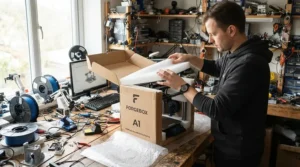
6. Bambu Lab A1 Mini — best budget FDM printer for scatter terrain
Here’s the standout that matters for tabletop use: an official 0.2mm stainless steel hotend, which roughly halves standard line widths and brings genuinely clean results to board-game-scale pieces that would otherwise show visible ridging. On a compact 180 x 180 x 180mm plate, it handles dungeon tiles, scatter terrain, ruins and smaller scenery pieces in ordinary PLA at a fraction of resin’s per-print cost, no ventilation drama, and no gloves required.
What most buyers overlook when comparing FDM against resin on spec sheets alone is that FDM was never trying to compete on 28mm facial detail in the first place — its job in a tabletop hobby is everything around the figures, printed big, cheap and tough.
Aggregated owner sentiment across FDM buying guides is strikingly consistent: this is repeatedly named the easiest FDM printer to use for beginners, with reliable auto-calibration removing most of the fiddly setup that put people off filament printers a few years ago.
Pros:
- ✅ 0.2mm hotend option gives crisp results on small terrain
- ✅ Genuinely simple setup for total FDM beginners
- ✅ Cheap PLA running costs versus resin per print
Cons:
- ❌ Not viable for fine 28-32mm character-level detail
- ❌ Tied fairly firmly into Bambu’s own software ecosystem
At around £180-£230, the Bambu Lab A1 Mini is the honest answer for anyone whose shelves need more terrain than heroes.
7. Bambu Lab P1S — best enclosed FDM printer for large-scale terrain builds
The standout feature here is the fully enclosed CoreXY frame, which keeps temperature stable enough to print ABS and other warp-prone materials reliably — genuinely useful for tall ruins, towers and multi-part terrain kits that would otherwise curl and fail on an open-frame machine overnight. With a 256mm build plate and reliable auto bed-leveling, it comfortably handles modular dungeon tiles and larger scenery in a single piece, cutting down on the gluing and alignment work that smaller printers force onto you.
Reviewers focused specifically on tabletop terrain describe it as the machine you’ll wish you’d bought first if you’re serious about scenery production, citing strong layer bonding on modular tiles that need to fit together without post-print sanding.
The realistic downside, and one worth weighing honestly: Bambu’s ecosystem is comparatively closed, and adding the optional AMS unit for multi-colour terrain printing is a genuine extra cost on top of the printer itself.
Pros:
- ✅ Enclosed chamber prints ABS/ASA reliably for tough terrain
- ✅ Larger 256mm plate handles bigger single-piece scenery
- ✅ Strong layer bonding suits interlocking modular tiles
Cons:
- ❌ Multi-colour terrain needs the extra-cost AMS add-on
- ❌ Ecosystem lock-in limits third-party software flexibility
At roughly £550-£650, the Bambu Lab P1S suits hobbyists building out a full gaming table’s worth of scenery rather than a one-off ruin.
Practical Usage Guide: Your First 30 Days With a Resin Printer
The first month with a resin printer is where most disasters happen, and almost none of them are the printer’s fault. Day one: level the plate exactly per the manual, even on machines advertised as “leveling-free,” because a slightly off Z-offset ruins more first prints than any other single mistake. Shake your resin bottle thoroughly before every pour — pigment and photoinitiator settle over days sitting on a shelf, and skipping this step is a quietly common cause of patchy, half-cured prints that beginners blame on the machine. Print a calibration test file (an exposure matrix, not a miniature) before you touch a real model file; it costs one evening and saves a dozen failed prints later. In week two, dial in wash-and-cure timing: two washes in fresh isopropyl alcohol, roughly 3-5 minutes each, followed by UV curing per your resin’s data sheet — under-curing leaves models tacky and weak, over-curing makes fine details brittle and prone to snapping. By week three, start tracking your FEP film or LCD screen protector’s print count, since these consumables degrade gradually and a foggy screen is the single most common cause of steadily worsening detail over a printer’s second and third months. The most common first-month mistake, hands down, is skipping supports on overhangs because “it’s a small model” — miniatures fail on tiny overhangs (outstretched arms, weapon tips, capes) far more than large flat surfaces ever do.
✨ Ready to start your first batch? Head back up to the comparison table and pick the machine that matches how much you’re actually going to print — not how much you hope to.
Real-World Scenarios: Matching the Machine to the Hobbyist
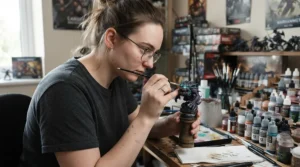
If you’re a university student sharing a bedroom and painting one squad a term, the Elegoo Mars 5 Ultra or Phrozen Sonic Mini 8K S make more sense than anything larger — small footprint, low resin waste per job, and a price that doesn’t wreck a student budget. If you’re running a small commission-painting side hustle from a spare room, printing eight to twelve models a week for clients, the Elegoo Saturn 4 Ultra 16K earns its higher price through reliability and batch size; a failed overnight print costs you a client deadline, not just plastic. If you’re a club organiser building an entire gaming table’s worth of terrain for weekly sessions — hills, ruins, walls, scatter — an FDM machine like the Bambu Lab A1 Mini for smaller pieces and the Bambu Lab P1S for larger modular terrain will save you more money over a year than any resin printer, because PLA costs pence per model where resin costs pounds. And if you’re a dedicated painter chasing competition-standard single centrepiece models — the kind entered into a Golden Demon-style contest rather than fielded on a table — the Creality HALOT-MAGE S 14K‘s resolution ceiling is where the extra spend genuinely shows up in the finished piece.
What Is a 3D Printer for Miniatures?
A 3D printer for miniatures is a desktop machine that builds small-scale models — typically 28-32mm gaming figures, terrain pieces and scenery — from a digital 3D file, using either UV-cured resin (MSLA/LCD technology) or melted plastic filament (FDM). Resin dominates for character detail because of its far finer resolution; FDM dominates for larger, cheaper terrain where fine facial detail isn’t the priority.
How to Choose a 3D Printer for Miniatures
- Decide what you’re printing most. Character miniatures need resin’s resolution; terrain and scenery are usually cheaper and faster on FDM.
- Check XY resolution, not just marketing labels like “8K” or “16K.” Anything under roughly 30 microns resolves tabletop detail cleanly; beyond that, gains become hard to see with the naked eye.
- Match build volume to your actual output, not your ambitions. A huge vat filled for one model wastes resin and money.
- Factor in ventilation before you factor in price. Resin printing needs a well-ventilated space away from where you sleep or eat — this isn’t optional, and it should shape which room the printer lives in before it shapes which model you buy.
- Budget for consumables, not just the machine. Resin, isopropyl alcohol, gloves, replacement FEP film and screen protectors add up quickly across a printer’s first year.
- Consider automation level against how often you’ll print. Auto-leveling, auto-fill and failure detection pay for themselves fast if you print weekly; they’re nice-to-haves if you print once a month.
- Read aggregated review sentiment, not star ratings alone. A 4.5-star average can still hide a specific, well-documented flaw — cold-weather reliability, vat design, screen longevity — that matters enormously for your specific setup.
💬 Still torn between two options? A quick comment below on what you’re mostly printing — heroes or hills — genuinely helps other readers, and us, refine this list.
Resin vs FDM Printer for Miniatures: The Real Trade-Off
This is the comparison most buying guides gloss over in favour of “resin is better for detail,” which is true but only half the story. Resin’s Achilles heel isn’t quality — it’s everything around the print: liquid handling, mandatory ventilation, gloves, wash-and-cure equipment, and a genuine skin-sensitisation risk with repeated uncured-resin contact. FDM’s weakness is the mirror image: it’s clean, ventilation-light and cheap per print, but it simply cannot resolve a 32mm face the way resin can, no matter how fine the nozzle.
| Factor | Resin (MSLA/LCD) | FDM (Filament) |
|---|---|---|
| Detail on 28-32mm figures | Excellent | Adequate at best |
| Terrain and larger pieces | Costly, slow | Fast, cheap |
| Running cost per model | Higher (resin by volume) | Lower (filament by weight) |
| Ventilation/safety needs | Mandatory | Minimal |
| Best For | Character miniatures, heroes, showcase models | Terrain, scatter scenery, dungeon tiles |
Reading the table honestly: if your shelf is 90% painted heroes and 10% terrain, buy resin and don’t look back. If it’s the reverse — a table groaning with scenery and only a handful of characters — an FDM printer like the Bambu Lab A1 Mini will save you real money over a year of printing. Most serious hobbyists eventually own both, because the two technologies solve genuinely different problems rather than competing directly on the same one.
Resin 3D Printer for Miniatures: Why Resolution Isn’t the Whole Story
Manufacturers lean hard on resolution numbers — 8K, 12K, 14K, 16K — because they’re an easy marketing hook, but the practical gap between them shrinks fast once a model is off the build plate. Reviewers testing 8K against 12K screens on the same 7.1-inch panel size repeatedly describe the difference as a few microns that the naked eye simply cannot distinguish on a finished, primed miniature sitting on a gaming table. What actually moves the needle for print quality more than raw resolution: exposure calibration (an under- or over-exposed print looks worse on a 16K screen than a well-calibrated one on 8K), resin quality and freshness, and consistent room temperature during printing. On paper this means a hobbyist chasing the highest resolution number available is often solving the wrong problem — the Elegoo Mars 5 Ultra‘s 18-22 micron screen is genuinely sufficient for the overwhelming majority of tabletop gaming figures, and the jump to 14-16K machines like the Creality HALOT-MAGE S 14K earns its keep mainly on larger single showpieces, not standard army batches.
3D Printer for Tabletop Miniatures: Matching Machine to Game System
Different tabletop systems put different demands on a printer, and it’s worth thinking about your specific game rather than “miniatures” as one generic category. Warhammer 40,000’s playing area is a tabletop model of a battlefield comprising models of buildings, hills, trees, and other terrain features alongside the fighting miniatures themselves, meaning a Warhammer-focused hobbyist genuinely benefits from owning both a resin printer for the models and an FDM machine for the battlefield dressing around them. Skirmish games with smaller model counts (Kill Team, Necromunda, most historical wargames) favour a compact resin printer like the Elegoo Mars 5 Ultra or Phrozen Sonic Mini 8K S, since you’re rarely printing more than a handful of figures per session. Mass-battle systems (Age of Sigmar, Old World, historicals with regiments of 20+ models) favour the larger plate and batch reliability of the Elegoo Saturn 4 Ultra 16K, where printing an entire unit overnight in one job matters more than squeezing out the last micron of resolution. Dungeon-crawler and RPG groups (D&D, Frostgrave) typically need terrain volume above all else — modular tiles, furniture, scatter — which is precisely where the Bambu Lab A1 Mini and Bambu Lab P1S earn their place over resin.
Resin Curing: The Step Most Beginners Get Wrong
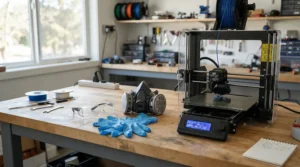
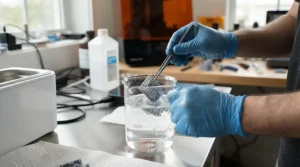
Resin curing is the UV exposure step that finishes hardening a print after it’s washed clean of uncured liquid resin, and it’s the single most skipped or rushed stage in the whole workflow. A print straight off the build plate isn’t actually finished plastic — it’s a wash away from being covered in tacky, uncured liquid, and it’s structurally softer than its final state until it’s spent time under UV light, typically LED curing at 405nm for several minutes depending on the resin type and model thickness. Skipping or shortening this step is a quietly common cause of miniatures that snap at thin points (spears, sword tips, outstretched arms) during handling or painting — the plastic simply hasn’t reached its final hardness. Overcuring, less commonly discussed, has the opposite problem: prolonged UV exposure can make fine details brittle and prone to hairline cracking, particularly on already-thin weapon and accessory parts. Enclosures around resin printers, HSE laboratory research has found, reduced particle emissions released into the room by 97% when exhausting air from the hood and by 99% in recirculating air mode — a useful reminder that curing and washing stations, not just the printer itself, deserve a well-ventilated corner of your workspace, ideally away from where you sleep or eat.
Common Mistakes When Buying a 3D Printer for Miniatures
The single most frequent mistake is buying resolution you’ll never use over reliability you actually need — a 16K printer with a dodgy auto-leveling history is a worse buy than a well-reviewed 8K machine, full stop. Second is underestimating running costs: resin, isopropyl alcohol, nitrile gloves, replacement screens and FEP film routinely add up to more than the printer’s purchase price across its first eighteen months, a cost most first-time buyers simply don’t budget for. Third is buying a large-format printer for small figures “in case I need it later” — a big vat filled with resin for one 32mm model is genuinely wasteful, and most hobbyists who buy oversized regret it within a year. Fourth, and this one’s uniquely British: buying a resin printer for a cold garage or unheated shed without checking cold-weather tolerance first, since resin viscosity rises sharply below around 18°C and several otherwise-excellent printers, including budget favourites, simply don’t cope well with it. Fifth is skipping the ventilation conversation entirely until after the printer arrives — plan the room before you plan the purchase.
Long-Term Cost & Maintenance: What Owning a Resin Printer Actually Costs
The printer’s sticker price is the smallest number in this equation over a two-year ownership window. Resin itself runs to real money per litre, and a hobbyist printing several models a week will get through multiple litres a year — budget this in before comparing printer prices, because a cheaper machine using more resin per print can cost more overall than a pricier, more efficient one. FEP film (on non-tilt-vat machines) typically needs replacing every few hundred print hours as it clouds and scratches, and LCD screens themselves have a finite lifespan, generally rated at 2,000+ hours on mono panels before detail noticeably softens. Isopropyl alcohol for washing, nitrile gloves, and eventually a replacement UV curing bulb or LED array all sit on top of that. Cost-per-model comparison matters more than cost-per-printer: a £220 Elegoo Mars 5 Ultra printing a single 30ml-resin miniature costs pennies more in resin than a £500 Creality HALOT-MAGE S 14K printing the same model — the total cost of ownership gap between machines narrows considerably once you’re comparing per-model running costs rather than sticker prices alone.
Safety, Ventilation and Regulations for Home Resin Printing
Uncured resin is a genuine skin sensitiser, and this isn’t scaremongering — nitrile gloves and eye protection are non-negotiable whenever handling wet prints, wash stations or resin bottles. UK Health and Safety Executive guidance confirms that mechanical ventilation systems must supply fresh outdoor air rather than recirculate stale air, which means a bedroom or unventilated cupboard is genuinely the wrong location for a resin setup regardless of how tidy you keep it. The Health and Safety Executive has researched 3D printing emissions in UK workplaces and education settings, and the consistent recommendation across that research is a dedicated, ventilated space — a garage with airflow, a shed with extraction, or a room with a window that stays open during printing and curing. On the regulatory side, printers sold in the UK carry UKCA (or, transitionally, CE) marking confirming they meet electrical and safety standards, and it’s worth checking this is present before buying from third-party marketplace sellers rather than official listings. None of this should put anyone off the hobby — FDM with PLA in a ventilated room carries genuinely minimal risk — but resin specifically demands the precautions above, every time, not just when you remember to.
Miniature Painting: Getting Your Prints Ready for the Brush
A freshly printed and cured miniature isn’t quite paint-ready straight off the plate. Support stubs need trimming and sanding smooth, particularly around feet, weapon tips and cape edges where supports typically attach — a hobby knife and a set of fine needle files handle this in a few minutes per model. A light coat of isopropyl alcohol wipe-down removes any residual uncured resin film that can otherwise stop primer keying properly, a step that’s easy to skip and hard to notice until paint starts flaking off weeks later. Priming matters more on resin prints than on plastic kit models, since resin’s smooth surface can be genuinely slippery for paint without a decent primer coat — a light grey or zenithal black-to-white primer scheme both protects the surface and helps you actually see the sculpted detail you paid for in resolution. One genuinely underrated tip: wash newly printed models in warm soapy water after curing, on top of the isopropyl alcohol wash, since residual mould-release-style tackiness on some resins actively resists primer adhesion otherwise.
Frequently Asked Questions
❓ What's the best 3D printer for miniatures on a tight budget?
❓ Is resin or FDM better for tabletop miniatures?
❓ Do I need special ventilation for a resin 3D printer?
❓ How long does resin curing take for miniatures?
❓ Can a cheap resin printer still produce good tabletop miniatures?
Conclusion
Choosing a 3D printer for miniatures isn’t really about finding the single “best” machine — it’s about being honest with yourself about what’s actually going to sit on your desk or in your shed a year from now. If your painting queue is stacked with heroes and squad leaders, a resin printer like the Elegoo Mars 5 Ultra or Elegoo Saturn 4 Ultra 16K earns its keep on detail alone. If your gaming table is crying out for hills, ruins and scatter terrain, the Bambu Lab A1 Mini and Bambu Lab P1S will save you real money without asking you to buy gloves and a respirator. And if you’re chasing showcase-standard single models for display or competition, the resolution ceiling of the Creality HALOT-MAGE S 14K or the character-focused precision of the Phrozen Sonic Mini 8K S is where that extra spend genuinely shows. Whichever direction you go, budget honestly for consumables and ventilation before you fall in love with a resolution number on a box — that’s the decision that actually determines whether this hobby saves you money or quietly becomes a second, more expensive one.
Recommended for You
- 3D Printer For Beginners: 7 Best Picks For UK Makers (2026)
- Resin vs FDM 3D Printer for Miniatures: 7 Best Picks (2026)
- Resin 3D Printer for Beginners: 7 Trusted Picks (2026)
Disclaimer: This article contains affiliate links. As an Amazon Associate, I earn from qualifying purchases. If you purchase products through these links, we may earn a small commission at no additional cost to you.
✨ Found this helpful? Share it with your friends! 💬🤗
