In This Article
Resin printing has a reputation problem. Mention it to an FDM veteran and they’ll picture purple-gloved hands, a fume-scented spare room and a failed print welded to the bottom of a vat. Five years ago, that picture was fair. In 2026, a resin 3D printer for beginners is a very different animal: tilting vats that peel each layer off gently, sensors that level the build plate for you, and cameras that shout when something goes wrong.
That shift is why this guide exists. Whether you want to paint tabletop miniatures, prototype jewellery or simply see what 18-micron detail looks like, you can now start with a resin 3D printer for beginners without losing a weekend to forum threads. The core idea is old. Stereolithography builds objects from a vat of UV-curable liquid resin. Today’s budget machines swap the laser for an LCD screen that acts as a stencil for UV light, and that is what dragged prices down to a couple of hundred pounds.
Below you’ll find seven real machines compared honestly, using spec analysis and aggregated reviewer sentiment rather than brochure language. I’ll point out the easiest resin printer to use, walk you through a beginner resin printing setup, and explain what a safe resin printer for home use really involves. The printer is only half the story. The other half is gloves, airflow and habits. Every price here is a range, so check current price before you buy.
Quick Comparison: The Best Resin 3D Printer for Beginners at a Glance
| Printer | Standout Strength | Price Range (approx.) | Best For |
|---|---|---|---|
| Elegoo Mars 5 Ultra | Tilting vat plus auto-levelling | £200-£300 | First-timers wanting the safest bet |
| Elegoo Mars 5 | Auto-levelling on a budget | £140-£200 | Tight budgets, tabletop minis |
| Anycubic Photon Mono 4 | 10K detail for little money | £120-£180 | Detail-hungry savers |
| Creality HALOT R6 | Compact, guided startup | £100-£150 | Small desks, cheapest way in |
| Phrozen Sonic Mini 8K S | 22-micron pixels | £250-£350 | Miniature painters |
| Anycubic Photon Mono M7 Pro | Big plate, fast printing | £350-£450 | Growing into batch printing |
| Elegoo Saturn 4 Ultra 16K | 16K screen, heated vat | £375-£450 | Buy-once premium |
Looking at the table, the Elegoo Mars 5 Ultra is the sweet spot for most first-timers. It adds the tilting vat and auto-levelling that the cheaper Anycubic Photon Mono 4 and Creality HALOT R6 lack, for a modest step up in cost. If cash is tight, the Elegoo Mars 5 keeps auto-levelling but drops the extras. Buyers who already know they’ll print in batches should look at the Elegoo Saturn 4 Ultra 16K, accepting a bigger footprint and more resin to handle.
💬 Just one click — help others make better buying decisions too!😊
Top 7 Resin 3D Printer for Beginners Picks: Expert Analysis
1. Elegoo Mars 5 Ultra — best all-round first resin printer
The tilting vat is the star here, and it matters more than any resolution number on the box.
Instead of yanking the build plate straight up, the vat tilts so each layer peels from the film like a plaster coming off at an angle rather than being ripped off flat. In practice, that removes the classic newcomer disaster: the print that stays glued to the vat floor. Add a 7-inch 9K mono screen giving 18-micron XY pixels, well under half the width of a human hair, plus a factory-levelled plate that recalibrates automatically, and you have a machine for people who’d rather print than tinker. The build volume of roughly 153 × 78 × 165 mm suits a squad of 28-32 mm miniatures, though a tall bust needs slicing in two.
Based on the spec comparison, this is where I’d point most beginners. Tom’s Hardware’s review praises the automation and failure detection but notes that freeing prints from the plate can be tricky at first. Other reviewers add that the AI camera only sees a print once it’s around 50 mm tall, and that the built-in carbon filter won’t cope with heavy printing in a closed room.
Pros:
- ✅ Tilt release makes failed prints far less likely
- ✅ Factory levelling plus automatic calibration
- ✅ Tempered-glass screen protector included
Cons:
- ❌ 165 mm height limits tall single-piece models
- ❌ Camera is blind to the early layers
Price: around £200-£300 depending on bundle. For what it automates, that’s the best value in this list.
2. Elegoo Mars 5 — auto-levelling without the premium
Think of this as the Ultra’s calmer sibling: fewer gadgets, same beginner-friendly backbone.
The 6.6-inch 4K mono screen delivers roughly 35-micron XY resolution. That is coarser than the Ultra, but perfectly respectable for painted 28 mm gaming figures viewed at table distance. What you keep is the important part: one-click automatic levelling and smart mechanical sensors that alarm on resin shortage, residue in the vat and levelling failure. What you lose is the tilting vat, the camera and Wi-Fi, so you’re on USB sticks and more conventional (slower) layer peeling.
Here’s what to weigh: if you print a handful of minis a month and don’t care about watching timelapses, the extra automation on the Ultra is a luxury rather than a necessity. Reviewers describe the Mars 5 as the anti-hype option, reliable and simple with a mature slicer ecosystem, but not ideal if you want remote monitoring or production speed. Elegoo also lists compatibility with its Mars Mate air purifier, a sensible add-on for cramped rooms.
Pros:
- ✅ Automatic levelling at a lower price
- ✅ Sensors catch resin shortages and residue
- ✅ Mature, well-supported slicer workflow
Cons:
- ❌ No tilt release, so slower and less forgiving peel
- ❌ No camera or Wi-Fi monitoring
Price: roughly £140-£200 at the time of research. Solid value if the Ultra stretches your budget.
3. Anycubic Photon Mono 4 — sharpest pixels per pound
Big-number marketing meets a small price tag, and the maths is genuinely impressive.
The 7-inch 10K mono screen (9024 × 5120) gives 17-micron XY pixels, marginally finer than the Elegoo Mars 5 Ultra. Its 153 × 87 × 165 mm build volume is a touch wider too, which helps when batching minis. It uses manual four-point levelling, USB file transfer and Anycubic’s Photon Workshop slicer, and it can resume after a power cut. Anycubic quotes up to 70 mm/h with high-speed resin, but faster resin usually means trading away a little fine detail.
The honest catch is workflow. Levelling by hand isn’t hard, yet one comparison review found it more puzzle-like for first-timers than an automatic system. Another review argues that the “10K” badge doesn’t guarantee better prints than similar machines, even though it does produce perfectly respectable results. If you’re patient and detail-obsessed, it’s a bargain. If you want the easiest resin printer to use, look higher up this list.
Pros:
- ✅ Very fine 17-micron pixels at a low price
- ✅ Slightly wider plate than the Elegoo Mars 5 Ultra
- ✅ Resumes printing after power interruptions
Cons:
- ❌ Manual levelling adds a learning step
- ❌ Conventional lift-and-peel, no tilting vat
Price: around £120-£180. A great-value pick for careful tinkerers.
4. Creality HALOT R6 — compact, cheapest way in
The lightest and smallest machine here, and the one most likely to fit a crowded desk.
It uses a 6.08-inch 2K mono screen with a build volume of roughly 131 × 83 × 160 mm, and it weighs only about 4.25 kg. Creality fits an integral light source with better than 90% uniformity, which is why reviewers say its prints look cleaner than most 2K rivals. A 2.8-inch touchscreen and guided startup keep things simple. The 2K resolution, though, means visibly coarser pixels than the 8K-10K machines above, so ultra-fine textures on 28 mm faces will look softer.
Aggregated sentiment is mixed rather than glowing. Praise centres on easy setup and price. A small review sample on one UK price tracker showed roughly 60% positive, with the rest citing durability concerns and print failures. Independent testing also reports audible motor hum and extra tuning for tough ABS-like resins. Treat it as a low-cost experiment, not a forever printer.
Pros:
- ✅ Very light and desk-friendly footprint
- ✅ Uniform light source uncommon at this price
- ✅ Guided startup suits nervous newcomers
Cons:
- ❌ 2K pixels look coarse beside 8K-10K rivals
- ❌ Mixed durability reports from a small review pool
Price: around £100-£150. Best if budget and space trump detail.
5. Phrozen Sonic Mini 8K S — finest pixels in a compact frame
If your priority is looking at a miniature and finding it hard to believe it came from a hobby machine, this is the specialist.
The 7.1-inch 8K mono screen (7500 × 3240) yields 22-micron XY pixels, and the build volume of roughly 165 × 72 × 170 mm is narrow, so think figures, jewellery masters and props rather than helmets. The mostly metal build weighs about 10 kg, and it works with common slicers like Lychee and Chitubox. That flexibility is genuinely useful when you’re learning.
The trade-offs are documented. Tom’s Hardware and Make both noted prints clinging stubbornly to the build plate, fixable by reducing bottom exposure, and Make flagged a startlingly loud start-up beep. Phrozen’s own 8K resin is recommended to get the best from the screen. For a beginner, that combination is rewarding once tuned but slightly less forgiving on day one.
Pros:
- ✅ Superb 22-micron detail for miniatures
- ✅ Sturdy metal construction
- ✅ Works with popular third-party slicers
Cons:
- ❌ Narrow plate limits larger models
- ❌ Prints can cling to the build plate
Price: check current price; expect roughly £250-£350 depending on bundle. Excellent for painters, less ideal as a first, fuss-free machine.
6. Anycubic Photon Mono M7 Pro — big plate, rapid printing
This is the “I’ve caught the bug already” option, built for volume.
A 10.1-inch 14K mono screen (16.8 × 24.8 microns) sits above a generous 223 × 126 × 230 mm build volume, so you can fit far more parts per plate than on the smaller machines. Tom’s Hardware reports a sturdier film rated around 45,000 layers, film-life tracking, print-failure and low-resin detection, and a factory-levelled plate with manual adjustment available. Anycubic quotes 130 mm/h on standard resin at 0.1 mm layers, and Tom’s found fast-resin prints hard to tell apart from normal ones.
Reviewers do add caveats. The automatic resin refill didn’t work on Tom’s test unit, and one comparison notes the M7 Pro lacks the tilting vat of the Elegoo Saturn 4 Ultra 16K. Another review stresses that ventilation is non-negotiable. A bigger plate means more open resin, which is a lot to manage in a first month.
Pros:
- ✅ Large plate for batches and bigger models
- ✅ Film-life tracking and failure detection
- ✅ Fast printing with standard resin
Cons:
- ❌ No tilting vat, unlike the Elegoo Ultra range
- ❌ More resin exposed means more ventilation needed
Price: check current price; roughly £350-£450 at the time of research. Powerful, but overkill for a first printer.
7. Elegoo Saturn 4 Ultra 16K — premium pick with a heated vat
The “buy once, cry once” choice, and the easiest premium machine to live with.
The 10-inch 16K screen (15,120 × 6,230) gives 14 × 19-micron pixels across a 212 × 118 × 220 mm plate. More importantly, it inherits tilt release and automatic levelling, and adds a heated tank that holds resin around 30°C for consistent flow, plus an AI camera, Wi-Fi and a hinged, tilt-back hood. Tom’s Hardware has named it a best-overall resin pick, while another 2026 review argues the 16K figure matters less than the heated vat, tilt release and volume.
Community estimates put peel-force reduction from tilting at around 35%, though Elegoo hasn’t published an official figure. The catch is scale. Larger plates mean more resin and more fumes, so Mr Resin’s comparison warns every Saturn 4 model needs proper ventilation. For a beginner with a spare room and a budget, it’s a superb long-term buy. For a shared flat, it’s too much printer.
Pros:
- ✅ Heated vat improves consistency in cold UK rooms
- ✅ Tilt release, auto-levelling and camera combined
- ✅ Room to grow into batches and larger models
Cons:
- ❌ Big, heavy and resin-hungry for a first machine
- ❌ Slightly smaller plate than the 12K sibling
Price: around £375-£450. Best long-term value for committed hobbyists with space.
Top 7 Compared: Specs at a Glance
| Printer | Screen and XY Resolution | Build Volume (mm) | Levelling | Best For |
|---|---|---|---|---|
| Elegoo Mars 5 Ultra | 9K, 18 µm | 153 × 78 × 165 | Automatic | First-timers |
| Elegoo Mars 5 | 4K, about 35 µm | Compact, a little smaller than the Ultra | Automatic | Budget beginners |
| Anycubic Photon Mono 4 | 10K, 17 µm | 153 × 87 × 165 | Manual, four-point | Detail on a budget |
| Creality HALOT R6 | 2K, coarser pixels | 131 × 83 × 160 | Guided startup | Small spaces |
| Phrozen Sonic Mini 8K S | 8K, 22 µm | 165 × 72 × 170 | Manual | Miniature painters |
| Anycubic Photon Mono M7 Pro | 14K, 16.8 × 24.8 µm | 223 × 126 × 230 | Factory-levelled, manual option | Batch printing |
| Elegoo Saturn 4 Ultra 16K | 16K, 14 × 19 µm | 212 × 118 × 220 | Automatic | Premium, long-term |
Pixel size matters more than the K badge: the Elegoo Mars 5 Ultra at 18 microns out-resolves screens with far bigger K numbers because its screen is smaller. The automatic-levelling rows tell the real beginner story, since they remove the most fiddly setup step. If detail is everything, the Anycubic Photon Mono 4 and Phrozen Sonic Mini 8K S compete strongly; if ease is everything, stay with the Elegoo Ultra pair.
Beginner Resin Printing Setup: Your First 30 Days
Unboxing is the fun bit. The next thirty days decide whether resin becomes a hobby or a shelf ornament, so here’s a practical beginner resin printing setup that spec sheets never spell out.
Day 1: set the stage. Pick a stable table beside an open window, away from direct daylight (UV cures resin, so sunlight can spoil an uncovered vat) and out of reach of children and pets. Lay down a silicone mat or tray, and keep kitchen roll and 99% isopropyl alcohol close, since Tom’s Hardware advises wiping spills up immediately.
Days 1-2: kit and calibration. Put on nitrile gloves and safety glasses before touching resin. Remove the screen’s shipping film, fit the vat and plate, and run the built-in self-check. The Elegoo Mars 5 Ultra calibrates automatically; the Anycubic Photon Mono 4 wants a manual four-point level. Print the manufacturer’s test file before your own designs.
Week 1: three throwaway prints. A calibration piece, a simple shape, then a small mini. Keep resin at comfortable room temperature, because cold resin thickens and fails more often, which is why a heated vat like the Elegoo Saturn 4 Ultra 16K‘s helps.
Weeks 2-4: build a routine. Wash prints in isopropyl alcohol, cure them fully, filter used resin and inspect the film for cloudiness or dents. Keep a log of exposure settings.
Watch your skin, too. If redness, itching or blistering appears, take it seriously: NHS guidance on contact dermatitis notes symptoms can appear straight away or within 48 hours, and advises seeing a GP if they persist or recur.
Real-World Scenarios: Which Printer Fits Which Beginner?
Specs are abstract. Here are three buyer profiles matched to machines, with the reasoning attached.
The weekend tabletop gamer. Budget around £250, a spare-bedroom desk, painting 28-32 mm heroes and small squads, printing perhaps twice a week. The Elegoo Mars 5 Ultra fits neatly: tilt release protects against failed overnight prints, and its 18-micron pixels are more than enough for painted figures. If money is tighter, the Elegoo Mars 5 does 90% of the job.
The student in a shared flat. Budget under £150, tiny desk, cautious housemates. The Creality HALOT R6 is compact and cheap, but I’d ask an honest question first: can you ventilate properly? If the answer is “not really”, an FDM printer is the wiser first machine. If you can, print only when others are out and keep the room closed off from communal areas.
The jewellery and prop hobbyist. Budget £300-£400, detail obsession, output measured in centimetres. The Phrozen Sonic Mini 8K S delivers 22-micron detail, with its narrow plate being irrelevant for rings and small props. Those printing bigger batches for club sales should look at the Anycubic Photon Mono M7 Pro or Elegoo Saturn 4 Ultra 16K, accepting more space and stricter ventilation.
Problem → Solution: Fixing the Most Common First-Month Failures
Every resin beginner meets the same handful of gremlins. Here’s how to send them packing.
Prints won’t stick to the plate. Usually under-exposed first layers or poor levelling. Increase bottom exposure slightly and re-level; machines with automatic calibration, like the Elegoo Mars 5 Ultra, reduce this risk.
Prints stick to the vat film. Suction is the culprit. Tilt the model 30-45 degrees, add supports and consider a tilt-release machine. The Elegoo Saturn 4 Ultra 16K and Elegoo Mars 5 Ultra were built to fix exactly this.
Prints cling too hard to the build plate. Tom’s Hardware and Make both noted this on the Phrozen Sonic Mini 8K S; lowering bottom exposure loosens the grip.
Sticky or cloudy surfaces. Under-washed or under-cured. Extend the wash and add cure time, and use fresh isopropyl alcohol if it looks murky.
Random failures on cold days. Cold resin thickens. Warm the bottle gently, use a heated vat like the Elegoo Saturn 4 Ultra 16K‘s, or move the printer somewhere warmer.
What Is a Resin 3D Printer for Beginners?
A resin 3D printer for beginners is a desktop machine that builds objects by curing liquid photopolymer resin layer by layer with UV light, then pairs that with simple, largely automatic features, such as auto-levelling, guided setup and failure alerts, so first-time users can get sharp, detailed prints without specialist knowledge or manual tuning.
Most modern models are MSLA machines. A monochrome LCD screen shows each layer as a black-and-white stencil, and a UV LED array behind it hardens only the exposed pixels. The build plate lifts, the next layer cures, and so on. Resolution is best judged by XY pixel size in microns rather than the K number, because K only counts pixels, not how big they are. A smaller screen with fewer pixels can therefore be sharper than a bigger, higher-K one.
The trade-off against FDM is workflow. You gain remarkable detail and smooth surfaces, but you also gain gloves, isopropyl alcohol, curing and careful waste handling. That’s manageable when you know it upfront, which is the point of this guide.
How to Choose a Resin 3D Printer for Beginners
- Decide what you’ll print. Miniatures and jewellery favour small, high-resolution screens; tall props or batches favour bigger plates. Buying for the hypothetical project usually wastes money.
- Prioritise levelling and peel-force features. Automatic levelling and tilt release remove the two most common causes of early failure, and they’re worth a modest premium.
- Judge detail by pixel size. An 18-micron pixel beats a 24-micron one regardless of the K number on the box.
- Check space and ventilation first. A resin printer needs an airy room, so measure the desk and inspect the windows before buying.
- Budget for extras. Resin, isopropyl alcohol, nitrile gloves, safety glasses, spare film and a wash-and-cure station all add up.
- Favour open slicers. Machines that work with Lychee or Chitubox give you more freedom than a locked proprietary slicer.
- Buy from a brand still shipping. Replacement film, screens and support matter more than launch-day hype.
Easiest Resin Printer to Use: What Really Makes One Easy
The easiest resin printer to use isn’t the one with the most features. It’s the one that removes the most decisions on day one. Four things do the heavy lifting: automatic levelling, tilt release, resin-level sensors and a clear touchscreen workflow.
On that basis, the Elegoo Mars 5 Ultra and Elegoo Saturn 4 Ultra 16K lead the field, and reviewers have singled out the Mars 5 Ultra as the clearest first-resin recommendation of 2026. The Elegoo Mars 5 is the simplest budget option. The Anycubic Photon Mono 4 and Phrozen Sonic Mini 8K S are easy but manual, and the Creality HALOT R6 is easy to start but less forgiving over time.
What doesn’t matter as much as marketing implies? The K badge, headline speed (fast resin often costs detail) and AI camera claims. The camera is a nice safety net, but reviewers note it can’t see a print’s early layers on the Elegoo Mars 5 Ultra. Choose the easiest resin printer to use by automation and peel design, and treat the rest as bonus.
Safe Resin Printer for Home Use: Ventilation, PPE and UK Rules
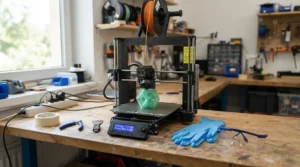
No resin printer is inherently safe, so a safe resin printer for home use is really a safe setup built around a well-designed machine. Uncured resin is a skin sensitiser, meaning repeated contact can cause allergic reactions at very low exposures, and odourlessness is not proof of clean air.
Ventilation. One 2026 safety guide argues external ducted exhaust is standard for resin, and that an unvented enclosure with only an internal carbon filter can be worse than an open, ventilated room. An air purifier such as the Elegoo Mars Mate helps, but it doesn’t replace fresh air.
PPE. Wear nitrile gloves and splash-rated safety glasses whenever you handle liquid resin or uncured prints. Workplace guidance from the HSE’s COSHH essentials for printing lists dermatitis from frequent contact with solvent-based substances as a common printing-industry problem, and the principle transfers to your hobby room.
Placement and storage. Keep the printer out of bedrooms and kitchens, store resin tightly sealed away from children and pets, and never print food-contact items with ordinary resin. One resin maker says only a single photopolymer had genuine food-contact regulatory backing as of late 2025.
UK specifics. Check the printer carries UKCA or CE marking and a UK-compatible plug or adapter. For disposal, cure leftover resin fully and check your local council’s rules rather than tipping it down the sink.
Machine features help too: overheat protection, tempered-glass screen protectors and hinged UV-blocking hoods on the Elegoo Mars 5 Ultra and Elegoo Saturn 4 Ultra 16K reduce risk, but habits do the real work.
Resin vs FDM for Beginners: Which Should You Buy?
One 2026 beginner round-up frames FDM as where most newcomers should start: cheaper, less messy and simpler. Resin wins when fine detail is the goal. Here’s how they stack up.
| Factor | Resin | FDM | Best For |
|---|---|---|---|
| Fine detail | Exceptional | Good | Resin for minis and jewellery |
| Surface finish | Smooth, needs little sanding | Visible layer lines | Resin for display pieces |
| Mess and safety | Gloves, IPA, ventilation needed | Cleaner, lower-risk | FDM for shared or family spaces |
| Strength | More brittle unless tough resin | Better for functional parts | FDM for brackets and tools |
| Running cost | Roughly double per unit of material | Cheaper filament | FDM for volume printing |
The table shows the split clearly. If your plan is painted miniatures, detailed models or master patterns, a resin 3D printer for beginners is the better fit despite the extra care. If you want practical household parts or you’re printing with children nearby, FDM is the gentler start. Resin’s edge shrinks quickly if you can’t ventilate the room properly, which is why an honest look at your space should come before any purchase.
Long-Term Cost & Maintenance of Your First Resin Printer
Sticker price is only the entry fee. The real cost of a resin 3D printer for beginners includes resin (typically pricier per unit than PLA), isopropyl alcohol, gloves, spare film and a wash-and-cure station. A unit like the Elegoo Mercury Plus V3.0 sits around £100 on Elegoo’s UK store at the time of research, so budget roughly £100-£200 for extras on top of the printer.
Maintenance is modest but real. Release film is a consumable: the Elegoo Mars 5 Ultra reminds you to replace it near 60,000 uses, and the Anycubic Photon Mono M7 Pro tracks film life against its roughly 45,000-layer rating. Mono LCD screens are long-lived, with one review citing 2,000+ hours for the M7 Pro, but they’re vulnerable to resin damage, so tempered-glass protectors and residue sensors earn their keep.
| Tier | Printers | Price Range | Value Verdict | Best For |
|---|---|---|---|---|
| Budget | Creality HALOT R6, Anycubic Photon Mono 4 | £100-£180 | Low entry cost, more hands-on | Tinkerers |
| Mid-range | Elegoo Mars 5, Elegoo Mars 5 Ultra, Phrozen Sonic Mini 8K S | £140-£350 | Best automation per pound | Most beginners |
| Premium | Anycubic Photon Mono M7 Pro, Elegoo Saturn 4 Ultra 16K | £350-£450 | Fewer failures, room to grow | Committed hobbyists |
Over a year, a cheaper printer that fails more often can cost as much in wasted resin as a mid-range model saves upfront. The Elegoo Mars 5 Ultra usually delivers the lowest cost per successful print for beginners, while the premium tier only pays back if you print often.
Common Mistakes When Buying a Resin 3D Printer for Beginners
Chasing K numbers. The Elegoo Mars 5 Ultra‘s 18-micron pixels out-resolve many higher-K rivals, so read the micron figure, not the badge.
Ignoring ventilation. A shut-in box room is the wrong home for any resin printer, however clever its filter.
Skipping the extras. Buying only the printer means no isopropyl alcohol, no gloves and no curing method, and you can’t print safely without them.
Buying too big. A large plate like the Anycubic Photon Mono M7 Pro‘s means more resin, more fumes and more to go wrong, so growth should follow experience.
Picking a printer with a locked slicer. Open profiles for Lychee or Chitubox give you more control as you improve.
Forgetting PPE habits. Gloves are for handling liquid resin; take them off before touching door handles, phones and kettles.
FAQ
❓ Is a resin 3D printer for beginners better than an FDM printer?
❓ How much should I budget for a beginner resin printing setup in the UK?
❓ Can I use a safe resin printer for home use in a flat?
❓ Which resin should a first-time buyer choose?
❓ Do I really need a wash and cure station?
Conclusion
Choosing a resin 3D printer for beginners comes down to three questions: what will you print, how much automation do you want, and can you ventilate the room properly? For most people, the Elegoo Mars 5 Ultra is the answer to the first two. It’s the easiest resin printer to use in this list, with tilt release and automatic levelling that remove the classic beginner failures. If money is tight, the Elegoo Mars 5 keeps the automation, while the Anycubic Photon Mono 4 and Creality HALOT R6 trade convenience for price. Painters chasing fine detail should look at the Phrozen Sonic Mini 8K S, and those planning batches should consider the Anycubic Photon Mono M7 Pro or Elegoo Saturn 4 Ultra 16K.
Whichever you pick, treat safety as part of the purchase: gloves, glasses, airflow and a tidy routine make a safe resin printer for home use a reality. Follow a sensible beginner resin printing setup, keep a log of your settings, and your first month will be far calmer than the horror stories suggest. Resin’s reward, prints that look as though they came from a professional studio, is well worth a little care.
Recommended for You
- Large-Format Resin 3D Printer: 7 Best Big-Volume Picks (2026)
- High-Resolution Resin 3D Printer for Miniatures: 7 Best Picks (2026)
- DLP Resin 3D Printer: 7 Sharp Picks for UK Makers (2026)
Disclaimer: This article contains affiliate links. As an Amazon Associate, I earn from qualifying purchases. If you purchase products through these links, we may earn a small commission at no additional cost to you.
✨ Found this helpful? Share it with your friends! 💬🤗
