
In This Article
Top 7 DLP Resin 3D Printers: Expert Analysis
1. Anycubic Photon D2 — best all-round DLP for detail and jewellery patterns
The Anycubic Photon D2 is Anycubic’s second-generation DLP machine, co-engineered with Texas Instruments, and it’s the one most reviewers point to when they say a DLP resin 3D printer is finally viable for ordinary hobbyists. Its 2,560 x 1,440 projector resolution translates to a genuinely small 0.051mm pixel size across a 130.56 x 73.44 x 165mm build volume — modest in size, but that’s the trade-off DLP asks for in exchange for optical precision. Reviewers at 3D Printing Industry measured the D2’s dimensional accuracy against CAD models using calipers and micrometres and found results that were competitive with pricier machines, while noting the projector’s anti-aliasing achieves 92% light uniformity, which is the real reason fine jewellery prongs and miniature faces come out sharp rather than mushy.
Based on the spec comparison with LCD rivals at a similar price, the Photon D2 is best suited to hobbyists and small jewellery-pattern makers who value edge crispness over raw build volume, and it’s a poor fit if you’re batch-printing large cosplay props. Aggregated reviewer sentiment across multiple outlets, including Windows Central and Hackster.io, consistently flags two things: print quality that beats comparably priced LCD machines on fine detail, and a niche appeal that comes from the higher up-front and per-litre resin cost that true DLP resin demands. What the spec sheet won’t tell you, but reviewers note repeatedly, is that DLP resin itself is typically formulated slightly differently from standard LCD resin, so budget for that when comparing running costs.
Pros:
- ✅ Sharp, low-bleed detail thanks to genuine DLP projection
- ✅ Long projector lifespan versus LCD panel replacement cycles
- ✅ Strong reviewer consensus on jewellery and miniature accuracy
Cons:
- ❌ Small build volume limits larger production runs
- ❌ Requires DLP-specific resin, adding to running costs
At around £550-£650, the Photon D2 represents the best value-for-precision balance in the consumer DLP space — you’re paying a premium over LCD, but you’re buying genuinely different optics, not just a marketing label.
2. Anycubic Photon Ultra — cheapest genuine entry point into DLP printing
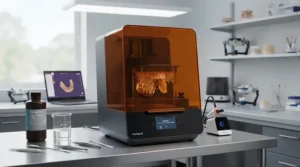
The Anycubic Photon Ultra was the machine that first proved a DLP resin 3D printer could be sold at a consumer price point, launching via Kickstarter before landing on general retail. Its 720p projector and 102.4 x 57.6 x 165mm build volume are noticeably smaller than the D2 that succeeded it, and its layer cure time of roughly 1.5 seconds made it three times faster than Anycubic’s own original LCD Photon at launch. Creative Bloq’s hands-on review of the Photon Ultra found the detail “clear and crisp, with no visible layer lines,” attributing it directly to the absence of the light bleed that plagues cheaper LCD screens.
Here’s what most buyers overlook: because the Ultra runs cooler and draws less power than an equivalent LCD machine (no backlit panel to feed constantly), it’s also notably quieter in a home workshop — a genuinely underrated quality-of-life factor if your printer lives in a spare room rather than a garage. On the flip side, aggregated feedback from MakeUseOf and 3D Printerly both single out the small build volume as the main limiting factor, alongside occasional first-layer adhesion issues that better exposure tuning tends to resolve. Reviewers are unanimous that this is a printer built for detail-focused small objects — jewellery masters, tabletop miniatures, small design prototypes — not anything requiring scale.
Pros:
- ✅ Most affordable true DLP printer on the consumer market
- ✅ Quiet, cool-running thanks to projector-based light engine
- ✅ Crisp detail with essentially no visible layer lines
Cons:
- ❌ Smallest build volume of any printer on this list
- ❌ 720p projector resolution trails newer DLP models
Sitting under £500 at the time of research, the Photon Ultra is the pick for anyone who wants to try genuine DLP printing without committing D2-level budget — just go in accepting the build volume compromise.
3. Wanhao Duplicator D7 Plus — budget legacy DLP-branded printer for dental and jewellery hobbyists
The Wanhao Duplicator D7 Plus has been marketed as a DLP machine since 2017, and it remains a fixture in dental and jewellery hobbyist circles, though it’s worth being upfront: several independent spec databases classify its actual light engine as a masked LCD system carrying the “DLP” name from an earlier product era, rather than a projector-based DMD chip like the Anycubic pair above. This matters for buyer honesty, and it’s exactly the kind of nuance a rewritten Amazon listing would never mention. That said, the D7 Plus still earns its jewellery-and-dental reputation through genuinely tight claimed accuracy — sellers list X/Y accuracy around 0.075mm and a build area of 121 x 68.5 x 180mm, running on standard 405nm resin.
On paper this means the D7 Plus behaves more like a well-specified LCD machine than a true DLP printer, but reviewers at All3DP and FacFox note its 30mm/hour print speed and triple-fan cooling were considered strong for its era, and specialist retailers still position it for dental models and jewellery patterns needing “100% castability” claims for gold, silver, and platinum. Based on the spec comparison with newer machines, the D7 Plus is best suited to buyers who already understand resin workflows and want a proven, low-cost workhorse rather than the latest optical technology — first-timers chasing genuine DLP sharpness are better served by the Anycubic pair above.
Pros:
- ✅ Long track record in dental and jewellery hobbyist communities
- ✅ Tight claimed accuracy figures for the price bracket
- ✅ Wide resin compatibility including castable formulations
Cons:
- ❌ Marketed as DLP but actually uses masked LCD technology
- ❌ Dated hardware compared with newer consumer machines
Priced in the £400-£600 range depending on retailer and bundle, the D7 Plus is a value pick for buyers who prioritise castability credentials over cutting-edge optics — just go in with clear eyes about what “DLP” means on this particular label.
4. Kudo3D Titan 2 HR — high-speed DLP-SLA hybrid for jewellery casting volume
The Kudo3D Titan 2 HR occupies an unusual niche: a DLP-SLA hybrid built around Kudo3D’s patented Passive Self-Peeling (PSP) technology, which uses a mesh-like build platform to reduce the vacuum force between printed layers instead of the harsh vertical peel most bottom-up resin printers rely on. Its XY resolution scales between 26 and 50 microns depending on configuration, and its build volume can reach 190 x 109 x 249mm at coarser settings — a genuinely large working area for a machine still marketed around jewellery precision. It ships with a built-in Raspberry Pi for web-based control, which was unusual when launched and still sets it apart from most competitors’ proprietary control boards.
What the spec sheet won’t tell you, but testimonials collected by Kudo3D from working jewellers repeatedly mention, is real production throughput: one jeweller cited in Kudo3D’s own materials described producing more than 4,000 customised rings over eighteen months on this printer line with minimal recalibration. That’s the kind of durability claim that matters more to a working jeweller than headline resolution numbers. Based on the spec comparison with the Anycubic pair, the Titan 2 HR trades build volume and casting-friendly features for a meaningfully higher price tag, so it only makes sense once you’re printing at a volume where reliability and speed genuinely offset the cost difference.
Pros:
- ✅ Patented self-peeling technology reduces failed layers
- ✅ Large build volume for a jewellery-focused DLP machine
- ✅ Strong track record for high-volume ring casting
Cons:
- ❌ Significant jump in price versus consumer DLP printers
- ❌ Raspberry Pi-based control system feels dated next to modern touchscreens
Typically priced in the £2,800-£3,300 range, the Titan 2 HR is the pick for small jewellery businesses that have outgrown a hobbyist printer’s reliability ceiling but aren’t ready for a full lab-grade system.
5. B9 Core Series — production-grade DLP for jewellery and dental labs
The B9 Core Series is B9Creations’ current professional lineup, positioned as the company’s fastest DLP 3D printer range and built around what B9 calls an “industrial light engine” requiring zero manual calibration out of the box. B9Creations has served the jewellery casting market specifically for over a decade, and its own technical documentation states typical consumable costs under £1.20 per ring, which is a genuinely useful figure for anyone trying to model unit economics for a casting business rather than a one-off hobby print. The Core Series is designed to move seamlessly from prototyping a single ring to production runs of thousands of identical parts without drift.
Here’s what a rewritten Amazon-style listing would never tell you: B9Creations doesn’t publish fixed list pricing for the Core Series on its website, which is standard practice for lab-grade equipment sold through direct quotes and regional distributors, but it also means buyers should budget for a genuinely professional five-figure investment rather than assuming any hidden “budget” configuration exists. Customer testimonials collected by B9Creations, including from labs like Cosmodent AB in Sweden praising reliability “day in, day out,” align with the broader professional reputation this brand has built specifically in jewellery casting circles over many product generations.
Pros:
- ✅ Marketed as the fastest DLP printer in its class
- ✅ Zero-calibration industrial light engine for consistency
- ✅ Decade-plus reputation specifically in jewellery casting
Cons:
- ❌ No published list pricing — requires a direct quote
- ❌ Overkill and overpriced for hobbyist or occasional use
Expect a five-figure investment for the B9 Core Series, positioning it firmly as a business tool for labs where consistent, high-volume jewellery or dental output justifies the outlay.
6. Asiga MAX UV — ultra-precise DLP for dental, audiology, and jewellery labs
The Asiga MAX UV carries serious pedigree: Asiga’s founder built the world’s first LED-based DLP 3D printer back in 2011, and the MAX UV is the modern descendant of that lineage, built around a 62-micron pixel size and a 385nm UV LED light source specifically chosen because deeper UV wavelengths cure faster with reduced XY light scattering. That’s a genuinely technical advantage over standard 405nm systems — less scattering means sharper edge definition on fine jewellery filigree and dental crown margins alike. The MAX UV runs an open material system validated against more than 400 third-party resins, which is a real point of difference from closed-ecosystem consumer machines that lock you into proprietary resin.
Independent reviewers at the Institute of Digital Dentistry noted the MAX UV isn’t the fastest DLP printer on the market — a straightforward dental study model can take around 45 minutes — but praised its consistency and Asiga’s inclusion of unlimited lifetime technical support in the roughly £8,500-£9,500 price bracket found during research. Based on the spec comparison, the honest trade-off here is speed for repeatability: reviewers describe print time estimates in Asiga’s software as often running longer than displayed, because larger cross-sectional layers simply take longer to cure regardless of what the software predicts upfront.
Pros:
- ✅ Industry-pioneering DLP micromirror technology
- ✅ 385nm UV LED reduces light scattering for sharper detail
- ✅ Open system validated against 400+ third-party resins
Cons:
- ❌ Slower per-print speed than some rival DLP systems
- ❌ Professional pricing puts it out of reach for hobbyists
At roughly £8,500-£9,500, the Asiga MAX UV is the benchmark high-precision DLP printer for labs where dimensional consistency across thousands of prints matters more than speed.
7. MiiCraft Prime 125/HD — high-precision DLP printer built for dental and jewellery production
The MiiCraft Prime 125/HD represents Young Optics’ current commercial DLP line, a Taiwanese manufacturer that’s built dedicated DLP printers since 2012 specifically for dental, jewellery, and microfluidics applications. Earlier MiiCraft 125-series machines achieved XY resolution as fine as 0.065mm with layers as thin as 0.005mm across a 125 x 70 x 120mm build envelope, and current Prime and 4K-generation models push that precision further with higher-resolution DLP chipsets aimed squarely at production-grade repeatability rather than hobbyist experimentation.
What most buyers overlook about MiiCraft specifically is its “fully open” resin philosophy — unlike some closed-ecosystem professional machines, MiiCraft printers are designed to work with any 405nm resin on the market, giving dental labs and jewellery workshops the freedom to shop around on material cost as new resins launch, effectively future-proofing the hardware investment. Reviewers and resellers, including Central Dental’s own technical write-up, describe print quality “at par with printers that are two or three times more expensive,” a claim that lines up with MiiCraft’s long-standing reputation among labs that have run these machines for years rather than months. Aggregated professional feedback consistently praises reliability across the entire build surface — described as more consistent edge-to-edge than some cheaper DLP alternatives that lose sharpness toward the periphery of the projected image.
Pros:
- ✅ Open resin system compatible with any 405nm material
- ✅ Consistent precision across the entire build surface
- ✅ Long-standing dental and jewellery lab reputation
Cons:
- ❌ Regional distributor pricing makes UK costs harder to pin down
- ❌ Smaller build volume limits large batch production
Professional MiiCraft models typically fall in the £3,000-£7,000 bracket depending on configuration — confirm current UK pricing with a local reseller, since MiiCraft sells through regional distribution rather than fixed list pricing.
Getting Started: Your First 30 Days With a DLP Resin Printer
The first month with any resin printer is where most failures happen, and DLP machines have their own quirks worth flagging early. In week one, resist the urge to skip manufacturer-recommended exposure settings — DLP resin often cures at different exposure times than LCD resin rated for the same resin family, because the light intensity profile is different even at a similar wavelength. Running LCD exposure settings on a DLP machine is one of the most common early mistakes, and it typically shows up as prints that are either under-cured and fragile or over-cured and losing fine detail.
Second, calibrate your build plate levelling meticulously in the first few prints rather than trusting factory settings blindly; even a fraction-of-a-millimetre tilt matters more on a DLP printer’s smaller build area than it would on a larger LCD machine, because you’re working with proportionally less margin for error. Third, invest in a proper wash-and-cure station from day one rather than treating post-processing as an afterthought — uncured resin left on a jewellery pattern for even a day can affect surface finish and, more importantly, poses the skin-contact risk covered further down in the safety section. Finally, keep a print log for your first thirty days: exposure time, layer height, resin brand, and result. This single habit does more to shorten your learning curve than any amount of forum-reading, because DLP printers reward consistency far more than they reward guesswork.
Who Actually Needs a DLP Resin 3D Printer? Real-World Scenarios
The weekend jewellery maker. Picture someone running a small Etsy shop alongside a day job, casting a handful of custom rings each month from home. Budget is tight, workspace is a spare room, and volume is low but detail expectations are high because customers can see every prong under magnification. For this buyer, the Anycubic Photon Ultra or Photon D2 makes the most sense — genuine DLP sharpness without committing thousands of pounds to a hobby that’s still finding its commercial footing.
The small jewellery workshop scaling up. This is someone who’s outgrown hobbyist reliability — failed prints eating into margin, inconsistent castability frustrating clients — but isn’t ready for a five-figure lab investment. The Kudo3D Titan 2 HR fits here: enough build volume and throughput to run production batches, at a price that’s justifiable once monthly ring output climbs into double figures.
The dental or jewellery lab. Picture a small dental laboratory producing crown patterns and surgical guides daily, where a single failed batch costs real money in wasted resin and technician time, or a jewellery manufacturer running overnight production cycles. Here, the calculus flips entirely: the Asiga MAX UV, B9 Core Series, or MiiCraft Prime models justify their price through consistency, open material systems, and manufacturer support contracts that a consumer printer simply doesn’t offer. The cost-per-part at volume, not the sticker price, is what matters to this buyer.
Common DLP Printing Problems and How to Fix Them
Problem: Prints show soft or slightly rounded fine detail despite a high-resolution projector. This is usually a focus issue rather than a resolution issue — DLP projectors need occasional focus verification, particularly after transport, since a slightly out-of-focus image spreads light beyond intended pixel boundaries regardless of the chip’s native resolution.
Problem: Inconsistent layer adhesion between prints. Temperature swings in the workshop affect resin viscosity more than most buyers expect, and a DLP printer’s tighter tolerances make it less forgiving than a chunkier LCD machine. Keep your workspace within the resin manufacturer’s stated temperature range and consider a heated vat if your workshop runs cold in winter.
Problem: Higher-than-expected resin cost eating into margins. DLP-specific resins are frequently formulated slightly differently from generic LCD resin, and buying the wrong bottle isn’t just a compatibility risk — it can produce genuinely worse results. Budget DLP resin as a distinct line item rather than assuming LCD resin pricing applies.
Problem: Projector bulb or DMD chip degradation over years of heavy use. Unlike LCD panels, which degrade gradually and predictably, DLP projector components tend to fail more abruptly after years of daily production use. For business users, this is precisely why manufacturer support contracts from Asiga, B9Creations, or MiiCraft carry real value beyond the sticker price — factor replacement or service costs into any long-term ownership calculation, covered in more depth below.
How to Choose a DLP Resin 3D Printer
Choosing between these seven machines — or others like them — comes down to working through a short list of genuinely decisive factors, roughly in this order:
- Define your build volume floor first. If you’re printing rings and small pendants, the Anycubic Photon Ultra‘s compact chamber is plenty; if you need larger jewellery pieces, dental arches, or batches, rule out anything under roughly 120mm on any axis before you compare anything else.
- Check whether the resin is closed or open system. Closed systems (some consumer machines) lock you into proprietary resin at a markup; open systems like Asiga and MiiCraft let you shop the wider resin market, which matters enormously over years of ownership.
- Match resolution claims to your actual use case. A dental crown margin genuinely benefits from Asiga’s 62-micron pixel size; a tabletop miniature usually doesn’t need anything beyond what the Photon D2 already delivers.
- Weigh speed against your production volume. Hobbyists rarely need the throughput of a Kudo3D Titan 2 HR or B9 Core Series — that speed premium only pays for itself once you’re running regular batches.
- Factor in support and warranty terms for professional use. Asiga’s unlimited lifetime technical support is a genuine differentiator for lab buyers; consumer machines rarely offer anything comparable.
- Budget for consumables, not just the printer. DLP-specific resin, replacement vats, and isopropyl alcohol for washing all add recurring cost that the headline printer price doesn’t capture.
- Confirm current UK pricing and stock before committing, since several of these models — particularly the professional-tier machines — are sold through regional distributors rather than fixed retail listings.
DLP vs LCD/MSLA Resin Printers: What’s Actually Different
The dominant technology in consumer resin printing today isn’t DLP at all — it’s MSLA, using a monochrome LCD screen to mask UV light from an LED array. It’s mature, cheap to manufacture, and now available in resolutions up to 16K, which is why most budget-conscious buyers land on an LCD machine by default. A DLP resin 3D printer takes a different route entirely: instead of blocking light through a static panel, it reflects light off a matrix of physically moving micromirrors, first invented by Larry Hornbeck at Texas Instruments back in 1987 and now applied to additive manufacturing as one of several light-source technologies used to cure resin layer by layer.
| Factor | DLP Resin Printers | LCD/MSLA Resin Printers |
|---|---|---|
| Light source | Projector with moving micromirrors | Static LCD panel masking an LED array |
| Light bleed | Minimal — sharper edge definition | More common, softens fine detail |
| Panel/projector lifespan | Typically 20,000+ hours | LCD panels often need replacing every 200-2,000 hours |
| Typical cost | Higher for equivalent build volume | Lower, especially at high resolutions |
| Best For | Fine detail, jewellery, dental precision | Large-volume, budget-conscious general printing |
The table tells only half the story, though: what most buyers overlook is that raw pixel-count comparisons between DLP and LCD are genuinely misleading, because a DLP projector’s optical system can be refocused to trade build area for pixel density in a way a fixed LCD panel simply cannot. That’s precisely why the Anycubic Photon Ultra‘s modest 720p resolution still produces edges that reviewers describe as sharper than some 4K LCD competitors — the comparison isn’t apples to apples. If your projects genuinely need the largest possible build volume at the lowest cost per cubic centimetre, LCD still wins on paper; if fine detail and long-term light-source consistency matter more than raw size, DLP earns its price premium honestly.
DLP Resin 3D Printers for Jewellery Making: What Matters Most
A DLP 3D printer for jewellery lives or dies on a narrower set of criteria than general-purpose printing, and it’s worth being explicit about them because generic “best resin printer” advice often misses jewellery-specific needs entirely. Castability comes first: the resin must burn out cleanly during the lost-wax casting process without leaving ash residue that ruins a casting, which is why manufacturers like B9Creations and DWS-family competitors formulate dedicated castable resin lines rather than relying on general-purpose photopolymers. Second, fine prong and filigree resolution genuinely separates a good jewellery printer from a mediocre one — this is where DLP’s reduced light bleed earns its keep most directly, since a slightly blurred prong tip can mean a stone doesn’t sit correctly after casting.
Third, consistency across a production run matters more in jewellery than almost any other application, because a jeweller casting a batch of identical rings needs every unit to come out the same size within a fraction of a millimetre — this is precisely the use case the B9 Core Series and Kudo3D Titan 2 HR are engineered around, with the latter’s own customer testimonials citing thousands of rings produced with minimal recalibration. Fourth, per-unit resin cost genuinely affects profitability at volume; B9Creations’ own materials cite consumables under roughly £1.20 per ring, a figure worth benchmarking against whatever machine you’re considering if jewellery production is a business rather than a hobby. Finally, don’t ignore support: a failed print run costs a hobbyist frustration, but it costs a working jeweller real money in wasted precious-metal casting time, which is exactly why the professional machines on this list bundle manufacturer support into their higher price tags.

Common Mistakes When Buying a DLP Resin 3D Printer
The most common mistake is assuming “DLP” on a product listing always means the same thing. As the Wanhao Duplicator D7 Plus example above shows, some machines carry the DLP name from an earlier product generation while actually running masked LCD technology underneath — always verify whether a listing describes a genuine projector-based light engine or a legacy label before paying a DLP premium. The second mistake is buying based on resolution numbers alone without checking build volume trade-offs; a DLP projector’s tightest resolution mode often shrinks the usable print area dramatically, a detail buried in spec sheets that catches out buyers comparing headline numbers across brands.
A third frequent error is underestimating resin costs for DLP-specific formulations, treating the printer price as the whole budget rather than the entry fee. Fourth, hobbyist buyers sometimes overspend on professional-tier machines like the Asiga MAX UV chasing “the best,” when their actual use case — occasional small prints — would be perfectly served by a fraction of the cost. And finally, skipping ventilation and safety planning is a mistake that costs more than money; resin fumes and uncured resin contact carry genuine health considerations covered in detail in the next section, and it’s far cheaper to plan for proper extraction and PPE from day one than to retrofit it later.
Long-Term Cost & Maintenance: The Real Cost of Owning a DLP Printer
The purchase price of any printer on this list is only the opening bid. Resin is the ongoing cost that dwarfs everything else for active users — DLP-specific resin typically commands a modest premium over generic LCD resin, and heavy users of the Photon D2 or Kudo3D Titan 2 HR should budget for a litre or more per week if running regular jewellery or miniature batches. Isopropyl alcohol for washing, replacement build plates, and vat films (on LCD-hybrid machines like the Wanhao) all add up to a genuine ongoing cost that rarely appears in headline comparisons.
| Cost Category | Consumer DLP (e.g. Photon D2) | Professional DLP (e.g. Asiga MAX UV) |
|---|---|---|
| Upfront hardware | £550-£650 range | £8,500-£9,500 range |
| Resin (per litre, typical) | Moderate premium over LCD resin | Higher for specialised castable/dental resins |
| Support/warranty | Standard manufacturer warranty | Often includes lifetime technical support |
| Light source lifespan | 20,000+ hours typical | 20,000+ hours, professionally serviced |
Looking at the numbers above, the total cost of ownership gap between consumer and professional DLP printers narrows considerably once you factor in support and downtime — a failed professional-grade print rarely happens twice because of the calibration and service infrastructure built around machines like the Asiga MAX UV, whereas a consumer machine’s occasional failed print is simply an accepted cost of the lower price tag. For genuinely low-volume hobbyist use, the Anycubic Photon Ultra remains the most economical path into DLP printing over a multi-year horizon; for anyone printing commercially, the professional tier’s higher hourly reliability tends to pay for itself faster than the sticker-price gap suggests.
Features That Actually Matter (And Those That Don’t)
Genuine light uniformity — Anycubic’s stated 92% figure on the Photon D2, for instance — matters enormously, because it’s the technical reason fine detail comes out sharp rather than washed out at the edges of the build plate. Open resin compatibility matters just as much for anyone planning to use the printer for more than a year, since it protects you from being locked into one manufacturer’s pricing. Genuine build plate levelling systems and layer-monitoring technology, like Asiga’s Smart Positioning System, matter enormously for professional consistency but are largely irrelevant to a hobbyist printing occasionally.
What matters far less than marketing suggests: headline resolution numbers in isolation, without knowing the corresponding build volume trade-off; touchscreen size and cosmetic industrial design, which affect user experience but not print quality; and Wi-Fi connectivity, which is genuinely convenient but has zero bearing on whether your jewellery pattern casts cleanly. Reviewers across multiple outlets, from Windows Central to the Institute of Digital Dentistry, converge on the same underlying truth: light-source quality and resin compatibility are the two variables that actually determine output quality, and everything else is largely quality-of-life.
Safety, Regulations & Compliance for UK Buyers
Resin 3D printing carries genuine health and safety considerations that any UK buyer should plan for before their first print, regardless of which machine on this list they choose. Uncured photopolymer resin is a recognised skin and respiratory irritant, and under UK workplace law, any small business running resin printers falls under the Control of Substances Hazardous to Health Regulations, which require employers to assess and control exposure to hazardous substances — a requirement that applies just as much to a one-person jewellery workshop as it does to a larger dental lab. Practically, that means adequate ventilation, gloves, eye protection, and proper storage of both liquid resin and the isopropyl alcohol used for washing, which is flammable and should be stored and used away from ignition sources.
Beyond the resin itself, don’t overlook end-of-life disposal of the printer hardware: any electrical DLP printer reaching the end of its working life falls under UK WEEE regulations, meaning it shouldn’t go in general waste — most retailers offer a take-back scheme when you buy a replacement, and local recycling centres accept electrical items separately. For anyone running a jewellery or dental production business specifically, it’s also worth checking that the resin you’re using has appropriate safety data sheets on file, since professional buyers of machines like the Asiga MAX UV or B9 Core Series will typically need this documentation for their own workplace risk assessments regardless of how experienced the operator is.
Frequently Asked Questions
❓ What's the difference between a DLP resin 3D printer and a normal resin printer?
❓ Is a DLP 3D printer for jewellery better than SLA or LCD for casting rings?
❓ How much does a high-precision DLP printer cost in the UK?
❓ Can a projector-based resin printer use any resin?
❓ Do DLP resin printers need special ventilation or safety equipment?
Conclusion
A DLP resin 3D printer isn’t automatically the “better” choice over LCD — it’s the right choice for a specific problem: fine, consistent detail that a masked LCD panel structurally struggles to match. For most hobbyists dipping a toe into jewellery patterns or detailed miniatures, the Anycubic Photon D2 or Photon Ultra deliver genuine DLP sharpness without a professional price tag, while the Wanhao Duplicator D7 Plus remains a budget-friendly option worth approaching with realistic expectations about its underlying technology. Scaling up into small business territory, the Kudo3D Titan 2 HR bridges the gap between hobbyist and lab-grade reliability, while the B9 Core Series, Asiga MAX UV, and MiiCraft Prime models earn their five-figure-adjacent price tags through consistency, open material systems, and support infrastructure that consumer machines simply don’t offer.
Whichever tier fits your budget and ambitions, the honest throughline across every review and spec sheet gathered here is the same: light-source quality genuinely determines output quality more than any other single factor, and it’s worth paying for once your project demands it. Match the machine to your actual production volume rather than chasing headline resolution numbers, budget properly for DLP-specific consumables, and plan for safety and disposal requirements from day one rather than as an afterthought.
✨ Which of these DLP resin 3D printers fits your next project? Explore the current listings and start comparing today! 🔍
Recommended for You
- MSLA Resin 3D Printer: 7 Best Picks for UK Makers (2026)
- Resin 3D Printers: 7 Best Value Picks for UK Makers (2026)
- Budget Resin 3D Printer: 7 Best Picks for UK Makers (2026)
Disclaimer: This article contains affiliate links. As an Amazon Associate, I earn from qualifying purchases. If you purchase products through these links, we may earn a small commission at no additional cost to you.
✨ Found this helpful? Share it with your friends! 💬🤗
