In This Article
Plenty of gadgets wear the word “professional” like a borrowed blazer. A professional 3D pen has to earn it with controllable heat, steady extrusion and a body that survives a working week. The category has grown up since the 3Doodler popularised handheld extrusion. Today’s best models give you tuned temperature, variable speed, swappable nozzles and sensible filament choices. The cheapest pens give you a hot nozzle and good luck.
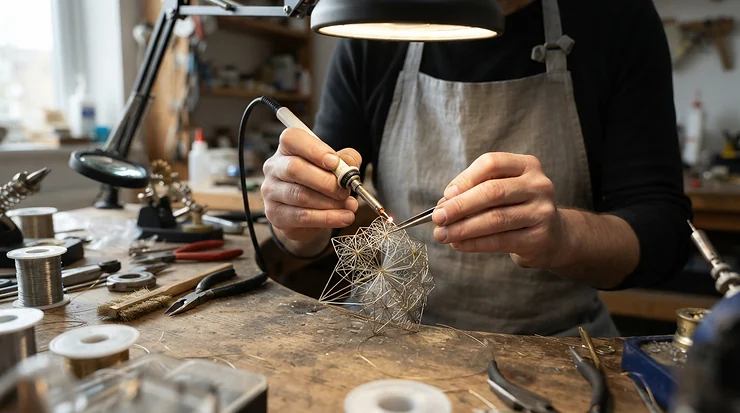
This guide compares seven real options that UK makers can buy, from entry-level units to flagship tools. Everything here is built from published specifications, manufacturer documentation and the genuine themes in aggregated customer reviews. I haven’t tested any of these pens myself, so you won’t find invented anecdotes. You’ll find reasoning instead: what each spec means once the nozzle is hot, who each pen suits, and where the marketing runs ahead of the metal.
A professional 3D pen isn’t a printer replacement. It earns its place in the gaps a printer can’t reach: welding a cracked bracket, sketching an armature, smoothing a seam, or testing a shape in mid-air before committing to CAD. The question is which pen gives you enough control to trust it.
Professional 3D Pen Quick Comparison: The Top 7 at a Glance
| Product | Temperature control | Filament | Indicative price range | Best For |
|---|---|---|---|---|
| 3Doodler PRO (2025) | Adjustable, with display | 1.75mm spools plus Flow mini-spools; specialist blends | £170–£230 | Designers pairing a pen with a desktop printer |
| 3Doodler PRO+ | Presets plus manual, around 100–260°C per retailer data | Maker’s own strands: ABS, PLA, FLEXY, wood, nylon, metal-fill | £150–£250 | Material experimenters |
| MYNT3D Professional Printing 3D Pen | 130–240°C in 1°C steps | 1.75mm PLA and ABS | £45–£70 | Precision on a mid-range budget |
| 3Doodler Flow | Plus/minus buttons, LCD | 1.75mm PLA and ABS | £70–£100 | Tidy, portable desk work |
| SCRIB3D Advanced | Temperature monitoring, eight speeds | 1.75mm filament (check kit listing) | £30–£45 | Detail work on a budget |
| MYNT3D Super 3D Pen | Adjustable, stepless speed | 1.75mm PLA and ABS | £30–£45 | Clog-resistant value |
| SCRIB3D P1 | PLA 160–210°C, ABS 210–235°C | 1.75mm PLA and ABS | £25–£40 | Entry-level control |
Prices are indicative ranges at the time of research and change often, so check the current price before buying.
Read the table as a ladder of control. The 3Doodler PRO (2025) and 3Doodler PRO+ sit at the top because they handle specialist materials. MYNT3D Professional Printing 3D Pen is the sweet spot for fine temperature adjustment without flagship money. Budget buyers should note that SCRIB3D P1 and MYNT3D Super 3D Pen trade finesse for a low entry cost, which is a fair swap if you’re learning.
💬 Just one click — help others make better buying decisions too!😊
What Is a Professional 3D Pen?
A professional 3D pen is a handheld extrusion tool that melts plastic filament so you can draw solid structures in mid-air. It adds adjustable temperature and speed, interchangeable nozzles and sturdier construction than toy-grade pens. It suits designers, model makers, repairers and artists who need repeatable control rather than novelty.
The practical difference shows up in three places. First is heat: a pen locked to one temperature suits one plastic, while a tunable one handles several. Second is feed: a weak drive gear stalls on stiff filaments, and a strong dual-drive system doesn’t. Third is serviceability: nozzles clog eventually, and a pen you can open and clean outlasts one you bin. Keep those three in mind and the seven reviews below sort themselves.
Top 7 Professional 3D Pen Picks: Expert Analysis
1. 3Doodler PRO (2025) — flagship build with standard 1.75mm freedom
The standout here is flexibility. The 3Doodler PRO (2025) accepts ordinary 1.75mm spools as well as the maker’s Flow mini-spools, so you aren’t locked into one filament supplier. Retail listings describe adjustable temperature and speed, an ergonomic button layout and a clearer display in a slim body of roughly 14cm. Adjustable temperature matters because wood-fill, metal-fill and carbon-fibre blends each need different heat to flow cleanly. A pen that can’t be tuned will clog or scorch them.
On paper this is the pen for someone who already owns a desktop printer and wants a finishing tool for welding repairs, smoothing seams and sketching supports. It’s overkill if you only trace stencils. Aggregated review summaries mention a sturdy build, easy presets and interchangeable nozzles. A few buyers found performance underwhelming, and some summaries flag filament sourcing as a nuisance, a worry the 1.75mm support should ease.
Pros:
- ✅ Accepts standard 1.75mm spools and mini-spools
- ✅ Sturdy build with interchangeable nozzles
- ✅ Adjustable temperature suits specialist blends
Cons:
- ❌ Highest price in this round-up
- ❌ Not suitable for children, 14+ only
Expect roughly £170–£230; premium, and only worth it if you’ll use the control range.
2. 3Doodler PRO+ — dual-drive power and the widest material list
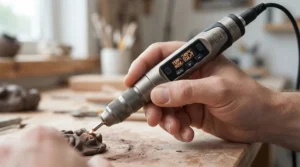
The 3Doodler PRO+ is built around a dual-drive extruder, two gears gripping the filament, which is why it keeps pushing when single-gear pens stall. Its maker lists compatibility with ABS, PLA, FLEXY, wood, nylon, copper and bronze strands, and retailer data cites a working range of about 100–260°C. A magnetic maintenance panel gives access to the interior, which makes unclogging far less fraught. The nozzle set adds ribbon, square and triangle tips plus 0.5mm, 1mm and 1.5mm round nozzles.
What most buyers overlook is the filament catch: this pen is designed around the maker’s own strands, not generic 1.75mm spools. That limits choice but protects performance, because the temperature presets are tuned to those materials. It suits makers who want to explore nylon or metal-fill without becoming filament chemists. Published reviews praise the control over heating and extrusion speed. Availability of this older model varies by retailer.
Pros:
- ✅ Dual-drive system handles tougher materials
- ✅ Six nozzle options, from 0.5mm to ribbon
- ✅ Presets for each supported filament type
Cons:
- ❌ Proprietary strands narrow your filament choice
- ❌ Mains-powered, so less portable
Expect around £150–£250 depending on the kit; strong value for material experimenters.
3. MYNT3D Professional Printing 3D Pen — OLED display with 1°C temperature steps
The MYNT3D Professional Printing 3D Pen is the one that makes precision accessible. Its range runs from 130°C to 240°C in 1°C increments, with variable speed and an OLED display. A 0.60mm nozzle is listed. That 1°C granularity is rare below flagship price: PLA flows best in a narrow window, and being able to nudge by single degrees prevents both stringing and stalling.
Based on the spec comparison, this is the best fit for anyone who wants a 3D pen with adjustable temperature without paying for proprietary materials. It takes standard 1.75mm PLA and ABS, so refills are easy to find. Reviewers consistently praise its ease of use and clear readout. Recurring complaints include occasional temperature hiccups, overheating reports during prolonged use, an OLED that washes out in bright light, and limited ABS colours in some kits.
Pros:
- ✅ 130–240°C range in 1°C increments
- ✅ Clear OLED readout of temperature
- ✅ Works with ordinary 1.75mm PLA and ABS
Cons:
- ❌ Display can be hard to read in bright light
- ❌ Some users report overheating on long sessions
Expect roughly £45–£70; the best mid-range value for fine temperature control.
4. 3Doodler Flow — tidy USB-C design for desk-bound precision
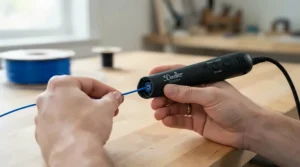
The 3Doodler Flow is a spool-fed pen with a permanently tethered USB-C cable and an integrated LCD, so there’s no cable to lose and the temperature is always visible. Plus and minus buttons adjust heat for PLA and ABS in 1.75mm, and one retailer lists FLEXY too. The spool system matters because it delivers a steady, continuous feed, which means fewer stop-start blobs mid-line.
This is a clean choice for people who want a calm, compact desk tool. It has no internal battery, but it can run from a compatible power bank, so check the adapter specifications first. The maker recommends it for ages 14 and above because of the heat and the exposed interchangeable nozzles. Reviewers describe it as simple and dependable, though specific review volume on newer kits varies, so treat early impressions with caution.
Pros:
- ✅ Integrated LCD shows live temperature
- ✅ Spool feed gives steadier extrusion
- ✅ Can run from a compatible power bank
Cons:
- ❌ Narrower material range than the PRO models
- ❌ No internal battery
Expect roughly £70–£100; a fair price for a refined, uncomplicated pen.
5. SCRIB3D Advanced — eight speed settings for fine control
The SCRIB3D Advanced leans on speed control: eight adjustable settings let you slow right down for outlines and speed up for infill. The kit typically includes around 20 feet of filament, a stencil book and a project guide. Listings also mention temperature monitoring, so you can see what the nozzle is doing rather than guessing.
Stepped speeds are coarser than a stepless slider, but eight clear steps are repeatable, and repeatability is what you want when two parts need to match. It suits creative hobbyists who want structure and a gentle learning curve. I’ll be upfront: independent review data is thinner than for the MYNT3D Professional Printing 3D Pen or 3Doodler PRO+, so I can’t responsibly summarise a firm consensus. Check recent buyer feedback, and confirm filament details on the kit listing before you commit.
Pros:
- ✅ Eight speed settings give repeatable control
- ✅ Starter kit includes stencils and a project guide
- ✅ Temperature monitoring aids consistent results
Cons:
- ❌ Less independent review data available
- ❌ Stepped speed less fluid than stepless sliders
Expect around £30–£45; decent value if you want guided learning.
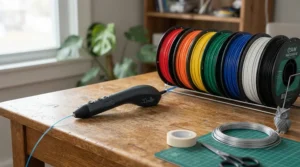
6. MYNT3D Super 3D Pen — ultrasonic sealed nozzle for fewer clogs
The MYNT3D Super 3D Pen is built around a sealed nozzle that’s designed to resist clogging, plus stepless speed control and adjustable temperature for PLA and ABS in 1.75mm. A sealed, replaceable nozzle prevents leaks around the thread and gives you a cheap, quick fix when things go wrong.
For a budget pen, adjustable heat and a stepless slider are a smart pairing. This one suits learners who are likely to push the pen too hard while finding their feet. The honest caveats come from review themes: some buyers say the cord can interfere with filament flow, the temperature knob feels flimsy and fiddly to set precisely, and filament colour choice is limited. That makes it a decent starter, but not the pen I’d lean on for tight-tolerance repairs.
Pros:
- ✅ Sealed nozzle resists clogging
- ✅ Stepless speed control for smooth lines
- ✅ Accepts both PLA and ABS
Cons:
- ❌ Temperature knob can feel flimsy and imprecise
- ❌ Cord may interfere with filament flow
Expect roughly £30–£45; good value for learning, less so for precision.
7. SCRIB3D P1 — ceramic nozzle and stepless slider at entry price
The SCRIB3D P1 pairs a ceramic nozzle with a stepless speed slider at a price that undercuts almost everything else here. Listings give PLA at 160–210°C and ABS at 210–235°C, a two-minute auto-sleep function, and a one-year guarantee. One review site reports a heat-up of two to three minutes, so be patient.
Ceramic nozzles hold heat evenly and tend to shrug off minor clogs, which is why reviewers keep singling this pen out. It’s a strong entry point for anyone who wants real adjustable temperature and speed without a big outlay. Reviewers highlight the clog resistance and the continuous speed control, and bundles with extra PLA get particular praise for value. Its temperature window is narrower than the MYNT3D Professional Printing 3D Pen, so it’s “professional” only in a light-duty sense.
Pros:
- ✅ Ceramic nozzle resists clogging
- ✅ Stepless slider gives fine speed control
- ✅ Auto-sleep adds safety and saves filament
Cons:
- ❌ Narrower temperature window than pricier pens
- ❌ Two-to-three-minute warm-up
Expect around £25–£40; the best budget entry point.
Professional 3D Pen Specs Side by Side
| Product | Temperature range | Speed control | Nozzle | Display | Best For |
|---|---|---|---|---|---|
| 3Doodler PRO (2025) | Adjustable | Adjustable | Interchangeable set | Yes | Designers with a printer |
| 3Doodler PRO+ | Around 100–260°C (retailer data) | Digital, adjustable | Six-tip set | Yes | Specialist materials |
| MYNT3D Professional Printing 3D Pen | 130–240°C, 1°C steps | Variable | 0.60mm | OLED | Fine temperature tuning |
| 3Doodler Flow | PLA/ABS via plus/minus | Adjustable | Interchangeable | LCD | Desk work |
| SCRIB3D Advanced | Monitored | Eight settings | Not confirmed | Not confirmed | Guided hobbyists |
| MYNT3D Super 3D Pen | Adjustable | Stepless | Sealed, replaceable | Not confirmed | Budget learners |
| SCRIB3D P1 | PLA 160–210°C, ABS 210–235°C | Stepless | Ceramic | Yes | Entry level |
Where a cell says “not confirmed”, the manufacturer or retailer data I found didn’t state it clearly, and I’d rather flag that than guess. The pattern is clear: temperature resolution and nozzle serviceability rise together with price. If you’re choosing between the MYNT3D Professional Printing 3D Pen and SCRIB3D P1, the extra range and 1°C steps are what you’re really paying for. If you need exotic filaments, only the 3Doodler PRO (2025) and 3Doodler PRO+ make real sense.

How to Set Up Your Professional 3D Pen and Keep It Clog-Free
Most failures happen in the first month, and nearly all are avoidable. Here’s a routine that works for any of the pens above:
- Match temperature to filament. Look up the recommended range for your exact filament and start at the lower end. Raise it only if extrusion stalls.
- Preheat fully. Wait for the ready indicator. Loading early is the quickest route to a jam.
- Anchor first. Press the nozzle to your surface for a few seconds before lifting, so the line sticks.
- Retract before cooling. Reverse the filament out before powering down, and don’t leave plastic sitting in a cooling nozzle.
- Weld, don’t glue. Touch the tips of two pieces while extruding to fuse them.
For ABS, acrylonitrile butadiene styrene tends to smell stronger when heated than PLA, so work somewhere ventilated. Keep a spare nozzle if your pen takes them, and use the manufacturer’s unblocking tool rather than a pin.
The commonest first-month mistakes are cranking the heat to cure a stall, mixing filaments mid-run without clearing the nozzle, and drawing too fast for the plastic to set. Slow down, keep the pen moving and let each layer firm up before you build on it.
Real-World Scenarios: Matching a Professional 3D Pen to Your Workflow
Case studies beat spec sheets, so here are three profiles with reasoning rather than invented testimonials.
The model maker with a desktop printer. Someone printing parts every week needs a pen to smooth seams, fill gaps and weld repairs, using the same 1.75mm PLA already on the shelf. The 3Doodler PRO (2025) fits best because its 1.75mm support avoids a second filament stock. If budget is tighter, the MYNT3D Professional Printing 3D Pen handles standard PLA with finer heat tuning than cheaper rivals.
The jewellery or sculpture hobbyist. Wire-thin lines and delicate curls demand slow, steady extrusion at a few clear speeds. The SCRIB3D Advanced with its eight speed steps suits repeatable detail work, while the 3Doodler PRO+ and its 0.5mm nozzle suit someone who also wants nylon or metal-fill.
The student on a budget. Someone working in short evening sessions needs reliability more than range. The SCRIB3D P1 or MYNT3D Super 3D Pen gives adjustable heat and speed at a low outlay, and the sealed or ceramic nozzles forgive early mistakes. Upgrade later only if you outgrow them.
✨ Ready to Upgrade Your Toolkit?
🔍 Take your making to the next level with the pens above. Click any highlighted product name to check current pricing and availability, then match the pen to the work you actually do. 🖊️
How to Choose a Professional 3D Pen: 7 Steps
- Decide your materials first. If you’ll only use PLA, you don’t need a flagship. Specialist blends justify the 3Doodler PRO (2025) or 3Doodler PRO+.
- Check temperature resolution. 1°C steps, as on the MYNT3D Professional Printing 3D Pen, give finer control than coarse presets.
- Look for variable speed. Stepless sliders, as on the SCRIB3D P1, or clear steps, as on the SCRIB3D Advanced, matter more than top speed.
- Inspect the nozzle. Ceramic, sealed or swappable nozzles reduce downtime and cost.
- Confirm filament compatibility. Standard 1.75mm spools keep refills cheap and plentiful.
- Weigh the power setup. A tethered cable is fine at a desk; a 3Doodler Flow on a compatible power bank is more flexible.
- Respect age limits. Most pens here are for teens and adults; follow each maker’s guidance.
Temperature Control: Choosing a 3D Pen with Adjustable Temperature
Temperature control is the single biggest quality divider in this category. A 3D pen with adjustable temperature lets you dial heat to the plastic, which changes everything about the result: too cool and the drive gear strips or the filament stalls, too hot and PLA oozes and ABS fumes more.
Entry pens like the SCRIB3D P1 offer a modest window, with PLA at 160–210°C and ABS at 210–235°C. Mid-range models such as the MYNT3D Professional Printing 3D Pen widen it to 130–240°C with 1°C steps. Flagships add presets matched to specific filaments, which the 3Doodler PRO+ documentation describes explicitly for each material.
Here’s what to weigh: precision beats range for most work. A pen that holds 195°C steadily will produce cleaner PLA than one that sprints across a bigger scale but wanders. Also remember that a displayed number is the pen’s target, not a guarantee of nozzle behaviour, so test on scrap and watch how the plastic moves before starting a project.
Filament Compatibility: PLA, ABS and Beyond
Filament compatibility decides how long a pen stays useful. Polylactic acid (PLA) is the friendly default: lower melting range, gentle smell and plentiful colours. ABS is tougher and more heat-resistant but fussier.
Most budget pens here, including SCRIB3D P1, MYNT3D Super 3D Pen and 3Doodler Flow, take standard 1.75mm PLA and ABS. The 3Doodler PRO (2025) adds support for specialist 1.75mm blends and the maker’s mini-spools. The 3Doodler PRO+ is the outlier, designed around proprietary strands including nylon, wood and metal-fill.
A few practical warnings follow from the manuals. Don’t assume every 1.75mm spool suits every pen: the 3Doodler Flow guidance specifically cautions against non-approved filaments. Don’t force low-temperature kids’ filaments into a high-heat pen, and avoid mixing materials without clearing the nozzle. When in doubt, buy one small spool, test on scrap, and only then order in bulk.
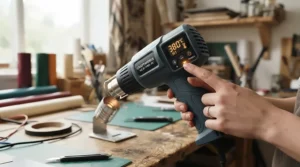
Freehand 3D Drawing vs Traditional Alternatives
Freehand 3D drawing sounds like a party trick until you have a broken plastic clip and no spare. It sits between sculpting and printing, and its strengths are speed and improvisation.
| Method | Setup time | Control | Best For |
|---|---|---|---|
| Freehand 3D drawing with a pen | Minutes | Hand-skill dependent | Repairs, sketches, finishing |
| Desktop FDM printer | Long (design plus slicing) | Very high | Precise, repeatable parts |
| Hot glue gun | Seconds | Low | Quick bonding only |
| Hand sculpting (clay or wire) | Moderate | High, but not plastic | Artistic forms |
The table shows why pens complement printers rather than replace them: a printer wins on precision, a pen wins on immediacy. For anyone doing freehand 3D drawing, the real skill is rhythm. Move steadily, let each strand harden, and anchor often. Practise on stencils first, then lift into mid-air once your lines stop wobbling. Compared with a glue gun, a pen with temperature control gives cleaner, stronger welds in the right plastic.
3D Pen for Detailed Work: Nozzles, Speed and Steady Hands
A 3D pen for detailed work needs three things: a fine nozzle, slow predictable extrusion and a comfortable grip. The 3Doodler PRO+ nozzle set offers a 0.5mm tip, the finest I found documented here. The MYNT3D Professional Printing 3D Pen lists a 0.60mm nozzle, which is still fine enough for crisp outlines.
Speed matters just as much as diameter. Slow extrusion gives plastic time to harden, which is how you draw thin vertical lines without sagging. Stepless sliders on the SCRIB3D P1 and MYNT3D Super 3D Pen let you creep slower than coarse presets, while the SCRIB3D Advanced gives you eight repeatable steps.
Technique closes the gap between pens. Rest your wrist on the desk, draw toward your body rather than away and cool each junction for a second before moving on. Lower temperatures also help detail: a few degrees cooler reduces drooping, as long as the filament still feeds.
3D Pen for Advanced Users: Where the Ceiling Is
A 3D pen for advanced users has to do more than draw. It should integrate with other tools, hold tolerances and cope with demanding materials. This is where the 3Doodler PRO (2025) and 3Doodler PRO+ pull ahead, thanks to specialist filament support and a drive built for longer, harder sessions.
Advanced users often combine a pen with a desktop printer: print the body, then use the pen to add reinforcement, bridge gaps or repair layer lines. The 3Doodler PRO (2025) is explicitly pitched at that role, and its 1.75mm compatibility means you can use the same filament as the printer. For people exploring metal-fill, wood or nylon effects, the 3Doodler PRO+ offers presets that remove much of the trial and error.
That said, don’t overbuy. A skilled maker with a MYNT3D Professional Printing 3D Pen can achieve excellent results in PLA and ABS. The premium models earn their price through materials and durability, not magic.
Long-Term Cost and Maintenance: The Real Price of a Professional 3D Pen
Sticker price is only the first chapter. Filament is the running cost, and it varies hugely: standard 1.75mm spools are cheap and widely sold, while proprietary strands cost more and limit your choice. A 3Doodler Flow refill box, for instance, sits around £20 at the maker’s UK store, so budget for it.
Maintenance costs are small if you stay disciplined. Replaceable or sealed nozzles, as on the MYNT3D Super 3D Pen, make clogs a cheap fix. The 3Doodler PRO+ magnetic panel and the unblocking tools in the 3Doodler PRO (2025) kit lower the odds of a binned pen. Over a couple of years, a cheaper pen that jams every month can cost more in frustration than a mid-range one that doesn’t.
Cost-per-use favours the SCRIB3D P1 for occasional crafters and the MYNT3D Professional Printing 3D Pen for regular users. Only heavy, materials-hungry work justifies flagship money.
Safety, Regulations and Compliance for UK Buyers
Every pen here runs hot enough to burn, so safety isn’t optional. Makers set age guidance for good reason: the 3Doodler Flow is recommended for 14 and over, and the 3Doodler PRO (2025) is listed as not for children. Use a heat-safe mat, never touch the nozzle, and unplug the pen when you leave it.
For regulation, check that a pen sold in Great Britain carries the appropriate conformity marking. The government’s guidance on using the UKCA marking explains what the mark means and which goods it covers, though many products also carry CE marking, so always read the packaging and manual. Buy from reputable sellers and keep the manufacturer’s safety documents.
Finally, ventilate when using ABS, keep filament away from damp and pets, and dispose of cooled scraps with household plastic waste unless your local council says otherwise.
Frequently Asked Questions
❓ Is a professional 3D pen worth it over a cheap one?
❓ Which professional 3D pen suits beginners best?
❓ Can I use any 1.75mm filament in a professional 3D pen?
❓ How hot does a professional 3D pen get?
❓ Where can I buy a professional 3D pen in the UK?
Conclusion
The best professional 3D pen is the one whose control range matches your actual work. For specialist materials and long sessions, the 3Doodler PRO (2025) and 3Doodler PRO+ lead the field. For precise heat control on standard filament, the MYNT3D Professional Printing 3D Pen is the standout mid-range choice. The 3Doodler Flow is the tidy desk companion, while the SCRIB3D Advanced adds structure for detail work.
If money is tight, the SCRIB3D P1 and MYNT3D Super 3D Pen deliver adjustable temperature and speed without drama, as long as you accept their limits. Whichever you pick, match temperature to filament, practise slowly and keep a spare nozzle if your model allows one.
Recommended for You
- 3D Pen For Kids: 7 Safest Picks For UK Families (2026)
- 3D Printer For Print-on-Demand Business: 7 Proven Picks (2026)
- 3D Printer For Small Business: 7 Reliable Picks For UK Firms (2026)
Disclaimer: This article contains affiliate links. As an Amazon Associate, I earn from qualifying purchases. If you purchase products through these links, we may earn a small commission at no additional cost to you.
✨ Found this helpful? Share it with your friends! 💬🤗
