In This Article
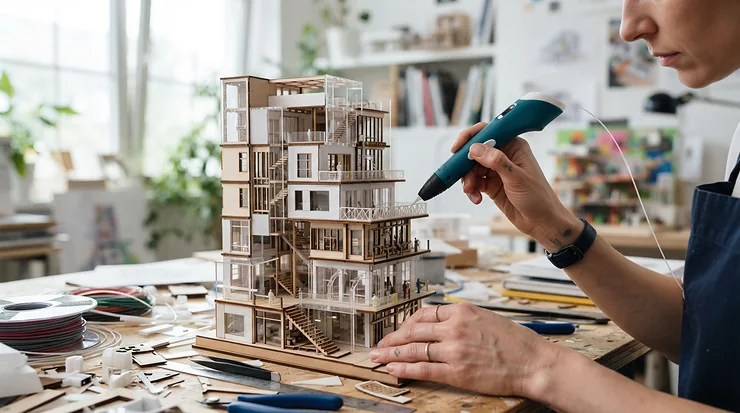
A 3D pen for artists is a handheld extruder that melts thermoplastic filament, usually PLA or ABS, and lays it down as a fast-cooling line you can draw in mid-air. Think glue gun crossed with a fine-liner. You sketch, weld and sculpt freehand, with no printer, slicer or CAD file in sight.
The format isn’t brand new. Wikipedia’s 3Doodler entry traces it to WobbleWorks, and notes the pen has been likened to a glue gun for 3D printing. What has changed is the kit. Today’s pens offer temperature readouts, stepless speed sliders, swappable nozzles and standard 1.75 mm filament. A modern 3D pen for artists is less gimmick and more small, slightly eccentric studio tool.
Choosing one is harder than it should be. The marketing is cheerful, the specs are scattered, and half the “best of” lists read like recycled listings. So this guide compares seven real pens for UK buyers, from a low-heat model for young creators to a pro-grade pen that takes wood and metal-filled filaments.
A quick honesty note. I haven’t handled these pens. Everything below comes from spec sheets, manufacturer documentation and aggregated review sentiment, and where review data is thin, I say so. You’ll also get dedicated coverage of 3D pen for professional sculpting, 3D pen for intricate designs, 3D pens for hobbyist artists, 3D pen sculpting technique, fine-detail nozzle tips and mixed-media art.
7 Best 3D Pen for Artists at a Glance
Short on time? This table sorts the field by what each pen does best. Price ranges are indicative, from the time of research, so check current price before buying.
| Pen | Best For | Filament | Control | Price Range |
|---|---|---|---|---|
| 3Doodler PRO | Professional sculpting, metal and wood finishes | 1.75 mm, nine material types | Adjustable temperature and speed | £140–£220 |
| 3Doodler Flow | Fine outlines, long sessions | 1.75 mm PLA/ABS | LCD, plus/minus buttons | £60–£120 |
| MYNT3D Professional | Temperature tinkerers on a budget | 1.75 mm PLA/ABS | OLED, 1°C steps | £40–£70 |
| SCRIB3D P1 | Value and steady beginner flow | 1.75 mm PLA/ABS | LCD, stepless slider | £40–£70 |
| MYNT3D Super | Comfortable all-round adult use | 1.75 mm PLA/ABS | Adjustable temperature | £30–£60 |
| 3Doodler Create+ | Mixed-media art with flexible plastic | 3 mm 3Doodler plastics | Speed and temperature control | £50–£90 |
| 3Doodler Start+ | Young artists and families | 3Doodler Start plastic | Low-heat design | Under £40 |
Looking at the comparison above, the 3Doodler PRO is the only pick built for serious material variety, but you pay for it. The SCRIB3D P1 and MYNT3D Professional put temperature displays within reach of a much smaller budget. If bendy, flexible elements matter for your mixed-media art, the 3Doodler Create+ is the outlier, though its proprietary plastic narrows your shopping options. The 3Doodler Start+ sits outside the adult-artist conversation, but it earns its place as the safest way to get a younger creator started.
💬 Just one click — help others make better buying decisions too!😊
Top 7 3D Pen for Artists: Expert Analysis
1. 3Doodler PRO — best for professional sculpting
Material range is this pen’s party piece. The 2025 3Doodler PRO takes standard 1.75 mm filament across nine varieties, including wood, copper and steel alongside PLA and PHA.
In practice, you’re not stuck with shiny primary-colour plastic. Metal-filled filaments can generally be sanded and polished, so a finished piece can read as bronze rather than craft-shop plastic. Temperature and speed are adjustable. The box includes a nozzle set, a Mini DoodlePad, an unblocking tool and international adapters. It’s rated 14+, with the heat that implies. It also accepts 3Doodler Flow mini-spools, including tri-colour, so cheap colour doesn’t mean proprietary sticks.
My take: for sculptors building armatures or gallery-style finished work, this is the most capable pen here. For beginners it’s too much pen, because a cheaper model teaches the same hand skills. Its predecessor, the 3Doodler PRO+, shows as discontinued at one distributor, so confirm you’re looking at the current model.
Review sentiment is thin. I couldn’t verify a robust pool of independent reviews for the 2025 model at the time of research. Treat that as a gap in the evidence, not a green light.
Pros:
- ✅ Nine filament types, including wood and metal-filled
- ✅ Standard 1.75 mm reels, so shop around
- ✅ Nozzle set and unblocking tool included
Cons:
- ❌ Highest price in this round-up
- ❌ Little verified independent review data
Expect roughly £140–£220; check current price. Strong value for serious sculptors, hard to justify for casual doodling.
2. 3Doodler Flow — best spool-fed pen for long lines
The headline is the spool feed. Instead of loading short sticks, the 3Doodler Flow pulls 1.75 mm filament from a reel, so a long line doesn’t halt mid-stroke while you reload.
Spec listings give it a 0.4 mm nozzle, an LCD temperature display, plus and minus buttons for adjustment, and PLA and ABS compatibility (one retailer adds wood). That 0.4 mm tip is thinner than the 0.60 mm nozzle on the MYNT3D Professional. You get finer outlines but slower flow, which suits lace-like detail and punishes anyone filling large volumes. Alternative nozzles are available but sold separately, and the 14+ rating reflects the exposed hot tip.
This is the natural step up for hobbyists who’ve outgrown a starter pen and want crisp linework without PRO money. It’s a good partner for 3D pen for intricate designs, such as filigree and wire-style drawing.
I couldn’t find a large independent review sample. One check is worth making. The maker’s manual leans towards its own filament, while its product page says standard 1.75 mm PLA or ABS works. Read the warranty wording if you plan to buy third-party reels.
Pros:
- ✅ Spool feed for uninterrupted long lines
- ✅ Fine 0.4 mm nozzle for crisp outlines
- ✅ Takes standard 1.75 mm filament
Cons:
- ❌ Extra nozzles cost extra
- ❌ Limited independent review data
Roughly £60–£120; check current price. A sound middle ground for fine linework.
3. MYNT3D Professional — best temperature control for the money
Its trick is an OLED screen that shows nozzle temperature in 1°C steps. Listings quote roughly 130–240°C, though one retailer says 140–230°C, so verify before buying.
Why does that matter to an artist? Run PLA just above its melting point and the line behaves, with less droop and tighter control on delicate arcs. Push it hotter for glossy, welded joins. The 0.60 mm nozzle is replaceable, the pen takes PLA and ABS, and variable speed regulates flow. A mid-sized tip like that suits general sculpting better than hairline work.
It rewards the tinkerer who wants to understand how heat changes texture, which makes it a smart pick among 3D pens for hobbyist artists who plan to grow.
Aggregated review sentiment (one aggregator plus retailer listings) praises the variable speed, modular nozzle and clear display. The recurring complaints are overheating during prolonged use, a screen that washes out in bright light, and some reports of motor failure over time. Durability is the question mark, so keep your proof of purchase.
Pros:
- ✅ OLED temperature readout in 1°C steps
- ✅ Replaceable 0.60 mm nozzle
- ✅ Variable extrusion speed
Cons:
- ❌ Reports of overheating and motor wear
- ❌ Screen hard to read in bright light
Roughly £40–£70; check current price. Excellent features per pound if you accept the durability risk.
4. SCRIB3D P1 — best beginner-friendly ceramic nozzle
The distinctive part is the stepless speed slider, which works like an analogue dimmer for plastic flow. Slide gently for slow, controlled strokes, push up for quick infill.
Specs list PLA at 160–210°C and ABS at 210–235°C, with a ceramic nozzle, an LCD and 1.75 mm filament. A retailer listing adds an auto-sleep after two minutes of inactivity and a two-year warranty. That auto-sleep is a sensible safeguard for anyone who wanders off mid-project to find a cup of tea.
It’s a solid first adult pen, though experienced hands might find the build modest.
One independent reviewer found the tip uncomfortably hot after five to ten minutes at default settings, and lowering the temperature helped. The same reviewer felt the pen was less beginner-friendly than its marketing claims, but noted it accepts third-party filament without fuss. That mix of praise and caveat is useful, so set the temperature yourself rather than trusting the default.
Pros:
- ✅ Stepless slider for smooth flow control
- ✅ Auto-sleep adds a safety margin
- ✅ Accepts third-party 1.75 mm filament
Cons:
- ❌ Tip can run uncomfortably hot by default
- ❌ Less beginner-friendly than advertised
Roughly £40–£70; check current price. Good value once you’ve tamed the temperature.
5. MYNT3D Super — best comfortable all-rounder for adults
Comfort is the hook. In a three-pen comparison, one reviewer picked the MYNT3D Super over the SCRIB3D P1 and a third rival. They cited a more comfortable grip, faster and more consistent extrusion, and layers that fused cleanly.
It runs 1.75 mm PLA and ABS with adjustable temperature. That same reviewer judged it unsuitable for children and for complete beginners, which fits its adult positioning. Consistent extrusion matters more than any spec-sheet number when you’re tracing a long curve, because a stuttering flow shows up as a lumpy line you can’t undo.
Opinions on temperature control differ. One reviewer described fine-tuning by button, while an aggregated summary calls the temperature knob and adjustment tool flimsy and fiddly. That discrepancy could reflect different production batches or kit versions, so look closely at the exact listing you’re buying. The aggregate also flags a limited colour range.
Pros:
- ✅ Comfortable grip for longer sessions
- ✅ Consistent, even extrusion
- ✅ Handles both PLA and ABS
Cons:
- ❌ Temperature control can feel fiddly
- ❌ Limited filament colour choice
Roughly £30–£60; check current price. A relaxed, reliable pick for adult hobbyists.
6. 3Doodler Create+ — best for flexible mixed-media experiments
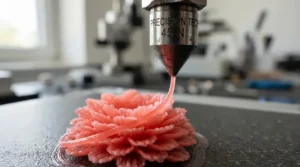
Flexibility is the point here. The 3Doodler Create+ works with the brand’s ABS, PLA and FLEXY plastics, and FLEXY is a bendy material that opens up wearable or hinge-like elements in mixed-media art.
It uses proprietary 3 mm plastic rather than 1.75 mm filament. Retail copy credits a dual-drive system for very few jams, which is a marketing claim rather than a measured one. A separate six-tip nozzle set (0.5 mm, 1.5 mm, triangle, ribbon, noodle and angled) is sold for several 3Doodler pens, so check the compatibility chart.
That plastic is the catch for UK buyers. At least one UK Trustpilot reviewer complained about sourcing refills, which is a single anecdote but worth checking before you commit.
Reviews are split. Creative Bloq’s reviewer said it delivers great results with practice. A 3D Tested reviewer found straight, clean lines hard going. An aggregator reports a gap between expert and consumer scores, with mentions of defective units, jams when misused, and refill costs.
Pros:
- ✅ FLEXY plastic for bendy elements
- ✅ Dual-drive feed design
- ✅ Optional six-tip nozzle set
Cons:
- ❌ Proprietary plastic limits shopping around
- ❌ Reports of jams and defective units
Roughly £50–£90; check current price. Worthwhile only if you’ll genuinely use FLEXY.
7. 3Doodler Start+ — best low-heat pick for young artists
Safety is the draw. According to one family-focused reviewer, the 3Doodler Start+ doesn’t get hot enough to burn and is smell-free, unlike the hotter Create+.
The UK evidence is stronger here than for any other pen. Testix analysed over 1,950 customer reviews from Currys, John Lewis, Argos and Amazon UK across ten pens and named it best in test. Its verdict was clear: ideal for beginners and younger children, not ambitious teen artists.
That honesty is useful. This isn’t a 3D pen for professional sculpting or fine linework, and nobody should buy it hoping to produce gallery-grade work. But for introducing a child to 3D drawing, or for a family project around the kitchen table, the lower heat is a genuine selling point.
Pros:
- ✅ Low-heat design suits younger creators
- ✅ Strong UK retailer review sentiment
- ✅ Smell-free in use, per one reviewer
Cons:
- ❌ Not suited to fine or professional work
- ❌ Limited to the maker’s own plastic
Typically in the mid-£30s, under £40; check current price. Excellent for its audience, wrong for everyone else.
How to Choose a 3D Pen for Artists
To choose a 3D pen for artists, match the pen to the filament you’ll use, then check temperature control, nozzle size, safety markings and running costs. These seven steps cover what matters most.
- Decide on filament first. Pens that take standard 1.75 mm reels, like the 3Doodler PRO, 3Doodler Flow, MYNT3D Professional and SCRIB3D P1, let you shop around. Proprietary plastic, as on the 3Doodler Create+, ties you to one supplier.
- Insist on visible temperature control. PLA runs roughly 160–210°C and ABS 210–235°C on the SCRIB3D P1‘s spec, so a display replaces guesswork.
- Check nozzle size and swappability. Thin tips draw fine lines, wider ones fill faster.
- Pick your speed control style. A slider feels analogue, buttons feel stepped.
- Think about ergonomics. Weight and grip decide whether you manage twenty minutes or two hours.
- Check age ratings and markings. For toys, GB guidance accepts either UKCA or CE marking, and anything hot enough to burn deserves a 14+ rating.
- Budget for the extras. Spare nozzles, filament and a heat-proof mat add up.
3D Pen for Professional Sculpting: What Changes at Pro Level
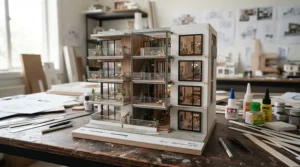
At pro level, the question shifts from “does it draw?” to “does it hold up?” A 3D pen for professional sculpting needs strong joins, predictable heat and the stamina for long builds. A sculpture can swallow metres of filament.
Start with structure. Build armatures from thicker, faster extrusion, then layer finer detail on top. PLA is easy to work with and sands well. ABS is generally tougher and more heat-tolerant, but it emits more particles, which we’ll cover in the safety section.
Material choice matters too. The 3Doodler PRO‘s wood and metal-filled filaments let you finish pieces with convincing surface character rather than a plastic look, and the MYNT3D Professional‘s fine temperature steps help you tune joins. For marathon sessions, the spool feed on the 3Doodler Flow avoids reloading mid-stroke.
Finishing separates amateurs from professionals. Sand to remove stray strings, then paint, patinate or wax as the filament allows. Treat the pen as the first stage of a process rather than the whole process.
Fine-Detail Nozzle Tips: What They Do for Your Work
Fine-detail nozzle tips change the line you draw, and the line is your whole vocabulary. A thinner tip gives crisper outlines but slower flow. A wider one fills quickly but blurs delicate edges.
Shaped tips add texture. A flat ribbon tip suits petals, wings or folded fabric, while a triangle tip gives ridged lines. Create+ accessory listings describe an angled tip that doubles as a smoothing tool, handy for taking the lumpy edge off a finished surface.
| Pen | Nozzle Detail | Swappable? | Best For |
|---|---|---|---|
| 3Doodler Flow | 0.4 mm (retail spec listing) | Yes, extra tips sold separately | Fine outlines |
| MYNT3D Professional | 0.60 mm | Replaceable | Balanced flow |
| SCRIB3D P1 | Ceramic, detachable | Detachable | Steady beginner flow |
| 3Doodler PRO | Nozzle set in box | Yes | Texture variety |
| 3Doodler Create+ | Separate six-tip set (0.5 mm, 1.5 mm, triangle, ribbon, noodle, angled) | Yes, sold separately | Texture and smoothing |
Reading the table, the 3Doodler Flow offers the finest stock tip for linework, while the 3Doodler PRO and 3Doodler Create+ win on texture options. The MYNT3D Professional and SCRIB3D P1 are less about tip variety and more about reliable, mid-sized flow. Nozzle swaps often involve heating the pen, so follow your manual’s procedure to the letter.
3D Pen Sculpting Technique: A Practical Usage Guide
A good 3D pen sculpting technique is mostly patience with a hot tool. These habits go beyond what the box tells you.
Setup That Saves Frustration
Work in a ventilated room on a heat-resistant surface. CDC-hosted research on desktop 3D printers found they emit ultrafine particles, with ABS and PLA behaving differently. Pens use the same melt-and-extrude principle, so a cracked window is cheap insurance. Let the pen preheat fully; a cold start invites jams.
Core Moves
- Anchor and lift. Touch the tip to the surface, start extruding, then rise slowly so the line hardens as it climbs.
- Short bursts. Draw in short strokes and let each cool before building on it.
- Weld, don’t stack. Draw flat panels first, then fuse them at the edges.
Maintenance Schedule
After each session, purge or unload filament as the manual directs. Weekly, inspect the tip for residue. Monthly, check nozzles and vents for wear.
First 30 Days: Common Mistakes
Running PLA too hot causes drooping lines. Yanking a stuck filament can damage the feed. Skipping the cool-down clean-up leaves a clog for next time.
Real-World Scenarios: Three Artists, Three Pens
These are composite, hypothetical profiles, not real customers, built to show how the reasoning works.
The student on a budget. Ellie shares a flat, sketches two or three evenings a week, and has roughly £50 to spend. The SCRIB3D P1 fits, since its stepless slider and auto-sleep suit a beginner in a small space. She should lower the default temperature and open a window.
The craft-fair maker. Dan sells small metallic-finish sculptures and works weekly, with a flexible budget. The 3Doodler PRO with copper or steel-filled reels gives him the finish buyers notice. He can add 3Doodler Flow mini-spools for cheap colour and use the PRO’s heat control for tidy joins.
The family studio. Priya wants a weekend kitchen-table project for herself and a twelve-year-old. She’d pair a 3Doodler Start+ for the child with a 3Doodler Flow for herself, keeping total spend under £150. The cooler 3Doodler Start+ keeps the young one safe while she works on fine detail.
3D Pens for Hobbyist Artists: Where to Start
For 3D pens for hobbyist artists, the best first purchase is the one you’ll actually use. Overbuying is the commonest mistake. A pro pen’s metal filaments mean little if you’re still learning to draw a straight line in the air.
Start with the SCRIB3D P1 or MYNT3D Super if you’re an adult beginner. Both handle standard PLA, both are affordable, and both teach the same core skills as pricier pens. If you suspect you’ll become a regular, the MYNT3D Professional‘s temperature display teaches you how heat affects results, which pays off later.
When you outgrow a starter, the 3Doodler Flow is the natural step, as its finer nozzle sharpens linework. Younger family members should start on the 3Doodler Start+ instead.
Practise on stencils before freehand. Trace a few flat shapes, then weld them into a simple standing object. It feels slow, but confidence builds quickly, and a fold-together lantern beats a lumpy blob every time.
Finally, keep expectations realistic. Hobbyist work benefits from patience far more than from gear.
Mixed-Media Art with a 3D Pen: Plastic Meets Paper, Wire and Clay
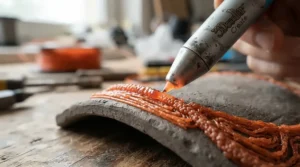
Mixed-media art is where a 3D pen earns its keep, because plastic bonds to more than you’d expect. Draw directly onto paper, peel the lines off, and you have free-standing outlines to combine with other materials.
Pair pen-drawn armatures with polymer clay, wrapping soft surfaces over rigid frames. Embed fine lines in resin or fuse them to card for relief pieces. Textured ribbon lines suit foliage, hair or architectural ornament against painted backgrounds.
The 3Doodler Create+ stands out for flexible work, since its FLEXY plastic lets you make bendy hinges or soft-touch details. Pens like the 3Doodler PRO reach further, with wood and metal-filled filaments that blend more convincingly with traditional media. For mixed-media art on a tight budget, a SCRIB3D P1 and a handful of colours already opens many doors.
A practical tip: sketch first, in pencil, on paper that sits under a heat-safe sheet. Plan which parts will be plastic and which will be clay, paint or paper. Hot plastic and wet clay don’t always get along, so build the pen elements first and finish with softer materials.
3D Pen for Intricate Designs: Problems and Fixes
A 3D pen for intricate designs rewards precision, but a few predictable problems get in the way. Here’s how to solve them.
Problem: Lines droop or sag. The temperature is probably too high. Drop it in small steps, and a pen with fine adjustment, like the MYNT3D Professional, makes this easy.
Problem: Blobs at the start of a stroke. Filament has built up while the pen sat idle. Move the instant you start extruding, or reduce flow with a slider like the SCRIB3D P1‘s.
Problem: Fine details look chunky. A wide nozzle is the culprit. Swap in a thinner one or choose a pen with a finer stock tip, such as the 3Doodler Flow.
Problem: Wobbly straight lines. This is a hand problem, not a gear problem. One reviewer admitted that steadiness limited their results. Brace your wrist on the table and use stencils.
For truly intricate work, slow down, work in layers, and accept that each piece takes time. The finest results usually come from patient, low-speed drawing and well-chosen fine-detail nozzle tips.
3D Pen vs Traditional Alternatives
How does a 3D pen stack up against the other ways of making things? Each method has its own strengths, so the real question is what you want from it.
| Approach | Strength | Weakness | Best For |
|---|---|---|---|
| 3D pen | Fast, rigid, open structures | Hot tip, steady hand needed | 3Doodler Flow for linework, 3Doodler PRO for finish |
| Polymer clay | Soft textures, colour blending | Slower for open structures | Surface-heavy sculpture |
| Wire sculpting | Strong line, no heat | Limited filling and surface | Skeleton-style pieces |
| Desktop 3D printer | Repeatable, precise forms | Needs CAD skills and setup | Production runs |
Looking at the table, a pen occupies a sweet spot between wire’s minimalism and a printer’s machine precision. It doesn’t replace clay for soft surfaces, nor a printer for repeatable parts. Many artists combine methods, using a MYNT3D Super or SCRIB3D P1 for armatures and clay for skin. Treat the pen as an addition to your studio, not a replacement for it.
Safety, Regulations and Running Costs
Hot plastic demands respect. The nozzle on the pens here reaches temperatures from roughly 160°C for PLA to 235°C for ABS on the SCRIB3D P1‘s spec. That explains why most adult pens carry a 14+ rating and why unattended use is a bad idea.
If you do get a burn, NHS guidance on burns and scalds says to hold the area under cool running water for 20 minutes. It advises against ice and creams, and it lists large, deep or facial burns as reasons to seek urgent help.
On markings, GB accepts either UKCA or CE marking for products it covers. Toy rules generally apply to products designed for children under 14, so check the listing for your pen’s category.
Running costs are modest but real. Budget for filament, spare nozzles and a heat-proof mat. Proprietary plastics, as on the 3Doodler Create+, usually cost more per metre than generic 1.75 mm reels, and the 3Doodler PRO‘s specialty filaments carry a premium. Over a year, the filament habit often outspends the pen itself.
Frequently Asked Questions
❓ How much should I budget for a 3D pen for artists in the UK?
❓ Can I use any filament in a 3D pen for professional sculpting?
❓ Are 3D pens for hobbyist artists suitable for teenagers?
❓ Do fine-detail nozzle tips fit every pen?
❓ Is a 3D pen better than polymer clay for mixed-media art?
Conclusion
The right 3D pen for artists depends on what you want to make, and on how much patience you bring.
For serious work, the 3Doodler PRO offers the widest material range, with wood and metal-filled options that lift a piece above craft-shop plastic. If fine linework is your obsession, the 3Doodler Flow‘s 0.4 mm nozzle and spool feed make it a strong middle-tier choice. On a tighter budget, the MYNT3D Professional brings a proper temperature display, while the SCRIB3D P1 and MYNT3D Super cover most hobbyist needs well. The 3Doodler Create+ is best reserved for people who’ll actually use FLEXY in their mixed-media art, and the 3Doodler Start+ is the safe, sensible answer for younger creators.
Whichever you choose, set the temperature yourself, ventilate the room, and practise your 3D pen sculpting technique on stencils before attempting masterpieces. Keep your proof of purchase, since a few of these pens have durability caveats in aggregated reviews.
Recommended for You
- Professional 3D Pen: 7 Best Picks Worth Buying (2026)
- 3D Pen For Kids: 7 Safest Picks For UK Families (2026)
- 3D Printer For Print-on-Demand Business: 7 Proven Picks (2026)
Disclaimer: This article contains affiliate links. As an Amazon Associate, I earn from qualifying purchases. If you purchase products through these links, we may earn a small commission at no additional cost to you.
✨ Found this helpful? Share it with your friends! 💬🤗
