In This Article
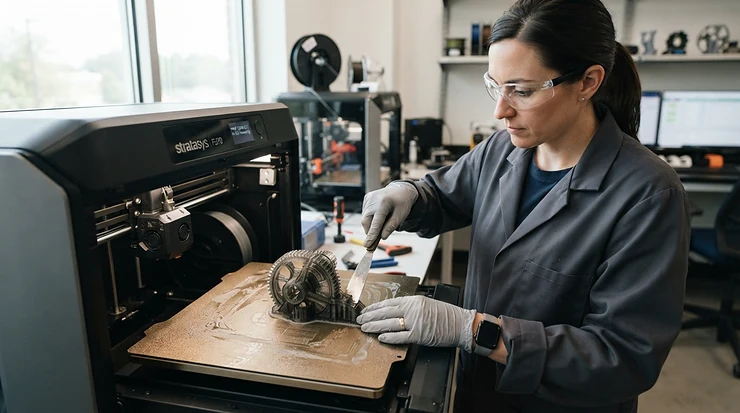
You know the feeling. The CAD model is flawless, the bureau quote comes back at three figures with a nine-day wait, and when the part finally lands, the press-fit boss is 0.4 mm out. Buying an industrial 3D printer for prototyping is how you stop paying that tax. It also means you can break a design on Tuesday and have its replacement on your bench by Wednesday morning.
The market has changed fast. Machines that once needed a six-figure budget and a dedicated technician now have heated chambers, hardened hotends and closed-loop motion. Many of them sit below the price of a decent second-hand hatchback. So the real question has shifted from “can I afford one?” to “which one will survive my workload?”
I’ve researched real specifications, UK reseller listings and aggregated reviewer sentiment to answer that for 2026. Whether you’re shopping for a professional 3D printer for prototyping in a small design studio or equipping an engineering lab, this guide ranks seven genuine machines. It also covers materials, tolerances, regulation and the traps nobody mentions on a product page.
What Is an Industrial 3D Printer for Prototyping?
An industrial 3D printer for prototyping is a machine built to turn CAD data into physical parts repeatably, at engineering-grade accuracy, using materials that behave like production plastics. It typically offers an enclosed or heated build environment, high-temperature nozzles, reliable calibration and support for fibre-filled filaments or specialist resins. Cambridge University’s process encyclopaedia explains the underlying rapid prototyping principle of building components layer by layer to test a design hands-on before full manufacture.
Quick Comparison Table: Industrial 3D Printer for Prototyping at a Glance
| Printer | Technology | Build volume | Price range (check current price) | Best For |
|---|---|---|---|---|
| Creality K2 Plus Combo | FDM, multi-colour | 350 × 350 × 350 mm | Around £1,100-£1,500 | Large, budget-conscious prototype batches |
| QIDI Max4 Combo | FDM, heated chamber | 390 × 390 × 340 mm | Around £800-£1,200 | Strong, engineering-filament parts on a budget |
| Bambu Lab H2D | FDM, dual nozzle | 350 × 320 × 325 mm | £1,300-£1,700 range | All-round speed and material versatility |
| Original Prusa XL | FDM, toolchanger option | 360 × 360 × 360 mm | £1,800-£3,700 range | Multi-material work with UK-based support |
| Snapmaker U1 | FDM, four toolheads | Mid-size | Around £1,000-£1,500 | Low-waste multi-colour concept models |
| Raise3D Pro3 Plus | FDM, dual extruder | 300 × 300 × 605 mm | Roughly £6,000-£8,000 | Tall parts, reliability, professional workflows |
| Formlabs Form 4 | Resin (LFD) | 200 × 125 × 210 mm | Around £3,000-£4,500+ | Fine detail and tight dimensional accuracy |
Look at the pattern in the table. The three machines under about £1,500 give you the most build volume per pound, so they suit anyone prototyping housings, jigs and brackets in bulk. The Raise3D Pro3 Plus costs several times more, and you’re paying for process stability, tall builds and a professional workflow rather than raw speed. The Formlabs Form 4 is the outlier because resin trades build size for surface finish and fine detail. Treat the price bands as indicative and confirm them before buying.
💬 Just one click — help others make better buying decisions too!😊
Top 7 Industrial 3D Printer for Prototyping Picks: Expert Analysis
1. Creality K2 Plus Combo — big-volume value for budget-conscious teams
The headline here is volume: a 350 mm cube lets you print whole enclosures in one piece rather than gluing halves together.
The Creality K2 Plus Combo pairs that cube with a 600 mm/s print speed and the CFS multi-colour system. In practice, a full-size electronics housing finishes inside a working day, and you can colour-code assemblies without hand-painting. The enclosed, heated build environment also matters, because it keeps ABS and ASA from warping mid-print.
My analysis is that this is the pick for a small studio that needs lots of big, quick iterations rather than certified production parts. Independent roundups position it as a capable engineering-grade option, but I couldn’t verify a large body of independent reviews in this research round. Check recent buyer feedback on current firmware before committing.
Pros:
- ✅ Huge 350 mm build cube for single-piece prototypes
- ✅ Multi-colour CFS system reduces manual finishing
- ✅ Enclosed design suits warp-prone engineering plastics
Cons:
- ❌ Sits below premium machines on process documentation
- ❌ Independent long-term reliability data still limited
Around £1,100-£1,500, it’s strong value if size matters more than brand pedigree.
2. QIDI Max4 Combo — heated chamber built for tough materials
If you want a 3D printer for strong parts without paying professional-tier money, this is the one to look at.
The QIDI Max4 Combo offers a 390 × 390 × 340 mm build volume, a 65°C heated chamber, speeds up to 800 mm/s and closed-loop motors on the X/Y axes. That chamber is the key spec. Nylons, polycarbonate and carbon-fibre-filled filaments shrink unevenly in cold air, and a warm chamber reduces layer splitting and warped corners. Closed-loop motors catch missed steps, so dimensions drift less over a long print.
It suits makers and small firms producing functional brackets, clips and fixtures. Aggregated product roundups describe it as large-volume and multi-material capable. I couldn’t verify a big independent review sample, though, so lean on the specification evidence and recent verified-buyer comments.
Pros:
- ✅ 65°C heated chamber helps strong-material printing
- ✅ Closed-loop motors improve dimensional consistency
- ✅ Largest build volume on this list
Cons:
- ❌ Brand has a smaller UK support footprint
- ❌ Fast speeds demand careful tuning for accuracy
Around £800-£1,200, it’s arguably the best value here for strength-focused work.
3. Bambu Lab H2D — fastest all-rounder for multi-material prototypes
The standout is dual-nozzle printing at speed, which means soluble supports and two materials in one print without constant filament swapping.
Specs matter here. The Bambu Lab H2D gives you a 350 × 320 × 325 mm total volume, a 350°C hotend, a 65°C actively heated chamber and a 120°C bed. That’s enough for carbon-fibre nylon and PPA-class filaments, and the second nozzle lets you print PVA or BVOH supports for complex geometry. TechRadar’s workshop testing placed it at the top of its 3D printer guide and cited its toolhead speed, closed-loop extrusion and built-in air filtration.
Reviewers consistently praise its set-and-forget calibration. A frequent caveat is that it’s a closed ecosystem compared with open-source rivals.
Pros:
- ✅ Dual nozzles enable soluble supports and mixed materials
- ✅ 350°C hotend plus 65°C chamber handles demanding filaments
- ✅ Strong sensor suite catches failed prints early
Cons:
- ❌ Proprietary ecosystem limits deep customisation
- ❌ Dual-nozzle mode trims usable width slightly
At £1,300-£1,700, it’s the best balanced choice in this round-up.
4. Original Prusa XL — scalable toolchanger with UK-backed support
This is the machine that grows with you: start with one toolhead and add more later, up to five, for multi-material work with minimal waste.
The Original Prusa XL offers a 360 mm cube, a 290°C direct-drive extruder, a 120°C bed and automatic bed levelling. What the spec sheet won’t tell you is the practical benefit of independent toolheads. Each head holds a different material, so there’s no purge tower eating filament and no cross-contamination between colours or support types. UK reseller 123-3D lists the printer with UK-based warranty support, which is a real advantage if you need quick service rather than overseas shipping.
It suits teams who value open-source repairability and multi-material efficiency. If you plan to print ABS or ASA regularly, budget for an enclosure. I couldn’t verify a robust independent review sample here, so treat my commentary as spec-driven.
Pros:
- ✅ Upgradeable from one to five toolheads
- ✅ 360 mm cube with automatic levelling
- ✅ UK reseller warranty support available
Cons:
- ❌ Open-frame design limits warp-prone material performance
- ❌ 290°C ceiling trails newer high-temperature rivals
At £1,800-£3,700 depending on toolheads, it’s pricier but built for the long haul.
5. Snapmaker U1 — four toolheads, far less filament waste
The hook is simple: swapping whole toolheads instead of filament means multi-colour prototypes without a mountain of purge waste.
The Snapmaker U1 uses four independent toolheads, and its maker claims dramatically less waste and faster multi-colour output than traditional filament-change systems. For a designer producing colour-coded concept models or visual mock-ups, that cuts both time and material cost. On paper, it’s less about brute strength and more about presentation-grade, multi-material prototypes.
It suits studios who prototype for client sign-off, where colour accuracy and appearance matter as much as mechanical performance. If you need highly stressed functional parts, look at the heated-chamber machines above. I couldn’t verify a large independent review sample, so weigh this pick on specification logic and check recent buyer feedback.
Pros:
- ✅ Four toolheads minimise purge waste
- ✅ Fast multi-colour concept model production
- ✅ Efficient workflow for presentation prototypes
Cons:
- ❌ Less suited to demanding structural materials
- ❌ Newer product with a shorter track record
Around £1,000-£1,500, it’s good value for visual-first prototyping.
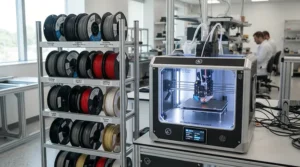
6. Raise3D Pro3 Plus — professional dual-extruder with a 605 mm tall build
Its calling card is height: a 605 mm Z axis lets you print tall fixtures, ducting or housings that simply won’t fit elsewhere.
The Raise3D Pro3 Plus offers a 300 × 300 × 605 mm volume (255 × 300 × 605 mm in dual mode), a 300°C hotend, a 120°C bed, an enclosed chamber and a built-in camera. Its dual extruders support PVA and PET-based supports, and the material range spans PLA through carbon-fibre-infused filaments. Because it’s a machine built for agile small-batch production, uptime matters more than top speed.
Aniwaa’s review reports more than 180 hours of printing without a single failed print, praising the EVE assistant and the ideaMaker slicer. That’s one reviewer’s experience, but it fits the machine’s reputation for dependability.
Pros:
- ✅ 605 mm Z height handles tall prototypes
- ✅ Enclosed, professional build with built-in camera
- ✅ Reviewers report excellent print reliability
Cons:
- ❌ Several times the price of consumer-grade rivals
- ❌ 300°C ceiling limits ultra-high-temperature polymers
At roughly £6,000-£8,000, it’s a premium choice for teams where downtime costs real money.
7. Formlabs Form 4 — resin precision for fine, accurate prototypes
If tolerance and surface finish rank above part size, this is your answer, because resin resolves detail that filament can’t.
The Formlabs Form 4 has a 200 × 125 × 210 mm build volume, 25-300 micron layer thickness and Low Force Display technology that cures each layer rapidly. 3D Printing Industry’s launch coverage notes an average speed of around 40 mm/h at 100 microns and a resin tank lifetime of more than 75,000 layers. Formlabs also launched it with 23 resins on the standard model, so you can match toughness, clarity or flexibility to the job.
On paper it’s ideal for connectors, snap-fits and anything needing a crisp finish. Remember to budget for washing, curing and resin handling.
Pros:
- ✅ Very fine layer thickness for detailed parts
- ✅ Broad resin library covers many applications
- ✅ Long tank life reduces consumable costs
Cons:
- ❌ Small build volume versus filament machines
- ❌ Post-processing and resin handling add workflow steps
Around £3,000-£4,500 for typical packages, it’s strong value for precision work.
Top 7 Spec Showdown
| Printer | Standout spec | Material reach | Best For |
|---|---|---|---|
| Creality K2 Plus Combo | 350 mm cube, 600 mm/s | Multi-colour engineering filaments | Large budget prototypes |
| QIDI Max4 Combo | 65°C chamber, 800 mm/s | Engineering filaments | Strong functional parts |
| Bambu Lab H2D | 350°C hotend, dual nozzle | Carbon-fibre and soluble supports | All-round versatility |
| Original Prusa XL | Up to 5 toolheads | Multi-material PLA to PETG | Scalable multi-material work |
| Snapmaker U1 | Four toolheads | Multi-colour filaments | Presentation models |
| Raise3D Pro3 Plus | 605 mm Z height | Wide, including fibre-infused | Tall, reliable production |
| Formlabs Form 4 | 25-300 micron layers | 23 resins | Fine-detail precision |
Read this table by asking what limits your prototypes. If it’s size, favour the QIDI Max4 Combo or Creality K2 Plus Combo. If it’s material strength, the Bambu Lab H2D and Raise3D Pro3 Plus have the headroom. If it’s finish and accuracy, the Formlabs Form 4 wins even though it’s the smallest.
✨ Don’t Miss These Exclusive Deals!
🔍 Take your rapid prototyping workflow to the next level with these carefully selected machines. Click on any highlighted printer to check current pricing and availability. These tools will help you create authentic, test-ready parts your whole team will trust!
How to Choose an Industrial 3D Printer for Prototyping
Follow these steps in order, because each one narrows the field for the next.
- Define the job first. Fit checks need only dimensional accuracy, while functional tests need strength and heat resistance. Your answer decides between filament and resin.
- Set your tolerance target. If your parts must mate with machined components, you need a process that holds production tolerances consistently, not just on a good day.
- Check the material list. Look for hardened nozzles, 300°C or higher hotends and heated chambers if you want fibre-filled or engineering polymers.
- Match build volume to your largest part. Splitting and bonding a part can introduce weak lines, so volume is cheaper than rework.
- Prize reliability over peak speed. A slower machine that never fails beats a fast one you babysit.
- Count the ecosystem. Slicer quality, camera monitoring, spare parts and UK support decide how painful ownership is.
- Budget for the extras. Enclosures, drying boxes, spare nozzles and post-processing kit add real cost.
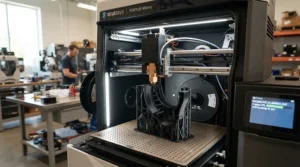
Practical Usage Guide: Your First 30 Days with Industrial-Grade Materials
The first month decides whether your machine becomes a workhorse or a shelf ornament. Start with the material the maker recommends, then graduate. Run a calibration cube and a tolerance coupon before touching real parts, and store the results in a shared folder so every colleague works from the same numbers.
Dry your filament. Nylons and PETG absorb moisture from British air within days, which causes stringing and weak layers. A £30-£60 filament dryer repays itself within a few spools. Label your spools with open dates, and seal them with desiccant afterwards.
Common first-month mistakes include printing at maximum speed, skipping bed cleaning and ignoring nozzle wear. Abrasive carbon-fibre filaments will chew through brass, so fit hardened nozzles before you load them. Set a maintenance schedule: clean the build plate before every print, check belts monthly and inspect the nozzle after every few kilograms of abrasive material. Keep one failed print on the shelf as a reminder of what poor settings produce.
Real-World Scenarios: Matching Printers to Buyers
Case one: a three-person product design studio produces concept models for clients weekly, with a budget around £1,500 and frequent colour requests. The Snapmaker U1 or Bambu Lab H2D fits, because multi-colour output and fast turnaround matter more than certified mechanical data.
Case two: a mechanical engineer at a small manufacturer needs hundreds of jigs and fixtures each quarter, with a budget around £1,200 and a need for toughness. The QIDI Max4 Combo gives a heated chamber and large volume at that price, so nylon and carbon-fibre fixtures are realistic.
Case three: a university lab runs shared equipment, prints daily and needs low downtime and UK support. The Original Prusa XL or Raise3D Pro3 Plus earns its premium here, since reliability and service access protect everyone’s schedules.
Case four: a medical-device start-up needs snap-fit housings with crisp detail and tight dimensions. The Formlabs Form 4 suits it best, provided the team accepts the post-processing routine.
Industrial-Grade Materials: What Actually Holds Up
Materials decide whether a prototype tells the truth about your final part. Industrial-grade materials such as nylon, polycarbonate, PETG, ASA and fibre-filled composites behave like production plastics, so your stress tests mean something. Standard PLA, by contrast, softens at modest temperatures and fails brittlely, so a PLA bracket proves little about an ABS or nylon production part.
Fibre-filled filaments raise stiffness and heat resistance, but they’re abrasive and need hardened nozzles. Flexible TPU suits gaskets and bumpers. Soluble supports from dual-nozzle machines like the Bambu Lab H2D or Raise3D Pro3 Plus let you print geometry that would otherwise be impossible without messy break-away supports. For resin, the Formlabs Form 4 library covers rigid, tough, flexible and clear options, so test the closest match to your end material.
One more point: store and dry every material properly. A premium nylon that’s absorbed moisture performs worse than a basic nylon kept dry.
Production Tolerances Explained
Production tolerances describe how closely a printed part matches its design dimensions. For fit-critical features, that gap decides whether a shaft slides, a snap-fit clicks or an assembly jams. Filament machines generally hold looser tolerances than resin, and shrinkage in materials like nylon and ABS adds further variation.
The practical fix is calibration. Print a coupon with holes, pegs and slots, measure it with calipers, and feed compensation values back into your slicer. Orientation also matters, because accuracy differs between X/Y and Z. Closed-loop motion on the QIDI Max4 Combo and the stable process of the Raise3D Pro3 Plus help repeatability, while the Formlabs Form 4 is aimed at the tightest detail.
Remember that a printed prototype only needs to predict your production process, not match it perfectly. If the final part will be injection-moulded, treat printed tolerances as a guide and leave allowance for tool wear and moulding shrinkage.

3D Printers for Functional Prototyping: What to Expect in Real-World Performance
3D printers for functional prototyping live or die by how parts behave under load, heat and repetition. A part that looks right but snaps at the first torque test is a decorative object, not a prototype.
Layer orientation is the hidden variable. Filament parts are strongest along their layers and weakest between them, so orient load-bearing features accordingly. Heated chambers improve layer adhesion, which is why machines like the Bambu Lab H2D and QIDI Max4 Combo produce tougher parts than open-frame designs. Expect to run a few test iterations to find your best infill pattern, wall count and print temperature.
Expect honest limits too. Printed parts rarely match machined metal for fatigue life, and heat deflection varies enormously between materials. Use prints to validate fit, assembly, ergonomics and early mechanical behaviour, then confirm critical results with production-representative samples.
Industrial 3D Printer for Prototyping vs Traditional Alternatives
| Approach | Turnaround | Cost behaviour | Detail and tolerance | Best For |
|---|---|---|---|---|
| In-house filament (e.g. Bambu Lab H2D) | Hours | Low per part, upfront outlay | Good, process-dependent | Daily iteration and fixtures |
| In-house resin (e.g. Formlabs Form 4) | Hours | Moderate per part | Very fine | Detailed, fit-critical parts |
| Outsourced bureau | Days | Per-part fees add up | Strong, process-dependent | Occasional or specialist jobs |
| CNC machining | Days | High for one-offs | Excellent | Metal or final-material parts |
The table tells a clear story: speed and iteration favour owning a machine, while one-off metal parts favour machining. A bureau still makes sense for rare processes you’ll never run in-house. If you iterate often, the per-part cost of a bureau overtakes a printer’s purchase price far sooner than most buyers expect.
Long-Term Cost, Maintenance and Value
Total cost of ownership extends well beyond the sticker price. Consumables, nozzles, build plates, drying equipment and post-processing add up, and resin machines carry washing and curing costs on top.
| Tier | Price band | Example | Best For |
|---|---|---|---|
| Entry-pro | £800-£1,500 | QIDI Max4 Combo, Creality K2 Plus Combo, Snapmaker U1 | Small studios and makers |
| Mid-pro | £1,300-£3,700 | Bambu Lab H2D, Original Prusa XL | Teams wanting flexibility |
| Professional | £3,000-£8,000+ | Formlabs Form 4, Raise3D Pro3 Plus | Reliability and precision |
Entry-pro buyers get the best price-to-volume ratio, but should budget a few hundred pounds for dryers, spares and an enclosure if needed. Professional-tier buyers pay more upfront, yet reliability can save engineers’ hours, which are usually the most expensive input in any prototyping loop. A simple cost-per-use sum helps: divide the purchase price by the number of prototypes you’ll realistically print over three years and compare it with your bureau spend. Treat all price bands as indicative and check current prices.
Safety, Regulations and Compliance Guide
Industrial machines are subject to product-safety rules. In Great Britain, the UKCA marking guidance on gov.uk explains that the mark applies to most goods previously subject to CE marking. It also says the UKCA mark isn’t recognised on the EU market, so check which marking your supplier uses if you sell across borders. Northern Ireland has its own rules, so confirm your situation.
Beyond paperwork, think about fumes and particles. Enclosures and built-in filtration, such as the air filtration highlighted on the Bambu Lab H2D, reduce exposure, but good room ventilation is still sensible. Heated nozzles and beds also pose burn risks, so keep machines away from flammable clutter and never leave long prints unattended without monitoring. Resin machines like the Formlabs Form 4 need gloves, eye protection and proper waste disposal. If you’re equipping a workplace, a quick risk assessment is far cheaper than an incident.
FAQ
❓ Can a professional 3D printer for prototyping print carbon-fibre nylon?
❓ Is an enclosed chamber necessary for a 3D printer for strong parts?
❓ Should I buy a printer or use a bureau for rapid prototyping?
❓ Do I need a filament dryer for industrial-grade materials?
❓ Where can I get UK warranty support for an industrial 3D printer for prototyping?
Conclusion
Choosing an industrial 3D printer for prototyping comes down to matching the machine to your bottleneck. If you need big, quick, affordable parts, the QIDI Max4 Combo and Creality K2 Plus Combo deliver the most volume per pound. If you want one machine that does nearly everything well, the Bambu Lab H2D is my analytical pick for 2026. Teams that value upgradeability and UK support should look at the Original Prusa XL, while the Snapmaker U1 suits colour-led concept work.
For professional workflows where downtime hurts, the Raise3D Pro3 Plus justifies its price through reliability and height. When detail and tolerance rule, the Formlabs Form 4 remains the precision option. Whichever you choose, dry your materials, calibrate against production tolerances and treat printed results as predictions rather than proof. Do that, and rapid prototyping stops being an expense and becomes a genuine competitive advantage.
Recommended for You
- 3D Printer For Engineering Parts: 7 Best Picks (Honest 2026 Guide)
- 3D Printer For Cosplay Props: 7 Ultimate UK Picks (2026)
- Resin Printer For Miniatures: 7 Best Picks For Painters (2026)
Disclaimer: This article contains affiliate links. As an Amazon Associate, I earn from qualifying purchases. If you purchase products through these links, we may earn a small commission at no additional cost to you.
✨ Found this helpful? Share it with your friends! 💬🤗
