In This Article
Somewhere between the £150 bedslinger that needs re-levelling every third print and the £1,500 workhorse gathering dust in a professional’s garage sits the mid-range FDM 3D printer — and honestly, that’s where most of us actually belong. It’s the “just right” porridge of the 3D printing world: fast enough to finish a project before your enthusiasm cools, reliable enough that you’re not babysitting it through the night, and priced so a failed print doesn’t feel like a small tragedy.
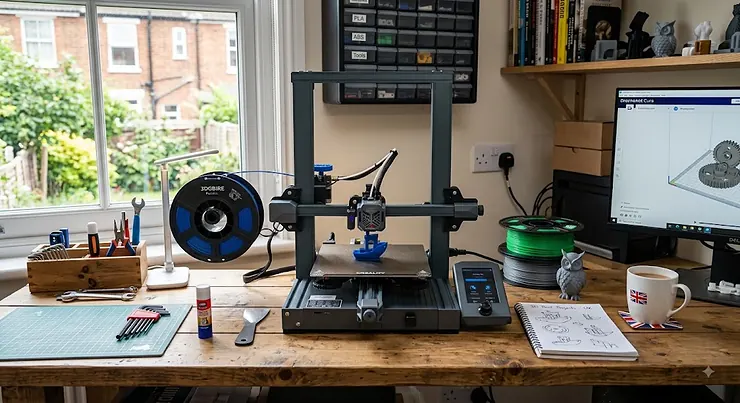
A mid-range FDM 3D printer, for the purposes of this guide, is a machine typically costing between £250 and £950 in the UK that uses fused deposition modelling — melting a plastic filament and building an object layer by layer, as documented on Wikipedia’s overview of the process. What separates this tier from the bargain-bin end isn’t just price; it’s the presence of proper auto-levelling, decent print speeds, and — increasingly — full enclosures that let you print trickier engineering filaments like ABS and ASA without your living room smelling like a science lab.
This guide walks through seven genuinely available models, from a sub-£300 enclosed CoreXY surprise to a Prusa that costs three times as much but might save you money over two years. We’ll cover real specs, honest analysis of who each machine suits, and the practical stuff — setup, upgrades, common headaches — that Amazon listings conveniently skip. UK prices fluctuate constantly, so treat every figure here as a range checked at the time of research, not gospel.
Quick Comparison Table
| Printer | Price Range | Build Volume | Max Speed | Best For |
|---|---|---|---|---|
| Elegoo Centauri Carbon | £260-£320 | 256×256×256mm | 500mm/s | Budget-conscious beginners |
| Anycubic Kobra 3 Combo | £450-£500 | 250×250×260mm | 600mm/s | Multicolour on a budget |
| Creality K1C | £350-£400 | 220×220×250mm | 600mm/s | Speed and carbon-fibre filaments |
| Flashforge Adventurer 5M Pro | £350-£400 | 220×220×220mm | 600mm/s | Fastest out-of-box setup |
| Bambu Lab P1S | £400-£650 | 256×256×256mm | 500mm/s | Ecosystem and multicolour AMS |
| Sovol SV08 | £450-£550 | 350×350×400mm | 500mm/s+ | Large prints, open-source tinkerers |
| Prusa MK4S | £650-£950 | 250×210×220mm | 300mm/s+ | Long-haul reliability |
Looking at the spread here, what jumps out is how compressed this market has become — you can now buy a fully enclosed CoreXY machine like the Elegoo Centauri Carbon for less than a mid-range gaming mouse cost five years ago. The real differentiator across this table isn’t top-line speed (most now claim 500-600mm/s) but build volume, enclosure quality, and ecosystem polish. If raw size matters most to you, the Sovol SV08‘s 350×350×400mm chamber dwarfs everything else on this list, while the Prusa MK4S trades size and headline speed for a track record of finishing prints unattended, night after night, without drama.
💬 Found a printer that catches your eye already? Scroll down for the full breakdown before you commit — the “Best For” column only tells half the story.🤗
Top 7 Mid-Range FDM 3D Printers: Expert Analysis
Picking seven printers from a market this crowded means drawing a line somewhere, and we’ve drawn ours around genuine availability, real owner feedback, and a spread across budget, mid-tier and premium mid-range price points. Every model below is a real, currently sold product — no fictional composites, no vapourware.
1. Elegoo Centauri Carbon — enclosed CoreXY for under £300
Elegoo built its name on resin printers, so the Centauri Carbon’s arrival as a genuinely competent FDM machine caught a lot of people off guard. The headline spec is the die-cast aluminium frame paired with a 320°C hardened-steel nozzle, which in practice means this machine handles PLA, PETG, ABS, ASA, TPU, and even carbon and glass-fibre-reinforced filaments — a materials range that used to be reserved for machines costing double. At 500mm/s and 20,000mm/s² acceleration, it’s not the fastest thing here on paper, but the fully enclosed chamber and automatic calibration mean beginners get consistent first-layer adhesion without touching a single setting.
Based on the spec comparison, this is the printer that makes the case hardest against spending more: a die-cast frame reduces the vibration-induced ringing that plagues cheaper bedslingers, and the built-in chamber camera means you can walk away from a print with some confidence. Reviewers consistently report that surface finish on the Centauri Carbon looks noticeably smoother than similarly priced open-frame rivals, particularly at higher speeds where frame flex usually shows up as visible texture. The trade-off, as with most machines at this price, is a single filament spool — no multicolour without buying a separate add-on.
Pros:
- ✅ Enclosed chamber enables ABS/ASA printing without extra kit
- ✅ Genuinely wide filament compatibility for the price
- ✅ Automatic calibration removes most beginner setup pain
Cons:
- ❌ Single spool only — no native multicolour
- ❌ Smaller community and fewer third-party mods than Creality/Bambu
At around £260-£320, the Elegoo Centauri Carbon is arguably the best-value entry point into enclosed CoreXY printing on this entire list.
2. Anycubic Kobra 3 Combo — best multicolour value pick
The Anycubic Kobra 3 Combo pairs a fast bed-slinger with the ACE (Anycubic Color Engine) unit, which feeds up to four spools and dries filament while it prints — a genuinely useful feature that solves the “my PETG went soggy in the loft” problem before it starts. With a 250×250×260mm build volume and a claimed 600mm/s top speed, the raw numbers are competitive with pricier CoreXY machines, even though the open-frame bed-slinger design means it’s mechanically simpler under the hood.
What most buyers overlook about this model is that it’s fully open-source and Klipper-compatible, so the ceiling for tuning and upgrades is higher than the closed ecosystems from Bambu or Creality. Reviewers have flagged Anycubic’s proprietary slicer as the weak link — it’s less polished than Orca or PrusaSlicer, and some users report needing third-party profiles to unlock the printer’s real performance. The multicolour results themselves, once dialled in, are described as satisfactory across a wide range of spool types, including branded cardboard spools that trip up cheaper multi-material systems.
Pros:
- ✅ Four-colour ACE system dries filament while printing
- ✅ Fully open-source and Klipper-compatible for tinkerers
- ✅ Large 16.25-litre print volume for the price bracket
Cons:
- ❌ Bundled slicer software feels unfinished compared with rivals
- ❌ Bulky footprint once the ACE unit is attached
Priced in the £450-£500 range for the combo, the Anycubic Kobra 3 Combo undercuts Bambu’s equivalent multicolour system while asking you to tolerate rougher software edges in return.
3. Creality K1C — fastest carbon-fibre-ready workhorse
Creality’s K1C takes the well-regarded K1 platform and adds a hardened steel nozzle rated to 300°C specifically so it can chew through carbon-fibre and glass-fibre reinforced filaments without the nozzle wearing out in weeks. The CoreXY motion system claims up to 600mm/s with 20,000mm/s² acceleration, and the fully enclosed, tinted-glass chamber keeps chamber temperature stable enough for genuinely finicky materials.
Here’s what the spec sheet won’t tell you: the AI camera isn’t just a gimmick for social-media timelapses — it actively watches for spaghetti failures and pauses the print, which matters enormously if you’re running the K1C unattended overnight. Based on the spec comparison with the Bambu Lab P1S further down this list, the K1C undercuts it meaningfully on price while matching it almost spec-for-spec on speed and enclosure quality. Reviewers have consistently praised the build quality as well beyond what they’d expect at this price point, and the quick-swap nozzle system means material changes and maintenance take minutes rather than a full afternoon with a spanner.
Pros:
- ✅ Carbon-fibre-ready hardened nozzle out of the box
- ✅ AI camera pauses prints automatically on failure detection
- ✅ Strong build quality relative to price tier
Cons:
- ❌ Creality’s own slicer is the most polished option, limiting flexibility
- ❌ Build volume is modest next to the Sovol SV08
At roughly £350-£400, the Creality K1C is the printer we’d point most hobbyists toward if engineering filaments and speed both matter to them.
4. Flashforge Adventurer 5M Pro — quickest out-of-box setup
Flashforge markets the Adventurer 5M Pro around a “under 10 minutes to first print” claim, and having dug through the specs, it’s not far off — the CoreXY frame arrives largely pre-assembled, and integrated pressure sensing handles auto bed-levelling without any manual fiddling. The build volume of 220×220×220mm is on the compact side for this price bracket, but the enclosed design with a HEPA-filtered air system makes it one of the more sensible choices for printing indoors around family or pets.
What most buyers overlook is the quick-detach nozzle system: swapping between stainless and hardened-steel nozzles takes seconds rather than the usual hotend teardown, which genuinely changes how often people bother switching materials. On paper the 600mm/s top speed and 20,000mm/s² acceleration comfortably outpace the Bambu A1 Mini and older Creality K1, though achieving those numbers consistently requires tuned slicer profiles rather than default settings. Reviewers have flagged the hotend’s 280°C ceiling as a real limitation for some high-temperature engineering filaments, and the printer currently only plays nicely with Flashforge’s own Orca-based slicer for full feature access.
Pros:
- ✅ Genuinely fast, largely tool-free initial setup
- ✅ Quick-detach nozzles simplify material and maintenance switches
- ✅ HEPA filtration suits home environments with kids or pets
Cons:
- ❌ 280°C hotend ceiling limits some engineering filaments
- ❌ Smaller build volume than most machines on this list
Sitting around £350-£400, the Flashforge Adventurer 5M Pro is the pick for anyone who wants CoreXY speed with the least possible faffing on day one.
5. Bambu Lab P1S — smoothest all-round ecosystem
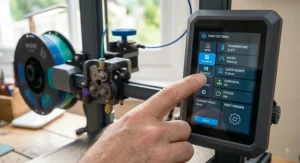
The Bambu Lab P1S remains the printer most people mean when they say “mid-range” out loud. It’s a fully enclosed CoreXY machine with a 256×256×256mm build volume, a 500mm/s top speed, and — critically — seamless compatibility with Bambu’s optional AMS unit, which lets you print in up to 16 colours across four spools. Auto bed-levelling, input shaping for vibration compensation, and a self-cleaning nozzle are all standard, which is a lot of automation for a machine in this price bracket.
Based on the spec comparison, what really sets the P1S apart isn’t any single number but the software: Bambu Studio is widely regarded as the most polished slicer in the consumer 3D printing space, with cloud slicing, remote monitoring via a built-in camera, and reliable automatic calibration baked in from the first boot. Reviewers have described the out-of-box experience as close to flawless, particularly for newcomers who don’t want to spend a weekend in forums learning Klipper macros. The trade-off — and it’s real — is that you’re buying into a comparatively closed ecosystem; third-party filament works, but deep hardware modification is harder than on the open-source Creality or Sovol machines.
Pros:
- ✅ Best-in-class slicer software and remote monitoring
- ✅ AMS compatibility unlocks genuinely reliable multicolour printing
- ✅ Excellent out-of-box calibration for total beginners
Cons:
- ❌ Ecosystem is comparatively closed to deep hardware modification
- ❌ AMS combo pricing pushes it toward the top of mid-range
Printer-only pricing sits around £400-£450, with the AMS combo pushing into the £550-£650 range — a fair ask given how much of the friction Bambu has engineered out of the process.
6. Sovol SV08 — biggest build volume for the money
If the other six printers on this list are playing it safe, the Sovol SV08 is the wildcard: a 350×350×400mm CoreXY machine, roughly the scale of a Voron 2.4 hobbyist build, sold pre-manufactured at a fraction of what a comparable DIY project would cost. It ships largely pre-assembled with a custom-machined aluminium frame and injection-moulded parts, and Sovol claims assembly from box to first print in under an hour.
Here’s what the spec sheet doesn’t fully convey: that build volume genuinely changes what you can print. Cosplay armour panels, full-size helmet shells, or furniture-scale brackets that would need splitting and gluing on every other printer in this guide fit on the SV08’s bed in one piece. What most buyers overlook is that it’s fully open-source and runs on Klipper firmware from the factory, which appeals directly to the crowd frustrated with cloud-locked ecosystems — you own the machine outright, no app account required. Reviewers note the trade-off honestly: this is a “completely different kind of weapon” to the polished Bambu experience, better suited to people who enjoy tuning their own machine than those who want to unbox and forget.
Pros:
- ✅ Enormous 350×350×400mm build volume for the price
- ✅ Fully open-source, no cloud account or app lock-in
- ✅ Largely pre-assembled despite its scale
Cons:
- ❌ Rougher edges than closed-ecosystem rivals out of the box
- ❌ Larger footprint demands more desk or workshop space
At roughly £450-£550, the Sovol SV08 delivers more build volume per pound than anything else in this comparison — provided you’re comfortable doing a bit of your own tuning.
7. Prusa MK4S — most dependable long-haul reliability
The Prusa MK4S is the printer this list measures reliability against, and that reputation is earned rather than marketed. It’s an open-frame bed-slinger with a 250×210×220mm build volume, the Nextruder direct-drive extruder with a 10:1 planetary gearbox, and a high-flow CHT nozzle that achieves a genuine 50% jump in volumetric flow over the standard MK4 — a real-world speed gain rather than a spec-sheet exaggeration.
What the marketing doesn’t lead with, but owners consistently report, is just how rarely this printer needs recalibrating over months of heavy use — Prusa’s own tracked reliability data lands the MK4S firmly in “stays calibrated, rarely fails” territory. Prusa deliberately avoids publishing headline mm/s figures the way its competitors do, arguing — reasonably — that first-layer accuracy, heating time, and cooldown all matter more to real print time than peak velocity alone. The 360-degree part cooling and loadcell-based first-layer sensor mean overhangs up to 75 degrees print cleanly without supports, a genuinely useful capability for functional engineering parts. The honest downside is narrower out-of-box material compatibility than the enclosed CoreXY machines here, and a price that sits well above the rest of this list.
Pros:
- ✅ Exceptional long-term reliability with minimal recalibration
- ✅ Genuine 24mm³/s flow rate for real-world speed
- ✅ Backed by the largest, most established support community
Cons:
- ❌ Highest price point on this list by a wide margin
- ❌ Narrower material range without the optional enclosure
Assembled units run £850-£950, with the self-build kit available around £650-£700 for buyers happy to trade an evening of assembly for a meaningful saving.
Practical Usage Guide: Setup, Calibration and Your First 30 Days
Getting a mid-range FDM 3D printer working is easier than it’s ever been, but the first month still shapes how much you enjoy the hobby long-term. Start with the physical placement: every printer in this guide benefits from sitting on a stable, level surface away from draughts, since even enclosed machines like the Bambu Lab P1S and Creality K1C can suffer first-layer issues from a cold room. Run the built-in auto-levelling routine before your first print regardless of what the manual claims about factory calibration — it takes two minutes and eliminates the single most common cause of early failed prints.
For your first week, stick to PLA and the manufacturer’s supplied slicer profiles rather than chasing maximum speed. Every printer here — from the budget Elegoo Centauri Carbon to the premium Prusa MK4S — ships with sensible default profiles, and resisting the urge to crank speed settings to their advertised maximum will save you a lot of stringy, under-extruded disappointment. Once you’ve printed five or six calibration objects successfully, start introducing PETG, then move to ABS or ASA only on enclosed machines.
Maintenance in the first 30 days should include a light check of belt tension, a wipe-down of the nozzle after any filament change, and — for direct-drive extruders like the Prusa MK4S‘s Nextruder — a look at the extruder gears for filament dust buildup. The most common early mistake is skipping a proper spool storage routine; PETG and nylon-based filaments absorb ambient moisture quickly, and a damp spool will sabotage even a perfectly calibrated printer.
Real-World Scenarios: Which Printer Fits Your Life
The uni student in a shared house. Limited desk space, thin walls, and roommates who won’t appreciate ABS fumes at 2am point firmly toward the Elegoo Centauri Carbon or Flashforge Adventurer 5M Pro — both are enclosed, reasonably quiet, and cheap enough that a term’s worth of failed prototypes doesn’t sting.
The cosplay maker building full-scale armour. Splitting and gluing large panels gets old fast, so build volume becomes the deciding factor. The Sovol SV08‘s 350×350×400mm chamber genuinely changes the workflow here, letting shin guards and chest plates print as single pieces with far fewer visible seams to sand down.
The small business owner prototyping product enclosures. Consistency across dozens of unattended overnight prints matters more than headline speed. The Prusa MK4S‘s tracked reliability and the Bambu Lab P1S‘s remote camera monitoring both suit this use case, with the choice largely coming down to budget and whether an open or closed ecosystem fits the workflow better.
The parent buying for a curious teenager. Safety and simplicity dominate here — an enclosed chamber, quiet operation, and forgiving auto-calibration matter more than raw speed. The Creality K1C‘s AI failure detection and enclosed design make it a sensible pick, provided a responsible adult manages ventilation and material choice per the guidance in our safety section below.
Common Problems and Solutions With Mid-Range FDM Printers
Problem: stringing between print sections. This is almost always a moisture or temperature issue rather than a hardware fault. Solution: dry your filament (the Anycubic Kobra 3 Combo‘s ACE unit does this automatically) and reduce nozzle temperature by 5-10°C before touching retraction settings.
Problem: first layer won’t stick. Solution: re-run auto bed-levelling, clean the build plate with isopropyl alcohol, and check the plate is actually seated correctly — a surprisingly common cause on bed-slingers like the Sovol SV08 where the plate can shift slightly in transit.
Problem: layer shifting mid-print. This usually points to loose belts or a print that’s caught on something. Solution: check belt tension on open-frame machines first, and on CoreXY printers like the Bambu Lab P1S or Creality K1C, confirm nothing is obstructing the gantry’s travel path.
Problem: rough surface finish at high speed. Solution: this is frame rigidity showing itself. Enclosed, well-braced designs like the Elegoo Centauri Carbon handle this better than lighter open frames; if you own the latter, simply dropping print speed by 20-30% for cosmetic prints solves most of it.
Problem: filament won’t feed or grinds in the extruder. Solution: check for a tangled or bird’s-nested spool first, then inspect the extruder gear for filament dust. Direct-drive systems like the Prusa MK4S‘s Nextruder are more forgiving here than Bowden setups, but neither is immune to a genuinely stuck spool.
How to Choose a Mid-Range FDM 3D Printer
Choosing between these seven machines comes down to weighing five practical criteria against your actual use case, not the flashiest spec on the box.
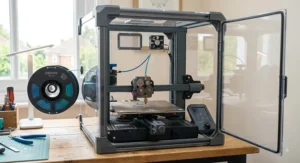
- Decide whether an enclosure is a genuine need. If you’ll ever print ABS, ASA, or nylon indoors, an enclosed machine such as the Creality K1C or Bambu Lab P1S isn’t a luxury — it’s close to a requirement for both print quality and air quality.
- Match build volume to your actual projects, not your ambitions. Most hobbyist prints fit comfortably within 220-256mm; only buyers with genuinely large models need the Sovol SV08‘s extra scale.
- Weigh ecosystem openness against convenience. Closed ecosystems like Bambu’s trade some flexibility for a smoother out-of-box experience; open-source machines reward tinkerers but ask more of beginners.
- Check community size and spare-parts availability. Prusa and Creality both have enormous, long-established user bases, which matters enormously when something eventually needs replacing.
- Budget for filament and upgrades, not just the printer. A cheaper machine with expensive proprietary consumables can cost more over 18 months than a pricier printer using widely available generic filament.
- Consider noise and space realistically. Enclosed CoreXY machines are generally quieter and more compact than large open-frame bed-slingers.
- Read genuine owner feedback, not just manufacturer marketing. Aggregated review sentiment across forums and retailer reviews reveals reliability patterns that spec sheets simply don’t capture.
Common Mistakes When Buying a Mid-Range FDM 3D Printer
The single most frequent mistake is buying on headline speed alone. A printer advertised at 600mm/s rarely runs default profiles anywhere near that figure without careful tuning, and chasing the biggest number on the box often means sacrificing the reliability that actually determines how many usable prints you get per week.
The second mistake is underestimating running costs. Some proprietary multicolour systems lock you into specific spool formats or accessories, quietly inflating the true cost of ownership well beyond the printer’s sticker price — worth checking before you commit, particularly if a machine’s ecosystem is comparatively closed.
The third, and perhaps most avoidable mistake, is ignoring ventilation requirements entirely. As the RS Components 3D printer buying guide notes, understanding print resolution, connectivity and material compatibility before purchase prevents a lot of buyer’s remorse — and materials like ABS genuinely do require the airflow considerations covered later in this guide, not an afterthought once the fumes are already in the room.
Mid-Range vs Budget vs Prosumer: What Really Changes
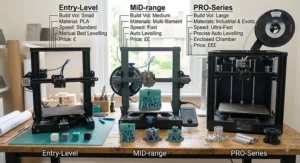
| Tier | Typical Price | What You Gain | What You Sacrifice |
|---|---|---|---|
| Budget (under £250) | £150-£250 | Low entry cost | Reliability, enclosure, auto-levelling quality |
| Mid-range (£250-£950) | £250-£950 | Enclosure, speed, automation, community support | Some premium-tier polish and headline specs |
| Prosumer (£950+) | £950-£2,500+ | Multi-material, industrial-grade tolerances | Significant price jump for diminishing everyday gains |
The jump from budget to mid-range is where the real quality-of-life improvement happens — auto-levelling alone eliminates the majority of failed first layers that plague sub-£250 machines. What most buyers overlook, though, is that the jump from mid-range to prosumer delivers far smaller everyday gains for a much larger price increase; a Prusa MK4S or Bambu Lab P1S already covers 90% of what most hobbyists and small businesses actually need. Unless you specifically require multi-material tool-changing or industrial-grade dimensional tolerances, that extra spend is better put toward filament, spare nozzles, or a second printer entirely.
What to Expect: Real-World Performance Beyond the Spec Sheet
Spec sheets promise 500-600mm/s across nearly every printer in this guide, but real-world print times rarely reflect that headline figure. Slicers slow down dramatically for small, detailed layers, sharp corners, and bridging sections regardless of the maximum speed a printer is capable of, so a benchmark model like the classic 3DBenchy — often used as the industry’s informal speed test — tends to land in the 15-25 minute range across these machines rather than the sub-10-minute figures marketing copy implies.
Surface finish tells a similar story. On paper, the Elegoo Centauri Carbon and Bambu Lab P1S share broadly similar CoreXY architecture, but reviewers consistently note that frame rigidity — not the motor spec — determines whether fast prints come out glass-smooth or faintly rippled. The practical upshot: if display-quality finish matters more to you than raw throughput, prioritise the printer with the stiffest frame and best-tuned input shaping, not the one with the highest number on the box.
FDM Printer With Features That Actually Matter (And Ones That Don’t)
Marketing copy loves to lead with maximum print speed and acceleration figures, but several genuinely useful features get buried further down the spec sheet. Auto bed-levelling is non-negotiable at this point — every printer on this list has it, and it should be considered a baseline requirement, not a selling point. A stable, well-calibrated enclosure matters far more day-to-day than another 100mm/s of theoretical top speed, since it directly affects both material compatibility and print consistency.
Features that genuinely earn their keep: input shaping (reduces ringing and ghosting on fast prints), a filament runout sensor (saves a print when a spool empties overnight), and power-loss recovery (resumes a print after a brief outage rather than wasting hours of filament). Features that matter far less than marketing suggests: touchscreen size, app “AI” branding that mostly just means basic failure detection, and headline acceleration figures that most slicer profiles never actually reach in practice. The Anycubic Kobra 3 Combo‘s filament-drying feature and the Creality K1C‘s AI camera both fall into the “actually useful” camp precisely because they solve specific, common failure points rather than existing purely for the spec sheet.
How to Upgrade Your 3D Printer for Hobbyist-Level Results
Once you’ve mastered the basics, a handful of upgrades meaningfully improve output quality without buying an entirely new machine. Start with a hardened or hardened-steel nozzle if your current one is brass — this single swap, standard on the Creality K1C and Elegoo Centauri Carbon, unlocks carbon-fibre and glass-fibre filaments that would otherwise wear a standard nozzle out within a handful of prints.
Next, consider a filament dry box if your printer doesn’t include drying like the Anycubic Kobra 3 Combo‘s ACE unit — even a basic sealed container with silica gel packs noticeably improves PETG and nylon print quality. For open-source machines like the Sovol SV08, input shaping via Klipper’s accelerometer-based resonance testing is a free software upgrade that meaningfully reduces ringing on fast prints, provided you’re comfortable following a calibration guide rather than relying purely on factory defaults.
Finally, an enclosure retrofit — either a purpose-built kit or a simple tent enclosure — is worth considering for any open-frame printer like the Prusa MK4S or Sovol SV08 if you plan to print ABS or ASA regularly. It stabilises chamber temperature, reduces warping on larger parts, and meaningfully cuts the fumes reaching the rest of the room, tying directly into the ventilation guidance covered in the safety section below.
Finding a Reliable Mid-Tier 3D Printer: What Separates the Good From the Flaky
Reliability in this price bracket comes down to three things that rarely appear on a spec sheet: frame rigidity, firmware maturity, and community track record. A machine can list impressive numbers and still be flaky in practice if the frame flexes under acceleration or the firmware hasn’t been battle-tested across thousands of real households.
The Prusa MK4S earns its reputation here through years of iterative refinement rather than any single standout spec — Prusa’s own tracked data shows it holding calibration reliably across long, unattended print runs, which is precisely the kind of boring, unglamorous consistency that actually matters for a reliable mid-tier 3D printer. The Bambu Lab P1S achieves similar reliability through a different route: a tightly controlled, closed ecosystem where hardware and firmware are developed together rather than left to third-party compatibility. Both approaches work; what genuinely doesn’t work is buying purely on price and hoping reliability follows — cheaper, less-established machines can and do develop a reputation for flakiness precisely because their firmware and frame design haven’t had the same years of real-world stress-testing.
Long-Term Cost and Maintenance: The Real Total Cost of Ownership
| Cost Factor | Budget Pick (Centauri Carbon) | Mid-Tier Pick (K1C) | Premium Pick (MK4S) |
|---|---|---|---|
| Purchase price | £260-£320 | £350-£400 | £650-£950 |
| Annual filament (moderate use) | ~£80-£120 | ~£80-£120 | ~£80-£120 |
| Typical nozzle/wear replacement | £10-£20/year | £15-£25/year | £15-£30/year |
| Community spare-parts availability | Growing | Extensive | Extensive |
Filament costs stay broadly similar across every tier since PLA, PETG, and ABS pricing doesn’t change based on which printer you own — the real cost divergence comes from wear parts and downtime. The Prusa MK4S costs considerably more upfront, but its documented reliability and enormous spare-parts ecosystem mean fewer replaced components and less lost printing time over a two-to-three-year span, which can partially offset the initial price gap for heavy users. Budget and mid-tier machines like the Elegoo Centauri Carbon and Creality K1C remain the better financial choice for anyone printing occasionally, where the premium machine’s reliability advantage simply has less time to pay for itself.
✨ Don’t Miss These Exclusive Deals!
🔍 Ready to Pick Your Perfect Printer? Take your 3D printing setup to the next level with one of the machines covered above. Click through to check current pricing and availability, and start turning digital designs into real, held-in-your-hands objects this week!
Safety, Regulations and Compliance Guide
Ventilation is not optional once you move beyond PLA. The UK’s Health and Safety Executive has published research specifically measuring emissions from desktop FDM printers, and its findings are worth taking seriously even for home use — placing a printer inside a filtered enclosure reduced particle emissions released into the room dramatically, according to HSE’s research report on desktop 3D printer emissions. In practice, this means printing ABS or ASA on an open-frame machine like the Sovol SV08 in a poorly ventilated bedroom is genuinely worth reconsidering, while enclosed machines like the Creality K1C and Bambu Lab P1S offer meaningfully better containment.
Guidance published by the University of York’s health and safety team reinforces this, recommending well-ventilated rooms, UKCA or CE-marked equipment, and a clearance period before opening an enclosure once a print finishes. All seven printers in this guide are sold as UKCA/CE-marked products for the UK market, but it’s still worth checking current listings, since compliance marking and importer details can change between retailers. PLA remains the lowest-risk material for home and family environments; ABS and ASA should be reserved for enclosed, well-ventilated setups, and anyone printing regularly indoors — particularly around children or people with respiratory conditions — should treat a dedicated, ventilated space as a genuine requirement rather than a nice-to-have.
FAQ
❓ What is a mid-range FDM 3D printer?
❓ Is the Bambu Lab P1S worth it over cheaper alternatives?
❓ Can a mid-range FDM 3D printer print ABS safely at home?
❓ How much does it cost to run a mid-range FDM 3D printer per year?
❓ What's the best reliable mid-tier 3D printer for beginners in 2026?
Conclusion
Seven printers, three price tiers, and one clear takeaway: the “best” mid-range FDM 3D printer genuinely depends on what you’re actually going to print, not which machine has the biggest number on its spec sheet. If budget is tight and you just want reliable, enclosed CoreXY printing, the Elegoo Centauri Carbon remains a genuinely surprising amount of machine for the money. If speed and carbon-fibre capability matter, the Creality K1C earns its place as this guide’s strongest all-rounder. Multicolour fans should weigh the Anycubic Kobra 3 Combo‘s open-source flexibility against the Bambu Lab P1S‘s smoother, more closed ecosystem, while anyone printing genuinely large objects should give the Sovol SV08 serious consideration. And if reliability across years of heavy use is the priority above everything else, the Prusa MK4S remains the benchmark the rest of this market gets measured against.
Whichever you choose, remember that the printer itself is only half the equation — proper ventilation, sensible filament storage, and realistic expectations about print speed will do more for your long-term satisfaction than chasing another 50mm/s on a spec sheet ever will.
✨ Found Your Perfect Match?
Check current prices and availability on the models above before stock or promotional pricing changes — and start your next print today!
Recommended for You
- FDM 3D Printer for Beginners: 7 Brilliant Picks for 2026
- Top FDM 3D Printers for 2026: 7 Best Picks (UK Guide)
- Budget FDM 3D Printer: 7 Best Cheap Picks for 2026 (UK Guide)
Disclaimer: This article contains affiliate links. As an Amazon Associate, I earn from qualifying purchases. If you purchase products through these links, we may earn a small commission at no additional cost to you.
✨ Found this helpful? Share it with your friends! 💬🤗
