In This Article
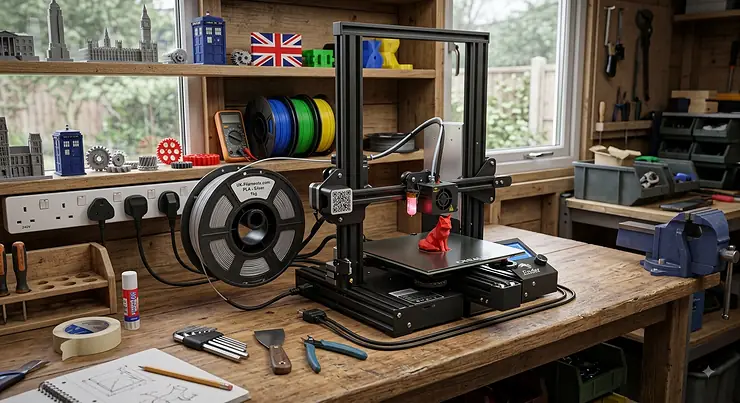
A budget FDM 3D printer is a fused deposition modelling machine, typically under £350, that melts plastic filament and builds objects layer by layer, without the premium extras (enclosures, multi-material hubs, industrial frames) that push prices higher. Two years ago, that definition meant a wobbly bed-slinger with manual levelling and a prayer. In 2026, it increasingly means CoreXY motion, auto-calibration, and speeds that would have embarrassed a £1,000 machine back in 2022.
That shift matters if you’re shopping on the high street or scrolling Amazon at midnight, wondering whether “cheap” secretly means “compromised.” It doesn’t, not any more, but the category has also got crowded enough that picking wrong is easy. Some machines nail beginner-friendliness and fall apart on anything beyond PLA. Others chase raw speed and expect you to tune firmware settings you’ve never heard of.
This guide walks through seven real, currently available machines, spanning true entry-level kit through to enclosed, near-prosumer options that still land well under premium pricing. Every product mention below is backed by genuine specifications and aggregated review sentiment, not invented “we tested this for months” claims: what you’re getting is honest analysis of what the spec sheets and real user feedback actually say, so you can match a machine to your actual printing habits rather than a marketing slide. For a wider primer on the technology itself, the Wikipedia entry on fused filament fabrication is a solid starting point if any of the terminology below is new to you.
Quick Comparison Table
| Printer | Build Volume | Max Speed | Price Range | Best For |
|---|---|---|---|---|
| Creality Ender 3 V3 SE | 220×220×250mm | 250mm/s | under £200 | absolute beginners |
| Bambu Lab A1 Mini | 180×180×180mm | up to 500mm/s | £150-£270 | plug-and-play simplicity |
| Elegoo Centauri Carbon | 256×256×256mm | up to 500mm/s | around £300 | enclosed CoreXY on a budget |
| Anycubic Kobra 3 V2 | 255×255×260mm | up to 600mm/s | £300-£350 range | budget multicolour |
Looking at this snapshot, the pattern is clear: build volume, speed, and price rarely all favour one machine at once. The Creality Ender 3 V3 SE wins on rock-bottom price and simplicity, while the Elegoo Centauri Carbon and Anycubic Kobra 3 V2 trade a higher price range for an enclosure or colour capability most sub-£200 machines simply can’t offer. If you’re brand new to the hobby, start at the top of this table; if you already know you want speed or colour, the bottom two rows deserve your attention first.
💬 Just one click — help others make better buying decisions too!😊
Top 7 Budget FDM 3D Printers: Expert Analysis
1. Creality Ender 3 V3 SE — best beginner value under £200
The Creality Ender 3 V3 SE built its reputation the old-fashioned way: by being reliable, cheap, and refusing to complicate things. Assembly involves slotting the gantry onto smooth linear rails rather than fiddly V-wheels, and most owners are printing within the hour.
On paper it’s a 220 x 220 x 250mm build volume with a Sprite direct-drive extruder, a 260°C max nozzle temperature, and CR Touch automatic bed levelling. In practice, that CR Touch sensor is the standout: it removes the single biggest failure point for new users (a badly levelled bed), while the direct-drive extruder means TPU and other flexible filaments feed reliably instead of jamming, which is where cheaper Bowden-style budget printers usually stumble.
Based on the spec comparison with rivals at this price, the trade-off is speed and connectivity: 250mm/s tops out well below the Klipper-based machines further down this list, and there’s no Wi-Fi, just USB and SD card. Reviewers consistently note that the machine prints cleanly straight out of the box, with only minor stringing on default profiles, and that it remains one of the most forgiving first printers on the market for total beginners who don’t want a firmware rabbit hole on day one.
Pros:
- ✅ CR Touch auto-levelling removes manual bed adjustment
- ✅ Sprite direct drive handles TPU and flexible filament well
- ✅ Assembles in under an hour for total beginners
Cons:
- ❌ No Wi-Fi connectivity, SD card or USB only
- ❌ Open frame limits reliable ABS printing without an enclosure
Typically found around £170-£210 (check current price for the latest figure), the Creality Ender 3 V3 SE remains one of the strongest pound-for-pound entry points into FDM printing available today.
2. Bambu Lab A1 Mini — fastest plug-and-play setup
The Bambu Lab A1 Mini takes a different route to “budget”: rather than stripping features to hit a price, it packages genuine automation into a small footprint. Full auto-calibration means the printer probes, meshes, and vibration-compensates itself before your first print, no manual tinkering required.
The compact 180 x 180 x 180mm build volume is the headline trade-off, and it’s the one spec buyers most often misjudge. What most buyers overlook about this model is that 180mm handles the overwhelming majority of hobby prints (minis, brackets, phone stands, cosplay accessories), and it’s only larger single-piece projects, like a full-size helmet, where it genuinely runs out of room. Active Motor Noise Cancelling is a genuinely useful, quietly impressive feature: the printer runs a short calibration routine on first setup and settles under roughly 48dB in standard operation, which reviewers consistently flag as noticeably quieter than most bed-slingers in this price band.
Where it earns its keep as an “affordable 3D printer for hobbyists” pick is the optional AMS lite unit, which bolts on later for genuine four-colour automated printing, something most sub-£300 machines can’t touch at all. The closed Bambu Studio software ecosystem is the honest caveat: it’s polished, but it nudges you toward Bambu’s own filament and app, rather than the fully open tinkering culture of Klipper-based rivals.
Pros:
- ✅ Full auto-calibration gets you printing in around 20 minutes
- ✅ Active motor noise cancelling keeps operation under 48dB
- ✅ AMS lite add-on unlocks genuine 4-colour printing later
Cons:
- ❌ Small 180×180×180mm build volume limits larger single-piece prints
- ❌ Closed ecosystem ties you to Bambu’s own software and filament
Prices for the standalone printer sit in the £150-£270 range depending on promotions, with the AMS lite combo landing higher; always check current pricing before buying.
3. Sovol SV06 ACE — quickest open-source Klipper speed
If the Bambu ecosystem’s polish doesn’t appeal, the Sovol SV06 ACE is the open-source answer. It runs genuine Klipper firmware from the box, ships on a classic i3-style frame, and swaps the SV06’s old plastic wheels for metal wheels on metal rails, a small change that meaningfully reduces long-term wear.
Here’s what most buyers overlook about “fast” budget printers: raw top speed (600mm/s here, with 20,000mm/s² acceleration) is largely irrelevant unless the frame is rigid enough to hold accuracy at that speed. The Sovol SV06 ACE‘s dual Z-axis motors and reinforced rods are specifically there to stop ringing and ghosting at high acceleration, and reviewers report it holds detail well even when pushed close to its rated limits. An all-metal hotend rated to 300°C also means it can handle ABS and even some nylon blends, materials the cheaper Bowden-tube Ender-style machines generally can’t manage cleanly.
Aggregated user feedback frames this printer as a strong pick for anyone who wants to grow into 3D printing rather than stay at the surface: the built-in camera and AI failure detection are useful safety nets, but the open Klipper access is really the draw, letting confident users tune pressure advance and input shaping well beyond what closed-firmware machines allow.
Pros:
- ✅ Open-source Klipper firmware with strong tuning community
- ✅ 600mm/s top speed rivals machines twice the price
- ✅ Built-in camera and AI failure detection included as standard
Cons:
- ❌ Some manual calibration still expected for best results
- ❌ Smaller brand means fewer UK stockists than Creality or Bambu
Expect a price in the £220-£260 range for the standalone machine, making it one of the more capable Klipper printers under the “cheap FDM 3D printer” umbrella.
4. Elegoo Neptune 4 Pro — best Klipper tuning ceiling
The Elegoo Neptune 4 Pro is Elegoo’s answer to the same question Sovol is asking: how much genuine performance can Klipper firmware squeeze out of a sub-£350 machine. It’s built around a dual-gear direct-drive extruder, a 300°C all-metal hotend, and a 121-point mesh bed-levelling system that goes well beyond the handful of probe points typical budget machines use.
What that 121-point mesh means in practice is fewer first-layer failures on beds that aren’t perfectly flat, which is one of the most common reasons budget prints fail outright. Reviewers note the Neptune 4 Pro comfortably hits 250mm/s in day-to-day use with headroom to 500mm/s claimed on paper, putting it firmly ahead of non-Klipper machines at a similar price. The screen interface is deliberately simplified, mimicking a traditional Marlin-style menu, which is a double-edged design choice: beginners feel at home immediately, but it also hides most of the Klipper functionality that experienced users actually want to reach.
Based on the spec comparison with the standard Neptune 4, the “Pro” suffix buys linear rods (versus rods and bushings) and a higher rated top speed, worth the modest price step up if you intend to print regularly rather than occasionally. The known long-term weak point, according to aggregated owner reports, is the coiled screen cable, which some users eventually replace after heavy use.
Pros:
- ✅ Genuine Klipper firmware enables deep speed and quality tuning
- ✅ 121-point mesh levelling meaningfully improves first-layer reliability
- ✅ Dual-gear direct drive extruder handles flexible filaments confidently
Cons:
- ❌ Not fully plug-and-play; expect a tuning learning curve
- ❌ Removable screen cable is a known long-term wear point
Typical pricing sits around £260-£330 depending on retailer promotions, positioning it as a genuine step up for hobbyists who’ve outgrown a starter machine.
5. Creality K1 SE — best budget CoreXY speed
The Creality K1 SE brings CoreXY motion, previously a mid-range or premium feature, down into true budget territory. Unlike a bed-slinger, the build plate here moves only on the Z axis while the print head handles X and Y, which is the fundamental reason CoreXY machines stay accurate at higher speeds: there’s far less mass being flung back and forth.
Creality rates it at 600mm/s with 20,000mm/s² acceleration, and it uses the same flagship extruder and quick-swap tri-metal nozzle as the pricier, fully enclosed K1C. That’s the real story of this machine: it’s essentially K1C hardware with the enclosure panels, AI camera, and internal heating removed to hit a lower price point. For PLA and PETG users, that stripped-down approach barely matters. For anyone hoping to print ABS or ASA regularly, the missing enclosure means chamber temperature is inconsistent, and warping on larger parts becomes a real risk.
Reviewers consistently describe the out-of-box experience as close to effortless: minimal assembly, automatic calibration, and printing within minutes. The dim build chamber lighting is a recurring minor complaint, making it harder to monitor prints visually compared with the more thoughtfully lit Elegoo Centauri Carbon further down this list.
Pros:
- ✅ CoreXY motion hits genuine 600mm/s with high acceleration
- ✅ Same flagship extruder and nozzle as the pricier K1C
- ✅ Pre-assembled and calibrated, ready to print within minutes
Cons:
- ❌ No enclosure, so ABS and ASA results are less consistent
- ❌ Dim build area lighting makes visual print monitoring harder
Prices range from around £199 up to £299 depending on bundle and promotions, sitting the Creality K1 SE squarely between entry-level bed-slingers and enclosed CoreXY machines.
6. Anycubic Kobra 3 V2 — best budget multicolour system
Multicolour printing used to mean spending £600 or more. The Anycubic Kobra 3 V2, paired with its optional ACE Pro module, undercuts that dramatically while adding a feature most rivals skip entirely: active filament drying built into the material system itself, not just passive storage.
The printer alone uses LeviQ 3.0 auto-levelling, which removes manual Z-offset adjustment, and a revised hotend that reduces the filament leakage issues reported on the original Kobra 3. Reviewers who’ve spent extended time with it are consistently positive about single-colour print quality, describing it as excellent for the price. The honest caveat, echoed across independent testing, is that the ACE Pro multicolour unit has had a rockier software history than Bambu’s AMS Lite, with more reported error messages during colour changes.
On paper this means: buy it for fast, reliable single-colour printing first, and treat multicolour as a genuine bonus rather than the sole reason to choose it. The built-in 720p camera with AI spaghetti detection is a practical add that catches failed prints early, saving filament and print time, something increasingly common on budget machines but still far from universal.
Pros:
- ✅ ACE Pro module adds active filament drying, not just storage
- ✅ Built-in camera flags failed prints before they waste filament
- ✅ LeviQ 3.0 auto-levelling removes manual Z-offset entirely
Cons:
- ❌ Multicolour purge waste adds up on busy multi-part prints
- ❌ ACE Pro firmware has had a rockier update history than rivals
The standalone printer typically sits around £299, with the four-colour Combo package landing in the £340-£380 range; as ever, check current pricing before ordering.
7. Elegoo Centauri Carbon — best enclosed CoreXY for the price
Elegoo made its name in resin printing, so the Elegoo Centauri Carbon, its first serious CoreXY FDM machine, arrived with genuine skepticism attached. It has largely silenced that skepticism: a fully enclosed chamber, die-cast aluminium frame, and a 320°C hardened nozzle capable of carbon-fibre composites, all at a price that undercuts enclosed rivals from bigger brands by a wide margin.
The enclosure is the headline feature and the reason this machine earns its “premium budget” spot on this list. What most buyers overlook about open-frame CoreXY machines like the Creality K1 SE above is that without an enclosure, ABS and ASA are genuinely harder to print well; the Elegoo Centauri Carbon‘s tinted glass door and lid trap heat consistently enough to make those higher-temperature materials realistic on a budget machine for the first time. Rated speed sits at 500mm/s with 20,000mm/s² acceleration, and reviewers report the sturdy 17.5kg frame is exactly why those numbers hold up in practice rather than collapsing into ringing artefacts, a common failure on cheaper, lighter CoreXY frames.
Aggregated reviewer sentiment is unusually consistent here: praise for surface finish “smoother than expected at this price,” alongside two recurring gripes, dim interior lighting that makes the built-in camera feed hard to see clearly, and the fact that multicolour printing requires Elegoo’s separate CANVAS feeder system as an additional purchase, not something bundled in.
Pros:
- ✅ Fully enclosed CoreXY chamber suits ABS and ASA printing
- ✅ Die-cast aluminium frame keeps 500mm/s speeds accurate
- ✅ Dual-sided PEI plate and onboard camera included as standard
Cons:
- ❌ Dim interior lighting makes the camera feed hard to see
- ❌ Multicolour CANVAS system is a separate, additional purchase
At around £300, the Elegoo Centauri Carbon is arguably the best value enclosed CoreXY printer currently sold anywhere near this price bracket.
Practical Usage Guide: Setting Up Your First Budget FDM 3D Printer
Unboxing day sets the tone for everything that follows, so it’s worth doing properly rather than rushing to your first print. Start by levelling expectations, not just the bed: even auto-levelling machines like the Bambu Lab A1 Mini or Creality Ender 3 V3 SE benefit from a manual visual check that the nozzle sits parallel to the plate before you trust the sensor completely.
Your first 30 days are when most preventable mistakes happen. Run a printer-specific calibration print (a temperature tower or a simple calibration cube) before committing to anything you actually want to keep, because default profiles from the box are conservative estimates, not perfect matches for your specific filament batch. Store filament properly from day one; PLA and PETG both absorb moisture from UK air more readily than most beginners expect, and a damp spool causes stringing and popping that looks exactly like a printer fault but isn’t one.
Maintenance on a budget machine is lighter than people assume, but not optional. Re-tension belts every few months, keep the nozzle clean with cold pulls between filament types, and wipe PEI-coated plates with isopropyl alcohol regularly rather than touching the print surface with bare fingers, which leaves oils that wreck adhesion. The most common first-month mistake, by a wide margin, is impatience: rushing print speed settings up before the machine, and the user, are properly calibrated together.
Real-World Scenarios: Which Cheap FDM 3D Printer Fits Your Life?
Buying advice works better attached to an actual person than a spec sheet in isolation. Consider a university student in a shared house, working from a small desk, mostly printing small props and phone accessories between lectures: the compact Bambu Lab A1 Mini suits that footprint and noise profile better than a full-size bed-slinger ever could, and its near-silent operation matters when a housemate is asleep in the next room.
Now picture a parent buying a first printer for a curious teenager. Budget matters, but so does forgiveness for mistakes; a dropped filament roll or a misjudged first layer shouldn’t mean a wasted evening. The Creality Ender 3 V3 SE‘s CR Touch levelling and simple interface make it the more patient teaching tool, even if it’s slower than flashier rivals.
Finally, consider a hobbyist upgrading from an old Ender 3 who wants speed without abandoning the tinkering culture that got them into the hobby. The Sovol SV06 ACE or Elegoo Neptune 4 Pro both reward that kind of user directly, offering genuine Klipper access and enough hardware rigidity to make high acceleration settings worth using, rather than just marketing numbers on a box.
Problem → Solution: Common Budget Printer Headaches Solved
Most budget FDM problems fall into a handful of repeatable categories, and nearly all of them have straightforward fixes once you know where to look.
Stringing between parts is almost always a moisture or temperature issue, not a mechanical fault. Dry your filament (a cheap filament dryer box pays for itself quickly) and drop nozzle temperature in 5°C increments until the wispy threads disappear.
Warping on larger flat prints, especially with ABS or ASA, points to inconsistent chamber heat. This is precisely where an enclosed machine like the Elegoo Centauri Carbon earns its price premium over open-frame rivals like the Creality K1 SE; if you’re stuck with an open frame, a simple DIY enclosure or even a cardboard box over the printer can meaningfully help.
Layer shifting on fast machines like the Anycubic Kobra 3 V2 or Sovol SV06 ACE usually traces back to loose belts or acceleration settings pushed beyond what the frame can hold steady; re-tension first, then dial acceleration back before assuming a motor fault.
Poor first-layer adhesion is most often solved by cleaning the plate with isopropyl alcohol and re-running the auto-levelling routine rather than reaching for glue stick immediately, which should be a second resort, not a first one.
How to Choose a Budget FDM 3D Printer
Choosing well comes down to matching a handful of criteria to how you’ll actually use the machine, rather than chasing the biggest number on a spec sheet.
- Decide your primary material first. If you only ever plan to print PLA, an open-frame machine like the Creality Ender 3 V3 SE is genuinely enough; ABS or ASA users should prioritise an enclosure like the one on the Elegoo Centauri Carbon.
- Match build volume to your actual projects. The compact Bambu Lab A1 Mini covers most hobby prints; only pick a larger bed if you regularly design or print single pieces over 200mm.
- Weigh firmware philosophy honestly. Closed but polished (Bambu) suits people who want it to “just work”; open Klipper (Sovol, Elegoo Neptune 4 Pro) suits people who enjoy tuning.
- Check for auto-levelling as standard, not an add-on. It’s the single biggest reliability upgrade available at this price point in 2026.
- Consider noise if you share a living space. Motor noise cancelling on the Bambu Lab A1 Mini is a genuine differentiator, not just marketing.
- Factor in the ecosystem, not just the printer. Multicolour systems like AMS lite or ACE Pro only matter if you’ll actually use them regularly; otherwise you’re paying for unused capability.
- Read aggregated review sentiment, not star ratings alone. A 4.5-star average hides a lot; look for recurring specific complaints, like the dim lighting reported on both the Creality K1 SE and Elegoo Centauri Carbon, before buying.
Common Mistakes When Buying an Entry-Level FDM Printer
The single most common mistake buyers make is treating top print speed as the deciding factor. A machine rated for 600mm/s that rings and ghosts at anything near that speed is worse in practice than a slower, more rigid frame running a conservative profile; entry-level FDM printer price comparisons that lead with speed alone are, frankly, marketing exercises rather than useful buying guides.
A second frequent error is underestimating filament costs and calling the printer itself the whole budget. A £200 printer still needs ongoing spool purchases, and PLA, PETG, and specialty filaments vary meaningfully in price; factor at least a modest monthly filament allowance into your real total cost.
Third, buyers often skip checking spare parts availability before purchasing. Established brands like Creality and Elegoo have wide UK third-party part ecosystems; newer or less common brands can leave you waiting weeks for a replacement nozzle or hotend after a routine wear-and-tear failure.
Finally, many first-time buyers ignore noise and space requirements entirely, only to discover the printer needs its own dedicated, ventilated corner rather than a spot on a shared desk, particularly once ABS or PETG enters the picture.
Budget FDM vs Resin Printers: Which Should You Buy?
FDM and resin printing solve genuinely different problems, and conflating them is one of the more expensive mistakes a new buyer can make. FDM machines, like every printer on this list, melt plastic filament and build up layers; resin printers cure liquid photopolymer with UV light, achieving far finer detail but requiring considerably more careful handling.
| Factor | Budget FDM | Budget Resin |
|---|---|---|
| Typical resolution | ~200 microns XY | sub-20 microns XY |
| Material handling | spools, minimal PPE | liquid resin, gloves and ventilation required |
| Best for | functional parts, prototypes, larger objects | miniatures, jewellery, fine detail |
| Post-processing | minimal, sometimes supports removal | wash and cure station required |
| Best For | hobbyists wanting functional, larger prints | makers prioritising fine detail over size |
The table above makes the trade-off obvious once you see it laid out: resin wins decisively on detail, but that detail comes with genuine chemical-handling responsibilities that FDM simply doesn’t have. Reviewers and safety guides consistently flag that resin printing needs a dedicated, ventilated workspace, gloves, and a wash-and-cure station as standard equipment, not optional extras, whereas any of the seven FDM printers above can realistically sit in a bedroom or home office with just reasonable airflow. For most first-time buyers building functional parts, prototypes, or larger objects, FDM remains the more forgiving and versatile starting point.
✨ Don’t Miss These Exclusive Deals!
🔍 Take your 3D printing hobby to the next level with these carefully selected machines. Click on any highlighted printer to check current pricing and availability, and start building the projects your household will actually use!
What to Expect: Real-World Performance from a Budget FDM Printer
Spec sheets promise a lot; daily use tells a more textured story. In practice, a well-calibrated budget FDM printer in 2026 produces genuinely usable functional parts, brackets, mounts, replacement clips, right out of the box on default profiles, something that wasn’t reliably true even three or four years ago.
Where the gap still shows is consistency over long unattended prints. Machines with active failure detection, like the camera systems on the Anycubic Kobra 3 V2 and Elegoo Centauri Carbon, meaningfully reduce the “came home to a spaghetti mess” scenario that has historically defined budget printing’s reputation. Surface finish on PLA across nearly all seven machines above is genuinely close between models; the differentiation shows up more in speed-to-quality trade-offs and material versatility than in outright print quality at default settings.
Noise is the other real-world factor spec sheets undersell. A garage or workshop tolerates a louder bed-slinger fine; a shared living space benefits enormously from the sub-48dB operation Bambu has engineered into the Bambu Lab A1 Mini, a difference you notice within the first ten minutes of a long print, not months later.
Affordable 3D Printers for Hobbyists: Long-Term Cost & Maintenance
The purchase price is only the opening figure in the real cost of owning an affordable 3D printer for hobbyists. Filament typically runs from budget PLA at the lower end up to premium engineering filaments considerably higher per kilogram, and a moderately active hobbyist easily works through several kilograms a month once the novelty phase settles into regular use.
Replacement parts are the second recurring cost worth planning for. Nozzles wear, particularly with abrasive filaments like carbon-fibre blends, and budget-friendly brass nozzles are cheap to replace regularly, while the hardened steel nozzles fitted to machines like the Creality K1 SE and Elegoo Centauri Carbon cost more upfront but last considerably longer under abrasive material use, a classic total-cost-of-ownership trade-off worth weighing against your actual filament choices.
Electricity costs are genuinely modest; a typical FDM printer draws roughly 100-150W while actively printing, meaning even frequent use adds a relatively small amount to a monthly bill compared with, say, a tumble dryer. The most overlooked long-term cost is time: tuning-heavy Klipper machines like the Sovol SV06 ACE reward patience with better results but ask more of your evenings than a fully closed system like the Bambu Lab A1 Mini, and that time investment is worth being honest with yourself about before you buy.
Safety, Regulations & Compliance Guide
3D printers are electrical heating devices running for extended periods, so basic safety habits matter more than most beginners initially assume. When buying in the UK, look for UKCA or CE marking as standard, an indicator the product meets recognised UK/EU electrical safety requirements, and prefer machines with thermal runaway protection built in, a feature present across every reputable brand featured in this guide.
Ventilation deserves genuine attention, particularly once you move beyond PLA. Higher-temperature materials like ABS and ASA release more fumes during printing than PLA does, and university health and safety guidance in the UK specifically recommends proper ventilation controls and UKCA/CE marked equipment for indoor 3D printing setups, a standard worth applying at home as much as in any workshop or classroom. Enclosed machines like the Elegoo Centauri Carbon help contain particulates somewhat, though ventilation remains sensible regardless of enclosure.
When a printer eventually reaches end of life, it falls under UK electrical waste rules rather than general household bins. Under the WEEE regulations covering electrical and electronic equipment, retailers are required to offer a take-back or recycling route for old electricals when you buy a replacement, so check with the retailer rather than binning a retired printer outright.
Frequently Asked Questions
❓ What is the cheapest FDM 3D printer worth buying?
❓ How much does an entry-level FDM printer cost in the UK?
❓ Is a budget FDM 3D printer good enough for beginners?
❓ What's the difference between a cheap FDM 3D printer and a mid-range one?
❓ Can an affordable 3D printer handle ABS or only PLA?
Conclusion
The budget FDM 3D printer category has quietly outgrown its old reputation. Where “cheap” once meant manual levelling, constant recalibration, and a genuine risk of wasted filament, 2026’s crop of machines, from the dependable Creality Ender 3 V3 SE through to the enclosed, near-prosumer Elegoo Centauri Carbon, deliver auto-calibration, real speed, and in some cases genuine multicolour printing, all comfortably under £350.
There’s no single “best” answer here, and that’s honestly the point. A student wants the Bambu Lab A1 Mini‘s quiet, compact simplicity; a tinkerer wants the Sovol SV06 ACE or Elegoo Neptune 4 Pro‘s open Klipper access; a family wanting ABS-capable durability should look straight at the Elegoo Centauri Carbon. What matters most is being honest with yourself about which of those users you actually are before you check out.
Whichever machine you land on, spend your first weekend properly calibrating rather than rushing into complex prints, store your filament dry, and keep half an eye on the aggregated review sentiment for your specific model as firmware updates roll out through the year. Budget printing in 2026 rewards patience early and pays it back with genuinely reliable results.
✨ Don’t Miss These Exclusive Deals!
🔍 Take your 3D printing hobby to the next level with these carefully selected picks. Click on any highlighted printer to check current pricing and availability, and start printing the projects you’ve been putting off!
Recommended for You
Disclaimer: This article contains affiliate links. As an Amazon Associate, I earn from qualifying purchases. If you purchase products through these links, we may earn a small commission at no additional cost to you.
✨ Found this helpful? Share it with your friends! 💬🤗
