In This Article
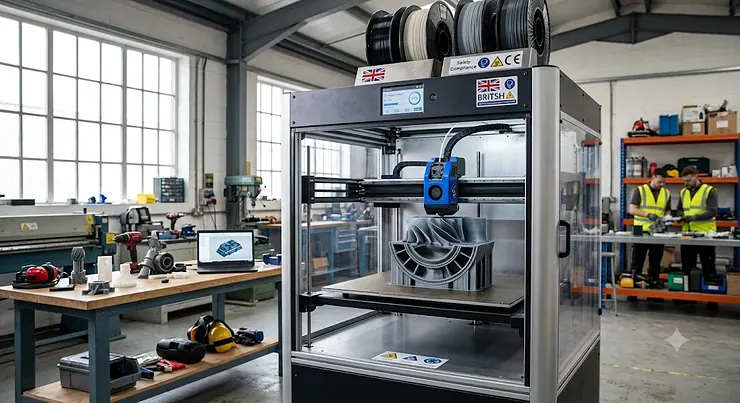
There’s a very specific kind of frustration that comes from slicing a perfectly good model into six pieces because your print bed is the size of a side plate. You glue the segments together, you sand the seams, and the joint still catches the light wrong under a convention hall’s fluorescent tubes. A large format FDM 3D printer exists to make that whole ritual unnecessary. Put simply, it’s a fused deposition modelling machine with a build volume roughly 300mm or larger on at least one axis, letting you print full helmets, architectural models and furniture components as one continuous piece rather than a jigsaw puzzle of plastic.
If you’ve searched for a big build volume 3D printer before, you’ll know the market has exploded with options in the last two years, from budget kits under £350 to enclosed multi-colour machines pushing £2,000. This guide walks through seven genuinely large-format machines, what their spec sheets actually mean once the nozzle starts moving, and where each one earns its keep. As the Wikipedia entry on fused filament fabrication explains, the process works by extruding thermoplastic layer by layer — scale that mechanism up to a 400mm bed and the engineering challenges multiply just as fast as the possibilities.
We’ve done the digging so you don’t have to trawl twenty listings at 11pm. Every spec here is checked, every price is given as a realistic range rather than a snapshot that’ll be wrong by Tuesday, and every recommendation is grounded in what real owners report once the novelty wears off.
Quick Comparison Table
Before the deep dive, here’s the shape of the market at a glance. Think of this as your cheat sheet for the school run — enough to make a decent call, not enough to replace actual homework.
| Printer | Build Volume | Standout | Price Range | Best For |
|---|---|---|---|---|
| Sovol SV06 Plus ACE | 300×300×350mm | Budget entry point | Around £300 | First-time large-format buyers |
| Two Trees SP-5 | 300×300×350mm | CoreXY kit build | £300-£380 range | Tinkerers who like assembly |
| Anycubic Kobra 3 Max | 420×420×500mm | Biggest bed here | £450-£550 range | Maximum single-piece size |
| Creality Ender-5 Max | 400×400×400mm | True cube, rock solid | £450-£550 range | Helmets and props |
| Creality K2 Plus | 350×350×350mm | Enclosed CoreXY | £700-£850 range | Engineering filaments |
| QIDI Max4 Combo | 390×390×340mm | 65°C chamber, multicolour | £1,400-£1,700 range | Speed and colour together |
| Bambu Lab H2D | 350×320×325mm | Dual nozzle, modular | £1,700-£2,000 range | Multi-tool premium workflow |
Reading across that table, a pattern emerges fast: bed size and price don’t move in lockstep the way you’d expect. The Anycubic Kobra 3 Max actually out-sizes machines costing three times as much, but it trades away the heated chamber and multi-material tricks that the QIDI Max4 Combo and Bambu Lab H2D bring to the table. If raw cubic capacity is your only metric, you’re overpaying by going premium; if you need ABS parts that don’t warp on day three, the extra spend on chamber control earns its keep fast.
💬 Found a printer that fits your project already? Scroll down to see it in action — and give this guide a share if it saved you some research time!🤗
Top 7 Large Format FDM 3D Printers: Expert Analysis
We picked these seven to cover the realistic spread of what UK buyers actually search for: dirt-cheap entry points, mid-range workhorses, and the enclosed premium machines that treat ABS like it’s PLA. Every one of them is a real, currently available machine — no fictional Frankenstein specs stitched together to look impressive.
1. Sovol SV06 Plus ACE — best budget entry into large-format printing
The Sovol SV06 Plus ACE is the printer for someone who wants a genuinely large bed without remortgaging anything. Its 300×300×350mm build volume clears the “large format” bar comfortably, and it does so with a planetary-geared direct extruder and an all-metal hotend rated to 300°C — hardware that, on paper, belongs on a pricier machine. In practice that hotend temperature means PETG and even some nylon blends are within reach, not just PLA. The PEI-coated flexible bed and automatic levelling take a lot of the fiddly setup pain out of what used to be a genuinely intimidating first large-format purchase. Based on the spec comparison against similarly priced rivals, the Sovol SV06 Plus ACE punches well above its price bracket on extruder quality, even if the frame itself uses less metal than the step-up machines here. Reviewers consistently report smooth assembly and strong out-of-the-box print quality, though a handful flag intermittent Wi-Fi drops that reconnect on their own — an annoyance rather than a dealbreaker. Buyers who are cost-sensitive but don’t want to sacrifice extruder performance are the obvious audience here.
Pros:
- ✅ All-metal hotend hits 300°C for PETG and beyond
- ✅ PEI bed and auto-levelling ease first-time setup
- ✅ Genuinely large bed at a genuinely small price
Cons:
- ❌ Lighter frame than CoreXY rivals at speed
- ❌ Occasional Wi-Fi reconnection reported by owners
At around £300, the Sovol SV06 Plus ACE is the printer we’d point a nervous first-time large-format buyer towards.
2. Two Trees SP-5 — best CoreXY kit for hands-on builders
If assembling your own printer sounds like a feature rather than a chore, the Two Trees SP-5 deserves a look. It shares the same 300×300×350mm footprint as the Sovol above, but swaps the bed-slinger motion system for CoreXY — meaning the print bed itself doesn’t rock back and forth during printing, which matters enormously once you’re pushing speed on a bed this size. What most buyers overlook about CoreXY machines at this price is that the linear rails and 360W power supply aren’t just spec-sheet padding; they’re what stops a metre-tall vase print developing visible ringing on every layer. The TMC2208 silent drivers keep noise reasonable for a garage or spare room setup, and the filament sensor with power-resume function protects long prints from a mid-job power blip — genuinely useful when a single print can run past the 24-hour mark. Aggregated feedback from the hobbyist kit-building community suggests the build process itself is the real filter here: straightforward for anyone who’s assembled flatpack furniture with patience, frustrating for anyone expecting a Bambu-style unboxing experience.
Pros:
- ✅ CoreXY motion stays stable at large-format sizes
- ✅ Filament sensor and power-resume protect long jobs
- ✅ Linear rails give a smoother finish than budget rivals
Cons:
- ❌ Kit assembly required — not a same-day setup
- ❌ Touchscreen interface feels dated next to newer machines
In the £300-£380 range, the Two Trees SP-5 rewards patience with print quality that punches above its kit-built origins.
3. Anycubic Kobra 3 Max — biggest bed on this list
The Anycubic Kobra 3 Max is the machine to reach for when “large” isn’t quite enough and you need “large-large.” At 420×420×500mm, its build volume dwarfs everything else here — that’s enough vertical clearance to print a stack of full cosplay helmets in one session, or a single architectural model tall enough to need its own shelf. The auto bed-levelling sensor and lighter Bowden-style extruder keep the moving mass sensible even at this scale, which matters because a heavier direct-drive setup on a bed this large would introduce visible wobble on fast moves. Here’s what to weigh: the trade-off for that size is a lower max nozzle temperature than some rivals and no enclosed chamber, so this machine is happiest with PLA, PETG and TPU rather than warp-prone ABS. Reviewers consistently note that the sheer footprint demands real desk space — this isn’t a machine you tuck onto a bookshelf. For anyone whose projects are defined by “I need it tall” more than “I need it exotic-material-compatible,” the calculus tips firmly in its favour.
Pros:
- ✅ Largest build volume of any printer on this list
- ✅ Auto-levelling sensor simplifies a genuinely huge bed
- ✅ Handles PLA, PETG and TPU without drama
Cons:
- ❌ No enclosed chamber limits ABS/ASA performance
- ❌ Substantial footprint — measure your space first
At around £450-£550, the Anycubic Kobra 3 Max is the pure size play of this whole line-up.
4. Creality Ender-5 Max — best true cube for helmets and props
There’s something satisfying about a printer whose build volume is a perfect cube, and the Creality Ender-5 Max delivers exactly that: 400×400×400mm on every axis. What most buyers overlook about a true cube format is how much it simplifies orienting large prints — a helmet, a torso piece, or a speaker enclosure rarely cares which axis is “up,” and a cube means you’re never fighting an awkward rectangular footprint to fit a rounded object. The frame leans into Creality’s reputation for solid, over-engineered builds, with reinforced extrusions that keep ringing under control even on fast infill passes. Based on the spec comparison with the Kobra 3 Max above, the Ender-5 Max trades a little raw Z-height for a frame that many owners describe as noticeably more rigid at speed. Aggregated review sentiment consistently praises reliability over a long print — the kind of unglamorous trait that matters enormously once you’re 30 hours into a full-scale prop and can’t afford a failure.
Pros:
- ✅ Perfectly cubic 400mm build volume simplifies orientation
- ✅ Reinforced frame keeps ringing down at speed
- ✅ Strong reputation for multi-day print reliability
Cons:
- ❌ Open frame means no true chamber heating
- ❌ Heavier unit — factor in delivery and desk weight
Sitting around £450-£550, the Creality Ender-5 Max is the sensible, no-drama choice for prop makers who just want it to work.
5. Creality K2 Plus — best enclosed all-rounder for engineering filaments
Step up to the Creality K2 Plus and you’re paying for what an open frame can’t give you: a genuinely enclosed 350×350×350mm chamber. The spec sheet won’t tell you this, but what an enclosure actually buys you is thermal stability — the difference between an ABS print that curls off the bed at hour six and one that finishes flat. Closed-loop motors on the X and Y axes add positional feedback that catches skipped steps before they become a ruined print, a feature that’s usually reserved for far pricier industrial machines. Smart auto-calibration handles first-layer setup without the usual paper-and-feeler-gauge ritual, and the CoreXY frame keeps things rigid at genuinely fast speeds. In community discussions, this machine is repeatedly described as “the first big printer that feels like a modern high-speed machine” — high praise given how sluggish some large-format rivals feel by comparison. The trade-off is obvious: you’re paying roughly double the Ender-5 Max for that enclosure and motor feedback, and the smaller-than-Kobra bed means it’s not the pick if raw size is your only priority.
Pros:
- ✅ Fully enclosed chamber stabilises ABS and ASA prints
- ✅ Closed-loop motors catch errors before they ruin a job
- ✅ Fast, rigid CoreXY frame holds speed on big parts
Cons:
- ❌ Smaller bed than the open-frame Max-class machines
- ❌ Noticeably pricier than unenclosed rivals of similar size
In the £700-£850 range, the Creality K2 Plus is the machine for buyers who print more ABS than PLA.
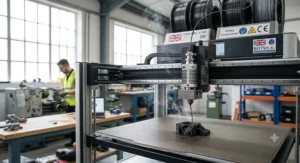
6. QIDI Max4 Combo — fastest large-format multicolour machine
The QIDI Max4 Combo is aimed squarely at people who’ve outgrown “big enough” and now want “big, fast, and in colour.” Its 390×390×340mm chamber is actively heated to 65°C, which is hot enough to keep ABS, ASA and nylon dimensionally stable at prop scale rather than just theoretically printable. Paired with an optional colour-feeding system offering up to 16-colour capability, this is one of the few machines here that treats large format and multi-material as complementary rather than mutually exclusive goals. What the spec sheet won’t tell you is how much the 40mm³/s high-flow hotend changes your relationship with print time: a part that would take 40 hours on a slower machine can realistically finish overnight. Reviewers who’ve run it for months consistently point to the AI camera’s failure detection as the feature that actually gets used daily, catching spaghetti failures at hour two instead of hour twenty. The honest trade-off is complexity — a chamber-heated, multicolour machine has more that can need troubleshooting than a simple open-frame printer, and the multicolour unit adds meaningfully to the price.
Pros:
- ✅ 65°C heated chamber stabilises engineering filaments
- ✅ 800mm/s peak speed with 40mm³/s high-flow hotend
- ✅ Up to 16-colour capability via the CFS system
Cons:
- ❌ Premium price once the colour system is added
- ❌ More moving parts means more potential troubleshooting
At roughly £1,400-£1,700, the QIDI Max4 Combo is for buyers who need speed, size and colour in one machine.
7. Bambu Lab H2D — most versatile premium multi-tool machine
The Bambu Lab H2D takes a different approach to “large format” — rather than chasing the biggest possible bed, it’s built as a personal manufacturing platform with a 350×320×325mm volume and a dual-nozzle system that supports multi-material and multi-colour work up to 350°C. Here’s what most buyers overlook about dual-nozzle setups: they cut waste dramatically compared with single-nozzle AMS colour changes, because each nozzle stays loaded rather than purging and reloading filament every swap. Optional 10W or 40W laser modules extend the machine well beyond FDM printing into cutting and engraving, which is a genuinely different value proposition than anything else on this list — you’re buying a workshop tool, not just a bigger printer. The 50-micron motion accuracy holds up impressively even at this scale, and full-auto calibration with adaptive vibration compensation removes most of the manual tuning that large-format machines traditionally demand. Aggregated owner sentiment is enthusiastic about the modular tool-head ecosystem but notes the learning curve for the laser attachments in particular isn’t trivial for complete beginners.
Pros:
- ✅ Dual nozzles cut multicolour waste versus single-nozzle AMS setups
- ✅ Modular laser toolheads add cutting and engraving
- ✅ Full-auto calibration keeps large prints dialled in
Cons:
- ❌ Highest price on this list by a clear margin
- ❌ Laser module learning curve isn’t beginner-friendly
At around £1,700-£2,000, the Bambu Lab H2D is the machine for buyers who want one workshop-grade tool that does more than extrude plastic.
Top 7 Spec Comparison
| Printer | Chamber | Max Speed | Notable Extra | Best For |
|---|---|---|---|---|
| Sovol SV06 Plus ACE | Open | Up to 150mm/s | 300°C hotend | Budget large-format entry |
| Two Trees SP-5 | Open | Moderate | CoreXY rigidity | DIY kit builders |
| Anycubic Kobra 3 Max | Open | Fast | Largest bed | Maximum size |
| Creality Ender-5 Max | Open | Fast | True cube frame | Reliable prop printing |
| Creality K2 Plus | Enclosed | Very fast | Closed-loop motors | Engineering filaments |
| QIDI Max4 Combo | Enclosed, 65°C | Up to 800mm/s | 16-colour CFS | Speed plus colour |
| Bambu Lab H2D | Semi-enclosed | Fast | Dual nozzle + laser | Multi-tool workflow |
Lined up like this, the split becomes obvious: the three cheapest machines are all open-frame, single-material workhorses, while every enclosed or multi-material machine sits above the £700 mark. That’s not arbitrary pricing — thermal control and multi-nozzle mechanics genuinely cost more to engineer reliably at this scale. If your projects are PLA and PETG only, paying for a chamber you’ll never fully use is money better spent on filament and a bigger spool holder.
Practical Usage Guide: Getting Your Printer Dialled In
Unboxing a large format FDM 3D printer is where the real learning starts, and it’s also where Amazon’s product page goes conveniently silent. First 48 hours matter more than they do on a small printer, because a bed this size amplifies any levelling error across a much larger area — a 0.2mm tilt that’s invisible on a 200mm bed becomes a visibly lopsided first layer at 400mm. Run the auto-levelling routine, then manually verify at all four corners and the centre before committing to anything ambitious.
Maintenance scheduling matters more here too. A bed this size means more belt length, more rail surface, and more opportunity for dust to accumulate somewhere you won’t notice until a print fails at 2am. Set a fortnightly reminder to check belt tension and wipe down linear rails — it takes ten minutes and prevents the single most common cause of dimensional drift on large prints. For the first month specifically, resist the temptation to jump straight to your biggest, most ambitious model; print a calibration cube at each corner of the bed simultaneously first, so you can spot inconsistent heating or levelling before it wastes a 30-hour job.
One optimisation trick rarely mentioned on spec sheets: slice large prints with a slightly thicker brim than you’d use on a small printer. The extra surface area of a big first layer creates more opportunity for a corner to lift, and a wider brim costs you a few grams of filament against the alternative of losing an entire overnight print.
Real-World Scenarios: Matching the Machine to the Maker
Picture three different people staring at this same shortlist. First, there’s the university student sharing a flat, working on a graduation project that needs a single-piece architectural model too large for any standard-bed printer they’ve used before — budget is tight, desk space is tighter, and the Sovol SV06 Plus ACE or Two Trees SP-5 fits both constraints without eating a term’s textbook budget.
Then there’s the prop maker gearing up for convention season, building full-scale helmets and armour pieces that need to survive being worn, packed and re-worn across a weekend. Print seams are the enemy here — every glued joint is a potential crack line under the stress of actually wearing the thing. The Creality Ender-5 Max or Anycubic Kobra 3 Max cover this brief well: cube-scale volume, reliable multi-day printing, and a price that doesn’t punish a hobby budget for wanting things in one piece.
Finally, there’s the small workshop or side-hustle maker producing batches of functional parts — enclosures, brackets, small-run product prototypes — where material choice actually matters and warping ABS parts mean wasted stock. That’s where the Creality K2 Plus or QIDI Max4 Combo earn their higher price tags: chamber heating isn’t a luxury when your material is ASA rather than PLA, it’s the difference between a usable batch and a bin full of curled failures.
Problem → Solution: Fixing the Biggest Large-Format Headaches
Warping on big flat parts is problem number one, and it gets worse as bed size grows because more surface area means more opportunity for uneven cooling to pull a corner loose. The fix: a heated bed at the correct temperature for your filament, a brim or raft in the slicer, and — for ABS or ASA specifically — an enclosed chamber like the ones on the Creality K2 Plus or QIDI Max4 Combo rather than fighting an open frame with draught shields alone.
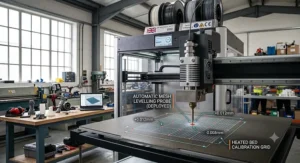
Problem two is inconsistent first layers across a large bed, usually traced back to a mesh bed-levelling grid that’s too coarse for the area it’s covering. The solution is straightforward: increase the levelling mesh density in your slicer or firmware settings, and re-run calibration after any time the printer’s been moved or bumped.
Problem three is print time anxiety — a build-plate-filling model on a 400mm-class machine can genuinely pass the 30-to-40-hour mark, and a failure at hour 35 stings far more than one at hour three. Filament run-out sensors and power-resume functionality, present on most machines here including the Two Trees SP-5, turn a potential disaster into a minor inconvenience.
Problem four is storage and filament humidity on long prints — big prints mean big spools sitting exposed for days, and damp filament shows up as stringing and pockmarked surfaces on exactly the visible prop pieces you can’t afford to compromise. A simple dry box solves this for under the cost of a single failed print.
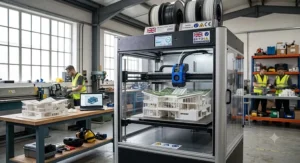
How to Choose a Large Format FDM 3D Printer
What is the best way to choose a large format FDM 3D printer? Match your build volume to your actual largest planned project plus 10% clearance, prioritise an enclosed chamber only if you’ll print ABS or ASA regularly, and weigh desk space honestly before falling for the biggest bed on the page.
- Measure your actual projects, not your ambitions. Add up the dimensions of what you genuinely intend to print and buy the smallest machine that comfortably covers it — oversizing costs desk space and often print speed for no real benefit.
- Decide if you need an enclosed chamber. If your material list stays at PLA, PETG and TPU, an open frame like the Anycubic Kobra 3 Max saves real money; ABS, ASA or nylon regulars should budget for the Creality K2 Plus or QIDI Max4 Combo instead.
- Check your desk and doorway, literally. Large format printers arrive in genuinely big boxes and stay genuinely big machines — measure the delivery path and the final resting spot before ordering.
- Weigh assembly tolerance. Kit-built machines like the Two Trees SP-5 reward patience with lower cost; fully assembled options suit buyers who want to print on day one.
- Consider multi-material needs early. Retrofitting colour-switching onto a single-nozzle machine later is rarely as clean as buying a QIDI Max4 Combo or Bambu Lab H2D with it built in from the start.
- Budget for the ongoing costs, not just the sticker price. Bigger beds mean more filament per print, and enclosed chambers draw more power — factor both into your running costs.
- Read aggregated review sentiment, not just the headline rating. A 4.5-star average hides a lot; look specifically for recurring complaints about the exact use case you have in mind.
For an independent, UK-tested take alongside these picks, the Which? 3D printer reviews are a useful sanity check before you commit to a purchase.
Big Build Volume 3D Printer vs Standard-Size Machines
The obvious question anyone weighing a big build volume 3D printer eventually asks: is it actually worth the extra space, cost and complexity over a standard 220-256mm machine? The honest answer is that it depends entirely on what you’re printing, not on some universal “bigger is better” rule.
| Factor | Standard-Size Printer | Large Format Printer |
|---|---|---|
| Typical Build Volume | 220-256mm cube | 300mm+ on at least one axis |
| Price Range | Under £250 | £300-£2,000+ range |
| Print Time on Big Models | Requires splitting/gluing | Single continuous piece |
| Desk Footprint | Compact | Substantial |
| Best Use Case | Small parts, miniatures | Props, helmets, furniture, prototypes |
A standard-size machine wins decisively on cost, footprint and even reliability for small parts — there’s simply less that can go wrong on a smaller gantry. But the moment your project needs to exist as one seamless piece, that advantage evaporates fast, and the calculus flips entirely toward large format. Splitting a helmet into six segments to fit a small bed doesn’t just cost you assembly time; it introduces structural weak points at every glue line, exactly where a worn prop is most likely to crack.
💬 Weighing up size versus space? Share this comparison with anyone else stuck on the same decision.🤗
What to Expect: Real-World Performance
Spec sheets promise a lot; real prints are more honest teachers. Expect print times far longer than intuition suggests, because time scales with volume, not just with the number displayed on the box. A helmet that fills a 350mm-class machine commonly runs 20 to 40 hours even on modern high-speed hardware, and a genuine build-plate-filling print on a 420mm bed can comfortably pass the 100-hour mark.
Expect noise to matter more than it did on your last printer — a machine running for two straight days needs to live somewhere you can tolerate the hum, or you’ll want to budget for acoustic dampening. Expect calibration drift to show up more visibly at scale; a slight nozzle wobble that was cosmetically invisible on a small print becomes a noticeable ripple across a 350mm wall. And expect filament consumption to genuinely surprise first-time large-format buyers — a single large prop can chew through two or three full spools, so budget filament costs as part of the total project, not as an afterthought.
On the positive side, expect the finish quality on well-tuned large-format machines like the Creality K2 Plus or QIDI Max4 Combo to hold up impressively even across a huge flat surface, provided the bed is genuinely level and the chamber (where present) is doing its job keeping temperature consistent corner to corner.
Large 3D Printers for Props, Cosplay and Studio Work
If you’re a cosplayer building a full suit of armour for a con three months out, the calculus around a large 3D printer for props looks different from a hobbyist printing desk trinkets. Seam-free single-piece printing isn’t a nice-to-have here — it’s the difference between armour that survives a weekend of movement and armour that cracks along every glued joint by Saturday afternoon.
For solo cosplay builders on a tight budget, the Creality Ender-5 Max or Anycubic Kobra 3 Max cover the brief: genuinely large single-piece capability without premium pricing, and PLA or PETG is more than adequate for most costume armour once properly finished and painted. For small prop studios producing commissioned pieces at volume, where consistency across dozens of prints matters as much as size, the enclosed stability of the Creality K2 Plus earns its higher price — fewer failed prints across a production run means the extra spend pays for itself in saved filament and saved deadlines.
For studios working across materials — flexible TPU gaskets, rigid ABS structural pieces, and multicolour detail work in the same session — the Bambu Lab H2D‘s dual-nozzle system genuinely changes the workflow, letting a studio switch between material types without the purge waste that single-nozzle colour changes generate. Reviewers consistently note that for prop work specifically, post-processing time (sanding, priming, painting) usually dwarfs print time anyway, so a slightly slower but more dimensionally reliable large format 3D printer for props beats a faster machine that needs reprints.
Long-Term Cost & Maintenance of an Oversized FDM Printer
The sticker price of an oversized FDM printer is only the opening bid. Total cost of ownership includes filament — and a machine this size will eat through spools faster than a standard printer simply because every print uses more material by definition. Budget roughly 20-40% more annual filament spend than you’d expect from a standard-size machine doing comparable project counts, purely because of the scale difference.
| Cost Factor | Budget Open-Frame (e.g. Sovol/Anycubic) | Enclosed Premium (e.g. K2 Plus/QIDI) |
|---|---|---|
| Upfront Price | £300-£550 range | £700-£1,700 range |
| Electricity (chamber heating) | Minimal | Noticeably higher |
| Nozzle/hotend wear | Standard replacement cycle | Similar, hardened options available |
| Material versatility | PLA, PETG, TPU | Adds ABS, ASA, nylon reliably |
Looking at that breakdown, the enclosed premium machines cost more to run as well as more to buy, but they unlock material categories that the budget open-frame machines simply can’t handle reliably. If your projects never need ABS’s heat resistance or nylon’s toughness, that extra running cost buys you nothing — put the savings toward filament instead. Maintenance-wise, expect to replace a nozzle every few hundred print-hours regardless of price bracket, re-tension belts on a rough quarterly schedule, and budget occasional bed resurfacing or PEI sheet replacement as adhesion naturally degrades with use.
Common Mistakes When Buying an Oversized FDM Printer
The single most common mistake is buying purely on bed dimensions without checking desk space, doorway width, and delivery access — an oversized FDM printer arrives in an oversized box, and more than a few buyers have discovered their new machine won’t clear a stairwell turn.
The second mistake is assuming a bigger bed automatically means better print quality; it doesn’t. A poorly calibrated 420mm machine will produce worse results than a well-tuned 300mm one, and the extra size amplifies calibration errors rather than hiding them. Third, buyers frequently skip checking whether their planned materials actually need chamber heating, paying a premium for enclosure features they’ll never use with PLA-only projects. Fourth is underestimating filament budget — treating a big printer’s running costs the same as a small printer’s is a fast route to an unpleasant surprise a few months in. And fifth, more subtle: overlooking noise and heat output from a printer that will realistically run for days at a stretch, only to discover it’s genuinely unpleasant to share a room with mid-print.
Safety, Ventilation and Regulations for Large Format 3D Printing
A bigger printer means a bigger, longer-running source of airborne particulates and VOCs, and that matters more than most buying guides admit. Research published in the Annals of Work Exposures and Health found that emission levels vary significantly by filament type and nozzle temperature, and that adequate ventilation and enclosure meaningfully reduce exposure in shared spaces — a genuinely important consideration once you’re running a machine for 30-plus hours in a bedroom or home office rather than an industrial workshop.
Practically, that means: run large-format prints, especially anything above standard PLA temperatures, in a well-ventilated room rather than a sealed one, favour enclosed machines like the Creality K2 Plus or QIDI Max4 Combo for ABS/ASA work specifically because sealed chambers also help contain particulate release, and avoid leaning directly over an actively printing bed for extended periods. If you’re printing commercially or in a shared workspace, it’s worth reviewing formal control measures rather than relying on an open window.
There’s also a practical end-of-life consideration few buying guides mention: a large format printer is still classed as electrical and electronic equipment, and disposing of it responsibly — rather than in general waste — falls under the UK’s WEEE regulations. Most local recycling centres accept electronics of this size, and it’s worth checking before a printer eventually reaches the end of its working life.
Frequently Asked Questions
❓ What counts as a large format FDM 3D printer?
❓ Do I need an enclosed chamber for large prints?
❓ How long does a large 3D printer take to print a helmet?
❓ Is a big build volume 3D printer harder to maintain?
❓ Can a large format printer use standard filament spools?
Conclusion
Choosing a large format FDM 3D printer really comes down to answering one honest question first: what are you actually going to print, and how often? A cosplayer building one seasonal costume has very different needs from a small studio running commissioned prop work every week, and the seven machines here span that whole spectrum on purpose. The Sovol SV06 Plus ACE and Two Trees SP-5 get you into genuinely large-format territory without a big financial leap. The Anycubic Kobra 3 Max and Creality Ender-5 Max cover the sweet spot of size, reliability and reasonable cost that suits most serious hobbyists. The Creality K2 Plus, QIDI Max4 Combo and Bambu Lab H2D step up to enclosed, multi-material territory for buyers whose projects genuinely demand it.
Whichever you land on, resist the urge to buy on bed size alone — match the machine to your actual projects, your actual space, and your actual patience for calibration, and a large format FDM 3D printer will earn its keep for years rather than gathering dust after the novelty print.
✨ Don’t Miss These Exclusive Deals!
🔍 Take your large-format printing projects to the next level with the machines covered above. Click through to check current pricing and availability, and build the seamless, single-piece props and prototypes your projects deserve!
Recommended for You
- Enclosed FDM 3D Printer for ABS: 7 Picks Tested for 2026 (No Warping)
- Best Mid-Range FDM 3D Printer 2026: 7 Top Picks Ranked
- FDM 3D Printer for Beginners: 7 Brilliant Picks for 2026
Disclaimer: This article contains affiliate links. As an Amazon Associate, I earn from qualifying purchases. If you purchase products through these links, we may earn a small commission at no additional cost to you.
✨ Found this helpful? Share it with your friends! 💬🤗
