In This Article
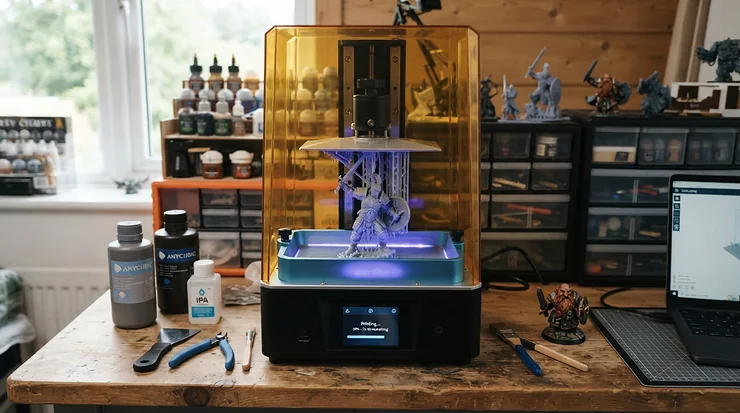
Somewhere between “I’ll just print one goblin to test it” and “why do I now own four wash-and-cure stations” lies the entire hobby of resin miniature printing. It sneaks up on you. One minute you’re squinting at a shop-bought Warhammer sprue wondering if you really need to spend £40 on twelve models; the next you’re comparing XY resolution figures like a spec-sheet obsessive. A high-resolution resin 3D printer for miniatures is genuinely the tool that makes that leap worthwhile — it renders facial expressions, chainmail links, and the tiny rivets on a tank hatch with a crispness that filament printers simply cannot touch. In short: a high-resolution resin 3D printer for miniatures is a desktop machine built around vat photopolymerisation, curing liquid photopolymer layer by layer using a masked LCD screen, typically at 4K to 16K resolution, to reproduce the fine surface detail that 28-32mm gaming figures demand.

This guide is built for a British audience shopping on amazon.co.uk in 2026, and it leans on real specifications, genuine aggregated review sentiment, and honest comparative analysis rather than marketing fluff. We’ve pulled together seven actual, currently available machines spanning budget, mid-range, and premium tiers, and we’ve dug into what their resolution numbers, build volumes, and automation features genuinely mean once you’re peeling a Space Marine off a build plate at 11pm. Whether you’re painting for a D&D campaign, building terrain for Warhammer 40k, or sculpting jewellery prototypes on the side, there’s a printer here that fits your postcode-sized hobby room and your wallet.
Quick Comparison Table
| Printer | Resolution | XY Pixel Size | Build Volume | Price Range | Best For |
|---|---|---|---|---|---|
| Anycubic Photon Mono 4 | 10K | 17 µm | 153 x 87 x 165 mm | under £200 | Absolute beginners |
| Elegoo Mars 5 Ultra | 9K | 18 µm | 153 x 78 x 165 mm | £190-£240 range | Fast, fuss-free minis |
| Phrozen Sonic Mini 8K S | 8K | 22 µm | 165 x 72 x 170 mm | £270-£320 range | Detail-per-pound value |
| Elegoo Saturn 4 Ultra 12K | 12K | approx. 19 µm | 212 x 118 x 220 mm | £320-£370 range | Batch printing minis |
| Anycubic Photon Mono M7 Pro | 14K | 16.8 x 24.8 µm | 223 x 126 x 230 mm | £420-£480 range | Automation-hungry hobbyists |
| Creality HALOT-MAGE S 14K | 14K | 16.8 x 24.8 µm | 223 x 126 x 230 mm | £350-£420 range | Large batches, big build |
| UniFormation GK3 Pro | 16K | not disclosed in µm | approx. 218 x 123 mm | £650-£750 range | Flagship-level miniature detail |
Looking at the table above, the Elegoo Mars 5 Ultra and Anycubic Photon Mono 4 dominate the sub-£250 bracket without sacrificing the resolution that 28mm miniatures actually need, while the UniFormation GK3 Pro sits in a different conversation entirely — one about diminishing returns and whether your painting skill can even exploit a 16K screen. The middle tier, populated by the Elegoo Saturn 4 Ultra 12K and the two 14K machines, is really where “high-resolution resin 3D printer for miniatures” earns its keep: enough screen real estate to batch a squad of ten minis overnight without the vat feeling cramped.
💬 Found a printer that fits your budget already? A single click helps us keep testing — thanks for reading!😊
Top 7 High-Resolution Resin 3D Printers for Miniatures: Expert Analysis
Picking seven machines out of a market that releases a new “Ultra” or “Pro” model roughly every quarter is no small task. We prioritised real, currently listed products with verifiable specifications, spread across budget, mid-range, and premium price points, plus a couple of less obvious picks that punch above their price tag. Every entry below covers what the spec actually delivers in practice, who genuinely benefits from it, and where the real trade-offs sit — grounded in manufacturer data and aggregated review sentiment, never in fabricated hands-on claims.
1. Anycubic Photon Mono 4 — best true budget entry point
The standout here is simple: a sub-£200 machine with a 10K screen, which two years ago would have sounded like a typo. The Photon Mono 4 packs a 7-inch monochrome LCD at 9024 x 5120 resolution into a compact 153.4 x 87 x 165mm build volume, giving it a genuinely fine 17-micron XY pixel size. In practice, that pixel size means the edges on a miniature’s cloak or the etched detail on a shield don’t turn into a soft, staircase blur — something older 2K and even some early 4K budget machines struggled with.
Based on the spec comparison with its predecessor, the leap from a 35-micron pixel (the old Photon Mono 4K) to 17 microns roughly halves the visible pixel stepping on curved surfaces, which is exactly where miniature painters notice quality loss first. This printer is for the hobbyist who wants to try resin printing without committing serious money, and for painters who mainly work at 28-32mm scale rather than huge 75mm display pieces that would outgrow the small vat. Reviewers consistently report that the LighTurbo light source gives reasonably even curing across the build plate for a machine at this price, though several also note the smaller build area limits how many miniatures you can batch per print run.
What most buyers overlook about entry-level 10K machines like this one is that resolution alone doesn’t guarantee success — exposure calibration still matters enormously, and first-time users should expect a short learning curve dialling in settings for whichever resin they choose.
Pros:
- ✅ 10K screen and 17-micron pixels well beyond its price bracket
- ✅ Compact footprint suits a desk or small hobby room
- ✅ Genuinely accessible price point for first-time resin buyers
Cons:
- ❌ Small build volume limits batch-printing larger squads
- ❌ No auto-leveling, so manual calibration is still required
Prices for the Anycubic Photon Mono 4 sit under £200 at the time of research, and for that money it’s hard to argue with the value — this is the printer we’d point a nervous first-timer toward.
2. Elegoo Mars 5 Ultra — fastest peel-free printing for beginners
What most buyers overlook about resin printing failures is that they rarely come from resolution — they come from prints sticking stubbornly to the vat film. The Elegoo Mars 5 Ultra tackles that head-on with a tilt-vat release mechanism that lowers peel force dramatically, which is the single biggest quality-of-life upgrade a beginner-focused resin printer can offer. Its 7-inch 9K mono LCD delivers an 8520 x 4320 resolution and an 18 x 18-micron XY pixel size, paired with print speeds up to 150mm/h thanks to that tilting action rather than relying on pricier high-speed resin formulations.
Based on the spec comparison, this puts the Mars 5 Ultra’s detail ceiling almost level with the pricier Sonic Mini 8K S, while its usability features — automatic leveling, an AI camera for failure detection, and a resin-level sensor — are aimed squarely at people who’ve never touched a resin printer before. Reviewers consistently note that the tempered glass screen protector is a smart inclusion, since resin spills are basically inevitable during the learning phase, and a scratched LCD is an expensive mistake to make twice.
The trade-off, according to aggregated review sentiment, is that some early prints can be a little tricky to separate from the build plate itself (not the vat) until the plate is properly seasoned, and the compact 153 x 78 x 165mm build volume means larger terrain pieces are out of scope. For anyone specifically shopping for a beginner-friendly high-resolution resin 3D printer for miniatures, this is arguably the strongest all-rounder on the list.
Pros:
- ✅ Tilt-release vat virtually eliminates peel-force failures
- ✅ 18-micron XY resolution rivals pricier detail-focused machines
- ✅ AI camera and auto-leveling remove common beginner headaches
Cons:
- ❌ Build plate can need seasoning before prints release cleanly
- ❌ Small vat rules out large terrain or display-scale busts
At around £190-£240, the Elegoo Mars 5 Ultra represents outstanding value for a machine this automated — the money buys convenience as much as detail.
3. Phrozen Sonic Mini 8K S — sharpest detail per pound
Here’s what the spec sheet won’t tell you outright: 22 microns doesn’t sound as flashy as some rivals’ 17 or 18-micron figures, but on an 8K screen spread across a smaller build area, the practical detail output is genuinely excellent for the price. The Phrozen Sonic Mini 8K S uses a 7.1-inch monochrome LCD at 7500 x 3240 resolution, and Phrozen has a well-earned reputation as the company that pioneered affordable 8K resin printing in the consumer space. Reviewers consistently note that facial features on 28mm miniatures, fine chainmail texture, and hair strands render with a sharpness that’s genuinely hard to distinguish from far pricier machines once painted.
On paper this means the Sonic Mini 8K S trades some raw speed and build volume for pure detail density — its compact 165 x 72 x 170mm vat isn’t built for batch runs of twenty models, but it’s exactly the tool for someone chasing crisp facial sculpts on a handful of hero miniatures. One frequently cited drawback in aggregated feedback is the lack of built-in Wi-Fi, meaning file transfer relies on a USB stick rather than wireless slicing — a minor inconvenience but a real one if you’re used to more connected machines.
The single linear rail Z-axis (a change from earlier dual-rail Phrozen models) has also drawn some scepticism from long-time users, though most reviewers report it hasn’t caused practical accuracy problems in day-to-day miniature printing.
Pros:
- ✅ 8K screen delivers detail that punches well above its price
- ✅ Trusted brand reputation built specifically on high-resolution printing
- ✅ Compact size suits desks with limited space
Cons:
- ❌ No native Wi-Fi, so files transfer via USB only
- ❌ Small build volume isn’t suited to large batch runs
Expect a price in the £270-£320 range for the Phrozen Sonic Mini 8K S, positioning it as the detail specialist’s pick rather than the all-rounder.
4. Elegoo Saturn 4 Ultra 12K — best balance of size and resolution
If the Mars 5 Ultra is the beginner’s dream, the Elegoo Saturn 4 Ultra 12K is what you graduate to once you’re printing full squads rather than single test minis. Its 12K mono LCD sits inside a noticeably larger 212 x 118 x 220mm build volume, and it carries over the tilt-release technology and 150mm/h high-speed printing from its smaller sibling, along with a smart tank-heating feature that keeps resin viscosity consistent in a chilly UK garage or shed.
Based on the spec comparison, the jump from 9K to 12K resolution on a larger screen keeps pixel density high even though the physical printing area has grown substantially — meaning you don’t sacrifice sharpness for space, which is exactly the trade-off cheaper “large format” printers often force on buyers. What most buyers overlook about scaling up build volume is that resin cost per print run climbs fast if you’re not filling the vat efficiently, so this machine rewards people who genuinely batch-print rather than those running one model at a time.
Reviewers consistently praise the flip-up lid and toolkit bundle for making resin changes less messy, a small but appreciated detail for anyone who’s ever knocked over an open vat. The main criticism in aggregated feedback centres on the printer’s footprint — at this build volume it needs meaningfully more desk space than the entry-level machines, plus a correspondingly larger wash-and-cure station to match.
Pros:
- ✅ Genuinely large build volume without losing pixel sharpness
- ✅ Tank heating helps maintain consistent resin viscosity
- ✅ Tilt-release and 150mm/h speed carried over from the Mars line
Cons:
- ❌ Needs substantially more desk and storage space
- ❌ Larger vat means higher resin cost per full batch
Priced around £320-£370, the Elegoo Saturn 4 Ultra 12K is the printer we’d recommend to anyone outgrowing a compact beginner machine.
5. Anycubic Photon Mono M7 Pro — smartest automation for busy hobbyists
The Anycubic Photon Mono M7 Pro is built for people who resent babysitting a printer. Its 10.1-inch 14K screen produces a striking 13320 x 5120 resolution at a 16.8 x 24.8-micron pixel size, but the real headline is the automation stack layered on top: dynamic vat temperature control, automatic resin refill and recycling, failed-print detection, and even reminders to replace the release film before it degrades your print quality.
Based on the spec comparison, that pixel size is nearly identical to the pricier Creality HALOT-MAGE S 14K, so the resolution argument between these two machines essentially comes down to which ecosystem and automation set you prefer rather than which prints sharper minis. Reviewers consistently report that the automatic resin handling genuinely reduces mess and waste over a long print run — useful for anyone who’s ever topped up a vat by eye and overfilled it. On paper this means the M7 Pro suits hobbyists running frequent overnight batches who want the printer to flag problems rather than discover a failed print cold the next morning.
The trade-off, according to aggregated review sentiment, is that all this automation adds complexity: more sensors and moving parts mean more that can theoretically go wrong, and the printer’s software ecosystem (Anycubic Photon Workshop) is a step some experienced Chitubox users have to relearn.
Pros:
- ✅ Automatic resin refill and recycling cuts mess significantly
- ✅ Failed-print detection catches problems before you waste hours
- ✅ 14K resolution with genuinely fine sub-20-micron pixels
Cons:
- ❌ More sensors and moving parts than simpler rivals
- ❌ Requires learning Anycubic’s own slicing software
At roughly £420-£480, the Anycubic Photon Mono M7 Pro is squarely aimed at hobbyists who value their evenings more than they value manually topping up resin.
6. Creality HALOT-MAGE S 14K — biggest build volume for batch printing
Creality’s HALOT-MAGE S 14K matches the M7 Pro’s 14K resolution and near-identical 16.8 x 24.8-micron pixel size, but wraps it in a 223 x 126 x 230mm build volume that’s genuinely generous for the price bracket, plus a built-in air purifier with an activated carbon filter — a feature that’s easy to dismiss until you’ve printed resin in a small room without one. What most buyers overlook about the “Dynax” motion system is that it isn’t just a speed gimmick: a 1.2-second layer reset time means the printer spends less time waiting and more time curing, which adds up meaningfully across an overnight run of a dozen miniatures.
Reviewers consistently note that the resin tank and build plate design makes clean-up noticeably less fiddly than on some rivals, and that Creality’s willingness to support standard third-party resins (rather than locking users into house-brand formulas) keeps running costs flexible. On paper this means the HALOT-MAGE S 14K suits gaming groups or clubs printing in bulk for a campaign, where the larger vat lets you fit an entire squad or a chunk of terrain in one go.
The most commonly cited drawback in aggregated feedback is that some of the extra conveniences seen on earlier, pricier HALOT models (like certain smart sensors) have been trimmed back here to hit this price point — a sensible trade-off, but one worth knowing about upfront.
Pros:
- ✅ Large 223 x 126 x 230mm build volume for batch runs
- ✅ Built-in air purifier reduces resin odour indoors
- ✅ Works with standard third-party resins, not just house brands
Cons:
- ❌ Some smart features from pricier HALOT models were cut
- ❌ Larger machine needs a dedicated, well-ventilated spot
Expect to pay in the £350-£420 range for the Creality HALOT-MAGE S 14K, making it one of the strongest value propositions among the larger-format machines.
7. UniFormation GK3 Pro — flagship detail for serious painters
At the top of this line-up sits the UniFormation GK3 Pro, built around a 16K monochrome LCD paired with a COB light source and Fresnel collimator lens system designed to keep UV output uniform across the whole build plate — a detail that matters more than the headline resolution number once you’re printing multiple minis simultaneously across the vat.
Based on the spec comparison, the genuine upgrade over the 14K machines on this list isn’t necessarily visible on a painted 28mm miniature to the naked eye, but it becomes apparent on larger display-scale busts or highly detailed 32mm+ figures where finer gradients in skin, fabric folds, or intricate filigree benefit from the extra pixel density. UniFormation built its reputation on the original GK2, and reviewers consistently praise the dual-rail, dual-ball-screw Z-axis on the GK3 Pro for exceptional positional stability — the kind of mechanical rigidity that keeps layer lines consistent print after print rather than degrading as the machine ages.
What most buyers overlook about flagship resin printers is that the resolution ceiling stops being the limiting factor long before you reach 16K; your resin choice, exposure calibration, and painting skill will determine final quality far more than the last few microns of pixel size. This is a printer for miniature painters running a small studio, streaming build videos, or simply challenging the absolute best result achievable on a desktop machine, rather than for someone printing their first goblin.
Pros:
- ✅ 16K screen and COB light source built for maximum fidelity
- ✅ Dual-rail, dual-ball-screw Z-axis adds serious mechanical rigidity
- ✅ Reputation built on a well-regarded predecessor (the GK2)
Cons:
- ❌ Price puts it well beyond casual hobbyist budgets
- ❌ Resolution gains are marginal on typical 28-32mm figures
At around £650-£750, the UniFormation GK3 Pro is a considered purchase for painters who’ve already outgrown everything else on this list.
Top 7 Printers: Specs, Price Range and Best-For Comparison
| Printer | XY Resolution | Speed | Price Range | Best For |
|---|---|---|---|---|
| Anycubic Photon Mono 4 | 17 µm | up to 70 mm/h | under £200 | First resin printer |
| Elegoo Mars 5 Ultra | 18 µm | up to 150 mm/h | £190-£240 range | Beginners wanting automation |
| Phrozen Sonic Mini 8K S | 22 µm | moderate | £270-£320 range | Detail specialists |
| Elegoo Saturn 4 Ultra 12K | approx. 19 µm | up to 150 mm/h | £320-£370 range | Batch squad printing |
| Anycubic Photon Mono M7 Pro | 16.8 x 24.8 µm | up to 170 mm/h | £420-£480 range | Automation-focused hobbyists |
| Creality HALOT-MAGE S 14K | 16.8 x 24.8 µm | up to 150 mm/h | £350-£420 range | Large-batch club printing |
| UniFormation GK3 Pro | 16K screen | not disclosed | £650-£750 range | Flagship-level painters |
The pattern across this table is worth dwelling on for a second: XY pixel size, not the marketing “K” number, is genuinely the figure that determines detail, and several 12K-14K machines here actually have finer pixels than some higher-numbered rivals once screen size is factored in. Speed differences matter most if you’re printing commercially or for a large gaming club, while casual hobbyists printing one or two miniatures a week will barely notice the gap between 70mm/h and 150mm/h in real terms.
Setting Up Your New Resin Printer: A Practical First-30-Days Guide
Getting a high-resolution resin 3D printer for miniatures out of the box and onto your first successful print is where most beginners either fall in love with the hobby or swear off it entirely — usually because nobody told them the small things that make the difference. Start with levelling: even auto-levelling machines like the Elegoo Mars 5 Ultra benefit from a manual double-check in the first week, since a build plate that’s a fraction of a millimetre off produces prints that either fail to adhere or squash flat on the first layer. Next, resist the urge to print your most ambitious miniature first. A simple calibration test file (most printers ship with one, or Chitubox provides free ones) tells you far more about your specific machine, resin, and room temperature than diving straight into a detailed hero model.
Room temperature genuinely matters more than most beginners expect — UK homes in winter can dip cold enough that resin viscosity changes and cure times need adjusting, which is exactly why features like the Elegoo Saturn 4 Ultra’s tank heating exist. Ventilation deserves attention from day one too: research-based guidance issued with HSE endorsement recommends using an exposure control cabinet or local exhaust ventilation with desktop 3D printing equipment to reduce harmful emissions, and while that particular guidance was written for schools and colleges, the underlying advice applies just as sensibly to a home workshop. In your first 30 days, expect a few failed prints; this is normal and not a sign you’ve bought a faulty machine. The most common early mistakes are overfilling the vat, forgetting to shake bottled resin before pouring (pigments settle surprisingly fast), and skipping post-cure UV exposure, which leaves prints tacky and prone to warping over the following weeks. Build a simple maintenance rhythm: wipe down the vat film after every print, check it for pinholes weekly, and replace it the moment you see a tear — a damaged film is one of the single biggest causes of failed prints and, worse, screen damage from leaked resin.
Real-World Scenarios: Which Printer Matches Your Hobby?
The Warhammer club organiser, printing for eight people every month. Someone running club terrain and squad printing on a tight schedule needs build volume and speed above almost everything else — the Elegoo Saturn 4 Ultra 12K or Creality HALOT-MAGE S 14K fit this brief, since both can fit a genuinely large batch per run without sacrificing the resolution that painted tabletop figures need at arm’s length.
The D&D player printing one hero character a month. Low volume, high patience, and probably a small desk in a shared flat — this is squarely Elegoo Mars 5 Ultra or Anycubic Photon Mono 4 territory. Neither machine will overwhelm a beginner, and the compact build volumes match a hobby that’s more about the occasional showpiece than mass production.
The painting-competition entrant chasing maximum facial detail. If your models are judged up close under studio lighting rather than viewed across a gaming table, resolution differences that are invisible at normal viewing distance suddenly matter. The Phrozen Sonic Mini 8K S or the UniFormation GK3 Pro make more sense here, where every extra micron of definition on a sculpted eye or a fabric fold can be the difference between a good paint job and a winning one.
How to Choose a High-Resolution Resin 3D Printer for Miniatures
Picking between machines with similar-sounding specs gets easier once you know which numbers actually matter for tabletop work. Here’s how to work through it:
- Check the XY pixel size, not just the “K” number. A 12K screen with a small build area can have finer pixels than an 8K screen stretched across a larger vat — always compare the micron figure directly.
- Match the build volume to your actual output. If you print one hero miniature a month, a large-format machine just means more resin sitting unused in an oversized vat.
- Factor in ventilation and where the printer will live. Resin fumes require a well-ventilated space regardless of price point, so check whether your chosen spot can accommodate that before you buy.
- Weigh automation against your patience for manual calibration. Auto-levelling, resin refill, and failure detection cost more but save real time across dozens of print runs.
- Budget separately for post-processing. A wash-and-cure station, gloves, a resin filter, and IPA (or a water-washable resin) all add to the real cost of ownership beyond the printer itself.
- Read aggregated review sentiment, not just spec sheets. Manufacturer numbers rarely mention build plate seasoning quirks, film longevity, or software friction — genuine user feedback fills that gap.
- Consider resin compatibility. Some machines favour proprietary formulas; if you want the flexibility to shop around for cheaper third-party resin, confirm the printer isn’t locked to one brand.
Detail Resin Printer vs FDM: Why Resin Wins for Tabletop Minis
The debate between resin and filament (FDM) printing for miniatures isn’t really close once you look past sticker price. FDM machines extrude melted plastic through a nozzle, and even the finest consumer nozzles (0.2mm) leave visible layer lines and struggle with the fine overhangs common on miniature weapons, capes, and hair. A detail resin printer, by contrast, cures an entire cross-section of liquid photopolymer at once through a UV-masked screen, and industry comparisons consistently note that at layer heights as low as 0.025mm, visible layer lines all but disappear, so facial expressions, chainmail, and fine surface textures stay crisp instead of blurring into soft plastic. That is essentially why resin printing is widely regarded as the better choice for miniatures specifically, producing finer detail, sharper edges, and smoother surfaces, whereas FDM remains the more cost-effective option for large terrain, dungeon tiles, and buildings.
| Factor | Resin (SLA/MSLA) | FDM (Filament) |
|---|---|---|
| Detail on 28mm minis | Excellent — sharp facial features | Poor — visible layer lines |
| Large terrain pieces | Expensive, slow, high resin cost | Fast and cheap per part |
| Post-processing | Wash, cure, support removal, PPE | Minimal, mostly support removal |
| Best for | High-resolution resin 3D printer for miniatures work | Bulky terrain and dungeon tiles |
The table makes the split obvious: resin dominates anywhere fine surface detail is the priority, while FDM remains the sensible choice for bulky terrain where strength and low material cost matter more than micron-level sharpness. Most serious tabletop hobbyists in the UK end up owning both eventually, using FDM for scenery and a detail resin printer for the miniatures that sit on top of it.
4K Resin Printer vs 8K, 12K and 16K: Does More Resolution Actually Matter?
Here’s the analysis buyers genuinely need before spending an extra £200 chasing bigger resolution numbers: for most 28-32mm tabletop miniatures, 4K resolution is generally considered sufficient to produce detailed, paint-ready models, and while higher-resolution 8K and 16K printers can add further detail, industry guidance is consistent that XY pixel size matters more than the advertised “K” label on the box. In practice, this means a well-calibrated 4K resin printer from a reputable brand will produce perfectly presentable Warhammer or D&D miniatures — the jump to 8K and beyond delivers genuine but increasingly subtle improvements, mostly visible on close inspection of faces, eyes, and fine linear details like chainmail or lettering.
Where higher resolution earns its keep is on larger-scale figures (54mm, 75mm, and display busts), where a 4K screen’s pixels are stretched across more physical space and become more visible. It’s also worth noting that for miniatures specifically, industry guidance suggests looking for an XY resolution under 30 microns to ensure tiny features resolve cleanly, which every printer in this guide comfortably achieves — even the “entry-level” Photon Mono 4 at 17 microns beats that threshold with room to spare. The honest takeaway: don’t assume a bigger K-number automatically means a better mini. Compare actual micron figures, and don’t overspend chasing 16K if your subject matter and painting skill won’t show the difference.
What to Expect: Real-World Performance from a High-Resolution Resin Printer
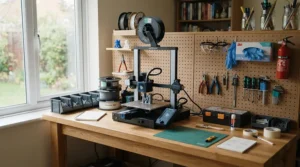
Spec sheets promise perfection; real workshops deliver something slightly messier but genuinely rewarding. Expect your first few prints to need some exposure-time tweaking specific to your resin brand and room temperature — the “recommended settings” on a resin bottle are a starting point, not gospel. Expect supports to leave small nubs that need gentle sanding, particularly on delicate areas like sword tips or feather plumes; this is normal across every printer on this list, not a fault unique to any one machine. Expect print times to matter less than post-processing time — washing, curing, and support removal on a batch of ten miniatures routinely takes longer than the print itself, so budget your evening accordingly.
On the positive side, once you’ve dialled in your settings, results become remarkably consistent. The tilt-release mechanisms found on the Elegoo range and the automated resin handling on the Anycubic M7 Pro genuinely reduce the fiddliness that put early resin adopters off the hobby years ago. Reviewers consistently note that the biggest leap in day-to-day satisfaction doesn’t come from resolution upgrades but from reliability upgrades — a printer that finishes what it starts, batch after batch, is worth more to most hobbyists than a few extra microns of theoretical sharpness.
Resin Printer for Tabletop Miniatures: Common Buying Mistakes
Even careful shoppers trip over the same handful of pitfalls when choosing a resin printer for tabletop miniatures. Chasing the highest resolution number without checking build volume is probably the most frequent mistake — a stunning 16K screen crammed into a tiny vat still only fits two or three miniatures per print run, which quickly becomes frustrating if you’re printing for a club or a large army. Another common error is underestimating post-processing costs; buyers budget for the printer itself but forget that gloves, a wash-and-cure station, resin filters, and replacement vat films add a genuine ongoing cost on top of the machine.
Ignoring ventilation requirements is a mistake with real consequences rather than just inconvenience — printing resin in a poorly ventilated bedroom is not advisable regardless of how compact the printer looks. Buyers also frequently skip reading aggregated review sentiment around vat film durability and build plate quality, focusing entirely on resolution and speed figures while ignoring the mundane reliability factors that determine whether a printer is pleasant to actually live with. Finally, some shoppers assume all resins work interchangeably across all printers; while most modern machines are reasonably resin-agnostic, checking compatibility (and any proprietary lock-in) before buying resin in bulk saves both money and disappointment.
Troubleshooting: Common Resin Printing Problems and Fixes
Problem: Prints fail to adhere to the build plate. This is almost always a levelling or exposure-time issue rather than a faulty printer. Re-level the plate, increase bottom exposure time slightly, and ensure the plate surface is clean and free of cured resin residue from a previous print.
Problem: Fine details (like faces or lettering) come out mushy. Check that you’re using a resin genuinely rated for detail work rather than a general-purpose formula, and confirm your normal exposure time isn’t overexposing each layer — over-curing bleeds light into surrounding pixels and softens fine features.
Problem: Prints have visible layer lines despite a high-resolution screen. Layer lines are usually a Z-axis layer-height setting, not a resolution problem — dropping from 0.05mm to 0.025mm layers on any of the printers above will noticeably smooth vertical surfaces, at the cost of longer print times.
Problem: The vat film keeps tearing. This typically points to overtightened supports touching the film during printing, sharp resin residue left in the vat, or a film that’s simply reached the end of its lifespan. Filtering used resin before pouring it back and replacing film proactively (rather than waiting for a tear) solves this for most users.
Problem: Failed prints partway through a batch. Power interruptions, resin running low mid-print, or a Z-axis obstruction are the usual suspects. Machines with built-in AI cameras or failure detection, like the Elegoo Mars 5 Ultra or Anycubic M7 Pro, flag this early rather than leaving you to discover it hours later.
Long-Term Cost & Maintenance: The True Cost of Owning a Resin Printer
The printer’s price tag is genuinely just the entry fee. Resin itself typically runs to a meaningful ongoing cost per litre, and a hobbyist printing regularly will get through several bottles a year — budget separately for this rather than treating the printer price as the whole story. Replacement vat films (FEP or ACF depending on the machine) wear out with use and need periodic replacement, typically every few months of regular printing, and screen protectors, while optional on some machines, are a sensible investment given how expensive replacing a cracked LCD screen can be.
Wash-and-cure stations aren’t strictly mandatory — you can wash prints by hand in isopropyl alcohol and cure them under sunlight — but most hobbyists eventually buy one for consistency and convenience, adding a further one-off cost. On the positive side of the ledger, resin miniatures cost a fraction of retail figures once you factor in the printer’s lifespan; a single decent-sized resin bottle can produce dozens of 28mm miniatures, working out considerably cheaper per model than buying pre-made figures once the initial hardware investment is behind you. Total cost of ownership over two to three years, including the printer, resin, post-processing kit, and consumables, typically settles somewhere between the price of the printer alone and roughly double that figure — a useful mental benchmark when comparing a £250 machine against a £650 one.
Safety, Ventilation and UK Regulations for Resin 3D Printing
Resin printing carries genuine health and safety considerations that are worth taking seriously rather than treating as an afterthought. Liquid photopolymer resin can irritate skin and eyes on contact, and uncured resin fumes are best kept away from unventilated bedrooms — nitrile gloves, eye protection, and a well-ventilated workspace are the baseline, not an optional extra, on top of the ventilation steps already covered in the setup guide above.
On the regulatory side, any mains-powered resin printer sold in Great Britain needs to meet standard electrical safety requirements, and buyers can check current UKCA marking and conformity requirements on GOV.UK if they want to verify a specific import or lesser-known brand meets UK safety standards before purchase. Beyond the printer itself, disposing of uncured resin and used isopropyl alcohol responsibly matters too — neither should go down a household drain, and most councils provide guidance on hazardous household waste disposal for exactly this kind of material.
Frequently Asked Questions
❓ What resolution do I actually need for 28mm miniatures?
❓ Is a high-resolution resin 3D printer for miniatures hard to use as a beginner?
❓ How much does a detail resin printer cost including accessories?
❓ Can I use any resin in a 4K resin printer?
❓ Do I need a fume extractor for resin printing at home?
Conclusion
There’s no single “best” high-resolution resin 3D printer for miniatures — there’s only the best one for your build volume needs, your patience for manual calibration, and how much detail your painting skill can actually showcase. The Anycubic Photon Mono 4 and Elegoo Mars 5 Ultra remain the smartest entry points for anyone testing the waters, offering resolution figures that would have been premium-tier specs just a couple of years ago. Hobbyists ready to batch-print for a club or campaign should look toward the Elegoo Saturn 4 Ultra 12K or Creality HALOT-MAGE S 14K, both of which balance genuine build volume with detail that holds up under scrutiny. For automation-hungry printers who’d rather the machine flag its own problems, the Anycubic Photon Mono M7 Pro earns its higher price tag. And for painters chasing the absolute ceiling of desktop detail, the UniFormation GK3 Pro delivers — provided your wallet, and your painting technique, can keep up.
Whichever machine you choose, remember that resolution is only one variable in a much bigger equation involving resin choice, exposure calibration, ventilation, and simple practice. Buy within your actual printing habits rather than your aspirational ones, and the hobby will reward you far faster than chasing spec-sheet bragging rights ever will.
✨ Don’t Miss These Exclusive Deals!
🔍 Take your miniature painting to the next level with these carefully selected printers. Click on any highlighted item to check current pricing and availability. These machines will help you create sharp, paint-ready miniatures your whole gaming group will admire!
Recommended for You
- DLP Resin 3D Printer: 7 Sharp Picks for UK Makers (2026)
- MSLA Resin 3D Printer: 7 Best Picks for UK Makers (2026)
- Resin 3D Printers: 7 Best Value Picks for UK Makers (2026)
Disclaimer: This article contains affiliate links. As an Amazon Associate, I earn from qualifying purchases. If you purchase products through these links, we may earn a small commission at no additional cost to you.
✨ Found this helpful? Share it with your friends! 💬🤗
