In This Article
Somewhere between “I’ll just print a phone stand” and “why does my garage now smell faintly of pancake syrup and ambition” lies the moment every miniature painter, jewellery hobbyist, and prop-maker discovers resin printing. An MSLA resin 3D printer is a machine that cures liquid photopolymer resin layer by layer using an LCD screen as a light mask, and it produces detail that filament printers simply cannot touch — crisp jewellery bezels, readable 6mm miniature faces, watertight prototypes. If you’ve been eyeing the category and drowning in spec sheets full of “K” numbers and µm figures, you’re in the right place.
This guide cuts through the marketing noise. We’ve researched seven genuinely available machines spanning entry-level to prosumer, checked what real owners consistently report about reliability and quirks, and built out the practical guidance Amazon listings never bother with — setup workflow, common failure fixes, and a decision framework you can actually use. Whether you’re chasing raw resolution, print speed, or a beginner-friendly first machine, there’s a route through this list that fits your desk, your budget, and your patience for post-processing.
One thing before we dive in: resin printing isn’t plug-and-play in the way FDM printing is. There’s ventilation to think about, gloves to buy, and a bit of a learning curve on exposure settings. None of that is disqualifying — thousands of UK hobbyists run these machines from spare rooms and garages every week — but it’s worth knowing upfront, and we’ll cover exactly how to manage it later in this guide.
Quick Comparison Table
| Printer | Resolution | Best For | Price Range |
|---|---|---|---|
| Elegoo Saturn 4 Ultra 16K | 16K, 19µm | All-round detail and speed | Around £500-£600 |
| Elegoo Mars 5 Ultra | 18µm pixel pitch | Sharpest miniature detail | £250-£350 range |
| Elegoo Mars 4 Ultra | 9K | Best budget starter | Around £245 |
| Anycubic Photon Mono M7 Pro | 14K | Fast everyday batches | £350-£420 range |
| Anycubic Photon Mono M7 Max | 7K, 14.7L volume | Large-format batch printing | £550-£700 range |
| Phrozen Sonic Mini 8K S | 8K, 22µm | Compact mono LCD detail | Under £280 |
| Creality HALOT-MAGE PRO | 8K, 29.7µm | Hands-off automated workflow | £300-£420 range |
Looking at the table, there’s a clear split between machines chasing raw pixel density (the Elegoo Mars 5 Ultra and Phrozen Sonic Mini 8K S) and those prioritising throughput and build volume (the Anycubic Photon Mono M7 Max and Creality HALOT-MAGE PRO). Based on the spec comparison, no single machine wins on every axis — which is exactly why the “best” pick depends heavily on whether you’re printing 32mm miniatures for a games table or batches of jewellery masters for casting. We’ll unpack what each number actually means for your prints in the sections below.
Found a printer that catches your eye already? Tap through to check today’s price and current stock before it changes.
Top 7 MSLA Resin 3D Printers: Expert Analysis
We’ve deliberately spread this list across budget, mid-range and premium tiers, with a mix of compact desks-friendly machines and larger production-oriented ones. Every model below is a real, currently available printer — no invented specs, no rebadged fictional hardware.
1. Elegoo Saturn 4 Ultra 16K — best all-round balance of detail and speed
The standout here is that Elegoo has finally stopped making you choose between resolution and speed. Previous generations of high-resolution mono LCD machines tended to crawl through prints; this one doesn’t.
The 16K monochrome screen delivers a 19µm pixel pitch, meaning fine details like chainmail texture or engraved lettering render without the visible “stair-stepping” you’d get on a lower-resolution 4K unit. Pair that with a tilt-release mechanism instead of the older straight peel-off system, and layer separation happens with noticeably less resistance, which matters because resin printers.
What this actually means in practice: the tilt mechanism reduces the mechanical stress that causes delicate supports to snap mid-print — a genuinely common failure point on cheaper units. Based on the spec sheet, this machine is aimed squarely at hobbyists who’ve outgrown an entry-level printer and want fewer failed prints rather than just a bigger number on the box.
Owner discussions across maker forums and retailer review sections consistently flag the auto-levelling and integrated failure detection as the features people notice most in daily use, with several reviewers specifically praising how much less babysitting the machine needs compared to their previous printer. A recurring theme in aggregated feedback is that the heated resin vat noticeably shortens winter print failures caused by cold, viscous resin.
Pros:
- ✅ 16K mono LCD renders fine detail with minimal visible layer stepping
- ✅ Tilt-release vat reduces support failures on delicate prints
- ✅ Auto-levelling and AI failure detection cut down wasted prints
Cons:
- ❌ Premium price point compared to entry-level 8K/9K machines
- ❌ Heated vat and extra electronics mean more that can eventually need servicing
At around £500-£600, this sits in the mid-to-premium bracket, but reviewers weighing it against the resin and time wasted on a cheaper machine’s failed prints generally consider it good long-term value rather than an indulgence.
2. Elegoo Mars 5 Ultra — sharpest pixel pitch for miniature detail
What most buyers overlook about this model is that pixel pitch, not the “K” marketing number, is the figure that actually determines how crisp a tiny miniature’s face looks.
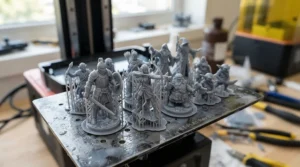
At 18µm, the Elegoo Mars 5 Ultra edges out even some 16K machines on raw XY resolution because its screen is smaller and more tightly packed with pixels. In real terms, that means the eyes and buttons on a 28-32mm tabletop miniature come out readable rather than a smudge, and jewellery prongs hold their shape instead of rounding off. The trade-off is a more compact build plate than the larger-format machines on this list.
Here’s what to weigh: if your prints rarely exceed a few centimetres — miniatures, small jewellery masters, dice, terrain details — this resolution advantage outweighs having a bigger build volume you’d never fill anyway. Reviewers consistently note that the beginner-friendly touchscreen interface makes this a sensible first “serious” printer rather than a side-grade purchase.
Aggregated buyer feedback on this range of printer commonly mentions quick first-print success rates when the supplied quick-start guide is followed closely, alongside occasional early complaints about the plastic vat scratching if metal scrapers are used carelessly.
Pros:
- ✅ 18µm pixel pitch gives exceptional miniature and jewellery detail
- ✅ Compact footprint suits a small desk or shelf
- ✅ Beginner-friendly touchscreen and slicer profiles
Cons:
- ❌ Smaller build plate limits larger batch or prop printing
- ❌ Resin vat can scratch if cleaned with the wrong tools
Sitting in the £250-£350 range, it’s genuinely strong value for anyone whose print queue is dominated by small, detail-heavy models rather than large single pieces.
3. Elegoo Mars 4 Ultra — best budget entry point with WiFi monitoring
The standout feature is simple: this is the machine most first-time resin printers in the UK actually end up buying, and there’s a reason for that beyond price.
The 9K resolution screen is a genuine step up from the older 2K/4K budget machines that dominated the market a few years back, and the built-in camera plus WiFi connectivity let you check on a print from your phone without walking to the garage in your socks at 2am. The ACF (anti-adhesion coating film) release film is rated for roughly three times more prints before replacement than standard FEP film, which quietly saves a recurring cost most beginners don’t budget for.
Based on the spec comparison with older Mars generations, the jump to 9K plus WiFi monitoring represents the single biggest quality-of-life leap in the budget tier this year. This is the printer to recommend to someone who isn’t sure resin printing is “for them” yet and doesn’t want to gamble £400+ finding out.
A common thread in aggregated review sentiment is praise for how forgiving the default exposure profiles are for beginners, alongside honest acknowledgement that the smaller build volume compared to premium siblings will frustrate anyone printing full helmets or large props.
Pros:
- ✅ 9K resolution well above older budget-tier competitors
- ✅ WiFi and camera monitoring for remote print checks
- ✅ ACF film lasts substantially longer than basic FEP film
Cons:
- ❌ Smaller build volume than mid-range and premium models
- ❌ Fewer automation features (no auto-levelling) than pricier siblings
At around £245, this remains one of the most sensible entry points into MSLA printing without compromising meaningfully on print quality for typical hobbyist use.
4. Anycubic Photon Mono M7 Pro — fastest curing for everyday batches
The headline number that matters here is speed: this machine is built to chew through batches without you waiting around, thanks to Anycubic’s revamped light engine.
The 10.1-inch 14K screen paired with the LighTurbo 3.0 light source pushes print speeds up to roughly 130mm/h on standard resin and considerably faster with compatible high-speed resins, at a stated layer height around 0.1mm. What that means practically is a batch of a dozen small miniatures that might take four hours on an older machine can be done in under two, which adds up fast if you’re printing regularly rather than occasionally.
Reviewers consistently note that the temperature-controlled resin handling reduces the seasonal exposure-time fiddling that plagues unheated printers — a genuinely useful piece of engineering rather than a marketing bullet point. What most buyers overlook is that faster curing also means more heat and vibration cycling on the LCD panel, so longevity claims are still relatively new data compared to the well-established Mars line.
Aggregated feedback highlights the intuitive slicer software integration as a strong point, with recurring mentions that the auto-levelling saves real setup time compared to manual four-point levelling on older Anycubic models.
Pros:
- ✅ Genuinely fast cure times with standard and high-speed resin
- ✅ 14K resolution keeps detail sharp despite the speed focus
- ✅ Auto-levelling removes a fiddly manual step
Cons:
- ❌ Long-term LCD panel durability data is still relatively limited
- ❌ Mid-range price puts it above the cheapest starter machines
In the £350-£420 range, it earns its place for anyone whose bottleneck is genuinely print time rather than resolution or build volume.
5. Anycubic Photon Mono M7 Max — largest build volume for batch printing
What stands out immediately is sheer capacity: a 14.7-litre build volume is enormous by MSLA standards, built for people who need to print big or print many at once.
The 13.6-inch 7K screen trades some pixel density for physical coverage, using a COB (chip-on-board) light source with a Fresnel lens to maintain reasonably even light distribution across that larger area. In practice, this means you can print a full cosplay helmet or a dozen medium miniatures side by side in a single run, something none of the smaller machines on this list can manage without splitting the job across multiple prints.
Here’s the honest trade-off: at 7K across a much bigger screen, the effective pixel pitch is coarser than the Mars 5 Ultra or Phrozen Sonic Mini 8K S, so if your work is exclusively tiny miniatures, the extra build volume is wasted headroom rather than a benefit. Based on the spec sheet, this is a tool for batch producers and large-prop makers first, detail obsessives second.
Reviewer sentiment aggregated across retailer sites frequently praises the automatic resin recycling and feeding system for cutting down manual top-ups during long print runs, while some buyers note the machine’s physical footprint demands more desk space than they initially expected.
Pros:
- ✅ Genuinely huge 14.7L build volume for large or batch prints
- ✅ Automated resin feeding reduces manual top-ups mid-print
- ✅ Temperature-controlled vat improves consistency across seasons
Cons:
- ❌ Coarser pixel pitch than dedicated detail-focused machines
- ❌ Large physical footprint needs a dedicated bit of bench space
At £550-£700, this is a considered purchase for people who already know they need volume, not a casual first buy.
6. Phrozen Sonic Mini 8K S — best compact mono LCD detail printer
The standout advantage is packed into a small footprint: an exceptionally sharp 7.1-inch mono LCD screen that punches well above its compact size.
At 22µm XY resolution across an 8K panel, the Phrozen Sonic Mini 8K S uses a linear projection LED module that Phrozen says extends the optical path and improves light uniformity by over 90% compared to simpler light engines. What that translates to on the print bed is smoother curved surfaces with roughly half the visible layer lines of older linear-array light sources, according to the manufacturer’s own testing methodology — a claim broadly consistent with what independent reviewers report when comparing surface finish side by side.
The spec sheet won’t tell you this, but a mono LCD resin printer of this resolution in such a small chassis is unusually well suited to cramped UK bedrooms and box-rooms doubling as hobby spaces, where a 14.7-litre machine like the M7 Max simply won’t fit. If your typical print is small and detail-critical rather than large and volume-driven, this is worth serious consideration over bigger, pricier alternatives.
Aggregated owner feedback commonly cites the lightweight build as a genuine convenience for anyone who needs to store the printer away between sessions, alongside a smaller number of reports about the touch panel feeling less responsive than the rest of the machine’s build quality would suggest.
Pros:
- ✅ 22µm resolution on a genuinely compact mono LCD screen
- ✅ Lightweight design easy to store or relocate
- ✅ Strong surface finish thanks to improved light uniformity
Cons:
- ❌ Smaller build volume than mid-range and large-format options
- ❌ Touchscreen responsiveness reported as inconsistent by some owners
Typically found in the £220-£280 range depending on retailer stock, it represents strong value for detail-focused hobbyists working within a compact space.
7. Creality HALOT-MAGE PRO — smartest workflow with automated resin handling
The feature that sets this apart isn’t resolution or raw speed — it’s how much of the fiddly manual process Creality has automated away.
With an 8K, 10.3-inch monochrome screen delivering 29.7µm resolution and rated print speeds up to 170mm/h, the HALOT-MAGE PRO pairs solid mid-range detail with a smart resin pump that automatically tops up the vat from an external bottle, plus a built-in activated carbon air purifier to cut down on the resin smell that puts many new owners off the hobby entirely.
Based on the spec comparison with Creality’s earlier Halot line, this generation is clearly aimed at reducing the day-to-day friction of resin printing rather than chasing the resolution arms race. That matters more than it sounds: a genuinely common reason hobbyists abandon resin printing is the mess and smell of manual resin handling, and automating that step addresses a real pain point rather than a marketing checkbox.
Reviewers consistently flag the air purifier as one of the most appreciated features for anyone printing in a shared living space, with aggregated feedback also noting the WiFi and Creality Cloud connectivity work reliably for remote monitoring, though a handful of owners report the smart pump needs occasional priming after long periods of disuse.
Pros:
- ✅ Automated resin pump removes messy manual top-ups
- ✅ Built-in air purifier meaningfully reduces resin odour
- ✅ Solid 170mm/h speed at a genuinely useful 8K resolution
Cons:
- ❌ Resin pump occasionally needs manual priming after idle periods
- ❌ Mid-tier resolution sits behind dedicated detail specialists on this list
At £300-£420, it’s a strong pick for anyone printing regularly in a bedroom, home office, or anywhere odour and mess are genuine household concerns.
Full Spec Comparison: All 7 Printers Side by Side
| Printer | Screen / Resolution | Max Speed | Build Volume | Best For | Price Range |
|---|---|---|---|---|---|
| Elegoo Saturn 4 Ultra 16K | 16K mono, 19µm | Fast (tilt-release) | Mid-size | Detail + speed balance | £500-£600 |
| Elegoo Mars 5 Ultra | 18µm pixel pitch | Standard | Compact | Miniatures, jewellery | £250-£350 |
| Elegoo Mars 4 Ultra | 9K | Standard | Compact | Budget beginners | Around £245 |
| Anycubic Photon Mono M7 Pro | 14K, 10.1″ | Up to ~130mm/h | Mid-size | Fast everyday batches | £350-£420 |
| Anycubic Photon Mono M7 Max | 7K, 13.6″ | ~86mm/h | 14.7L (large) | Large-format/batch | £550-£700 |
| Phrozen Sonic Mini 8K S | 8K mono, 22µm | Up to 80mm/hr | Compact | Compact detail work | £220-£280 |
| Creality HALOT-MAGE PRO | 8K, 29.7µm | Up to 170mm/h | Mid-size | Automated workflow | £300-£420 |
The picture that emerges from this table is that speed and resolution genuinely trade off against each other more often than marketing copy admits — the Anycubic Photon Mono M7 Pro and Creality HALOT-MAGE PRO both chase throughput, while the Elegoo Mars 5 Ultra and Phrozen Sonic Mini 8K S chase pixel-level detail on smaller screens. If you need both, the Elegoo Saturn 4 Ultra 16K is the closest thing to a compromise-free option on this list, which is reflected in its higher price bracket.
Ready to compare these side by side on Amazon? Click through to check current stock and pricing before you decide. ✨
Practical Usage Guide: Setting Up and Maintaining Your MSLA Printer
Getting a new machine printing well in the first 30 days is less about luck and more about following a sensible routine, something most product listings skip entirely.
Start by levelling the build plate exactly as the manual specifies, even on machines with auto-levelling — a slightly loose Z-axis screw is behind a huge share of “my first layer won’t stick” complaints in owner forums. Run the manufacturer’s default resin profile for your first two or three prints before customising exposure times; adjusting settings too early is the most common way beginners introduce failures they then can’t diagnose. Always shake or stir bottled resin before pouring, since pigments and additives settle over time and uneven mixing causes patchy curing.
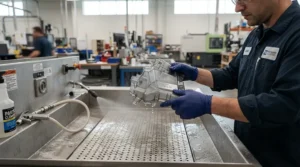
For maintenance, wipe down the FEP or ACF film after every print with isopropyl alcohol and a lint-free cloth, and inspect it under a bright light for pinholes weekly if you print often — a punctured film lets resin leak onto the LCD screen underneath, which is an expensive mistake to make twice. Replace the film proactively rather than waiting for a failure mid-print; most owners get 200-400 prints from a standard FEP film and noticeably more from ACF variants.
The most common mistake in the first month is over-tightening the vat when reassembling after cleaning, which can crack the screen protector or distort the seal. A close second is skipping post-cure entirely because a print “feels solid” — uncured resin below the surface stays soft and brittle for weeks, and skipping this step is why some people’s early prints snap unexpectedly. The stereolithography process that underpins all MSLA printing relies on that final UV cure to fully cross-link the polymer, so it genuinely isn’t optional for durable parts.
Real-World Scenarios: Which MSLA Printer Fits Your Workflow?
Specs only tell half the story — how you’ll actually use the printer week to week matters just as much.
The tabletop gamer painting a growing army: if you’re printing 28-32mm miniatures every weekend on a budget that doesn’t stretch past £300, the Elegoo Mars 4 Ultra covers the basics well, but stepping up to the Elegoo Mars 5 Ultra for its sharper pixel pitch pays off the moment you start painting faces under a magnifying lamp. The compact build plate is a non-issue since your prints are small anyway.
The Etsy jewellery seller casting in small batches: here, resolution and consistency matter more than raw speed, since a single failed casting master wastes an entire evening. The Phrozen Sonic Mini 8K S or Elegoo Mars 5 Ultra both deliver the crisp prong and bezel detail that lost-wax casting depends on, and their compact footprints suit a home studio bench.
The cosplayer printing full-scale armour pieces: volume wins here over pixel-level detail, since large panels get sanded and primed anyway. The Anycubic Photon Mono M7 Max‘s 14.7-litre build volume means fewer split prints and less time gluing seams, even though its coarser resolution would frustrate a miniature painter.
The small business running a home print farm: throughput and hands-off reliability matter most when resin printing becomes a genuine side income. The Anycubic Photon Mono M7 Pro for speed, or the Creality HALOT-MAGE PRO for its automated resin handling, both reduce the daily manual labour that eats into profit margins when you’re running multiple print cycles a day.
How to Choose an MSLA Resin 3D Printer
What is an MSLA resin 3D printer? An MSLA resin 3D printer is a machine that cures liquid UV-sensitive resin layer by layer using a monochrome LCD screen as a light mask, producing highly detailed models with smoother surfaces and finer resolution than typical filament-based printing. It’s the go-to technology for miniatures, jewellery, and detail-critical prototypes.
If you’re comparing machines and feeling overwhelmed, work through these criteria in order:
- Decide what you’re actually printing most. Miniatures and jewellery reward pixel pitch; props and batches reward build volume. This single decision eliminates half the list immediately.
- Set a genuine budget including consumables. Resin, gloves, isopropyl alcohol, and replacement film all add ongoing cost beyond the printer’s sticker price.
- Check your available ventilation. A printer that vents into a poorly ventilated bedroom is a worse long-term choice than a slightly less capable machine in a garage or shed.
- Weigh speed against your patience, not marketing claims. A faster machine only matters if you’re printing often enough for the time saved to add up meaningfully.
- Look at build plate size relative to your prints, not the biggest number available. Oversized capacity you never use just costs more upfront and takes more desk space.
- Consider the slicer software ecosystem. Elegoo, Anycubic, and Creality all support CHITUBOX and Lychee, but native apps vary in polish — check reviews for software gripes before buying.
- Factor in post-processing equipment. A wash-and-cure station isn’t optional; budget for one alongside the printer itself if you don’t already own one.
Mono LCD Resin Printer vs Colour LCD Resin Printer: What Actually Changes?
Every printer on this list is a mono LCD resin printer, and that’s deliberate — here’s the honest reasoning behind why that distinction matters more than most buying guides admit.
Older resin printers used RGB colour LCD screens, which block a large portion of UV light and therefore require longer exposure times per layer. A mono LCD resin printer, by contrast, lets far more UV light pass through, cutting typical layer cure times dramatically — often from 8-12 seconds down to 2-3 seconds on comparable resin. What most buyers overlook is that this isn’t just a speed convenience; shorter exposure also means less light bleed into surrounding pixels, which directly improves edge sharpness and reduces the “fuzzy” look common on older colour-screen machines.
The trade-off, if there is one, is largely historical: mono screens were once more expensive to manufacture, which pushed prices up. That’s no longer really true — mono LCD technology has become the default across nearly the entire consumer market, including every printer featured in this guide, which is why colour LCD panels have all but disappeared from new releases. If you come across an unusually cheap “colour screen” resin printer while shopping, treat that as an outdated-technology red flag rather than a bargain.
MSLA Printer for Detail: What to Expect in Real-World Performance
Spec sheets promise incredible numbers; here’s what those numbers actually look like once resin hits the build plate.
A genuinely good MSLA printer for detail work — the Elegoo Mars 5 Ultra or Phrozen Sonic Mini 8K S, for example — will render text as small as 2-3mm tall legibly, capture individual chainmail links on a 32mm miniature, and hold sharp edges on gemstone facets for jewellery casting. What the spec sheet won’t tell you is that achieving this consistently also depends heavily on your slicer’s anti-aliasing settings and correct exposure calibration; even a top-tier 16K screen will produce mushy detail if the exposure time is wrong for your specific resin.
Reviewers consistently note that layer lines become genuinely difficult to spot by eye at 0.02-0.03mm layer heights on any of the higher-resolution machines here, though they remain faintly visible on close macro photography — worth knowing if you’re printing for product photography rather than tabletop display. On rougher, budget 9K screens like the Elegoo Mars 4 Ultra, fine detail is still perfectly usable for most hobbyist purposes, but side-by-side comparison against a 16K print does reveal the difference on genuinely tiny features like facial detail on 15mm-scale figures.
Fast Curing Resin Printer: Features That Actually Matter (And Those That Don’t)
Marketing copy loves throwing around big speed numbers, so here’s what actually moves the needle for a fast curing resin printer versus what’s mostly noise.
What matters: the light source technology genuinely affects both speed and evenness — LighTurbo-style COB light sources and linear projection modules, as used across the Anycubic Photon Mono M7 Pro and Phrozen Sonic Mini 8K S respectively, deliver more uniform curing at speed than older, cheaper LED arrays. High-speed resin formulations compatible with your specific printer also matter enormously; using standard resin on a fast-curing machine often won’t hit the advertised speeds at all. Auto-levelling and heated vats matter too, since temperature-inconsistent resin is one of the biggest hidden causes of inconsistent layer adhesion regardless of how fast the light source theoretically cures.
What doesn’t matter as much as it sounds: raw “mm/h” figures on the box are measured under ideal conditions with specific resins, so treat them as a rough ceiling rather than an everyday guarantee. Touchscreen size and app polish are nice conveniences but have zero bearing on actual print quality or speed. A recurring theme in aggregated user feedback is that people who chased the highest advertised speed number sometimes ended up disappointed once they realised it only applied to a narrow, specific resin type they didn’t already own.
“The speed number on the box is a best-case scenario, not a promise” is roughly how one long-time hobbyist community summarised it, and based on the spec comparisons across this guide, that’s a fair characterisation of the entire fast-curing resin printer category.
Common Mistakes When Buying an MSLA Resin 3D Printer
Even careful shoppers trip over the same handful of pitfalls repeatedly, so it’s worth naming them directly.
Buying based purely on the highest “K” number is probably the single most common mistake — as covered above, pixel pitch relative to screen size matters more than the raw resolution figure, and a smaller 8K screen can genuinely out-resolve a larger 16K one. A close second is underestimating consumable costs: gloves, isopropyl alcohol, a wash-and-cure station, and replacement film can easily add £100-£150 to the real first-year cost of ownership, something rarely mentioned prominently in product listings.
Another frequent misstep is ignoring ventilation requirements until after the printer arrives, at which point some buyers find themselves relegating an otherwise great machine to a garage they didn’t originally plan to use. Buyers also commonly overlook build plate size relative to their actual print queue — paying a premium for a large-format machine like the Anycubic Photon Mono M7 Max only makes sense if you genuinely print large or batch items regularly, not “just in case.”
Finally, skipping research into resin compatibility catches out plenty of new owners; not every resin works optimally with every light source, and mismatched combinations lead to under- or over-cured prints that get unfairly blamed on the printer itself.
Safety, Regulations & Compliance Guide
UV curable resin isn’t dangerous when handled sensibly, but it does need to be treated with genuine respect rather than casual disregard.
Uncured resin is a recognised skin sensitiser, meaning repeated unprotected contact can trigger an allergic-type reaction that, once developed, makes future exposure to even small amounts problematic. The Health and Safety Executive’s guidance on personal protective equipment for hazardous substances recommends nitrile gloves (not latex) and eye protection as standard practice, and that advice applies directly to home resin printing — treat every bottle of resin with the same care you’d give a mild household chemical, because functionally that’s exactly what it is.
Ventilation matters because curing and cleaning release volatile organic compounds; running your printer in a room with an open window or extractor fan, and using an activated carbon filter where available (as built into the Creality HALOT-MAGE PRO), meaningfully reduces both odour and inhalation exposure. Always cure uncured resin waste before disposal — pouring liquid resin down a drain is both an environmental hazard and, in most UK council areas, against household waste guidance.
When it’s finally time to retire an old printer, remember it counts as electrical waste under UK regulations; the government’s WEEE regulations guidance explains how electrical items must be disposed of separately from general household rubbish, with most retailers offering a take-back scheme when you buy a replacement.
Problem → Solution: Fixing the Most Common MSLA Printing Issues
Every resin printer owner hits the same handful of walls eventually — here’s how to get past them without guesswork.
Problem: prints aren’t sticking to the build plate. This is almost always a levelling or exposure-time issue rather than a faulty machine. Re-level carefully, ensure the plate surface is clean and lightly roughened if it’s brand new, and increase your bottom-layer exposure time slightly before touching anything else.
Problem: visible layer lines despite a high-resolution screen. Check your Z-axis lead screw for wobble, and confirm your slicer’s anti-aliasing setting is actually enabled — it’s often switched off by default and makes a dramatic difference to perceived smoothness.
Problem: supports snapping mid-print. Reduce lift speed in your slicer profile and increase support density slightly on overhanging or delicate features; machines with tilt-release mechanisms like the Elegoo Saturn 4 Ultra 16K handle this far more gracefully than straight peel-off designs.
Problem: persistent resin smell filling the room. Beyond basic ventilation, consider a machine with a built-in carbon filter, keep the resin bottle capped between uses, and store the printer in a spot with reliable airflow rather than a sealed cupboard.
Problem: cloudy or hazy prints after curing. This usually points to expired or contaminated resin, or an under-powered post-cure station. Filter resin before reuse, and confirm your curing station’s wavelength genuinely matches your resin’s specification rather than assuming any UV light will do.
Buyer’s Decision Framework: Which MSLA Resin 3D Printer Should You Buy?
If you’re still torn, work through this simple priority checklist rather than re-reading every review again.
If detail is your absolute priority and your prints are small, choose the Elegoo Mars 5 Ultra or Phrozen Sonic Mini 8K S because pixel pitch, not screen size, drives visible sharpness on tiny features. If speed and daily throughput matter most because you’re printing regularly, choose the Anycubic Photon Mono M7 Pro because its light engine is specifically tuned for fast cycles without gutting resolution. If you need genuine build volume for props, cosplay, or batch production, choose the Anycubic Photon Mono M7 Max because no other machine here matches its 14.7-litre capacity. If you’re brand new to resin printing and unsure how committed you’ll be, choose the Elegoo Mars 4 Ultra because it minimises upfront risk while still delivering genuinely usable detail. If mess, odour, and manual resin handling are your biggest hesitation, choose the Creality HALOT-MAGE PRO because its automated pump and air filter directly solve that problem. And if you simply want the most balanced machine and budget isn’t the deciding factor, choose the Elegoo Saturn 4 Ultra 16K because it comes closest to excelling across every category at once.
Frequently Asked Questions
❓ What is the difference between SLA and MSLA resin printers?
❓ Is an MSLA resin 3D printer good for beginners?
❓ How much does resin cost compared to filament?
❓ Do I need a wash and cure station for an MSLA printer?
❓ Can mono LCD resin printers use any resin brand?
Conclusion
There’s no single “best” MSLA resin 3D printer, and honestly, any guide claiming otherwise is oversimplifying a genuinely nuanced decision. What there is, though, is a clear best machine for your specific situation — and hopefully this guide has made that choice considerably easier to see. If pixel-level detail on miniatures or jewellery is your priority, the Elegoo Mars 5 Ultra and Phrozen Sonic Mini 8K S deliver it without unnecessary extras. If you’re chasing throughput or need genuine build volume, the Anycubic Photon Mono M7 Pro and Anycubic Photon Mono M7 Max earn their higher price tags. If you want the fewest daily headaches, the Creality HALOT-MAGE PRO‘s automation is worth the premium over cheaper, more manual machines.
Whichever you land on, remember that the printer itself is only one part of a genuinely satisfying resin printing hobby — good ventilation, sensible PPE, a proper post-cure routine, and a bit of patience with your first few calibration prints matter just as much as the spec sheet. Get those fundamentals right, and any of the seven machines covered here will reward you with detail that simply isn’t achievable through filament printing.
✨ Ready to start printing?
Check today’s prices on your shortlisted machine and see what current stock looks like before deciding! 🖨️
Recommended for You
- Resin 3D Printers: 7 Best Value Picks for UK Makers (2026)
- Budget Resin 3D Printer: 7 Best Picks for UK Makers (2026)
- Direct Drive vs Bowden Extruder 3D Printer: 7 Real Winners (2026)
Disclaimer: This article contains affiliate links. As an Amazon Associate, I earn from qualifying purchases. If you purchase products through these links, we may earn a small commission at no additional cost to you.
✨ Found this helpful? Share it with your friends! 💬🤗
