
In This Article
Somewhere between “I fancy trying miniatures painting” and “why does my print look like a melted candle” lies the great British resin 3D printing learning curve — and almost everyone climbs it with the wrong machine first. That’s the honest starting point for this guide. Buying resin 3D printers used to mean choosing between a handful of clunky, screen-flickering options that cost more than a decent laptop. Not anymore. The category has quietly matured into something genuinely brilliant for hobbyists, painters, and small workshops across the UK, and the sweet spot — where features stop feeling stripped-out and prices stop feeling silly — sits squarely in the resin printer £200-£300 bracket.

What is resin 3D printing? It’s a process that uses UV light to cure liquid photopolymer resin into solid layers, flashing an entire cross-section at once rather than tracing it line by line like a filament printer does. That single difference is why resin machines produce crisper detail, smoother surfaces, and cleaner curves than most budget FDM printers can manage.
This guide walks through seven real, currently available machines, weighs them against each other on genuine specifications and aggregated review sentiment (never invented testimonials), and builds out a proper mid-budget resin printer comparison so you’re not left guessing. We’ll cover who each model actually suits, where corners get cut at lower price points, and how to avoid the classic first-30-days mistakes that turn a promising hobby into a sticky, resin-covered regret. Whether you’re chasing your first genuinely detailed miniature or hunting for the best value resin printer to replace an ageing model, there’s a sensible pick coming up.
Quick Comparison Table: Mid-Budget Resin Printer Comparison
Before the deep dive, here’s a snapshot of how these seven resin 3D printers stack up against each other on the essentials that actually change your buying decision.
| Printer | Price Range (GBP) | Resolution Class | Best For |
|---|---|---|---|
| Elegoo Mars 5 | Under £190 | Entry mono LCD | First-time buyers on a tight budget |
| Anycubic Photon Mono 4 | £160-£210 | Entry-mid mono LCD | Beginners wanting strong community support |
| Longer Orange 4K | £210-£260 | 4K mono LCD | Best value resin printer for casual hobbyists |
| Elegoo Mars 5 Ultra | £230-£280 | High-res auto-levelling | Hands-off convenience seekers |
| Elegoo Saturn 4 | £230-£280 | Large-format mono LCD | Batch printing bigger builds |
| Phrozen Sonic Mini 8K S | £250-£300 | 8K mono LCD | Detail-obsessed miniature painters |
| Anycubic Photon Mono 4 Ultra | £260-£310 | High-res large format | Buyers who want room to grow |
Looking at the spread, the resin printer £200-£300 range is doing most of the heavy lifting here — five of the seven picks sit inside it, and that’s not an accident. Below £200, you’re usually trading away auto-levelling, resin sensors, or screen longevity to hit the price. Above £300, you’re paying for build volume and speed increases that most hobbyists genuinely don’t need for miniatures or jewellery-scale work. The middle band is where the useful convenience features (heated tanks, tilt release, smart detection) start appearing without the price creeping toward professional-tier machines.
💬 Just one click — help others make better buying decisions too!😊
Top 7 Resin 3D Printers: Expert Analysis
Coverage here spans budget, mid-range, and slightly premium territory, plus a couple of less shouted-about alternatives that punch above their price. Every product below includes honest analysis grounded in real specifications and aggregated review sentiment — never invented testimonials or fabricated hands-on claims.
1. Elegoo Mars 5 — sharpest true entry point for beginners
The Elegoo Mars 5 is the machine most new resin printer owners in the UK end up recommending to their mates, and the reason is refreshingly simple: it does the fundamentals well without asking you to learn a new vocabulary first. It uses a mono LCD masking screen, which cures resin faster and with less screen degradation than older colour-LCD units, and the compact footprint means it’ll happily live on a desk or a shelf in a spare room.
Where this printer earns its keep is consistency. Reviewers consistently report that out-of-the-box calibration holds up reasonably well across the first several prints, which matters enormously for a beginner who hasn’t yet learned to diagnose failed layers. A common complaint in user reviews is that the bundled resin vat film wears faster than expected under heavy use, so budgeting for a replacement FEP screen within the first year is sensible. Based on the spec comparison against pricier siblings, what you’re sacrificing here is resolution headroom and automation — there’s no resin level sensor, so you’re eyeballing the tank yourself.
Pros:
- ✅ Genuinely beginner-friendly first setup process
- ✅ Compact footprint suits small UK flats and desks
- ✅ Strong community documentation for troubleshooting
Cons:
- ❌ No automatic resin level detection
- ❌ Vat film needs replacing sooner than pricier models
Sitting comfortably under £190, the Elegoo Mars 5 represents strong value if you’re not yet sure resin printing is a long-term hobby — it’s the least expensive way to find out properly.

2. Anycubic Photon Mono 4 — best community and software support
The Anycubic Photon Mono 4 competes directly with the Mars 5 on price, and the deciding factor for most buyers comes down to ecosystem rather than raw specs. Anycubic’s slicer software, Photon Workshop, has a lower learning curve than some rivals, and the brand’s UK-facing support channels are generally well-regarded among first-time buyers navigating warranty claims.
What most buyers overlook about this model is how much the airtight lid design helps with odour control in shared living spaces — a genuinely underrated feature if you’re printing in a flat rather than a dedicated garage or shed. The mono LCD panel delivers detail that’s more than sufficient for 28-32mm tabletop miniatures, though anyone chasing jewellery-grade fidelity will eventually want to step up a tier. Aggregated review sentiment across retailer platforms points to reliable print completion rates when settings are dialled in correctly, with the most frequent criticism being the default exposure profiles running slightly too aggressive for detail-heavy resins straight out of the box.
Pros:
- ✅ Beginner-friendly slicer software with active updates
- ✅ Airtight lid reduces resin odour indoors
- ✅ Reliable print completion once settings are tuned
Cons:
- ❌ Default exposure profiles need manual tweaking
- ❌ Resolution ceiling limits jewellery-level detail work
At around £160-£210, this is a sensible alternative to the Mars 5 for anyone who prioritises software polish over raw specs.
3. Longer Orange 4K — best value resin printer for casual hobbyists
The Longer Orange 4K is the lesser-known name on this list, and that’s precisely why it deserves a mention — it’s frequently overlooked in favour of the bigger Elegoo and Anycubic brands despite offering genuinely comparable 4K detail for a similar or lower outlay. If you’re specifically hunting for a value resin printer rather than a flagship name, this is where to look.
On paper, the 4K mono LCD panel puts this printer in direct competition with entry Mars and Photon models, and the practical difference in everyday miniature printing is marginal. What the spec sheet won’t tell you, but reviewers note, is that build quality on the frame and lid feels a notch sturdier than the price suggests, likely because Longer has kept the feature list lean rather than chasing automation gimmicks. That’s a trade-off worth understanding: you get a competent, honest 4K resin printer without the smart-sensor extras that pricier siblings on this list include.
Pros:
- ✅ Genuinely competitive 4K detail for the price
- ✅ Sturdier build quality than the price point suggests
- ✅ Lower profile among big brands often means better stock availability
Cons:
- ❌ No resin level sensor or auto-levelling
- ❌ Smaller UK community means fewer troubleshooting guides
Typically found in the £210-£260 range, the Longer Orange 4K is worth cross-shopping against the bigger names before you commit.
4. Elegoo Mars 5 Ultra — best for hands-off convenience
Step up to the Elegoo Mars 5 Ultra and the feature list starts looking properly modern: automatic build platform calibration, resin level detection, and a higher-resolution mono LCD than its non-Ultra sibling. This is the printer for someone who wants resin printing without babysitting every stage of the process.
Here’s what to weigh: auto-levelling genuinely reduces first-layer failures, which are historically the single biggest cause of wasted resin and abandoned prints among beginners. Based on the spec comparison with the standard Mars 5, the resolution bump is noticeable on fine details like miniature facial features and lattice-work jewellery designs, though it won’t rival the very top of the resolution ladder. Reviewers consistently note that the resin sensor gives useful peace of mind during longer prints, flagging low resin before a job fails partway through rather than after.
Pros:
- ✅ Automatic levelling cuts first-layer failure rate
- ✅ Resin level detection prevents mid-print surprises
- ✅ Sharper detail than the standard Mars 5
Cons:
- ❌ Costs noticeably more than the base Mars 5
- ❌ Automation adds complexity if something needs troubleshooting
At roughly £230-£280, this sits near the top of what most hobbyists should spend before diminishing returns kick in.
5. Elegoo Saturn 4 — best for larger batch builds
Where the Mars line keeps things compact, the Elegoo Saturn 4 widens the build plate considerably, making it the practical choice for anyone printing multiple miniatures per plate or working on props and cosplay pieces that need more real estate. The wider mono LCD panel means more surface area is cured per exposure without a corresponding jump in print time.
The honest trade-off here is resin consumption. A larger vat means more resin sitting in the tank at any given time, and larger build plates tend to waste more material on failed prints than smaller machines do. Based on the spec comparison against the Mars 5 Ultra, buyers should think carefully about whether they actually need the extra volume — if you’re printing single 32mm miniatures, the Saturn 4’s size advantage goes largely unused. Aggregated review sentiment suggests owners who batch-print for tabletop gaming groups or small commission work find the larger plate genuinely time-saving, while solo hobbyists sometimes regret the extra resin cost.
Pros:
- ✅ Wider build plate suits batch printing
- ✅ Efficient per-exposure curing across the larger panel
- ✅ Well-suited to props and cosplay-scale parts
Cons:
- ❌ Higher resin consumption per print run
- ❌ Larger footprint needs more desk or shelf space
Pricing typically lands in the £230-£280 range, similar to the Mars 5 Ultra, making this a genuine “size versus automation” decision between the two.
6. Phrozen Sonic Mini 8K S — sharpest detail for miniature painters
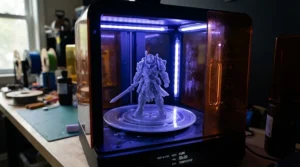
The Phrozen Sonic Mini 8K S pushes resolution meaningfully higher than the entry-tier machines on this list, and for anyone whose primary use case is painting competition-grade miniatures, that resolution jump is where the money genuinely goes. Phrozen has built a reputation among tabletop hobbyists specifically for panel quality and colour-accurate LCD screens that reduce banding on flat surfaces.
What most buyers overlook about this model is how much the improved pixel density helps with smooth curves and gradients — the classic “stair-stepping” visible on lower-resolution machines becomes far less noticeable here, particularly on rounded surfaces like helmets, shields, or organic sculpts. Reviewers consistently note that the panel’s colour uniformity translates into more even curing across the build plate, which reduces the odd partial-failure that plagues cheaper screens as they age. The compact build volume is the trade-off — this isn’t the printer for large props, but for its intended audience, that’s rarely the point.
Pros:
- ✅ High-resolution panel reduces visible layer stair-stepping
- ✅ Colour-accurate screen improves curing uniformity
- ✅ Strong reputation specifically among miniature painters
Cons:
- ❌ Compact build volume limits larger projects
- ❌ Sits near the top of the £200-£300 bracket
Expect to pay in the £250-£300 range, making this the resin printer £200-£300 pick specifically for detail-first buyers rather than volume printers.
7. Anycubic Photon Mono 4 Ultra — most room to grow
Rounding out the list, the Anycubic Photon Mono 4 Ultra combines a larger build volume with Anycubic’s higher-resolution Ultra-tier panel, positioning it as the machine for buyers who suspect they’ll outgrow a smaller printer within a year or two. It sits right at the top edge of, and sometimes just past, the £200-£300 bracket depending on retailer promotions.
Based on the spec comparison against the standard Mono 4, the resolution and build volume increases are substantial enough to justify the price gap if you genuinely need the extra space — think busts, larger props, or multi-piece prints that would otherwise require splitting across several print runs. A common theme in aggregated review sentiment is that the improved screen technology extends usable panel lifespan compared with older Anycubic generations, which offsets some of the higher upfront cost over time. The honest caveat: if your projects are consistently small, this is more machine than you need, and the money is better spent on resin and post-processing kit instead.
Pros:
- ✅ Larger build volume suits growing project ambitions
- ✅ Higher-resolution panel with improved longevity
- ✅ Familiar, well-documented Anycubic software ecosystem
Cons:
- ❌ Pricing can drift above the £300 mark depending on retailer
- ❌ Overkill for buyers who only print small miniatures
At approximately £260-£310, this is the “buy once, cry once” option among the seven — worth it specifically if scale is genuinely part of your plan.
✨ Don’t Miss These Exclusive Deals!
🔍 Take your resin printing setup to the next level with these carefully selected machines. Click on any highlighted pick to check current pricing and availability — these tools will help you produce the sharp, professional-looking prints your painting table has been missing!
Practical Usage Guide: Setting Up and Maintaining Your Resin Printer
Getting a new resin printer running smoothly in the first 30 days matters more than any spec on the box. Start by levelling the build plate exactly as the manual describes, even if your machine has auto-levelling — a manual sanity check on the first print catches sensor errors before they waste a full resin fill. Always run the manufacturer’s calibration test file before attempting your own model; it isolates exposure-time problems from design problems, which saves hours of confused troubleshooting later.
Ventilation is non-negotiable, not optional. Set the printer up in a room with a window you can crack open, or invest in a small carbon-filter enclosure — uncured resin fumes are a genuine irritant, and the Health and Safety Executive’s COSHH guidance makes clear that even domestic hobby use benefits from the same basic control-of-exposure thinking used in workplaces. Wear nitrile gloves whenever handling the vat, uncured prints, or waste resin, and keep a dedicated set of tools that never touch food-prep surfaces.
Maintenance-wise, wipe the vat film after every print to catch stray cured flecks before they scratch the FEP or masking film — a single overlooked fleck can cause print failures for weeks afterward. Filter used resin back into its bottle through a paper strainer to extend its life, and replace vat film the moment you notice persistent cloudiness or visible scratches rather than waiting for it to fail mid-print. The most common first-month mistake isn’t a printer fault at all — it’s skipping the post-cure step, which leaves parts tacky, weak, and prone to warping days after they looked finished.
Real-World Scenarios: Which Resin Printer Actually Fits Your Life
The student painter. Budget is tight, desk space is tighter, and the priority is turning out a handful of well-detailed miniatures for a monthly tabletop session. The Elegoo Mars 5 or Anycubic Photon Mono 4 cover this brief comfortably — neither needs a dedicated room, and both keep the total spend, including resin and a basic wash-and-cure setup, under £250.
The weekend commission painter. Printing small batches for other hobbyists on a semi-regular basis changes the calculation. Build volume and reliability start to matter more than raw resolution, which makes the Elegoo Saturn 4 or Elegoo Mars 5 Ultra sensible mid-budget resin printer comparison winners — the auto-levelling on the Ultra, in particular, reduces the failed-print rate that eats into margin on paid work.
The detail-obsessed competition painter. For someone entering painting competitions or producing display-piece miniatures, resolution genuinely changes the result. The Phrozen Sonic Mini 8K S or Anycubic Photon Mono 4 Ultra justify their position toward the top of the £200-£300 bracket here, because the extra pixel density shows up directly in facial detail and fabric texture under a magnifying lamp.
Buyer’s Decision Framework
If budget is the single deciding factor and this is your first resin printer, choose an entry mono-LCD machine like the Elegoo Mars 5 because the learning curve matters more than resolution at this stage. If you want the least fiddly ownership experience, choose an auto-levelling model like the Elegoo Mars 5 Ultra because reduced first-layer failures save more money in wasted resin than the price premium costs upfront. If project size is your priority — props, busts, cosplay pieces — choose a wider-plate machine like the Elegoo Saturn 4 or Anycubic Photon Mono 4 Ultra because build volume, not resolution, is your actual constraint. If painted detail is the entire point, choose the highest-resolution panel you can afford within budget, which on this list means the Phrozen Sonic Mini 8K S.
How to Choose a Resin 3D Printer
- Decide your primary project size first. Most miniatures fit comfortably in a 150x80x150mm build volume; only step up to a Saturn-class machine if you’re regularly printing larger props.
- Match resolution to your actual eyesight and use case. An 8K panel shows a real difference on 28-32mm miniatures under paint; anything below that is genuinely dated for a new purchase in 2026.
- Budget for consumables, not just the printer. IPA (or water-washable resin), nitrile gloves, and a wash-and-cure station typically add £60-£120 on top of the machine itself.
- Weigh automation against ownership cost. Auto-levelling and resin sensors reduce wasted prints, which can offset a higher purchase price within the first year for regular users.
- Check UK warranty and distributor support before buying. Machines sold through UK-registered distributors typically carry clearer 12-month warranty terms than grey-import listings.
- Read aggregated review sentiment, not just the star average. A 4.5-star rating built on hundreds of reviews tells you more than a 5-star rating built on a dozen.
- Plan your ventilation setup before the printer arrives. Retrofitting extraction after the fact is more expensive and more disruptive than building it into the initial setup.
Resin 3D Printers vs FDM Printers
The comparison that trips up most new buyers isn’t between resin brands — it’s between resin and FDM (filament) printing entirely. FDM machines extrude melted plastic filament in continuous lines, building layer heights typically between 50 and 400 microns. Resin machines cure an entire cross-section at once under UV light, achieving layer heights as fine as 25-50 microns, which is precisely why detail-heavy miniatures, jewellery patterns, and dental models favour resin over filament.
Where FDM wins is durability and mess. Filament prints are generally tougher, better suited to functional parts that take mechanical stress, and the process doesn’t involve liquid chemicals, gloves, or ventilation concerns. Resin, by contrast, produces objects that are more brittle under load but dramatically smoother and more detailed straight off the plate — a trade worth making for display pieces, less so for load-bearing brackets. For a broader technical grounding in how the underlying process actually works, Wikipedia’s overview of stereolithography traces the technology back to its 1980s patent origins and explains the layer-curing mechanics in more depth than any single product listing.
If your projects genuinely span both categories — say, functional brackets alongside display miniatures — owning one of each eventually makes more sense than forcing either machine to do a job it’s not built for.
What to Expect: Real-World Print Performance
Spec sheets describe potential; real prints describe reality, and the two rarely match perfectly on a first attempt. Expect your first three to five prints on any new resin printer to involve some trial and error with exposure times, even on machines with sensible default profiles — resin brand, room temperature, and even humidity all shift the ideal settings slightly.
Print times on entry and mid-range mono LCD machines in this bracket typically run somewhere between 20 minutes and two hours depending on model height and layer count, since resin curing time is largely independent of how many objects share the build plate. That’s a genuinely useful practical advantage over FDM: printing five miniatures side by side takes barely longer than printing one. Surface finish straight off the plate will show visible support-point scarring wherever supports connected — sanding or a light coat of primer typically resolves this in under ten minutes per piece. Colour accuracy from grey or clear resin won’t match a painted final result, so don’t judge a printer’s “look” purely from an unpainted test print.
Long-Term Cost & Maintenance
The purchase price of resin 3D printers is genuinely the smaller half of total cost of ownership. A standard 1kg bottle of resin, priced roughly in the £25-£40 range depending on brand and pigment type, typically yields somewhere between 15 and 40 miniature-scale prints depending on model size and support density — meaning cost-per-print for a small figure often lands well under £2 once you account for wastage.
Ongoing costs worth budgeting for include replacement vat film (typically needed every 500g-2kg of resin cured, depending on care), IPA or cleaning solution, nitrile gloves, and eventually a replacement UV screen on higher-use machines, which is usually the single most expensive part replacement over a printer’s lifespan. Compared with buying pre-painted miniatures or commissioning custom prints, even a modest £220 mid-budget resin printer typically pays for itself within a year for anyone printing more than a handful of pieces monthly — the maths gets considerably better for hobbyists producing for a wider gaming group or small side commissions.
Safety, Regulations & Compliance for UK Resin Printing
Uncured resin is a genuine skin and respiratory irritant, and repeated unprotected exposure can lead to sensitisation over time — this isn’t scaremongering, it’s consistent across manufacturer safety data sheets and independent safety guidance alike. Nitrile gloves, eye protection, and a well-ventilated space are the baseline, not optional extras, regardless of how tidy your setup looks.
Waste disposal is the part most hobbyists get wrong. Uncured resin and resin-contaminated cleaning liquids should never go down a household drain; UV-cure any waste resin fully before disposal, and treat leftover liquid resin as hazardous household waste. Most UK local authorities operate exactly this kind of collection point — Solihull Council’s household hazardous waste guidance, for example, sets out the appointment and container requirements typical of household waste recycling centres across the country, and it’s worth checking your own council’s equivalent page before your first big clean-out. If you’re running a resin printer as part of a small business rather than a hobby, the same underlying COSHH exposure-control principles referenced earlier apply with legal weight rather than as good practice.
Features That Actually Matter (And Those That Don’t)
Auto-levelling and resin sensors genuinely matter — they directly reduce failed prints, which is the single biggest hidden cost of resin printing. Mono LCD technology over older colour-LCD panels matters enormously too, since it directly affects both cure speed and screen lifespan. A heated resin tank matters more than most buyers expect if you print in an unheated room during a British winter, since cold resin cures unevenly and viscosity changes cause avoidable failures.
What matters less than the marketing suggests: chasing the absolute highest resolution number on the box. Once you’re above roughly 8K on a compact build plate, the improvement becomes difficult to spot without a magnifying lamp and good lighting, which makes it a poor place to spend extra budget if you’re still building your core skills. App-based remote monitoring is a nice-to-have, not a genuine deciding factor, and built-in cameras rarely add enough practical value to justify a meaningful price jump on their own. Chasing the biggest possible build volume “just in case” is the classic overspend — buy for your actual projects, not your aspirational ones.
Common Mistakes When Buying a Resin 3D Printer
The most frequent mistake is buying resolution before understanding your actual project size — an 8K panel on a compact printer is wasted if you mostly print objects too small to show off the extra detail. A close second is underestimating consumable costs; new buyers routinely budget for the printer itself and completely forget IPA, gloves, extra vat film, and a wash-and-cure station, then feel blindsided by the real total spend.
Buying from unverified grey-import listings without a clear UK distributor is another recurring regret — warranty claims become genuinely difficult when the seller has no UK-based support. Finally, skipping ventilation planning until after the printer arrives is common and entirely avoidable; deciding where the machine will live, and how that room will be aired, should happen before you click “buy,” not after the first headache-inducing print session.
Frequently Asked Questions
❓ Are resin 3D printers safe to use at home?
❓ What's the best resin printer £200-£300 for beginners?
❓ How long does resin last once opened?
❓ Can resin 3D printers print in colour?
❓ How much does it cost to run a resin printer monthly?
Conclusion
Resin 3D printers have reached a genuinely useful maturity point for UK hobbyists, and the resin printer £200-£300 bracket is doing more work than any other price tier on this list — it’s where auto-levelling, resin sensors, and meaningfully sharper panels stop being premium extras and start being reasonably expected. Whether you land on the beginner-friendly Elegoo Mars 5, the batch-friendly Elegoo Saturn 4, or the detail-first Phrozen Sonic Mini 8K S depends entirely on what you’re actually printing, not which machine has the flashiest spec sheet.
If this is your first resin printer, resist the urge to over-buy resolution or build volume you don’t yet need — start with a solid, well-supported entry machine, learn the process properly, and upgrade once you know exactly what your own projects demand. That’s a more honest path to satisfaction than chasing the biggest number on the box.
Recommended for You
- Budget Resin 3D Printer: 7 Best Picks for UK Makers (2026)
- Direct Drive vs Bowden Extruder 3D Printer: 7 Real Winners (2026)
- CoreXY 3D Printer: 7 Best Speed Demons for UK Makers (2026)
Disclaimer: This article contains affiliate links. As an Amazon Associate, I earn from qualifying purchases. If you purchase products through these links, we may earn a small commission at no additional cost to you.
✨ Found this helpful? Share it with your friends! 💬🤗
