In This Article
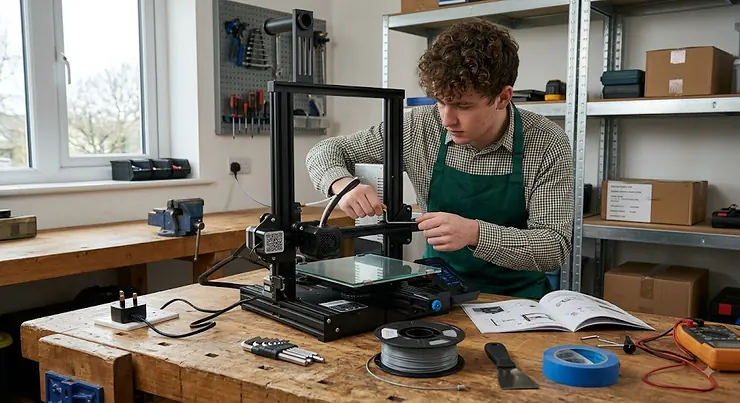
Somewhere between “I saw a cool thing on TikTok” and “I now own three spools of filament I definitely didn’t need” lies the moment most people actually buy their first machine. An FDM 3D printer for beginners is, in plain terms, a desktop device that melts a spool of plastic filament and builds objects layer by layer from the bottom up, guided entirely by a digital file. No lasers, no resin baths, no chemistry degree required — just heat, plastic, and a surprising amount of patience on day one. The good news is that 2026’s crop of beginner machines has quietly solved most of the headaches that used to define the hobby: bed levelling used to eat entire evenings, and now it happens automatically before your kettle’s even boiled.
This guide exists because the market has become genuinely confusing. Type “FDM 3D printer for beginners” into any search bar and you’ll be buried under a hundred nearly-identical boxes, each claiming to be the easiest, fastest, and cheapest. Some of that is marketing noise. Some of it is real, meaningful difference that will decide whether your first month with the hobby is joyful or infuriating. We’ve dug through real specifications, genuine aggregated review sentiment, and honest side-by-side comparisons of seven machines actually available in the UK right now, so you can work out which one deserves a spot on your desk — and which one deserves to stay in someone else’s shopping basket. There’s a reason museums have started treating this technology as worth serious cultural attention rather than a passing gadget fad, and by the end of this piece you’ll understand exactly why.
Quick Comparison Table
Short on time? Here’s the shape of the market before we go deep on any single machine.
| Printer | Best For | Build Volume | Price Range |
|---|---|---|---|
| Bambu Lab A1 Mini | Total beginners wanting zero fuss | 180×180×180mm | £170-£220 range |
| Creality Ender 3 V3 SE | Tightest possible budget | 220×220×250mm | £150-£200 range |
| Elegoo Centauri Carbon | Enclosed printing under £350 | 256×256×256mm | £280-£330 range |
| Prusa MINI+ | Long-term reliability and support | 180×180×180mm | £330-£400 range |
Look closely and a pattern emerges: the cheapest machines here aren’t actually missing much compared with printers that cost twice as much. What separates them is mostly enclosure, speed ceiling, and how much hand-holding the software gives you on your first print. Budget buyers shouldn’t feel short-changed by the Creality Ender 3 V3 SE — it’s simply optimised for a different kind of beginner than the fully enclosed Elegoo Centauri Carbon, which trades a slightly higher price for chamber temperature control that opens the door to trickier materials down the line.
💬 Found a printer you like already? Jump straight to its full breakdown below — or keep reading for the details that actually matter.😊
Top 7 FDM 3D Printers for Beginners: Expert Analysis
We’ve deliberately spread this list across budget, mid-range, and slightly-more-serious price brackets, because “beginner” doesn’t mean “cheapest possible” — it means “won’t fight you on day one.” Every entry below is a real, currently available machine.
1. Bambu Lab A1 Mini — easiest full-auto setup for total beginners
The standout feature here isn’t a spec at all — it’s the eddy-current pressure sensor sitting behind the nozzle, quietly measuring flow in real time so the printer can correct itself mid-print instead of ruining an hour of work. Inside a compact 180 × 180 × 180mm build volume, the A1 Mini runs full automatic calibration covering Z-offset, bed mesh, vibration resonance, and nozzle pressure, which in practice means you press one button and walk away rather than babysitting a manual levelling routine. The steel-and-aluminium frame with linear rails on the X and Z axes gives it a rigidity that budget bedslingers from a few years ago simply didn’t have.
Based on the spec sheet, this machine is aimed squarely at someone who wants to be printing finished objects within half an hour of opening the box, not someone chasing maximum build volume. Reviewers consistently report an unusually smooth out-of-the-box experience, with several noting they had a working print running inside twenty minutes of unboxing — a claim that lines up with Bambu Lab’s own stated setup time. The optional AMS lite unit adds four-colour printing later, so this isn’t a machine you’ll outgrow the moment you get curious about multicolour work.
Pros:
- ✅ Full-auto calibration removes almost all manual setup
- ✅ Compact footprint suits small desks and bedrooms
- ✅ Upgrade path to four-colour printing via AMS lite
Cons:
- ❌ Smaller build volume than most rivals on this list
- ❌ No enclosure, so ABS and ASA aren’t realistic options
Prices sit in the £170-£220 range depending on bundle, and at that price the Bambu Lab A1 Mini is hard to beat for anyone who wants the friction removed entirely, even if the compact bed means bigger cosplay props are off the table.
2. Creality Ender 3 V3 SE — cheapest genuine auto-level starter
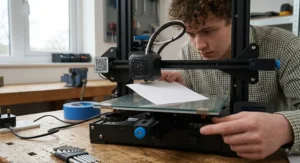
What stands out immediately about the Creality Ender 3 V3 SE is that it’s the first Ender in this lineage to ship with proper auto bed levelling as standard, via a CR Touch probe, rather than leaving you to tram the bed by hand with a sheet of paper. The 220 × 220 × 250mm build volume is genuinely generous for the price, and the direct-drive Sprite extruder means flexible filaments like TPU actually feed reliably instead of grinding themselves to dust in a Bowden tube.
The dual Z-axis and dual linear Y-axis rails are the quiet heroes here — on paper they sound like spec-sheet padding, but in practice they mean less wobble at speed and a more consistent first layer than the wobblier V-wheel designs Creality used to sell at this price. What most buyers overlook about this model is how much of the Ender ecosystem still applies: replacement parts, upgrade guides, and troubleshooting threads are everywhere, because the Ender 3 family remains the most documented printer line in the hobby. Reviewers frequently describe it as the easiest possible entry point precisely because when something does go wrong, the fix is usually a five-minute forum search away rather than a support ticket into the void.
Pros:
- ✅ Auto bed levelling removes the classic Ender pain point
- ✅ Huge community means fast troubleshooting help
- ✅ Direct-drive extruder handles TPU competently
Cons:
- ❌ No enclosure limits you to PLA and PETG realistically
- ❌ Monochrome screen feels dated next to touchscreen rivals
At around £150-£200, this is the cheapest machine on this list that still ships with the essentials a beginner actually needs, and it remains a sensible gift-a-first-printer choice precisely because a botched print rarely means a botched budget.
3. Elegoo Neptune 4 — best value Klipper speed machine
The headline feature of the Elegoo Neptune 4 is that it ships with Klipper firmware out of the box rather than the more basic Marlin software most budget rivals still run — and Klipper’s input shaping and pressure advance genuinely reduce the ringing and blobbing artefacts that plague cheaper prints. Paired with a dual-gear direct-drive extruder and 121-point auto bed levelling, the 225 × 225 × 265mm build volume gives you meaningfully more vertical room than the Bambu Lab A1 Mini for taller models like vases or figurines.
Here’s what the spec sheet won’t tell you outright: that claimed 500mm/s top speed is a marketing ceiling, not a practical one — Elegoo itself recommends 250mm/s for quality results, which still comfortably outpaces older Marlin-based machines running at a third of that speed. The magnetic, dual-sided PEI bed handles PLA and TPU well on one side, with a textured surface for ABS and carbon-fibre blends on the other, giving genuine material flexibility for an open-frame machine. Aggregated review sentiment around the Neptune 4 is broadly positive, with buyers frequently praising the print quality relative to price, though a recurring theme in owner feedback is that it lacks Wi-Fi, meaning you’re tethered to a wired network connection or SD card for file transfer.
Pros:
- ✅ Klipper firmware built in, unlike most rivals at this price
- ✅ Taller build volume suits vases and figurines
- ✅ Dual-sided bed adds real material versatility
Cons:
- ❌ No built-in Wi-Fi, only wired network access
- ❌ Open frame means no serious ABS printing
Sitting in the £170-£210 range, the Elegoo Neptune 4 is arguably the best-kept secret on this list for anyone who wants Klipper-grade print quality without paying Klipper-grade prices.
4. Elegoo Centauri Carbon — best enclosed CoreXY under £350
The Elegoo Centauri Carbon does something that felt genuinely unlikely two years ago: it brings a fully enclosed CoreXY motion system, the kind of architecture that used to be reserved for machines costing three times as much, down to a price bracket beginners can actually justify. The CoreXY layout moves the print head rather than the bed, which cuts vibration at speed and lets the printer sustain far higher accelerations without the wobbly, warped-looking prints you’d get from a cheap bedslinger pushed too hard.
Based on the spec comparison with open-frame rivals, the enclosure is the real story here — it holds ambient chamber heat steady, which is exactly what ABS and ASA need to print without cracking or warping, materials that are simply off the table on the Ender 3 V3 SE or Neptune 4. The 256 × 256 × 256mm build volume is comfortably the largest on this list, and the dual-sided PEI plate plus onboard camera add genuine day-to-day convenience. Reviewers consistently note this as one of the smoothest out-of-the-box experiences among enclosed printers, with most of the assembly already done at the factory, though a recurring complaint in early user reviews concerns occasional firmware quirks that Elegoo has been patching via updates.
Pros:
- ✅ Fully enclosed chamber unlocks ABS and ASA printing
- ✅ Largest build volume of any printer on this list
- ✅ CoreXY motion handles high speed without wobble
Cons:
- ❌ Firmware has needed post-launch bug fixes
- ❌ No multicolour support without the separate CANVAS add-on
At around £280-£330, the Elegoo Centauri Carbon represents what might be the single biggest value jump on this entire list — an enclosed, high-speed machine at a price that used to buy you an open-frame budget printer.
5. Anycubic Kobra 3 — best mid-range all-rounder
The stand-out advantage of the Anycubic Kobra 3 is its LeviQ auto-levelling system paired with a genuinely expanded 250 × 250 × 260mm print volume, a meaningful 34% increase over the previous Kobra generation according to Anycubic’s own figures. The printer supports up to 600mm/s on paper, and while real-world quality prints run considerably slower, the acceleration headroom means everyday PLA jobs still finish noticeably faster than budget rivals running older motion systems.
What most buyers overlook about this model is its expandability: the optional ACE Pro unit bolts on later for four-to-eight colour printing with built-in filament drying, meaning you’re not locked into single-colour work forever the way you would be with the Ender 3 V3 SE. Anycubic’s own Slicer Next software, built on the open-source Orca Slicer, gives beginners sensible default profiles while still allowing manual tweaking as confidence grows. Aggregated user sentiment points to a printer that handles PLA and PETG reliably out of the box, with the nozzle’s improved sealing design specifically addressing a leakage complaint that dogged earlier Kobra models.
Pros:
- ✅ Genuinely larger build volume than most rivals
- ✅ Upgrade path to multicolour via ACE Pro
- ✅ Improved nozzle sealing fixes a known older flaw
Cons:
- ❌ Open frame limits high-temperature material use
- ❌ Combo bundle pushes the price into premium territory
Priced around £280-£340 for the standalone unit, the Anycubic Kobra 3 earns its place as the sensible middle ground between a bare-bones starter and a fully enclosed machine.
6. Flashforge Adventurer 5M — quickest cheap CoreXY alternative
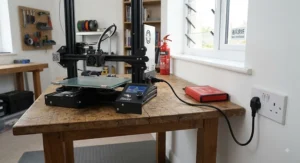
The Flashforge Adventurer 5M packs CoreXY motion, direct-drive extrusion, and a semi-enclosed frame into one of the cheapest packages on this entire list, with a compact 220 × 220 × 220mm build volume that’s plenty for most beginner projects. The quick-release nozzle system is a genuinely practical touch: a clogged nozzle can be swapped in seconds rather than requiring a fiddly teardown, which matters more than it sounds like it should when you’re three failed prints deep on a Sunday evening.
On paper this means a printer that punches well above its price bracket for speed, since CoreXY motion at this cost point was almost unheard of until recently. Reviewers frequently compare it favourably against the pricier Bambu Lab A1 on raw speed, though most agree the A1 still edges ahead on build volume and calibration polish. A built-in air filtration system is a thoughtful addition rarely seen this low in the market, helping with the fume concerns we’ll cover in more depth later in this guide. Aggregated feedback highlights the auto-levelling and one-click printing workflow as genuinely beginner-friendly, with the most common criticism centring on the slicer software feeling less refined than Bambu Studio or Orca Slicer.
Pros:
- ✅ CoreXY speed at a genuinely budget price point
- ✅ Quick-release nozzle simplifies routine maintenance
- ✅ Built-in air filtration is unusual at this price
Cons:
- ❌ Slicer software feels less polished than key rivals
- ❌ Not rated for ABS without extra ventilation care
At roughly £220-£300 depending on retailer, the Flashforge Adventurer 5M is the printer to consider if speed and a semi-enclosed frame matter more to you than brand ecosystem polish.
7. Prusa MINI+ — best for long-term reliability and support
The defining feature of the Prusa MINI+ isn’t a headline spec at all — it’s the SuperPINDA sensor and sensorless homing that together deliver some of the most consistent first-layer adhesion of any printer on this list, beginner or otherwise. The 180 × 180 × 180mm build volume is modest, matching the Bambu Lab A1 Mini, but Prusa’s open-source design philosophy means every part is documented, repairable, and backed by a company with a genuine reputation for standing behind its hardware.
Here’s what the spec sheet won’t tell you: Prusa’s real advantage is support infrastructure, not raw numbers. The custom 32-bit Buddy mainboard runs silent Trinamic drivers, Input Shaper, and Pressure Advance, and Prusa Connect adds remote monitoring that rivals costing considerably more still don’t offer as smoothly. Reviewers consistently single out reliability as the headline strength, with several independent outlets naming it a repeated “editor’s choice” pick over multiple years specifically for how rarely it produces a failed print once dialled in. The trade-off is honest and upfront: a Bowden extruder rather than direct drive, and a print speed range that tops out well below the CoreXY machines on this list.
Pros:
- ✅ Exceptional first-layer reliability and consistency
- ✅ Fully open-source and genuinely repairable design
- ✅ Strong track record of manufacturer support
Cons:
- ❌ Most expensive printer on this list
- ❌ Bowden extruder is slower with flexible filaments
At around £330-£400 in the UK depending on kit versus assembled options, the Prusa MINI+ costs more than everything else here, but reviewers and owners alike tend to agree the reliability premium is real rather than marketing spin.
Top 7 Products: Full Specification Comparison
| Printer | Build Volume | Auto-Levelling | Enclosed | Best For |
|---|---|---|---|---|
| Bambu Lab A1 Mini | 180×180×180mm | Full-auto | No | Fastest first setup |
| Creality Ender 3 V3 SE | 220×220×250mm | Yes (CR Touch) | No | Tightest budget |
| Elegoo Neptune 4 | 225×225×265mm | Yes (121-point) | No | Klipper speed on a budget |
| Elegoo Centauri Carbon | 256×256×256mm | Yes | Yes | ABS/ASA-capable beginners |
| Anycubic Kobra 3 | 250×250×260mm | Yes (LeviQ) | No | Room to expand into colour |
| Flashforge Adventurer 5M | 220×220×220mm | Yes | Semi | Budget CoreXY speed |
| Prusa MINI+ | 180×180×180mm | Yes (SuperPINDA) | No | Long-term reliability |
Line these seven up and the real divide isn’t price — it’s enclosure. Three machines here (Elegoo Centauri Carbon, Flashforge Adventurer 5M, and to a lesser extent the semi-open designs) give you a realistic path into ABS and engineering filaments, while the rest are happiest sticking to PLA and PETG. If you already know you’ll want stronger, more heat-resistant prints within your first year, that single column is worth weighting more heavily than raw top speed.
Practical Usage Guide: Your First 30 Days With an FDM 3D Printer for Beginners
Setup day is the easy part on modern machines — most of the auto-levelling printers above genuinely do get you printing within an hour. The mistakes tend to arrive in week two, once the novelty of watching a printer work has worn off and you start pushing settings you don’t fully understand yet.
Start by printing the manufacturer’s supplied test file before anything else, ideally a small calibration cube or the classic benchy boat. Resist the urge to jump straight to a complicated model; a simple first print tells you whether your bed adhesion, nozzle temperature, and levelling are genuinely correct before you commit several hours to something ambitious. In the first fortnight, keep your filament sealed in its original bag with the desiccant packet whenever it’s not loaded — PLA is hygroscopic and absorbs moisture from UK air surprisingly fast, and damp filament is responsible for a disproportionate number of “why is my printer suddenly stringing everywhere” panics.
By week three, start a light maintenance routine: wipe the build plate with isopropyl alcohol before each print to keep adhesion consistent, and check belt tension if you notice ghosting or ringing on vertical surfaces. Most auto-levelling machines on this list handle Z-offset automatically, but it’s worth manually verifying it once a month regardless, since sensors can drift slightly with vibration over time. A common first-month mistake is over-tightening the bed screws on manual-assist models, which can actually warp thin steel beds rather than improve adhesion.
Real-World Scenarios: Which FDM 3D Printer for Beginners Fits You?
Specs only tell half the story — who you are matters just as much as what the machine can do.
If you’re a university student in a shared house with limited desk space and an even more limited budget, the Bambu Lab A1 Mini or Creality Ender 3 V3 SE make the most sense. Both are compact enough to tuck onto a desk corner, cheap enough that a term-time budget can absorb the cost, and forgiving enough that a failed print doesn’t feel like a financial disaster.
If you’re a parent buying a first printer for a curious teenager, reliability and safety matter more than raw speed. The Prusa MINI+ or the enclosed Elegoo Centauri Carbon are worth the extra spend here — the former for its reputation for consistent, low-drama printing, the latter because the enclosure keeps curious fingers further from a hot nozzle and contains fumes more effectively during longer print sessions.
If you’re a hobbyist who already knows you’ll eventually want cosplay props, drone parts, or engineering-grade prototypes, buying for where you’ll be in a year rather than where you are today changes the calculation. The Anycubic Kobra 3 or Elegoo Centauri Carbon give you real room to grow, both in build volume and material compatibility, without needing a second printer within six months of your first purchase.
How to Choose an FDM 3D Printer for Beginners
Cutting through the marketing noise comes down to a handful of criteria that genuinely predict how happy you’ll be in month one.
- Auto bed levelling is non-negotiable. Every printer on this list has it for good reason — manual levelling is the single biggest source of first-week frustration and failed prints for newcomers.
- Match build volume to your actual projects, not your ambitions. A 180mm cube handles most hobbyist prints comfortably; don’t pay extra for size you won’t use in your first year.
- Decide early whether you need an enclosure. If ABS, ASA, or stronger engineering filaments are on your radar at all, an enclosed machine like the Elegoo Centauri Carbon saves you a costly second purchase later.
- Check the slicer software before you buy, not after. Bambu Studio and Orca Slicer-based tools tend to be more beginner-friendly than older, more technical alternatives.
- Weigh community size against brand polish. Creality’s Ender ecosystem is unmatched for troubleshooting help; Bambu Lab and Prusa trade some of that scale for a more curated, guided experience.
- Budget for filament and spares, not just the printer. A realistic first-year running cost adds roughly £60-£120 in PLA and consumables on top of the machine itself.
- Read aggregated review sentiment, not just star ratings. A 4.5-star average hides a lot; look specifically at what reviewers consistently praise or complain about before committing.
Easiest 3D Printer to Set Up: What Actually Makes Setup Simple
“Easy to set up” gets thrown around so often it’s practically lost meaning, so it’s worth being specific about what actually separates a smooth first hour from a frustrating one. The single biggest factor is full automatic calibration — machines like the Bambu Lab A1 Mini handle Z-offset, bed mesh, and vibration compensation entirely in software, meaning the human’s only job is unboxing and pressing print. Printers with partial auto-levelling, like the Creality Ender 3 V3 SE, still require a brief manual Z-offset check even after the CR Touch probe runs its routine, which adds a genuine ten minutes to the process.
Physical assembly is the second variable. The Prusa MINI+ and Elegoo Neptune 4 both arrive substantially pre-built, needing only gantry attachment and a few screws, while some budget kits still ask you to assemble the entire frame from a flat pack. Reviewers consistently rate factory-calibrated, minimal-assembly machines as easiest for genuine first-timers, even when those printers cost slightly more than a fully-kit alternative — the time saved and frustration avoided is, based on aggregated sentiment, worth the premium for most beginners.
Beginner-Friendly 3D Printer Features That Actually Matter
Not every headline spec translates into a better first experience, and separating genuine beginner-friendly features from marketing filler saves both money and disappointment. Direct-drive extrusion, found on the Creality Ender 3 V3 SE, Elegoo Neptune 4, and Flashforge Adventurer 5M, genuinely matters because it handles flexible filaments like TPU without the grinding and skipped steps common on older Bowden designs. Filament run-out sensors matter too, since they pause a print automatically rather than leaving you with a half-finished object and a mystery gap in the middle.
Conversely, some frequently advertised features matter less than the marketing suggests. Extremely high top speeds — the 600mm/s figures quoted by the Anycubic Kobra 3 and Flashforge Adventurer 5M — are rarely usable for quality prints straight out of the box; manufacturers themselves typically recommend far lower practical speeds. Touchscreens are pleasant but purely cosmetic compared with reliable auto-levelling. What most buyers overlook is that a built-in camera, while genuinely useful for remote monitoring, adds little value if you’re printing in the same room as the machine anyway.
Choosing Your First 3D Printer: Common Mistakes to Avoid
Buying your first 3D printer is one of those purchases where the obvious instinct — buy the cheapest one — is frequently the wrong one, and the mistakes tend to repeat across nearly every beginner’s first month.
The most common mistake is chasing build volume you’ll never use. A 300mm-plus bed sounds impressive, but most beginner projects are well under 150mm in any dimension, and a larger bed means longer heat-up times and more wasted filament on failed large-scale prints while you’re still learning. The second mistake is skipping the enclosure question entirely, only to discover six months in that ABS parts keep cracking on an open-frame printer — a problem that a machine like the Elegoo Centauri Carbon simply doesn’t have. A third recurring error is underestimating filament storage: cheap PLA left out in a UK bathroom or kitchen absorbs moisture within weeks, causing stringing and pops that owners frequently mistake for a printer fault rather than a filament one. Finally, many first-time buyers ignore community size and slicer quality entirely, focusing purely on the headline price — only to find themselves stuck when something inevitably goes wrong and there’s no forum thread, no support ticket response, and no clear fix in sight.
FDM 3D Printer for Beginners vs Resin Printers
The FDM-versus-resin question comes up constantly, and the honest answer is that they solve different problems rather than one simply beating the other.
| Factor | FDM (Filament) | Resin (MSLA) |
|---|---|---|
| Detail level | Good for most projects | Sharper, better for miniatures |
| Mess & safety | Minimal, safe materials | Chemicals, gloves, ventilation needed |
| Cost per print | Lower filament cost | Higher resin cost |
| Best For | General hobbyists, functional parts | Miniatures, jewellery, fine detail |
FDM wins decisively on convenience and safety, which is exactly why every machine in this guide uses it — no wash stations, no chemical gloves, no UV curing chamber cluttering your desk. Resin printers pull ahead sharply on fine detail, producing near-flawless surfaces for tabletop miniatures and jewellery patterns that FDM simply can’t match at any price. For a genuine first printer, FDM’s forgiving nature and lower running costs make it the sensible starting point for the vast majority of newcomers, with resin better suited as a second machine once you know detail work is genuinely your priority.
What to Expect: Real-World Performance
Spec sheets describe best-case scenarios; real-world printing looks a little different once you factor in UK room temperatures, imperfect calibration, and the learning curve every beginner climbs in their first few weeks.
Expect your first ten prints to include at least one or two genuine failures — a detached corner, a spaghetti mess, or a warped edge — even on the most beginner-friendly machines here. This isn’t a defect; it’s the normal calibration curve as you learn your specific printer’s quirks with your specific filament brand. Print speeds advertised at 500-600mm/s translate in daily use to something closer to 150-250mm/s for genuinely clean results, regardless of which machine on this list you choose. Noise levels vary more than most buyers expect too: enclosed machines like the Elegoo Centauri Carbon and Flashforge Adventurer 5M muffle motor sound noticeably, while open-frame printers like the Creality Ender 3 V3 SE are audible enough that a spare room or garage suits them better than a shared living space during long overnight prints.
Long-Term Cost & Maintenance
The sticker price is only the opening bid. PLA filament typically runs somewhere in the £15-£25 per kilogram bracket, and a small desk ornament might use as little as 20-30g, while a substantial functional part could easily consume 200-300g. Budgeting roughly £5-£15 per month in filament for a moderately active hobbyist is realistic once the initial novelty period settles down.
Consumable parts add up too: nozzles wear out after roughly 500-1000 hours of printing and cost only a few pounds to replace, but PEI build plates degrade over a year or two of heavy use and can run £15-£30 to replace depending on the printer. Electricity costs are genuinely modest — a typical FDM printer draws less power than a kettle, adding perhaps a few pence per hour of active printing to your bill. Enclosed machines like the Elegoo Centauri Carbon and Flashforge Adventurer 5M carry a slight edge in total cost of ownership over time, since their enclosed chambers reduce warped, wasted prints on temperature-sensitive materials compared with open-frame alternatives fighting draughts in a typical UK home.
Safety, Ventilation & Regulations for Home 3D Printing
This is the section beginners skip and shouldn’t. Desktop FDM printers genuinely do emit ultrafine particles and volatile organic compounds during operation, particularly with ABS filament, and peer-reviewed research on desktop 3D printers used in UK settings has specifically measured elevated particle concentrations near operating machines, even in reasonably ventilated rooms. This doesn’t mean the hobby is dangerous when handled sensibly, but it does mean location matters: a well-ventilated room, ideally not somewhere you sleep, is a genuinely sensible precaution rather than paranoia, and it’s exactly why enclosed printers like the Elegoo Centauri Carbon carry a real practical advantage alongside their material benefits.
On the regulatory side, any FDM 3D printer for beginners sold legally in Great Britain must carry a UKCA or CE mark confirming it meets electrical safety standards, and it’s worth checking a product’s conformity marking before buying from an unfamiliar third-party seller rather than an established retailer. All seven printers featured in this guide come from established manufacturers with proper UK distribution and support channels. Keep the printer on a stable, non-flammable surface away from curtains or paper clutter, never leave a first print completely unattended overnight until you trust your specific machine, and always unplug at the wall rather than relying on standby mode for genuinely unattended periods.
Buyer’s Decision Framework
If you want the absolute simplest first experience possible and don’t mind a smaller bed, choose the Bambu Lab A1 Mini because its full-auto calibration removes nearly every beginner pain point in one go. If your budget is the single deciding factor above everything else, choose the Creality Ender 3 V3 SE because it delivers genuine auto-levelling and a strong community safety net at the lowest realistic entry price. If you already know ABS or ASA parts are in your future, choose the Elegoo Centauri Carbon because retrofitting an enclosure later costs more than buying enclosed from day one. If long-term reliability and manufacturer support matter more to you than raw speed, choose the Prusa MINI+ because its track record for consistent first layers is difficult to match anywhere on this list.
Frequently Asked Questions
❓ What is the best FDM 3D printer for beginners in 2026?
❓ How much does a beginner FDM 3D printer cost in the UK?
❓ Do I need to buy a separate slicer program?
❓ Is PLA filament safe to print indoors?
❓ Can I upgrade a beginner 3D printer later?
Conclusion
Choosing the right FDM 3D printer for beginners really does come down to being honest with yourself about what you’ll actually use rather than what sounds impressive on a spec sheet. If ease of use is your top priority, the Bambu Lab A1 Mini removes nearly every obstacle a first-timer typically faces. If budget rules everything, the Creality Ender 3 V3 SE still delivers genuine auto-levelling and an unmatched support community at the lowest realistic price point. If you already know stronger, heat-resistant materials are in your future, the Elegoo Centauri Carbon saves you buying twice. And if reliability and long-term manufacturer support outweigh raw speed for you, the Prusa MINI+ remains difficult to argue with, premium price and all.
Whichever you choose, keep your filament dry, don’t skip the ventilation basics, and expect a genuine learning curve in your first month — every single reviewer cited throughout this guide went through exactly the same process. Once you’re past that curve, an FDM 3D printer for beginners stops being an intimidating box on a desk and becomes one of the more genuinely satisfying hobbies you can pick up this year, and if you’re ever unsure whether an old machine or accessory is worth keeping, it’s worth remembering that UK households can recycle unwanted electricals for free rather than letting them gather dust in a cupboard.
✨ Don’t Miss These Exclusive Deals!
🔍 Take your first steps into 3D printing with confidence. Click on any highlighted pick above to check current pricing and availability before stock shifts. These machines will help you turn screen-bound ideas into objects you can actually hold!
Recommended for You
- Top FDM 3D Printers for 2026: 7 Best Picks (UK Guide)
- Budget FDM 3D Printer: 7 Best Cheap Picks for 2026 (UK Guide)
Disclaimer: This article contains affiliate links. As an Amazon Associate, I earn from qualifying purchases. If you purchase products through these links, we may earn a small commission at no additional cost to you.
✨ Found this helpful? Share it with your friends! 💬🤗
