
In This Article
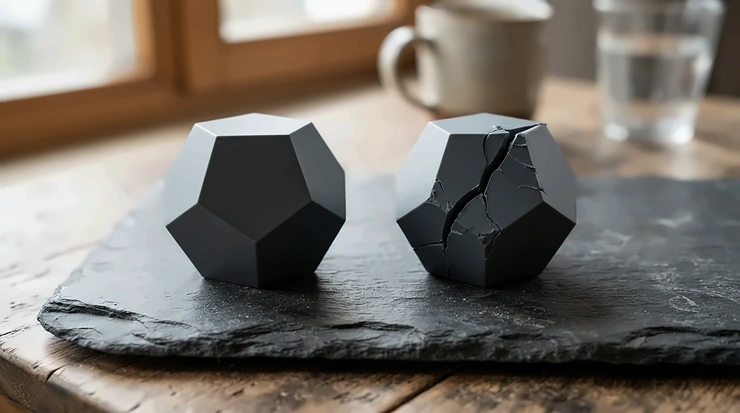
PLA+ vs standard PLA is the choice between plain polylactic acid filament and a modified blend. The blend usually contains impact modifiers, flow improvers or small amounts of co-polymers, and it is designed to make printed parts tougher and less likely to snap. There is no formal definition of “PLA+”, so every brand uses its own recipe.
That vagueness is why the PLA+ vs standard PLA argument never dies on forums. One maker swears a PLA+ bracket survived a drop onto a concrete floor. Another insists it’s the cheap stuff in a shinier box. Both can be right, because the recipes genuinely differ.
Plain polylactic acid is a plant-derived thermoplastic with a glass transition of roughly 60–65 °C and very low elongation at break. In plain English, it’s stiff, crisp and a bit like a ginger biscuit. Flex a clip or shear a thin hinge and you meet its brittleness first-hand. PLA+ tries to blunt that edge, typically with better layer adhesion, a slightly hotter print temperature range and more give before failure. What it rarely delivers is serious heat resistance, because listed figures still hover in the 50s °C.
Below are seven real spools for UK buyers: six PLA+ options and one standard-PLA benchmark. You’ll also find plain-English explanations of toughness additives, white PLA+ filament and PLA+ filament for high-speed printing, and clear rules for when the extra few pounds per kilo pays off. Everything rests on manufacturer data sheets and aggregated buyer feedback. I haven’t test-printed these spools, so there are no invented lab results here, just honest analysis.
PLA+ vs Standard PLA at a Glance: 7 Filaments Side by Side
| Filament | Type | Listed nozzle range | Speed claim | Best For |
|---|---|---|---|---|
| eSUN PLA+ | PLA+ | 205–225 °C | Roughly 40–100 mm/s guidance | Reliable all-rounder |
| Elegoo Rapid PLA+ | High-speed PLA+ | About 190–240 °C (listings vary) | Up to 600 mm/s | Fast batch printing on a budget |
| SUNLU High Speed PLA+ 2.0 | High-speed PLA+ | 200–260 °C, speed-tiered | 300–600 mm/s | Speed-focused makers |
| SUNLU PLA+ 2.0 | PLA+ | About 195–220 °C | 100–300 mm/s | Budget functional parts |
| Overture PLA Plus | PLA+ | 190–230 °C (200–220 °C recommended) | Under 300 mm/s | Buyers who like published data |
| eSUN PLA+HS | High-speed PLA+ | Check current sheet | High-speed (varies) | eSUN fans with fast printers |
| Bambu Lab PLA Basic | Standard PLA benchmark | 190–230 °C | Under 300 mm/s | AMS users and beginners |
The Bambu Lab PLA Basic is the only standard-PLA benchmark in the table. Its listed 190–230 °C nozzle window overlaps almost entirely with the PLA+ options, so the print temperature range alone won’t tell you which camp a spool belongs to. Elegoo Rapid PLA+ and both SUNLU entries chase speed, while eSUN PLA+ and Overture PLA Plus are safer choices at ordinary speeds. Treat every speed figure as a manufacturer maximum rather than a promise.
💬 Just one click — help others make better buying decisions too!😊
Top 7 PLA+ vs Standard PLA Filaments: Expert Analysis
Price bands below are indicative at the time of research. Check current price and availability on amazon.co.uk before buying.
1. eSUN PLA+ — the benchmark other PLA+ spools get measured against
eSUN has been making filament since 2002, and this is the spool many roundups use as their yardstick. Its data sheet lists a 205–225 °C nozzle window, tensile strength around 60 MPa, elongation at break of roughly 20–29% (listings vary) and impact strength of about 7–9 kJ/m². That elongation figure is the headline. Plain PLA typically fails in single digits, so a part has noticeably more give before it cracks. The catch is heat. Dimensional stability is listed at only 52–53 °C, so a parcel shelf in July is still off limits.
Based on the spec comparison, this suits anyone who wants a known quantity rather than a gamble. The temperature window is tight for a PLA+, which helps repeatability but rewards a well-calibrated hot end. White buyers can choose between Cold White, which leans clinical, and Bone White, which reads creamier.
Reviewers on retailer listings generally praise strength, flexibility and bed adhesion. Complaints are minor and occasional: a little stringing that a small temperature drop cured, and the odd spool with inconsistent diameter.
Pros:
- ✅ Established brand with consistent data sheets
- ✅ Good elongation for the money
- ✅ White available in two distinct shades
Cons:
- ❌ Heat resistance still only low 50s °C
- ❌ Narrow nozzle window punishes sloppy calibration
Expect roughly £14–£22 per kilo depending on colour and multipacks. It’s solid value for functional parts.
2. Elegoo Rapid PLA+ — claims up to 600 mm/s without a premium price
Elegoo pitches this as a fast-flowing PLA+ for printers that can keep up, with speeds quoted up to 600 mm/s. The listings don’t quite agree with each other. Nozzle guidance appears anywhere from roughly 190 °C to 240 °C depending on the source, and bed guidance runs around 35–70 °C. Heat distortion is listed at about 57 °C and tensile strength at 39 ± 2 MPa. Read that spread as a polite instruction to print a temperature tower. The tensile figure is lower than eSUN PLA+, but test methods differ. The extra heat headroom (57 versus 52–53 °C) is genuinely useful.
Here’s what to weigh. This is a speed-first formulation, not a toughness-first one. If your printer tops out at modest speeds, you’re paying for flow you can’t use. If you run a fast CoreXY machine and churn out batches, fluidity matters far more than a few MPa. A white version is sold, which suits painted prototypes.
Roundups position it as the budget high-speed pick. They also note that without an RFID tag it loads in Bambu’s AMS under a generic PLA profile. I couldn’t verify a large pool of independent test data, so treat early praise as encouraging rather than conclusive.
Pros:
- ✅ Claimed speeds up to 600 mm/s
- ✅ Slightly higher listed heat resistance
- ✅ Keen price per kilo
Cons:
- ❌ Temperature guidance varies between listings
- ❌ Lower listed tensile strength than eSUN PLA+
Typically around £10–£16 per kilo. It’s strong value if you genuinely print fast.
3. SUNLU High Speed PLA+ 2.0 — speed-tiered temperatures for 300–600 mm/s
The clever bit is the guidance. Instead of one blanket range, the recommendation scales with speed. That’s roughly 200–215 °C for 50–150 mm/s, 215–230 °C for 150–300 mm/s and 230–260 °C for 300–600 mm/s, with the bed around 55–65 °C. This makes physical sense. Faster printing pushes plastic through the hot end quicker, so it needs more heat to melt fully, and tiered advice stops you guessing.
Reading the spec sheet, this suits makers who print in batches and want something tougher than standard PLA without crawling along. The “industrial-grade toughness” wording is brand language rather than a measured figure I could verify, so judge it on results.
SUNLU’s own UK store shows an average around 4.8 from a small number of reviews. That’s encouraging, but it’s brand-store data and a tiny sample. On a Bambu community forum, one owner who’d tried several spools of both brands preferred this over eSUN’s high-speed spool, citing better prints and similar or lower price.
Pros:
- ✅ Clear speed-tiered temperature guidance
- ✅ Supports a very wide speed span
- ✅ Competitive price per kilo
Cons:
- ❌ Upper tiers (230–260 °C) mean more heat and potentially more emissions
- ❌ No published toughness figures I could verify
Roughly £10–£15 per kilo. It’s good value for fast, repeat printing.
4. SUNLU PLA+ 2.0 — the budget workhorse for everyday functional parts
Think of this as the ordinary-speed sibling of the entry above. Listings give a nozzle range of about 195–220 °C (205–220 °C on one retailer page), a bed of 45–60 °C and speeds of 100–300 mm/s. The brand says it resists brittleness and cracking better than its earlier PLA+. That’s a relative claim rather than a measured number, so it’s useful direction, not a data point.
Where it earns its place is the capability-to-price ratio. The lower end of its temperature window sits close to what standard PLA likes, so switching from plain PLA means fewer profile changes than with hotter blends. That’s an underrated advantage for beginners, who are less likely to hit the first-layer and stringing problems that come with hotter filament.
Reviewer sentiment is consistently positive on value. All3DP’s buyer’s guide notes that users like its resistance compared with plain PLA, its price and its ease of printing. A How-To Geek test, as summarised by Makers101, ran Bambu Lab PLA Basic, this spool and a basic Elegoo PLA in one AMS on a single profile and found the quality difference undetectable.
Pros:
- ✅ Very low price per kilo
- ✅ Gentle temperature range close to standard PLA
- ✅ Forgiving for beginners
Cons:
- ❌ Toughness claims are comparative, not measured
- ❌ Slower than the high-speed grades
Around £10–£14 per kilo. It’s excellent value for brackets, clips and everyday parts.
5. Overture PLA Plus — published toughness data and a split verdict
Overture publishes more numbers than most. Its product page lists impact toughness of about 20.1 kJ/m², layer adhesion of 37.3 MPa and elongation of 21.5%. It recommends a 200–220 °C nozzle, a 50–60 °C bed, fan on, and drying at 50 °C for seven hours. Older data-sheet revisions show more modest figures, such as elongation near 5.5% and an allowed nozzle range of 190–230 °C, so check which version you’re reading.
Compare that with the brand’s plain Overture PLA sheet, which lists elongation of just 1.9% and Charpy impact of 2.7 kJ/m². Same maker, same polymer family, roughly an eleven-fold elongation gap. These are brand-supplied figures tested their own way, but they show what “plus” can mean in numbers.
Buyer feedback is genuinely mixed. One reviewer called the first print nearly perfect and reported figurines at light infill shrugging off a dropped hammer. Another thought it decent but overpriced, with quality similar to ordinary Overture PLA. A third needed a brim and a hotter nozzle to stop prints lifting.
Pros:
- ✅ Published toughness and adhesion figures
- ✅ Clear temperature and drying guidance
- ✅ Forgiving at ordinary speeds
Cons:
- ❌ Data-sheet revisions disagree with each other
- ❌ Some buyers feel the premium isn’t justified
Roughly £13–£20 per kilo. It’s worth it if you value verifiable specs.
6. eSUN PLA+HS — the high-speed variant with an open question
Retail listings describe eSUN PLA+HS as a high-speed PLA+ with uniform flow, and eSUN’s manual lists compatibility with fast machines such as the Bambu Lab X1 and P1P, Creality K1 and AnkerMake M5. The open question is differentiation. A Bambu forum owner who bought several spools reported that the published settings looked no different from regular eSUN PLA+. Another commenter observed that some brands apply a high-speed label to filament that merely prints a little faster than its standard sibling.
I couldn’t verify an independent data sheet showing different numbers, so here’s the honest framing. Treat this as a possible convenience, not a proven upgrade. If eSUN’s current sheet shows a wider speed rating or tweaked temperatures, great. If it matches the standard spool, buy whichever is cheaper.
It makes sense if you already trust eSUN and own a fast printer. Otherwise SUNLU High Speed PLA+ 2.0 and Elegoo Rapid PLA+ publish clearer speed-specific guidance. One forum user also pointed out that volumetric flow limits, not the label, often decide how fast a PLA+ can actually go.
Pros:
- ✅ Trusted brand name
- ✅ Stated compatibility with popular fast printers
- ✅ Familiar behaviour if you know eSUN PLA+
Cons:
- ❌ Difference from the standard grade isn’t clearly documented
- ❌ Fewer independent reviews found
It should sit near the standard spool, roughly £14–£22 per kilo. Check the current data sheet before paying any premium.
7. Bambu Lab PLA Basic — the “standard” PLA that blurs the line
This is the standard-PLA benchmark in the PLA+ vs standard PLA contest, with a twist. Listings give a 190–230 °C nozzle window, a 35–45 °C bed with glue, speeds under 300 mm/s, bending strength of 76 ± 5 MPa and impact strength of 26.6 ± 2.8 kJ/m² unnotched (7.9 ± 1.2 notched). Bambu even claims stronger layer adhesion and better impact resistance than other standard PLAs. Those impact numbers can’t be compared directly with Overture PLA at 2.7 kJ/m², because specimens and methods differ. They do show how fuzzy the boundary between “standard” and “plus” has become.
Why pick it? RFID tags let AMS owners load and print without hunting for settings, and the lower bed temperature is kind to plates and glue sticks. Jade White is listed as pure white (#FFFFFF), which is handy for painted work. Why not? You pay for that convenience. Roundups consistently suggest cheaper third-party spools for anyone who doesn’t need the tag, and the How-To Geek comparison mentioned earlier found no visible difference when other spools ran on Bambu’s profile.
Pros:
- ✅ Plug-and-play AMS profiles via RFID
- ✅ Gentle 35–45 °C bed requirement
- ✅ Clean, neutral Jade White
Cons:
- ❌ Pricier than most third-party spools
- ❌ Impact figures hard to compare with other brands
Roughly £15–£22 per kilo. Check availability on amazon.co.uk.
Top 7 Comparison: Toughness, Heat and Price
| Filament | Toughness data (as listed) | Heat figure | Price band | Best For |
|---|---|---|---|---|
| eSUN PLA+ | About 7–9 kJ/m² impact | 52–53 °C | £14–£22 | Consistent functional parts |
| Elegoo Rapid PLA+ | Tensile 39 ± 2 MPa; no impact figure found | About 57 °C | £10–£16 | Speed on a budget |
| SUNLU High Speed PLA+ 2.0 | Brand claim only | Not listed | £10–£15 | Fast batch printing |
| SUNLU PLA+ 2.0 | Brand claim only | Not listed | £10–£14 | Everyday parts |
| Overture PLA Plus | About 20.1 kJ/m² (brand site) | Vicat about 60 °C (older sheet) | £13–£20 | Spec-checkers |
| eSUN PLA+HS | Confirm on current sheet | Confirm | £14–£22 | Only if sheet shows an edge |
| Bambu Lab PLA Basic | 26.6 kJ/m² unnotched; 7.9 notched | Not in sources reviewed | £15–£22 | AMS convenience |
Because the test methods differ, don’t rank these by a single number. Overture PLA Plus and eSUN PLA+ publish the most comparable toughness data, while Elegoo Rapid PLA+ offers the best listed heat headroom. The two SUNLU spools win on price, but their toughness is a claim you’ll need to confirm with your own test prints.
How to Choose Between PLA+ vs Standard PLA in 7 Steps
The short answer is that you should choose PLA+ when the part will be handled, flexed, clipped or dropped. Choose standard PLA when it will sit on a shelf looking pretty. Here’s the fuller checklist:
- Ask what the part will suffer. A snap-fit clip faces repeated stress, so elongation and layer adhesion matter. A chess piece faces nothing, so cheaper plain PLA is perfectly sensible.
- Check the print temperature range against your hot end. A 205–225 °C window is comfortable on most printers. Speed-tiered ranges up to 260 °C assume a hot end that can keep up.
- Match the filament to your speed. If your printer never exceeds roughly 100 mm/s, high-speed grades add cost without benefit.
- Read data sheets sceptically. Different test methods and notched versus unnotched specimens make cross-brand comparisons treacherous.
- Think about colour. Pigment can influence flow and finish, so check whether your chosen shade (especially white) has quirks.
- Weigh price per kilo against failed prints. A few pounds extra is trivial next to a reprinted bracket.
- Plan storage. Both types absorb moisture, so budget for sealed boxes and desiccant.
If you’re printing display pieces, choose standard PLA. If you’re printing handled parts at normal speeds, choose eSUN PLA+ or SUNLU PLA+ 2.0. If you’re running a fast printer in batches, choose SUNLU High Speed PLA+ 2.0 or Elegoo Rapid PLA+. If you live in the AMS ecosystem, choose Bambu Lab PLA Basic.
Toughness Additives: What’s Actually Inside PLA+?
Nobody has to tell you what’s in the bag. As Wevolver’s PLA vs PLA+ comparison explains, PLA+ doesn’t always contain a specific additive at all, and the “plus” can mean fillers, nucleating agents, small amounts of other thermoplastics or modifiers. Known examples include acrylic polymers in some blends, calcium carbonate in eSUN PLA+ (reported at around 2%), and PHA blended into colorFabb’s PLA/PHA. Rumours of TPU in some recipes circulate but can’t be confirmed from outside.
Think of toughness additives like putting tiny rubbery beads into a crisp biscuit. Cracks have to detour around them, absorbing energy rather than racing straight through. That’s why impact resistance and layer adhesion improve.
There are trade-offs, though. Toughness additives often lower stiffness and tensile strength slightly, and some raise the nozzle temperature you need. They can also reduce the available colour range, because fewer makers offer PLA+ in every shade.
The practical lesson is to judge by measured data and your own test prints, not by the “plus” label. When one maker’s PLA+ shows elongation above 20% while its standard PLA shows under 2%, the additives are clearly doing something. When two spools look identical on paper, the label is doing the work.
Brittleness in the Real World: PLA+ vs Standard PLA vs PETG
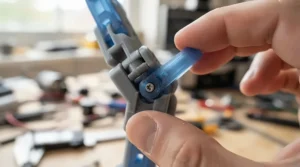
What does reduced brittleness mean in daily use? Standard PLA fails suddenly. A clip snaps with a crack, a hinge shears along layer lines, and a dropped part shatters rather than bends. PLA+ tends to flex or whiten first, giving you a warning before failure.
| Factor | Standard PLA | PLA+ | PETG |
|---|---|---|---|
| Brittleness | High; snaps under shock | Lower; more give | Lowest of the three |
| Print difficulty | Easiest | Easy, slightly hotter | Moderate; stringing risk |
| Heat resistance | Softens near 55–60 °C | Similar, a few degrees better at best | Better than PLA+ |
| Cost per kilo | Lowest | Slightly higher | Often higher still |
| Best For | Models, décor, prototypes | Handled functional parts | Heat, outdoors, damp |
The table shows PLA+ occupying a sensible middle ground. It fixes much of the brittleness that makes plain PLA frustrating, but it doesn’t fix heat. If your part lives in a hot car, near a radiator or outdoors in direct sun, PETG remains the better choice. If it lives on a desk, in a drawer or on a shelf, PLA+ delivers most of the toughness benefit at close to PLA’s ease.
Print Temperature Range: Where PLA+ and Standard PLA Part Ways
Standard PLA is usually happiest in a 190–230 °C window, as both Bambu Lab PLA Basic and Overture PLA show. PLA+ tends to shift upwards and narrow slightly. eSUN PLA+ lists 205–225 °C, Overture PLA Plus recommends 200–220 °C and SUNLU PLA+ 2.0 sits near 195–220 °C. High-speed grades stretch much higher, up to 260 °C for SUNLU High Speed PLA+ 2.0.
Why does it matter? Higher temperatures usually improve layer bonding, which is where PLA+ earns its toughness. One Overture buyer reported better bed and layer adhesion at 220–240 °C than they’d used for ordinary PLA. The trade-off is first-layer adhesion on cooler beds. Wevolver’s comparison notes that PLA+ can be harder to stick on unheated or low-temperature plates.
My advice, based on the spec spread, is to ignore the box and print a temperature tower for every new spool. Look for the band with the cleanest overhangs and least stringing, then check that layers resist peeling apart. Start at the lower end of the print temperature range for safety reasons too, as the HSE section below explains. Bed temperature matters just as much: roughly 50–60 °C suits most PLA+ spools here, while Bambu Lab PLA Basic is happy at 35–45 °C with glue.
PLA+ Filament for High-Speed Printing: Does the Label Matter?
Speed is a three-way negotiation between filament flow, hot-end capacity and cooling. A “high-speed” label mostly addresses the first, usually through a formulation that melts and flows more readily. All3DP’s high-speed PLA comparison makes the same point, noting that you can often print faster without raising the nozzle temperature much, if the filament is tuned for it. It also singled out SUNLU’s high-speed PLA as one of the stronger performers in its test.
Be wary of headline numbers. Elegoo Rapid PLA+ and SUNLU High Speed PLA+ 2.0 quote up to 600 mm/s, while Bambu Lab PLA Basic is rated under 300 mm/s and one roundup cited 258 mm/s at a specific nozzle and layer height. Those figures are not like-for-like. A fast speed on a wide, thick layer is not the same as a fast speed on fine detail.
The practical rules are simple. First, check your slicer’s maximum volumetric flow, because if the hot end can’t melt the plastic quickly enough, no filament label will rescue you. Second, raise temperature with speed, as SUNLU’s tiered guidance suggests. Third, increase cooling on fast prints, since PLA needs to freeze quickly to hold overhangs.
PLA+ filament for high-speed printing is worth buying when you run batches, print large parts or value time over a few pounds. If you print at ordinary speeds, a standard PLA+ such as eSUN PLA+ gives you the toughness without paying for flow you won’t use.
White PLA+ Filament: The Colour That Asks More of You
White PLA+ filament is the colour people buy for painted prototypes, lamp shades, enclosures and anything that needs to blend into a room. It’s also the colour that most visibly reveals mistakes. A smear of dust, a stray blob or a handled-grey fingerprint shows up instantly.
White plastics are usually coloured with titanium dioxide, which is added in meaningful quantities to make the shade opaque. In principle, pigment loading can nudge flow, finish and adhesion. For that reason, it’s sensible to check whether the maker lists colour-specific settings and to run a quick temperature tower rather than assuming a white spool behaves like a black one.
Options for UK buyers are decent. eSUN PLA+ comes in Cold White and Bone White, Elegoo Rapid PLA+ and SUNLU High Speed PLA+ are both sold in white, and Bambu Lab PLA Basic offers Jade White. Pick the shade by purpose. A cool, bluish white suits technical prototypes and photographed models, while a creamy white suits figurines, vintage-style décor and anything that will sit beside warm lighting.
Practical tips: wash hands and wipe the plate before long white prints, store spools sealed so dust stays off, and remember that thin white walls transmit light. A lampshade or a backlit sign will glow, but a battery box may reveal what’s inside. If you plan to paint, both PLA and PLA+ can be sanded and primed, and white makes a forgiving base coat.
Dialling In PLA+: A Practical Setup Guide for Your First 30 Days
Listings don’t tell you how to get the best from PLA+. Here’s a sequence built from manufacturer guidance and common buyer experience.
- Dry it first. Overture PLA Plus guidance suggests drying at 50 °C for about seven hours, and Bambu Lab PLA Basic guidance suggests 50–55 °C for around eight. Store spools sealed with desiccant afterwards.
- Print a temperature tower. Start at the low end of the print temperature range and step up. Pick the cleanest section, then add 0–5 °C if layers peel.
- Prepare the first layer. Clean the plate, apply a thin glue-stick layer if recommended, and keep the bed around 50–60 °C. One Overture PLA Plus buyer fixed lifting with a 20-line brim.
- Turn the fan on. Overture’s guidance specifies cooling on for PLA+, which helps overhangs and bridges.
- Ramp speed gradually. Move up in 20–30% steps and watch for under-extrusion or weak layer bonding.
- Tune retraction. If you see strings, lower the temperature slightly before touching retraction.
- Label your profile. Save each spool’s settings so future reels start from known-good numbers.
The commonest mistakes in the first 30 days are switching spools without re-tuning, trusting one profile for every colour, and leaving filament unsealed. Do those three things properly and most PLA+ complaints simply disappear.
PLA+ Problems and Fixes: A Problem-to-Solution Guide
Prints peel off the bed. PLA+ often wants more heat than plain PLA. Clean the plate with isopropyl alcohol, keep the bed in the 50–60 °C zone, add a brim and use a glue stick if the maker recommends one.
Stringing and wispy hairs. Reduce the nozzle by 5 °C inside the listed range first. Reviewers of eSUN PLA+ reported exactly this fix. If that fails, dry the filament, because damp plastic strings.
Parts still split along layers. That signals weak bonding. Raise the temperature slightly within range, slow down and increase wall count so the load travels along the filament rather than across layers. Orientation matters as well. Print clips so stress runs along the layers.
Under-extrusion at speed. If Elegoo Rapid PLA+ or SUNLU High Speed PLA+ 2.0 skips at high speed, you’ve probably outrun your hot end’s flow. Step up to the next temperature tier, reduce speed, or fit a larger nozzle.
Parts soften or warp in warm places. No PLA+ in this guide is listed above about 60 °C, so a summer car or sunny windowsill can defeat it. Switch to PETG or another heat-tolerant material for those jobs.
Colour looks patchy. Check for moisture and inconsistent temperature, and confirm the shade has no colour-specific recommendations.
Long-Term Cost: Is PLA+ vs Standard PLA Worth the Premium?
Roundups typically put the price gap between plain PLA and PLA+ at somewhere between a few pounds and several pounds per kilo, depending on brand. Do the arithmetic and it shrinks quickly. A 60 g bracket uses about 6% of a kilo, so even a £3 per kilo premium adds around 18p. One reprinted bracket costs more than that in plastic, time and irritation.
| Filament | Indicative price band | Where it pays off |
|---|---|---|
| eSUN PLA+ | £14–£22 | Consistent functional parts |
| Elegoo Rapid PLA+ | £10–£16 | Batch printing on fast machines |
| SUNLU High Speed PLA+ 2.0 | £10–£15 | Speed-tiered fast printing |
| SUNLU PLA+ 2.0 | £10–£14 | Everyday parts on a budget |
| Overture PLA Plus | £13–£20 | Buyers who verify data |
| eSUN PLA+HS | £14–£22 | Only if the sheet shows an advantage |
| Bambu Lab PLA Basic | £15–£22 | AMS convenience and beginners |
The cheapest spools are not automatically the best value. If SUNLU PLA+ 2.0 prints cleanly on your machine, it’s hard to beat. But if a more expensive spool saves you one failed overnight print a month, it has already paid for itself. Use plain PLA for decorative work and keep PLA+ for anything that will be touched.
Maintenance costs are small but real. Budget for sealed boxes, desiccant and, if you print regularly, a filament dryer. Bambu’s guidance recommends storing spools below 20% relative humidity, which is much drier than a typical British kitchen or garage.
✨ Ready to Choose Your Filament?
🔍 Take your prints to the next level with these carefully selected spools. Click on any highlighted product name to check current pricing and availability. A well-chosen PLA+ will help you create sturdier clips, brackets and prototypes you’ll actually trust!
Safety First: Fumes, Ventilation and UK Guidance
PLA has a good safety reputation, but “good” doesn’t mean “zero”. The UK’s Health and Safety Executive studied desktop 3D printers in its research report RR1146. It found that heated filaments emitted large numbers of very small particles and volatile organic chemicals that could be breathed in. It also stressed that more research is needed to establish whether real-world concentrations cause harm.
The HSE identified measures that significantly reduce exposure: setting a lower nozzle temperature, choosing a filament with a lower emission rate, placing the printer in an enclosing hood with an extraction fan and particulate filter, and allowing a clearance time of around 20 minutes before opening the hood. Guidance from the University of Edinburgh, based on that research, recommends PLA wherever possible and the lowest nozzle temperature that works.
For PLA+ buyers, the logic is straightforward. Hotter nozzles produce more emissions, so speed-tiered grades such as SUNLU High Speed PLA+ 2.0, which allows up to 260 °C, deserve extra respect. Run at the lowest temperature that gives good layers, and use the upper tiers only when you need the speed.
Sensible habits: ventilate the room, avoid sitting right next to an open printer for hours, and don’t run it beside your bed overnight. If you print daily at home or in a small workshop, an enclosure with filtration is a worthwhile upgrade. For schools and workplaces, CLEAPSS and HSE guidance is the place to start.
FAQ
❓ Is PLA+ worth paying extra for over standard PLA?
❓ Is high-speed PLA+ different from normal PLA+?
❓ Is white PLA+ filament harder to print than other colours?
❓ Does PLA+ need drying before printing?
❓ Can PLA+ survive a hot car in summer?
Conclusion
So, which wins the PLA+ vs standard PLA contest? It depends on what your part has to survive. For anything handled, flexed or occasionally dropped, PLA+ is worth the small premium because its extra elongation and layer adhesion turn sudden snaps into gradual bends. For decorative prints, miniatures and throwaway prototypes, standard PLA is cheaper, easier and often just as good.
Among the seven spools, eSUN PLA+ is the dependable all-rounder, SUNLU PLA+ 2.0 is the budget workhorse, and Overture PLA Plus suits people who like published numbers. If you print fast, SUNLU High Speed PLA+ 2.0 and Elegoo Rapid PLA+ make the strongest case for PLA+ filament for high-speed printing, while eSUN PLA+HS needs a data-sheet check before you pay extra. Bambu Lab PLA Basic is the convenient benchmark if you live in the AMS ecosystem. White buyers will find good options across most of these ranges, though a quick temperature tower for white PLA+ filament is still smart.
Remember that the label tells you little. Toughness additives vary by brand, the print temperature range overlaps far more than the marketing suggests, and none of these spools is a heat-resistant material. Read the data, tune your settings, keep spools dry, and you’ll get the toughness you paid for.
✨ Ready to Pick Your Spool?
🔍 Take your next print to the next level with the filaments above. Click on any highlighted product to check current pricing and availability, and create tougher, more reliable parts you’ll be proud to use!
Recommended for You
- PLA+ Filament 1Kg Multipack: 7 Best Buys For UK Printers (2026)
- PLA Filament For Miniatures: 7 Best Picks For Flawless Paint (2026)
- PLA Filament 5kg Bulk Buy: 7 Best Proven Picks (2026)
Disclaimer: This article contains affiliate links. As an Amazon Associate, I earn from qualifying purchases. If you purchase products through these links, we may earn a small commission at no additional cost to you.
✨ Found this helpful? Share it with your friends! 💬🤗
