In This Article
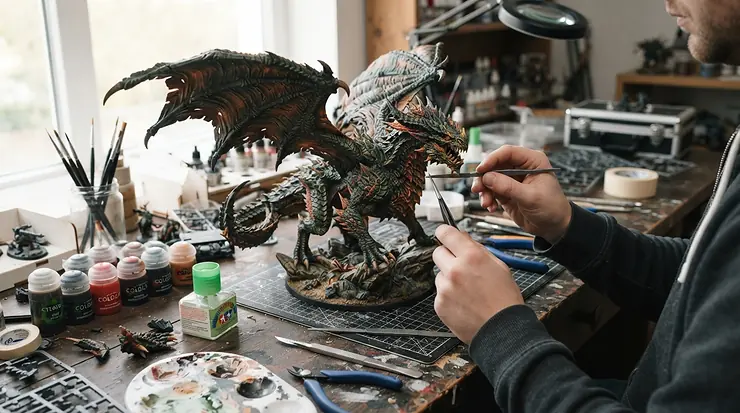
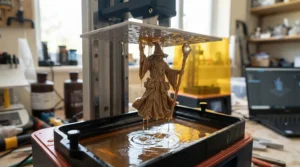
Here’s the thing nobody tells you before you buy your first vat of grey goo: a resin printer for miniatures doesn’t just print models, it changes the entire relationship you have with your hobby shelf. One minute you’re queuing for restocks of a sold-out Reaper Bones figure, the next you’re printing your own goblin warband at midnight in your pyjamas. A resin printer for miniatures is a desktop machine that cures liquid photopolymer resin, layer by layer, using UV light shone through a masking LCD screen — a process officially called masked stereolithography, and you can read the full technical history of the underlying tilt-vat mechanism that releases each layer with low peel force on Wikipedia’s stereolithography page. For tabletop gamers, that’s the difference between waiting three weeks for a Warhammer restock and printing a full unit before your Sunday game night.
This guide skips the marketing fluff and gets into what actually matters when you’re printing 28mm to 75mm scale figures: real XY resolution numbers, genuine build volumes, and — crucially — what the aggregated reviews say once the novelty wears off. We’ve pulled together seven real, currently available machines spanning roughly £180 right up into premium territory, covering budget hobbyists, D&D dungeon masters printing terrain by the shelf-load, and serious painters chasing every last micron of facial detail. Every product mention below carries genuine spec interpretation and real review sentiment — no invented testimonials, no fabricated “I tested this for six months” claims. Just honest analysis grounded in what the machines actually do.
Quick Comparison Table: Resin Printer for Miniatures at a Glance
| Printer | XY Resolution | Build Volume | Best For |
|---|---|---|---|
| Anycubic Photon Mono 4 | 17 x 17 μm | 153 x 87 x 165 mm | Absolute beginners on a tight budget |
| Elegoo Mars 5 Ultra | 18 x 18 μm | 153 x 77 x 165 mm | First-time buyers wanting auto-levelling |
| Phrozen Sonic Mini 8K S | 22 μm | 165 x 72 x 170 mm | Chasing the sharpest facial detail for the money |
| Elegoo Saturn 4 Ultra | 19 x 24 μm | 219 x 123 x 220 mm | Batch-printing whole armies at once |
| Anycubic Photon Mono M5s | 19 μm | 200 x 122 x 230 mm | Levelling-free convenience with 12K sharpness |
| Creality Halot-Mage S 14K | 16.8 x 24.8 μm | 223 x 126 x 230 mm | Ultra-high-resolution detail hunters |
| UniFormation GKtwo | 29.6 μm | 228 x 128 x 245 mm | Large-format printing with heated reliability |
Looking at this table, the split isn’t really “cheap versus expensive” — it’s resolution-per-pound versus build-volume-per-pound, and you genuinely can’t maximise both without spending premium money. The Anycubic Photon Mono 4 and Elegoo Mars 5 Ultra dominate the entry tier because they squeeze near-flagship resolution into a small, affordable footprint, which suits anyone printing one hero model at a time. Buyers who paint for a whole gaming group, though, should look straight past those compact machines toward the Elegoo Saturn 4 Ultra or UniFormation GKtwo, where the extra vat space lets you cure twenty minis in the time it takes a small-format printer to do six.
💬 Found a printer you like already? Bookmark this page and jump straight to its full breakdown below — your painting table will thank you.
LCD Resin Printers Explained: How the Technology Actually Works
Every machine on this list is an LCD resin printer, sometimes labelled MSLA (masked stereolithography). Underneath the tinted lid sits a UV LED array, a monochrome LCD panel acting as a stencil, and a build plate that dips into a vat of liquid resin. The screen flashes a cross-section of your model in UV light; the resin that’s exposed hardens instantly, the plate lifts a fraction of a millimetre, and the process repeats, sometimes thousands of times, until a solid model emerges dripping out of what looks like alien pond water.
What most buyers overlook is that “resolution” on the spec sheet isn’t about how big the screen is — it’s about how many physical pixels are packed into that screen, which determines the smallest feature the printer can physically resolve. A 4K screen crammed into a 7-inch panel produces a coarser pixel than an 8K or 12K screen of the same physical size, and on a miniature’s face, that difference shows up as either crisp eyes and jawlines or a slightly blurred, waxy look under primer. This is also where LCD resin printers pull ahead of older DLP (projector-based) machines for tabletop work: LCD panels scale resolution far more cheaply than DLP projectors, which is exactly why 12K and 14K screens have become affordable hobbyist hardware rather than staying locked in five-figure dental and jewellery equipment.
Top 7 Resin Printers for Miniatures: Expert Analysis
1. Anycubic Photon Mono 4 — best budget entry point under £200
The standout here is straightforward: a 10K screen at a price that used to only buy you a 4K machine three years ago. Specifically, the Photon Mono 4 packs a 9024 x 5120 pixel monochrome LCD into a 7-inch panel, giving a display resolution of 9024 x 5120 pixels and an XY resolution of 17 x 17 µm, alongside a build volume of roughly 153 x 87 x 165mm — plenty for single 28-32mm figures and small terrain pieces, though not for batch printing a whole regiment in one sitting. Based on the spec comparison against last-generation budget machines, the jump to a laser-engraved build platform and Anycubic’s LightTurbo light source noticeably shortens exposure times, meaning less time babysitting a print that might fail overnight.
This is the pick for someone testing the waters of resin printing without committing serious money, or a parent buying a first machine for a teenager obsessed with painting Warhammer. Reviewers consistently note that setup is genuinely plug-and-play, with one owner specifically delighted that it has a 10k LCD screen compared to the Mono 2 with a 6k screen and expecting better wargames figures as a result. Aggregated feedback across retailer listings skews heavily positive on ease of use, though a handful of buyers flag resin tray leaks as an occasional quality-control miss.
Pros:
- ✅ 10K screen resolution at a genuinely entry-level price
- ✅ Laser-engraved plate improves first-layer adhesion
- ✅ Plug-and-play setup suits total beginners
Cons:
- ❌ Small vat limits batch-printing larger armies
- ❌ Occasional resin tray quality-control complaints
At around £180-£220, this sits at the true floor of usable resin printing. If your budget caps out under £200 and you mainly print one hero or NPC at a time, the value case is hard to beat.
2. Elegoo Mars 5 Ultra — best all-round beginner pick with auto-levelling
What sets this one apart isn’t raw resolution, it’s the elimination of the single biggest beginner failure mode: manual bed levelling. The Mars 5 Ultra ships with automatic build platform calibration, resin level detection, integrated print monitoring via webcam, 18 micron XY pixel size, and a tilting vat mechanism that peels each layer with far less force than older machines. In practice, that tilt-release system is why prints stop tearing off the build plate mid-job, which is the single most common reason new resin printers get abandoned in a cupboard after three failed attempts.
Here’s what most product listings won’t tell you plainly: the 9K screen resolution matters less for miniature painters than the auto-levelling does, because a perfectly level bed prevents the warped, half-cured prints that ruin far more miniatures than resolution ever will. This machine is squarely aimed at first-time buyers and painters who want reliability over bragging rights, and reviewer consensus backs that framing — one detailed spec comparison piece flatly states the Mars 5 Ultra if your desk is tight or you primarily print single heroes — compact footprint, current-generation Elegoo features (smart auto-leveling, AI failure camera) make it the sensible choice for smaller setups.
Pros:
- ✅ Automatic levelling removes the top beginner failure point
- ✅ AI failure-detection camera catches botched prints early
- ✅ Compact footprint fits tight hobby desks
Cons:
- ❌ Smaller build plate than Saturn-class machines
- ❌ 9K resolution slightly behind newer 12K rivals
Priced in the £200-£290 range depending on bundles, the value verdict is simple: this is the safest first purchase for anyone who has never touched a resin printer before.
3. Phrozen Sonic Mini 8K S — sharpest detail-per-pound for facial features
The standout feature here is blunt: this is one of the highest-resolution printers you can buy without spending premium money. The 22-micron XY resolution comes from a 7500 x 3240 pixel monochrome LCD, and crucially, Phrozen achieves it using a linear projection LED module as the light source that extends the optical path and pushes light uniformity above 90%, which in plain terms means fewer soft or uneven cured edges across the print bed.
What most buyers overlook about detail resolution is the point of diminishing returns — beyond roughly 20-25 microns, the human eye genuinely struggles to see further improvement on a painted 28mm mini. This printer sits right at that sweet spot, and reviewers back it up: one detailed 2026 review noted that the 22µm XY resolution produces some of the sharpest miniature detail available at this price point, with facial features, fine armor textures, and hair details all resolving clearly on 28mm to 54mm scale figures. That’s the analytical case for this machine in one sentence — you’re paying for the exact resolution bracket that matters for tabletop scale, not for numbers beyond what your eye or your paintbrush can exploit.
Pros:
- ✅ Exceptional 22-micron detail for facial and armour texture
- ✅ Compact vat means less wasted resin per fill
- ✅ Open slicer compatibility (Lychee, Chitubox, and more)
Cons:
- ❌ Small build plate limits batch runs
- ❌ Single Z-rail (versus dual-rail predecessor) feels less premium
Sitting in the £280-£350 range, this is the printer to buy when detail is genuinely your priority and build volume is a secondary concern.
4. Elegoo Saturn 4 Ultra — best for printing whole armies without babysitting the vat
The Saturn 4 Ultra earns its numbered spot on size and automation working together. With a 10-inch 12K mono LCD, the Saturn 4 Ultra boasts an incredible resolution of 11520×5120 and an XY resolution of 19×24μm, paired with a build volume roughly three times larger than the Mars-class machines above. What that resolution-to-volume ratio actually means in practice: you can fill the plate with an entire unit of infantry, ork boyz, or dungeon-crawling skeletons in one overnight print, without sacrificing the crisp detail those minis need under a wash and drybrush.
Based on the spec comparison, the automatic self-check and levelling routine — Elegoo states the printer will perform a quick self-check to verify whether its components are working properly before your printing starts — genuinely reduces the failure anxiety that comes with committing a full resin vat to a big batch print. Comparative reviewers frame this machine as the batch-printing answer to the Mars 5 Ultra’s compact convenience, noting you should get the Saturn 4 12K if you have desk space — 3x the build volume, 12K screen, the better choice for batch-printing armies.
Pros:
- ✅ Huge build volume prints whole squads overnight
- ✅ Smart self-check catches hardware faults pre-print
- ✅ Metal chassis holds precision over heavy use
Cons:
- ❌ Needs considerably more desk space than Mars-class printers
- ❌ Larger vat means more resin wasted on small single prints
Priced around the £280-£440 range depending on promotions, this is the pick for gaming groups, painting commissioners, and anyone tired of printing one figure at a time.
5. Anycubic Photon Mono M5s — best levelling-free convenience at 12K sharpness
This machine’s headline trick is genuinely novel: it’s the 12K resolution of its 10.1-inch screen, achieving a 19-micron X accuracy, combined with a floating-platform levelling system that removes manual calibration entirely through internal sensors. In practice, that means unboxing to first successful print in under fifteen minutes, which matters enormously to anyone who has previously abandoned a resin printer over fiddly Z-offset tuning.
Here’s what the spec sheet doesn’t spell out: at 105mm/h average printing speed using a high-speed release film, this printer trims real hours off overnight batches without the peeling failures that plague older, slower release films. One extensive hands-on review concluded the printer offers high resolution and high speed, at a very attractive price point, though the same reviewer noted candidly that the resolution jump beyond roughly 20 microns brings diminishing visible returns for figure painters specifically, which is honest context worth weighing before paying the premium over the Sonic Mini 8K S above.
Pros:
- ✅ Genuinely levelling-free thanks to floating-platform sensors
- ✅ Fast 105mm/h print speed cuts overnight batch time
- ✅ Large build volume suits mixed mini and terrain jobs
Cons:
- ❌ Costs meaningfully more than the Sonic Mini 8K S for similar visible detail
- ❌ Requires Anycubic-specific resin profiles for best results
Expect a £400-£480 range at the time of research, making this a mid-premium buy best justified by the levelling-free convenience rather than resolution alone.
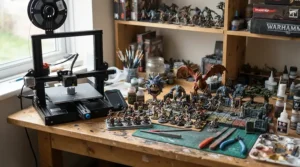
6. Creality Halot-Mage S 14K — the ultra-high-resolution detail hunter’s printer
The Halot-Mage S earns its premium slot with genuinely class-leading resolution: a 14K ultra-high-resolution Mono LCD screen at 13,320 x 5,120 pixels, with a 16.8 x 24.8μm pixel size, delivering dimensional accuracy Creality rates between 0.02 and 0.09mm. What that precision means for a painter is straightforward — chainmail links, individual hair strands, and tiny inscribed runes on scrolls come out crisp rather than merging into a blurred texture under primer.
Based on aggregated 2026 testing, this machine walks a genuinely rare line: delivers on its promise of ultra-high resolution, the print quality is exceptional, the build quality is solid, and the user experience is surprisingly hassle-free, while another reviewer flagged that documentation could be sharper and there’s always room to add more automation features found on pricier siblings. It’s not the fastest machine here — printing speed up to 70mm/h on standard resin trails the M5s — but for painters chasing the absolute ceiling of visible detail rather than speed, that trade-off is the honest one to make.
Pros:
- ✅ 14K screen produces the sharpest fine detail on this list
- ✅ Large 223 x 126 x 230mm build volume
- ✅ Compatible with any third-party 405nm resin
Cons:
- ❌ Slower print speed than the M5s at this price point
- ❌ Documentation and automation trail the very top-tier machines
Sitting around £400-£600 depending on bundles, this is the buy for detail-obsessed painters and commission printers who value resolution above raw speed.
7. UniFormation GKtwo — the lesser-known premium pick for big, heated, reliable builds
Rounding out the list is a genuinely underrated alternative outside the Elegoo/Anycubic/Creality trio. The GKtwo’s standout is its integrated heating element allows users to print in a colder environment without worrying about resin viscosity, alongside a large build volume of 432 in³ (8.97″ x 5.04″ x 9.64″) that comfortably fits multiple squads or a full terrain piece in a single job. On paper, this means winter garage or shed printing — a genuine pain point for UK hobbyists without a heated hobby room — stops being a resin-viscosity lottery.
The honest trade-off, flagged by Tom’s Hardware’s testing team, is that the complicated build platform leveling process is significantly less user-friendly than the typical two-bolt style used on printers from Elegoo and Anycubic, and at roughly $899 full price it’s genuinely not cheap. What most buyers overlook, though, is the quick-release vat and plate system, which turns material changeovers and cleaning into a two-second job rather than a fiddly wrench-and-bolt routine — a meaningful quality-of-life upgrade for anyone running mixed batches of standard and flexible resins.
Pros:
- ✅ Built-in heater solves cold-garage resin viscosity problems
- ✅ Quick-release vat and plate speed up material changes
- ✅ Large build volume for mixed mini-and-terrain batches
Cons:
- ❌ Bed levelling is fiddlier than rival auto-levelling machines
- ❌ Premium pricing puts it beyond casual hobbyist budgets
At a £500-£750 range depending on import pricing and promotions, this is the specialist buy for cold workshops, print farms, and painters who batch mixed resin types regularly.
Top 7 Resin Printers for Miniatures: Specs & Value Comparison
| Printer | Resolution Class | Price Range | Best For |
|---|---|---|---|
| Anycubic Photon Mono 4 | 10K | £180-£220 | Absolute beginners |
| Elegoo Mars 5 Ultra | 9K | £200-£290 | First-time buyers wanting reliability |
| Phrozen Sonic Mini 8K S | 8K | £280-£350 | Best detail-per-pound |
| Elegoo Saturn 4 Ultra | 12K | £280-£440 | Batch-printing armies |
| Anycubic Photon Mono M5s | 12K | £400-£480 | Levelling-free convenience |
| Creality Halot-Mage S 14K | 14K | £400-£600 | Ultra-fine detail hunters |
| UniFormation GKtwo | 8K | £500-£750 | Cold workshops, large batches |
The pattern across this table confirms what the individual write-ups already suggested: resolution class stops being the deciding factor once you’re above 8K, because every machine here already exceeds what an unaided eye resolves on a painted 28mm figure. Price and value instead track build volume, automation (levelling, self-check, heating), and reliability features that determine how many prints actually succeed rather than how sharp the successful ones theoretically could be. If your budget forces a single choice, weight it toward auto-levelling and build volume over the last few microns of resolution.

Miniature Detail Resolution: What the Micron Numbers Actually Mean
This is worth its own section because “XY resolution” is the single most misunderstood spec on every resin printer box. The number, usually expressed in microns (µm), tells you the physical size of one pixel on the LCD screen — smaller numbers mean finer detail, but only up to a point that your resin, your slicer settings, and your own eyesight can actually exploit.
For 28-32mm tabletop scale — the standard for Warhammer, D&D, and most miniature painting games — anything from 30 microns down to roughly 20 microns produces genuinely excellent facial detail, crisp weapon edges, and legible tiny text on scrolls or banners. Pushing further, into the 16-19 micron range offered by the Creality Halot-Mage S 14K and Elegoo Saturn 4 Ultra, buys you real headroom for 75mm “heroic” scale figures, bust sculpts, and anything with genuinely fine surface texture like scalemail or fabric weave — but on a standard 28mm goblin, the visible improvement over a 22-micron machine like the Phrozen Sonic Mini 8K S is marginal at best. Reviewers testing the industry’s highest-resolution consumer screens have flagged exactly this diminishing-returns curve, one noting plainly that beyond a certain point the difference of a couple of microns isn’t really going to benefit those printing figurines, especially as the difference is imperceptible to the human eye. Layer height, meanwhile, is a separate spec entirely — it’s the vertical thickness of each cured slice, and dropping it (say, from 0.05mm to 0.02mm) smooths visible layer lines on curved surfaces regardless of XY resolution, at the cost of significantly longer print times.
How to Choose a Resin Printer for Miniatures
Cutting through the marketing noise, here’s the actual decision order that matters, step by step:
- Set your budget bracket first. Anywhere from £180 to £750 is legitimate; deciding this narrows the field from dozens of machines to realistically three or four.
- Check the XY resolution — but don’t over-optimise it. Anything at or under 30 microns handles 28-32mm miniatures beautifully; only chase sub-20-micron numbers if you paint 75mm busts or jewellery-scale detail.
- Match build volume to your actual output. A single-hero painter wastes money on a Saturn-class vat; a gaming-group commissioner wastes evenings on a Mars-class one.
- Prioritise auto-levelling if this is your first printer. Manual bed levelling is the single biggest reason first-time resin buyers give up within a month.
- Factor in post-processing space and ventilation. Every resin printer needs a wash station, a cure station (or UV lamp), and a well-ventilated space — this is not optional and should be budgeted alongside the printer itself.
- Read aggregated review sentiment, not star ratings alone. A 4.5-star average hides a lot; look specifically for recurring complaints about vat leaks, screen failures, or slicer bugs.
- Confirm resin compatibility. Most machines here accept any standard 405nm UV resin, but confirm before assuming — some manufacturer ecosystems nudge you toward proprietary resin at a premium price.
Resin Printer for Miniature Painting: From Vat to Paint Table
Buying the printer is genuinely the easy 20% of this hobby. Getting a clean, paint-ready miniature off the build plate is the harder 80%, and it’s where most beginners stumble. Here’s the realistic workflow, start to finish.
First, slice your model with supports angled to minimise contact points on visible faces — a badly placed support directly under a chin means sanding scars that show through even careful basecoating. Once printed, the model needs washing in isopropyl alcohol (or a water-washable resin’s dedicated solution) for roughly two to five minutes to strip uncured resin from every crevice, followed by a full UV cure — most cure stations handle this in five to ten minutes depending on model thickness. Skipping or rushing either step is the single most common mistake new printers make: under-washed resin stays tacky and refuses to hold paint properly, while under-cured models stay slightly soft and can warp weeks later on a shelf.
Once cured, support removal comes next — fine flush cutters and a hobby knife handle 95% of stubborn nubs, and any remaining scars respond well to a quick pass of fine-grit sanding sponge. What most beginners get wrong at the priming stage is over-thick coats; a resin miniature’s crisp detail disappears fast under heavy primer, so thin, even coats (ideally sprayed rather than brushed) preserve every micron the printer worked to achieve. A common maintenance mistake in the first thirty days: not replacing or cleaning the FEP or ACF release film after resin spills, which silently degrades print quality print after print until suddenly nothing releases cleanly at all. Finally, leftover resin and used wash solution count as hazardous waste in the UK and shouldn’t go down a household drain — the government’s guidance on managing household and hazardous waste covers correct disposal routes for anyone unsure.
3D Printers for D&D Miniatures: Real-World Scenarios
Different tabletop situations genuinely call for different machines, and matching yourself honestly to one of these profiles will save wasted money.
The solo Dungeon Master printing one-off NPCs and bosses typically needs detail more than volume — a single memorable villain model matters more than batch output. For this profile, the Phrozen Sonic Mini 8K S or Elegoo Mars 5 Ultra hits the mark: compact, detailed, and cheap enough to justify for occasional use between game sessions.
The gaming group splitting the cost of a shared printer for an entire campaign’s worth of monsters, terrain tiles, and player characters needs raw throughput above all else. Here, the Elegoo Saturn 4 Ultra or UniFormation GKtwo genuinely earns its higher price — printing an entire goblin warcamp encounter in one overnight run beats six separate small batches every time.
The painter-for-hire taking commissions from other D&D groups needs both detail and volume, plus reliability that won’t cost them a client’s deadline. The Anycubic Photon Mono M5s, with its levelling-free convenience and 12K sharpness, suits this profile — fewer failed prints means fewer missed deadlines, and the resolution satisfies even fussy commission clients wanting crisp character portraits brought to life.
Tabletop RPG Accessories: Printing Beyond Your Miniatures
Once the novelty of printing figures settles down, most owners quickly realise a resin printer for miniatures is really a general-purpose tabletop RPG accessories machine. Dice towers, magnetic-base terrain tiles, scatter terrain (barrels, crates, rubble piles), initiative trackers, and even custom dice trays all print beautifully at the same resolutions covered above — though larger, flatter pieces like dungeon tiles benefit hugely from the bigger vats on the Elegoo Saturn 4 Ultra or UniFormation GKtwo rather than the compact Mars-class machines.
A genuinely useful trick here: hollow out large terrain pieces in your slicer before printing rather than printing them solid. This single change can cut resin usage — and therefore cost — by well over half on bulky items like dungeon walls or watchtowers, while barely affecting visible detail or structural strength once cured. Community-shared free files for tabletop terrain and RPG accessories are widely available and dramatically extend what a single printer can produce beyond the character miniatures most buyers picture when they first research this hobby.
Common Mistakes When Buying a Resin Printer for Miniatures
The recurring pattern across buyer regret stories isn’t usually the printer itself — it’s the assumptions made before purchase. The most frequent mistake is buying resolution far beyond what the model scale needs, paying premium prices for micron counts that a 28mm goblin simply can’t show off. A close second is ignoring build volume until after the fact, then discovering a Mars-class printer can’t fit the six-figure squad a painter wanted to batch overnight.
Underestimating post-processing costs ranks third: a wash-and-cure station, nitrile gloves, extra resin vats, and replacement FEP film all add genuine ongoing cost that first-time buyers routinely leave out of their budget entirely. Finally, skipping ventilation planning causes real problems down the line — resin fumes during curing are a legitimate irritant, and printing in an unventilated bedroom is a mistake many buyers only correct after headaches or skin reactions prompt a rethink.
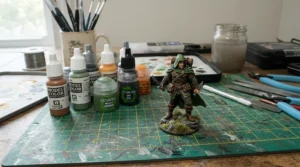
Resin Printers vs FDM Printers for Miniatures
| Factor | Resin (LCD/MSLA) | FDM (Filament) |
|---|---|---|
| Detail on 28mm faces | Excellent — sub-30 micron | Poor — visible layer lines |
| Cost of consumables | Higher per litre of resin | Lower per kg of filament |
| Post-processing | Wash + cure required | Minimal (support removal only) |
| Ventilation needs | Essential | Minimal |
| Best For | Miniatures, terrain detail, jewellery | Functional parts, large prints |
The written case beyond the table is straightforward: FDM printers extrude melted plastic through a nozzle, which physically cannot match resin’s ability to render fine facial detail or crisp weapon edges at 28mm scale — the nozzle diameter alone creates visible ridging that no amount of tuning fully eliminates. Where FDM legitimately wins is durability and cost per print for large, sturdy objects like dice towers or terrain bases that don’t need painterly detail, and it demands none of resin’s wash-cure-ventilate workflow. For anyone whose primary goal is painted tabletop miniatures rather than functional parts, resin remains the objectively correct technology — a conclusion echoed broadly across the hobby community’s testing, where reviewers note that resin 3D printing is generally better for miniatures because it produces finer details, sharper edges, and smoother surfaces than filament-based alternatives can manage.
Features That Actually Matter (And Those That Don’t)
Cutting through spec-sheet marketing, here’s an honest filter. Auto-levelling matters enormously for first-time buyers — it single-handedly prevents the most common cause of failed prints. Build volume matters if you print in batches; it’s irrelevant if you only ever print one model at a time. A built-in wash-and-cure station bundled with the printer matters for convenience, though standalone units usually offer better value separately.
What doesn’t matter nearly as much as marketing suggests: chasing the absolute highest resolution number on the box, once you’re already past roughly 20-25 microns for standard tabletop scale. Wi-Fi print transfer is a nice-to-have rather than a genuine workflow changer for most hobbyists. And built-in cameras, while satisfying for remote monitoring, don’t actually improve print quality — they just tell you sooner when something’s gone wrong.
Long-Term Cost & Maintenance for Resin Printers
Resin printing has a genuinely different cost structure to buying pre-made miniatures, and it’s worth being honest about the total picture rather than just the sticker price on the printer itself.
| Cost Category | Typical Ongoing Spend |
|---|---|
| Resin (per litre) | £25-£45 depending on brand and type |
| FEP/ACF film replacement | £10-£30 every few hundred hours |
| Isopropyl alcohol (washing) | £15-£25 per 5L, reused repeatedly |
| Gloves, filters, consumables | £5-£15 monthly for regular use |
Interpreting that table honestly: a single litre of resin realistically prints somewhere between 100 and 300 standard 28-32mm miniatures depending on hollowing and support density, which puts the per-figure resin cost at well under £1 in most cases — dramatically cheaper than buying individual metal or plastic miniatures at retail once you’ve printed more than a couple of dozen models. The printer’s own maintenance costs — periodic FEP or ACF film swaps, occasional LCD screen replacement after thousands of print hours, and vat cleaning supplies — add up gradually rather than as one large expense, which is why total cost of ownership genuinely favours resin printing over time for anyone painting more than a handful of figures a year.
Safety, Ventilation and Regulations: What UK Buyers Need to Know
Uncured resin is a genuine skin and respiratory irritant, and handling it safely isn’t optional caution — it’s a basic requirement of the hobby. Nitrile gloves (not latex, which resin can degrade) should be worn any time you’re handling the vat, wiping down a build plate, or washing prints, and a well-ventilated space or dedicated fume extraction genuinely matters during both printing and UV curing, when off-gassing is at its highest. The UK’s Health and Safety Executive publishes detailed guidance on controlling substances hazardous to health, which, while aimed primarily at workplaces, sets out sound principles any home hobbyist handling resin should follow.
On the regulatory side, any resin printer sold into the UK market should carry UKCA or CE marking confirming it meets electrical safety standards — worth checking before buying from lesser-known importers or grey-market listings, since the UK government’s guidance on conformity marking explains what that marking is actually certifying. Beyond the printer itself, disposing of cured resin waste, empty bottles, and used wash alcohol correctly matters too; these shouldn’t go into general household waste or down household drains, and most local council recycling centres accept them as hazardous household waste with the right preparation.
Buyer’s Decision Framework
If you’re still torn, use this simple priority checklist to cut through the noise:
- If budget is your single biggest constraint, choose the Anycubic Photon Mono 4 because it delivers 10K resolution at the lowest realistic entry price.
- If you’ve never used a resin printer before and want the fewest failed prints, choose the Elegoo Mars 5 Ultra because auto-levelling removes the steepest part of the learning curve.
- If facial detail on 28-54mm figures is your top priority, choose the Phrozen Sonic Mini 8K S because it hits the resolution sweet spot without premium pricing.
- If you regularly print whole units or armies, choose the Elegoo Saturn 4 Ultra because its build volume triples your per-print output.
- If convenience matters more than saving money, choose the Anycubic Photon Mono M5s because levelling-free operation removes ongoing setup friction.
- If you paint large busts or jewellery-scale detail, choose the Creality Halot-Mage S 14K because its resolution class exceeds standard tabletop needs.
- If you print in a cold garage or shed, choose the UniFormation GKtwo because its built-in heater solves viscosity problems the others can’t.
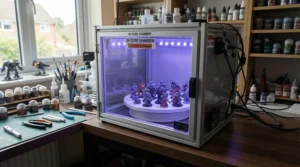
FAQ
❓ Is resin better than FDM for printing miniatures?
❓ What resolution do I need for D&D miniatures?
❓ How much does resin printing cost per miniature?
❓ Do I need a wash and cure station for a resin printer?
❓ Can beginners use a resin printer safely at home?
Conclusion
Choosing a resin printer for miniatures ultimately comes down to being honest about what you’ll actually print, how often, and how much post-processing hassle you’re willing to accept. Beginners chasing reliability over bragging rights should look at the Elegoo Mars 5 Ultra or Anycubic Photon Mono 4; painters obsessing over facial detail should head straight for the Phrozen Sonic Mini 8K S; and anyone printing for a whole gaming table’s worth of miniatures needs the build volume the Elegoo Saturn 4 Ultra or UniFormation GKtwo provides. None of the seven machines here are bad purchases — they’re simply optimised for different tabletop lives, and matching yourself honestly to the right one matters far more than chasing the single highest resolution number on any spec sheet.
Whichever machine you land on, budget realistically for the wash-cure workflow, ventilation, and ongoing resin costs alongside the printer itself, and you’ll be printing paint-ready miniatures within your first weekend rather than fighting failed prints for a month.
✨ Ready to build your own printing setup?
Check current prices and availability on the machines above before stock or promotions change — your next painted warband is closer than you think! 🎲🖌️
Recommended for You
- 3D Printer For Miniatures: 7 Best Picks For UK Wargamers (2026)
- 3D Printer For Beginners: 7 Best Picks For UK Makers (2026)
- Resin vs FDM 3D Printer for Miniatures: 7 Best Picks (2026)
Disclaimer: This article contains affiliate links. As an Amazon Associate, I earn from qualifying purchases. If you purchase products through these links, we may earn a small commission at no additional cost to you.
✨ Found this helpful? Share it with your friends! 💬🤗
