In This Article
A 3D printer for beginners is a machine designed to turn a digital file into a physical object with minimal setup, minimal manual calibration, and forgiving software — the kind of printer that survives your first clumsy week rather than punishing it. That’s the whole game in 2026: not who has the flashiest spec sheet, but who gets a nervous first-timer from unboxing to a finished object without three days of forum-diving in between.
Here’s the thing nobody tells you before you buy: the hobby didn’t get harder over the last few years, it got radically easier, and most of the friction that used to define “learning 3D printing” — levelling a bed by feel, guessing slicer settings, praying the first layer sticks — has been quietly engineered away. According to consumer testing group Which?, today’s best-performing beginner machines come from a short list of brands that have converged on the same idea: automate everything a novice would get wrong.
This guide is written for someone with a bit of budget breathing room — not hunting for the absolute cheapest machine on Amazon, but someone who’d rather spend a little more up front and skip the frustration entirely. We researched seven real, currently available printers spanning FDM (filament) and resin, dug into genuine specs and aggregated review sentiment, and built out the comparisons, the calibration walkthrough, and the slicer software primer you’ll actually need. No fluff, no invented anecdotes — just what the spec sheets mean in practice.
Quick Comparison Table
Before the deep dive, here’s the shape of the market at a glance. These seven span roughly £170 to over £1,000, and — spoiler — the most expensive option isn’t automatically the “best” one for a first-timer.
| Printer | Type | Price Range | Best For |
|---|---|---|---|
| Prusa Core One | FDM (enclosed) | £950-£1,150 | Long-term reliability seekers |
| Bambu Lab A1 Combo | FDM (open-frame) | £280-£380 | Easiest all-round experience |
| Elegoo Centauri Carbon 2 Combo | FDM (enclosed) | £370-£420 | Enclosed multicolour on a budget |
| Flashforge Adventurer 5M Pro | FDM (enclosed) | £350-£450 | Speed-focused beginners |
| Bambu Lab P1S Combo | FDM (enclosed) | £450-£600 | Stepping up to engineering plastics |
| Creality Ender 3 V3 SE | FDM (open-frame) | £160-£190 | Learning the fundamentals cheaply |
| Elegoo Saturn 4 Ultra | Resin | £350-£450 | Fine-detail miniatures and props |
Looking at the spread above, the pattern that jumps out is price versus patience: the Creality Ender 3 V3 SE asks you to tolerate a bit more manual fiddling for a much smaller outlay, while the Prusa Core One effectively sells you back the hours you’d otherwise spend troubleshooting. Enclosed machines like the Elegoo Centauri Carbon 2 Combo and Bambu Lab P1S Combo cluster in the middle because a chamber and filtration cost real money to engineer properly. If your budget genuinely stretches past £900, the value proposition shifts from “does it print” to “will I still trust it in three years.”
💬 Found a favourite already? One click below to compare current prices before they change!😊
Top 7 3D Printers for Beginners: Expert Analysis
We picked these seven to cover genuine budget, mid-range, and premium tiers, plus one dedicated resin machine, because “beginner” doesn’t mean “identical needs.” A student printing phone stands has a different problem to solve than a parent buying a machine their kids will actually finish projects on.
1. Prusa Core One — best long-term reliability investment
The standout here isn’t a single spec — it’s that Prusa builds machines meant to be repaired, not replaced. That single design philosophy changes almost everything else about owning one.
The enclosed CoreXY chassis and active chamber heating mean you’re not locked out of ABS, ASA, or nylon the way open-frame beginner printers are — the door sensor pauses the print automatically if it’s opened mid-job, which matters more than it sounds like in a house with kids or pets nearby. Automatic bed levelling and first-layer calibration run before every print, so the “will my first layer stick” anxiety that defines week one on cheaper machines mostly disappears.
Based on the spec comparison against Bambu and Creality’s CoreXY machines, the Prusa Core One trades outright speed for dimensional accuracy and a fully open-source, auditable firmware — reviewers consistently note this matters far less to casual hobbyists than to people who print functional parts for years on end. Aggregated review sentiment from long-term testers frames it as the machine you buy once and stop thinking about, rather than the machine with the flashiest unboxing video.
Pros:
- ✅ Genuinely repairable — Prusa sells every spare part individually
- ✅ Open-source firmware with no cloud dependency required
- ✅ Active chamber heating unlocks engineering-grade filaments
Cons:
- ❌ Significantly pricier than Bambu or Creality equivalents
- ❌ Smaller build volume than some rivals at this price
The premium price only really makes sense if you value repairability and materials range over raw speed — for pure beginners on a tighter budget, it’s a “grow into it” purchase rather than an entry point.
2. Bambu Lab A1 Combo — easiest all-rounder with true auto-calibration
What most buyers overlook about the Bambu Lab A1 Combo is that “auto-calibration” here isn’t marketing fluff — it genuinely measures belt tension, bed level, and flow dynamics itself before every single print, no manual test prints required.
The 256×256×256mm build volume matches Bambu’s larger enclosed machines, and paired with the AMS Lite unit, you get four-colour printing without touching a single slicer setting most beginners would find intimidating. It’s an open-frame bed-slinger though, so ABS and other high-temperature filaments are off the table without an add-on enclosure — a real limitation if your project list drifts toward engineering parts.
Reviewers consistently report the Bambu Lab A1 Combo gets first-time users to a successful print within thirty minutes of unboxing, and the MakerWorld platform gives absolute beginners a library of pre-tuned, ready-to-print models to build confidence before designing anything themselves.
Pros:
- ✅ Full auto-calibration before every single print
- ✅ Four-colour printing via bundled AMS Lite
- ✅ Large, active community and pre-tuned model library
Cons:
- ❌ Open frame means no ABS/ASA without an add-on
- ❌ Semi-closed software ecosystem centred on Bambu’s own tools
3. Elegoo Centauri Carbon 2 Combo — best enclosed value for multicolour
The standout advantage is straightforward: a fully enclosed CoreXY chassis with a genuinely high-temperature hotend, at a price that undercuts most rivals by roughly half.
A 350°C hardened nozzle means the Elegoo Centauri Carbon 2 Combo can handle carbon-fibre composites and ABS that open-frame budget printers simply can’t touch, while the bundled CANVAS system adds four-colour printing to an already enclosed machine — a combination that, until recently, usually cost twice as much. What most buyers overlook is that “enclosed” also means quieter, cleaner, and safer around curious kids or pets, not just better for exotic filaments.
Aggregated customer sentiment describes the hardware as punching well above its price bracket, though the review pool also flags a younger, less mature software ecosystem than Bambu’s — expect the occasional firmware hiccup that a firmware update usually resolves within weeks.
Pros:
- ✅ Fully enclosed chassis at a genuinely budget price
- ✅ 350°C nozzle handles ABS, ASA, and carbon-fibre blends
- ✅ Bundled CANVAS multicolour system included
Cons:
- ❌ Software polish trails Bambu Lab’s more established ecosystem
- ❌ No actively heated chamber, only passive heat retention
4. Flashforge Adventurer 5M Pro — fastest enclosed printer for impatient beginners
The headline number is speed: a CoreXY motion system rated for print speeds well beyond what most beginner-tier machines attempt, without the wobble that plagues cheaper bed-slingers at high velocity.
The direct-drive extruder is a genuine advantage for anyone planning to print flexible TPU filament early on, since the shorter filament path reduces jams compared to Bowden-style setups on budget machines. The quick-detach nozzle system is a practical touch reviewers single out repeatedly — swapping a clogged nozzle takes under a minute rather than the fifteen-minute ordeal it is on older designs.
Here’s what the spec sheet won’t tell you, but user reports suggest: the printer’s own Orca-Flashforge slicer works well out of the box, but achieving those headline speeds consistently on trickier filaments takes some profile tuning — a small learning curve for a machine otherwise marketed as plug-and-play.
Pros:
- ✅ CoreXY speed well ahead of similarly priced rivals
- ✅ Direct-drive extruder handles flexible filaments cleanly
- ✅ Quick-detach nozzle simplifies routine maintenance
Cons:
- ❌ Hotend capped lower than some enclosed rivals, limiting materials
- ❌ Hitting top speeds needs some slicer profile tweaking
5. Bambu Lab P1S Combo — best step-up for engineering materials
The Bambu Lab P1S Combo sits deliberately above the A1 line: same trusted auto-calibration, but wrapped in an enclosed body that finally opens the door to ABS and other high-temperature filaments.
Setup runs around fifteen minutes semi-assembled, and the built-in camera doubles as both a remote-monitoring tool and a timelapse recorder — a small feature that matters more than it sounds when you’re checking on an overnight print from another room. Paired with the AMS unit, colour capability scales up to sixteen shades if you stack additional units later, which is a genuinely rare upgrade path at this price tier.
Based on the spec comparison against the A1 Combo, the enclosure and higher acceleration ceiling are the real justification for the price jump — reviewers frame it as the printer beginners “graduate into” once PLA alone stops being interesting.
Pros:
- ✅ Enclosed body unlocks ABS and higher-temperature filaments
- ✅ Fast semi-assembled setup, roughly fifteen minutes
- ✅ Scalable AMS colour system for future upgrades
Cons:
- ❌ Meaningfully pricier than the open-frame A1 line
- ❌ AMS purge waste adds up on multicolour-heavy projects

6. Creality Ender 3 V3 SE — best budget floor without a manual bed
The Creality Ender 3 V3 SE exists to answer one question: how cheap can a genuinely beginner-friendly printer get before you start losing the features that actually matter?
Auto bed levelling here is the deciding factor — its immediate predecessors required manual levelling with a sheet of paper, a rite of passage that put off more newcomers than any other single step in the hobby. The build volume is respectably larger than machines twice its price, and Creality’s enormous installed base means almost every problem you’ll hit already has a documented fix online.
What most buyers overlook about the sub-£200 tier is that print speed and surface finish trail the CoreXY machines above it noticeably — this is the printer you buy to learn the fundamentals cheaply, not the one you keep for five years of serious output. Reviewers consistently note the trade-off is fair for the price.
Pros:
- ✅ Genuine auto bed levelling at a genuinely low price
- ✅ Largest, most active troubleshooting community of the group
- ✅ Solid entry point for learning slicer fundamentals
Cons:
- ❌ Print speed and finish trail every CoreXY machine here
- ❌ Open frame with no filtration for less common filaments
7. Elegoo Saturn 4 Ultra — best beginner-friendly resin printer for fine detail
Resin is a different beast entirely, and the Elegoo Saturn 4 Ultra earns its spot here because it strips out the fiddliest part of that process: manual levelling, replaced by one-click auto-levelling with built-in sensors.
A 12K monochrome LCD delivers resolution fine enough for tabletop miniatures and jewellery masters where FDM printers simply can’t compete on detail, and the tilt-release mechanism reduces peel force on each layer — meaningfully cutting failed prints compared to older straight-pull designs. The heated resin tank keeps material flowing smoothly even in a cold garage or shed, a genuinely useful feature for UK winters.
Aggregated reviewer sentiment is candid that resin printing still demands more safety discipline than FDM — proper ventilation, gloves, and a wash-and-cure station are non-negotiable extras, not optional accessories, and the ongoing running costs sit noticeably higher than filament.
Pros:
- ✅ One-click auto-levelling removes the fiddliest resin step
- ✅ 12K resolution ideal for fine-detail miniatures
- ✅ Heated tank keeps resin flowing in cold rooms
Cons:
- ❌ Needs a dedicated wash-and-cure station and ventilation
- ❌ Ongoing resin costs run higher than FDM filament
Your First 30 Days: A Practical Usage Guide
Buying the printer is the easy part — the first month is where most people either fall in love with the hobby or quietly box it back up. Here’s the honest timeline.
Week one is assembly and the first print attempt, and yes, you will probably fail at least once — a print detaches mid-job, or a setting’s wrong, and that’s normal rather than a sign you bought the wrong machine. Machines like the Bambu Lab A1 Combo and Flashforge Adventurer 5M Pro can have you printing successfully within an hour; the Creality Ender 3 V3 SE takes a little longer because there’s more manual calibration involved, but you learn more from doing it.
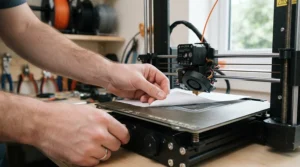
Week two is where print bed calibration and Z-offset adjustment become real concepts rather than jargon — even on auto-levelling machines, a small manual Z-offset tweak (how close the nozzle sits to the bed on that crucial first layer) often separates a print that sticks from one that doesn’t. Most first-layer failures trace back to this single setting, not a faulty printer.
By weeks three and four, common mistakes start to resolve themselves: over-tightened belts, skipped filament-drying on humid days, and slicer settings copied from someone else’s completely different printer. Clean your build plate with isopropyl alcohol between prints, store filament in a sealed container with silica gel, and resist the urge to change five settings at once when troubleshooting — change one, test, repeat.
Real-World Scenarios: Matching the Machine to the Maker
Picture three fairly typical buyers and how the maths actually works out for each.
A design student living in a shared house wants something quiet, safe around housemates, and cheap enough that a failed print doesn’t sting — the Creality Ender 3 V3 SE or Bambu Lab A1 Combo fit that budget and footprint without needing a dedicated workshop space. A parent buying for a household with two kids interested in the hobby needs an enclosed chamber for safety and a bit more build volume for group projects — the Elegoo Centauri Carbon 2 Combo hits that balance of enclosed safety and manageable price. A small-scale maker planning to sell painted miniatures on the side needs the fine detail only resin delivers, alongside a proper ventilation setup — the Elegoo Saturn 4 Ultra paired with a dedicated wash station is the realistic starting kit, budgeted as a package rather than just the printer alone.
The Easiest 3D Printer To Use For Beginners
If “easiest” is your only filter, the honest answer narrows fast: it’s whichever machine automates the most decisions on your behalf before you’ve learned enough to make them yourself.
By that measure, the Bambu Lab A1 Combo and Bambu Lab P1S Combo currently set the bar — both run genuine auto-calibration covering bed level, belt tension, and flow dynamics without a single manual test print. The Elegoo Centauri Carbon 2 Combo isn’t far behind on hardware, though its software polish is a notch less mature. What most buyers overlook is that “easiest” isn’t only about the printer — it’s also about slicer software with sane defaults, an active community for troubleshooting, and pre-sliced files you can print immediately to build confidence before designing anything of your own. On all three counts, the Bambu ecosystem currently leads the beginner segment.
Best Pre-Assembled 3D Printer For Beginners
Pre-assembled matters more than most first-time buyers expect — the gap between “some assembly required” and “genuinely ready to print” is often the gap between finishing week one excited or giving up entirely.
The Elegoo Centauri Carbon 2 Combo ships essentially ready to print straight out of the box, with no assembly beyond removing packaging foam, according to reviewer accounts of the unboxing process. The Bambu Lab P1S Combo and Bambu Lab A1 Combo are semi-assembled, needing roughly fifteen minutes of setup — a handful of screws and a filament load, nothing that requires tools beyond what’s included. The Prusa Core One is available fully assembled for a premium over the kit version, which is worth paying if you specifically want the “unbox and print” experience rather than a weekend project.
What Is FDM Printing?
FDM (Fused Deposition Modelling, sometimes called FFF) is the most common 3D printing process for beginners: a machine melts a plastic filament and extrudes it layer by layer through a heated nozzle, building a solid object from the bottom up. It’s the technology behind six of the seven printers in this guide.
According to Wikipedia’s overview of fused deposition modelling, the process was developed in the late 1980s and has since become the dominant desktop 3D printing method precisely because the hardware and materials are comparatively simple and safe to work with at home. What most buyers overlook is that FDM printing isn’t a single skill — it’s really the print bed calibration, the slicer software settings, and the filament choice all working together, and modern beginner machines exist specifically to automate the first two of those three.
Resin vs FDM 3D Printer for Beginners
This is the comparison every newcomer eventually has to make, and the honest answer is: it depends entirely on what you’re trying to make, not which technology is objectively “better.”
FDM machines like the Bambu Lab A1 Combo or Creality Ender 3 V3 SE print functional parts, brackets, and larger objects using inexpensive, non-toxic filament that needs no special ventilation or safety gear beyond common sense. Resin machines like the Elegoo Saturn 4 Ultra produce dramatically finer detail — think tabletop miniatures, jewellery masters, dental models — but the liquid resin is a skin irritant before it’s cured, needs proper ventilation, and demands a wash-and-cure station as a non-negotiable extra purchase, not an optional add-on.
| Factor | FDM | Resin |
|---|---|---|
| Best For | Functional parts, larger prints | Miniatures, fine detail |
| Safety & Mess | Minimal, no fumes at room temp | Requires ventilation, gloves, wash station |
| Running Costs | Lower, filament is cheap | Higher, resin plus consumables |
| Beginner Learning Curve | Gentler | Steeper safety learning curve |
The table above makes the trade-off fairly clear: FDM is the gentler, cheaper on-ramp for general-purpose beginners, while resin is a deliberate second purchase for anyone whose projects specifically demand fine detail. Most people starting from zero are better served learning on an FDM machine first, then adding a resin printer like the Elegoo Saturn 4 Ultra once they know exactly why they need one.
Slicer Software: Turning Your Design Into a Print
Slicer software is the program that converts a 3D model into the layer-by-layer instructions your printer actually follows — and it’s arguably a bigger factor in “beginner-friendliness” than the printer hardware itself.
Bambu Studio (used by the Bambu Lab A1 Combo and Bambu Lab P1S Combo) and Elegoo’s slicer suite lead the pack for beginners because their default profiles are tuned specifically for the matching hardware — you genuinely can hit “slice” and “print” with almost no manual adjustment on a first attempt. PrusaSlicer, paired with the Prusa Core One, takes a similar approach but leans slightly more toward exposing settings for users who want to understand what’s happening under the hood, which suits its more DIY-minded audience. Reviewers consistently note that open-source alternatives like Orca Slicer work across most of these printers too, useful if you outgrow a single manufacturer’s ecosystem later.

Print Bed Calibration Made Simple
Print bed calibration is the process of ensuring the nozzle sits at a consistent, correct distance from the print surface across its entire area — and it’s the single most common cause of failed first prints in the entire hobby.
On auto-levelling machines like the Bambu Lab A1 Combo, Elegoo Centauri Carbon 2 Combo, and Flashforge Adventurer 5M Pro, the printer measures bed height at multiple points using a built-in sensor and compensates automatically, which is precisely why these machines feel so much friendlier to newcomers. On the Creality Ender 3 V3 SE, auto-levelling handles the coarse adjustment, but a manual Z-offset tweak — nudging the nozzle a fraction of a millimetre closer or further from the bed — often still makes the difference between a first layer that sticks cleanly and one that doesn’t. The general rule reviewers repeat constantly: if your first layer looks slightly translucent and gappy, raise the nozzle a touch; if it looks squashed and rough, lower it. Small adjustments, one print at a time.
How to Choose a 3D Printer for Beginners
- Decide FDM or resin first — this determines everything else, from budget to safety gear, so settle it before comparing individual machines.
- Check for genuine auto bed levelling — not “assisted,” genuinely automatic, since this removes the single biggest first-month failure point.
- Match build volume to your actual projects — bigger isn’t automatically better if you mostly print small objects; it’s wasted cost.
- Weigh enclosed versus open-frame — enclosed machines cost more but unlock ABS and are safer around kids and pets.
- Research the software ecosystem, not just the hardware — a great printer with a clunky slicer is still a frustrating first month.
- Confirm an active community exists — search the printer name on Reddit before buying; troubleshooting support matters as much as specs.
- Budget for consumables from day one — filament, spare nozzles, or resin and wash stations aren’t optional extras, they’re part of the real cost.
Common Mistakes When Buying a 3D Printer for Beginners
The single most common mistake is treating price as the only variable and landing on a sub-£120 unbranded printer — the money saved is almost always repaid in failed first layers and a machine with zero community support when something goes wrong. A close second is buying resin without budgeting for the wash-and-cure station and ventilation setup that come with it, then being surprised the “cheap” printer needs another £80-£120 in accessories before it’s usable. Reviewers also flag buyers who chase discontinued models still listed on marketplaces — the original Ender 3 and Ender 3 Pro, for instance, lack auto bed levelling and no longer receive firmware updates, with the Creality Ender 3 V3 SE as their properly supported replacement. Finally, don’t underestimate build volume mismatches: buying a compact printer like an A1 Mini-class machine and then discovering your favourite project files are all designed for a larger 256mm bed is an avoidable disappointment.
Long-Term Cost & Maintenance
The purchase price is only the entry fee — total cost of ownership over a year or two tells a more useful story. FDM filament typically runs a few pounds per hobby-sized print, and beyond that, budget for occasional nozzle replacements (a few pounds each, and cheap insurance against clogs), a spare build plate, and isopropyl alcohol for cleaning. Resin ownership adds a meaningfully higher ongoing bill: resin itself costs more per litre than filament, and you’ll cycle through FEP films, gloves, and filters on a schedule, plus the upfront wash-and-cure station most beginners underestimate.
| Cost Factor | FDM (e.g. Bambu Lab A1 Combo) | Resin (e.g. Elegoo Saturn 4 Ultra) |
|---|---|---|
| Material cost per print | Lower | Higher |
| Consumables | Nozzles, build plates | Resin, FEP film, gloves, filters |
| Extra equipment needed | Minimal | Wash-and-cure station |
| Long-term value | Strong for functional parts | Strong for detail-critical work |
As the table shows, FDM machines like the Bambu Lab A1 Combo or Creality Ender 3 V3 SE carry a noticeably lower running cost, which matters if you’re printing frequently rather than occasionally. The Prusa Core One, despite its higher upfront price, arguably offers the best long-term value of the group precisely because of its repairability — replacing a single worn part costs far less than replacing an entire printer down the line.
Safety, Regulations & Compliance Guide
All seven printers featured here are sold with UKCA or CE certification, which every legitimate 3D printer sold in Great Britain is required to carry — you can check the current UKCA marking requirements directly on GOV.UK if you want to verify a specific listing before buying. Beyond the regulatory box-tick, real-world safety is mostly about ventilation and material choice. Research from the University of Edinburgh’s health and safety guidance notes that enclosed hoods with proper filtration measurably reduce particle emissions from desktop FDM printers, which is one more reason enclosed machines like the Elegoo Centauri Carbon 2 Combo and Bambu Lab P1S Combo are worth the premium for anyone printing in a shared living space rather than a detached workshop or garage.
For resin printers specifically, ventilation isn’t optional — uncured resin is a known skin and respiratory irritant, so the Elegoo Saturn 4 Ultra should always run alongside a well-ventilated space, nitrile gloves, and proper disposal of waste resin rather than pouring it down a drain.
FAQ
❓ Is a 3D printer good for a complete beginner?
❓ What is the cheapest good 3D printer for beginners UK?
❓ Do I need a resin printer as a beginner?
❓ How long does it take to learn 3D printing?
❓ What slicer software should beginners use?
Conclusion
If there’s one theme running through every printer in this guide, it’s that the barrier to entry in 3D printing has quietly collapsed over the past couple of years. The Bambu Lab A1 Combo remains the easiest genuine all-rounder for most people starting from zero, the Prusa Core One is the long-term investment for anyone who values repairability over raw speed, and the Elegoo Saturn 4 Ultra is worth adding once fine detail becomes the priority rather than the exception. Whichever direction you go, the fundamentals matter more than the marketing — genuine auto bed levelling, a slicer with sane defaults, and an active community to lean on when something inevitably goes sideways in week two.
Budget-conscious beginners will do well with the Creality Ender 3 V3 SE; those with a bit more to spend get a meaningfully smoother ride with the Elegoo Centauri Carbon 2 Combo or Bambu Lab P1S Combo. There’s no single “correct” answer here — only the machine that matches your actual projects, space, and patience for tinkering.
Recommended for You
- Resin vs FDM 3D Printer for Miniatures: 7 Best Picks (2026)
- Resin 3D Printer for Beginners: 7 Trusted Picks (2026)
- Large-Format Resin 3D Printer: 7 Best Big-Volume Picks (2026)
Disclaimer: This article contains affiliate links. As an Amazon Associate, I earn from qualifying purchases. If you purchase products through these links, we may earn a small commission at no additional cost to you.
✨ Found this helpful? Share it with your friends! 💬🤗
