In This Article
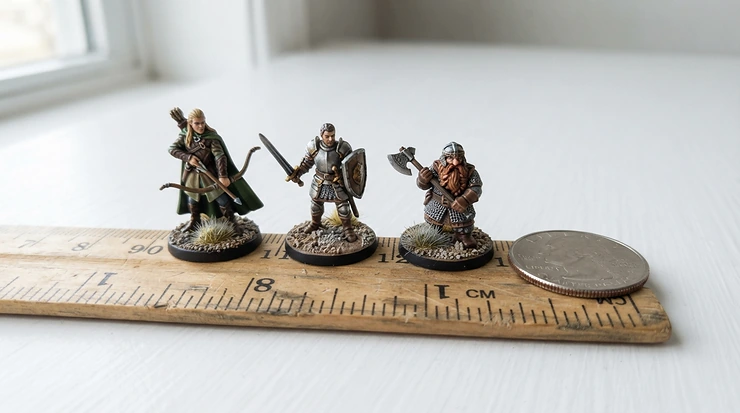
Somewhere between “I’ll just buy the miniatures pre-painted” and “I am now a small-scale manufacturing operation,” almost every tabletop hobbyist hits the same wall: which machine actually prints the thing in your head? The resin vs FDM 3D printer for miniatures debate isn’t really a debate once you understand what each technology is doing at a physical level — but the terminology, the acronyms, and the sheer number of near-identical box printers on Amazon make it feel like one. Resin (SLA/LCD) printers cure liquid photopolymer with UV light, layer by layer, at resolutions fine enough to hold a face; FDM printers melt and extrude plastic filament through a nozzle, trading some of that fine detail for speed, low mess, and dramatically lower running costs. Neither is objectively “better” — they’re built for different jobs, and the right one depends on what you’re printing, how often, and how much post-processing you’re willing to tolerate. This guide walks through seven real, currently available machines, a full resin vs FDM detail comparison, and honest analysis of where each 3D printer type for miniatures earns its keep, so you can pick based on your actual hobby rather than marketing copy.
Quick Comparison Table
| Technology | Detail Level | Mess & Post-Processing | Running Cost | Best For |
|---|---|---|---|---|
| Resin (SLA/LCD) | Excellent — sub-0.05mm layers, crisp faces | High — IPA wash, UV cure, PPE needed | Higher per-litre resin cost | Tabletop minis, terrain detail, D&D figures |
| FDM (filament) | Good — visible layer lines on curves | Low — no chemicals, quick cleanup | Cheap filament, low waste | Large terrain, bases, prototyping, beginners |
Looking at that table in isolation makes resin seem like the obvious winner, but it only tells half the story. Elegoo, Anycubic, and Phrozen machines dominate the miniature-printing conversation precisely because resin’s cured-layer chemistry doesn’t rely on a moving nozzle pushing molten plastic around tight curves — and that’s the mechanical reason chainmail, eyelashes, and tiny runes survive the printing process at all. FDM, on the other hand, wins on convenience: no gloves, no odour, no £30 bottle of isopropyl alcohol sitting on your desk. If you’re weighing up an FDM vs resin printer for a first purchase, the honest answer is that your printing volume and tolerance for mess matter as much as raw resolution.
Not sure which camp you fall into? Scroll down to the comparison table below and see which of these seven earns its spot on your desk.
Top 7 3D Printers for Miniatures: Expert Analysis
1. Elegoo Mars 5 — best budget entry point into resin
The Elegoo Mars 5 is the printer most beginners land on by accident, and honestly, that’s not a bad thing. It runs a 4K monochrome LCD panel on a roughly six-inch screen, which sounds modest next to the 8K and 16K machines further down this list, but at typical 28-32mm miniature scale the practical difference is smaller than the spec sheet suggests. A 4K panel still resolves individual chainmail links and separates facial features cleanly enough for most tabletop painters; where it falls behind is on very large batches or oversized display miniatures, where pixel density starts to show as faint stair-stepping on curved surfaces.
This is squarely a machine for someone testing whether resin printing suits their workflow before committing serious money, or a painter who wants the occasional custom conversion piece rather than a production line. Reviewers consistently report reliable first-layer adhesion out of the box and praise Elegoo’s mature slicer software, though a recurring theme in aggregated feedback is that the stock resin vat film needs replacing sooner than premium models if you’re printing daily.
Pros:
- ✅ Genuinely low price of entry into real resin printing
- ✅ Mature, beginner-friendly slicer software ecosystem
- ✅ Huge spares and community support base
Cons:
- ❌ 4K resolution shows its limits on large display pieces
- ❌ Vat film wears faster under heavy daily use
The Elegoo Mars 5 typically sits in the low-£100s to mid-£100s range at the time of research — check current price before buying, as resin printer pricing shifts often. For anyone dipping a toe into miniature resin printing without wanting to gamble £400+, this is the sensible first step.
2. Anycubic Photon Mono M7 — best all-rounder for serious hobbyists
Step up to the Anycubic Photon Mono M7 and the difference isn’t subtle. This machine runs a roughly 9K monochrome LCD with a COB (chip-on-board) light source, which in practical terms means far more even UV exposure across the build plate — no dimmer corners, no inconsistent cure between the centre and edges of a full plate of miniatures. What that translates to on your desk: batches of 20+ minis printed in one go come out with matching detail quality regardless of where they sat on the plate, which older edge-lit designs genuinely struggled with.
Based on the spec comparison against the entry-level Mars 5, the extra resolution and even lighting justify the price jump if you’re painting for a gaming group rather than yourself alone. Aggregated review sentiment consistently flags fast print speeds and a noticeably quieter pump-based resin vat system as standout features, with the main recurring complaint being that Anycubic’s own resin formulations are pricier than third-party alternatives, though the printer works fine with most standard 405nm resins.
Pros:
- ✅ Even COB lighting keeps full-plate batches consistent
- ✅ Genuinely fast cure and print speeds for the resolution
- ✅ Quieter operation than older vat-pump designs
Cons:
- ❌ Branded resin costs more than third-party options
- ❌ Overkill if you only print occasionally
Expect to pay somewhere in the £280-£350 range for the Anycubic Photon Mono M7 at the time of research, prices may vary. For a painter running a regular gaming group’s worth of miniatures, this is the machine that stops resin printing feeling like a bottleneck.
3. Phrozen Sonic Mini 8K S — sharpest detail specialist
If your priority is squeezing every last bit of facial detail out of a 32mm bust, the Phrozen Sonic Mini 8K S is the one that keeps coming up in serious miniature-painting communities. Its roughly 7.1-inch 8K mono LCD packs an extremely fine pixel pitch, and on paper this means eyelashes, individual fur strands, and fine engraved text on weapons hold their shape far better than on lower-resolution panels — what most buyers overlook is that pixel density matters more for tiny, high-detail subjects than for large terrain pieces, where the gain is barely visible.
This is a printer built for the buyer who paints competition-standard miniatures or sells commissioned prints, not someone churning out bulk army units. What the spec sheet won’t tell you, but reviewers note, is that Phrozen’s LighTurbo-style light matrix combined with the high pixel count does produce noticeably crisper results specifically on organic surfaces like faces and cloth folds, compared to cheaper 4K machines. The trade-off is a build volume on the smaller side, which limits how many miniatures fit on one plate.
Pros:
- ✅ Exceptional facial and fine-texture detail at 8K
- ✅ Fast layer cure times for the resolution tier
- ✅ Strong community reputation among competition painters
Cons:
- ❌ Smaller build plate limits batch size per print
- ❌ Premium pricing versus 4K alternatives
Pricing typically falls in the £350-£420 range — always check current price before ordering, as resin printer costs fluctuate. This is the pick for anyone who has already outgrown “good enough” detail and wants their painted minis to actually show off what the printer can do.
4. Elegoo Saturn 4 Ultra — best premium pick for volume and detail together
The Elegoo Saturn 4 Ultra is what happens when a manufacturer decides you shouldn’t have to choose between resolution and build volume. A roughly 16K monochrome LCD on a significantly larger build plate than the Mini 8K S means you can pack an entire army’s worth of miniatures onto one plate without sacrificing the crispness that makes resin worth the mess in the first place.
Based on the spec comparison, the genuinely fine pixel pitch at this larger screen size is the reason this model shows up repeatedly in “best for miniatures” shortlists rather than just “best resin printer” generically — most high-resolution panels only manage that resolution on smaller screens, which forces smaller batches. Reviewers consistently report that the larger vat and stronger structural frame reduce the wobble-related print failures that plague cheaper large-format resin printers, though the increased resin consumption per batch is a real running-cost consideration worth budgeting for before you commit.
Pros:
- ✅ Large build plate without sacrificing pixel density
- ✅ Sturdy frame reduces mid-print failures on tall prints
- ✅ Genuinely production-ready for batch miniature painting
Cons:
- ❌ Higher resin consumption per full-plate print
- ❌ Bulkier footprint needs dedicated desk space
At the time of research, the Elegoo Saturn 4 Ultra typically sits in the £550-£650 range. This is the printer for the hobbyist who’s stopped asking “should I get into resin” and started asking “how do I stop running out of desk space.”
5. Bambu Lab A1 Mini — best budget FDM entry for beginners
Switching technologies entirely, the Bambu Lab A1 Mini represents the strongest case for FDM in this whole comparison, and it’s not really about miniature detail — it’s about not fighting your printer. Full-auto calibration genuinely removes the bed-levelling ritual that puts off so many FDM beginners, and print speeds up to roughly 500mm/s mean bases, terrain pieces, and larger prop items finish in a fraction of the time a comparable resin batch would take to cure and wash.
The 180x180x180mm build volume handles most single miniatures and small terrain sets comfortably, though it’s worth being honest here: on genuinely fine miniature detail — faces, weapon engravings, chainmail — even the best FDM machine at this price point visibly loses to entry-level resin. Reviewers and hobbyist forums consistently note that the A1 Mini shines on bases, scenery, and non-supported prints, while detailed humanoid miniatures with overhangs need support structures that leave visible scarring FDM printers can’t avoid.
Pros:
- ✅ Genuinely hassle-free auto-calibration for beginners
- ✅ Fast print speeds cut turnaround on bulk items
- ✅ No chemicals, no odour, minimal cleanup required
Cons:
- ❌ Visible layer lines on fine facial and armour detail
- ❌ Struggles with overhangs without noticeable support scarring
Current UK pricing for the Bambu Lab A1 Mini tends to sit around £140-£180 — check current price before buying. If your projects lean toward terrain and bases rather than painted hero miniatures, this earns its place on a beginner’s desk.
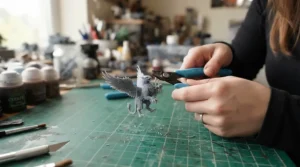
6. Prusa MINI+ — best open-source, community-backed FDM pick
The Prusa MINI+ doesn’t chase headline speed numbers the way newer machines do, and that’s rather the point. Prusa built its reputation on reliability and an open ecosystem, and the MINI+ inherits both — every part is documented, every firmware update is transparent, and the community of tinkerers around it is enormous, which matters enormously when something eventually needs troubleshooting. Here’s what to weigh: the 180x180x180mm build volume matches the A1 Mini almost exactly, and raw print quality on standard objects is genuinely excellent, but it lacks the fully automatic calibration and blistering top speed of newer competitors. Reviewers consistently praise Prusa’s customer support and firmware maturity as best-in-class, while acknowledging that the asking price is harder to justify against cheaper, faster rivals unless open-source flexibility and long-term support genuinely matter to you.
Pros:
- ✅ Exceptional community support and documentation
- ✅ Reliable, consistent print quality on standard objects
- ✅ Fully open-source hardware and firmware
Cons:
- ❌ Slower than newer auto-calibrating competitors
- ❌ Premium price for a relatively modest build volume
Expect to pay in the region of £380-£430 for the Prusa MINI+ — prices may vary, so check current listings. For the hobbyist who values a printer they can repair, modify, and rely on for a decade, this is the sentimental and practical favourite.
7. Bambu Lab P1S — best premium FDM for terrain and multi-part projects
Where the A1 Mini is the beginner’s FDM printer, the Bambu Lab P1S is the one you buy once you’ve decided FDM deserves a permanent spot in your hobby room. Its enclosed CoreXY design and roughly 256x256x256mm build volume mean genuinely large terrain boards, vehicle kits, and multi-part scenery print in a single session rather than several. On paper this means significantly more usable volume than either of the budget FDM picks above, and the enclosure improves consistency when printing more demanding materials like ABS for durable gaming pieces. Based on the spec comparison, the enclosed chamber and CoreXY motion system are the two features that separate “hobbyist printer” from “small workshop tool,” and reviewers consistently flag the AMS-compatible multi-colour system as a genuine workflow upgrade for painters who want base colours pre-printed rather than hand-painted from scratch.
Pros:
- ✅ Large enclosed build volume suits terrain and vehicles
- ✅ Multi-colour AMS compatibility speeds up basic colouring
- ✅ Fast, consistent CoreXY motion system
Cons:
- ❌ Significant desk footprint for the enclosure
- ❌ Still can’t match resin on fine humanoid facial detail
At the time of research, the Bambu Lab P1S typically runs £550-£650 depending on bundle. This is the terrain-and-scenery workhorse for a club or serious solo builder who has already accepted that fine miniature faces are a resin job.
Top 7 Products at a Glance
| # | Product | Technology | Price Range | Best For |
|---|---|---|---|---|
| 1 | Elegoo Mars 5 | Resin (4K) | £130-£170 | First-time resin buyers |
| 2 | Anycubic Photon Mono M7 | Resin (9K) | £280-£350 | Regular gaming-group batches |
| 3 | Phrozen Sonic Mini 8K S | Resin (8K) | £350-£420 | Competition-level facial detail |
| 4 | Elegoo Saturn 4 Ultra | Resin (16K) | £550-£650 | Large batches without detail loss |
| 5 | Bambu Lab A1 Mini | FDM | £140-£180 | Bases, terrain, beginners |
| 6 | Prusa MINI+ | FDM | £380-£430 | Long-term reliability, open-source |
| 7 | Bambu Lab P1S | FDM | £550-£650 | Large terrain and multi-part scenery |
Scanning this table, the price-to-detail relationship within resin is fairly linear — you pay more, you get finer pixels and bigger plates — but FDM doesn’t follow the same curve. The Bambu Lab P1S costs roughly as much as the Elegoo Saturn 4 Ultra, yet buys you build volume and speed rather than the facial detail that price bracket delivers on the resin side. That’s really the crux of the resin vs FDM 3D printer for miniatures decision: within each technology, spending more buys you more of what that technology is already good at, not a bridge to the other one’s strengths.
Practical Usage Guide: Your First 30 Days With Either Technology
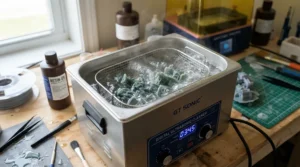
Whichever camp you land in, the first month is where most beginners either fall in love with the hobby or quietly shelve the printer in a cupboard. With a resin machine, the single biggest first-30-days mistake is skipping proper PPE and ventilation from print one — nitrile gloves and a well-ventilated space aren’t optional extras, they’re baseline safety equipment for handling uncured photopolymer. Set up a dedicated wash-and-cure station near the printer so you’re not carrying dripping prints across the house, and resist the urge to skip the isopropyl alcohol wash step even on “quick” prints; uncured resin residue is the main cause of tacky, unpleasant surface finishes on finished miniatures. For FDM owners, the equivalent early habit is bed adhesion discipline: run a proper first-layer calibration even on auto-levelling machines like the Bambu Lab A1 Mini, since a slightly uneven first layer is the root cause of most early failed prints. Both technologies benefit from starting on pre-supported, beginner-friendly miniature files from established marketplaces before attempting your own supports — it isolates whether a failed print is your settings or your file.
Buyer’s Decision Framework: Which Should You Actually Buy?
If you’re painting for yourself occasionally and detail matters more than speed, choose resin — specifically an entry-level model like the Elegoo Mars 5, because the detail gain over FDM on humanoid miniatures is immediate and obvious from your very first print. If you’re printing terrain, bases, or scenery more often than characters, choose FDM — a Bambu Lab A1 Mini or similar will save you money on consumables and cleanup time you’d otherwise spend on resin post-processing. If you’re running a gaming group’s worth of army units regularly, the honest answer is both technologies eventually, because resin handles hero miniatures and FDM handles bulk terrain more economically than trying to force one machine to do everything. And if budget is the single deciding factor, note that FDM’s real saving isn’t the printer price — it’s the far lower ongoing cost of filament versus resin, plus zero spend on gloves, IPA, and curing stations.
Resin vs FDM Detail Comparison: What to Expect in Real-World Performance
Spec sheets talk in microns and resolution; painters talk in “does this face look like a face.” In practice, resin’s advantage shows up most clearly on anything under about 15mm in scale detail — eyes, individual teeth on a monster, fine chainmail rings, embossed lettering. FDM’s nozzle, typically 0.2-0.4mm wide, physically cannot resolve features finer than its own diameter, which is why even a well-tuned FDM printer produces a slightly “softened” version of fine detail rather than a sharp one. Where FDM claws back ground is on large, simple surfaces — a resin print of a big flat terrain board can suffer from warping and requires substantially more resin and cure time than the equivalent FDM print, which extrudes only where material is actually needed. Reviewers across both camps consistently note that layer lines are the most obvious tell on FDM prints under raking light, while resin prints show almost no visible layer structure at typical miniature viewing distances — a genuine, measurable difference rather than hobbyist folklore.
Common Mistakes When Buying a Miniature 3D Printer
The most common mistake is buying resolution you don’t need — a 16K printer is wasted on someone who mostly prints 75mm display pieces where 4K is already more than sufficient, and the extra cost would be better spent on resin, tools, or paints. The second is underestimating running costs: resin, IPA, gloves, and replacement vat films add up quickly, while FDM buyers often forget filament colour-matching and the occasional nozzle replacement. Third, many first-time buyers skip checking ventilation requirements entirely, which becomes a real problem once you’re printing regularly in a bedroom or home office rather than a garage or workshop. Fourth, some buyers assume all resin printers use the same wash-and-cure process interchangeably with all resins — cheaper third-party resins can behave unpredictably on printers tuned for a manufacturer’s own formulation, so checking compatibility before bulk-buying resin is worth the five minutes it takes.

Long-Term Cost & Maintenance: The Real Total Cost of Ownership
Resin printing’s ongoing costs are dominated by consumables: a litre of standard miniature resin typically covers a meaningful number of army-scale prints, but specialist high-detail or water-washable resins cost more, and vat films need periodic replacement as they cloud with use. FDM’s ongoing costs are comparatively modest — filament spools last for dozens of prints, nozzles are cheap to replace, and there’s no wash-and-cure consumable cycle at all. Where the two converge is disposal: both technologies eventually produce a machine that needs safe, responsible end-of-life handling, and under UK rules, 3D printers count as electrical equipment covered by the WEEE regulations, meaning they shouldn’t go in general household waste when they’re finally retired — most retailers offer a take-back scheme for exactly this reason. Factoring maintenance time in as a cost too, resin machines demand more hands-on upkeep (vat film changes, FEP cleaning, occasional LCD replacement) than FDM’s comparatively low-touch nozzle and bed maintenance schedule.
Safety, Ventilation & Ownership Considerations
This is the section too many “resin vs FDM” articles skip, and it shouldn’t be skipped. Both technologies release airborne particles and, in resin’s case, volatile organic compounds during printing and curing, and the University of Edinburgh’s health and safety guidance on 3D printers — drawing on UK Health and Safety Executive research — specifically recommends enclosures and adequate ventilation as control measures, noting that people with existing respiratory conditions face the highest risk from prolonged exposure. In practical terms for a home hobbyist, that means printing resin in a room with a window you can actually open, wearing nitrile gloves during handling and washing, and never running an uncovered resin printer in a bedroom overnight. FDM is comparatively lower-risk but not risk-free — heated filaments can release fine particles too, and the British Safety Council’s guidance on 3D printing risk points out that basic ventilation and sensible placement matter for FDM printers as well, even though the emissions profile differs meaningfully from resin’s. Neither technology needs a full workshop extraction system for occasional home use, but “it’s just a hobby printer” isn’t a reason to ignore ventilation basics entirely.
Resin vs FDM for Different Types of Hobbyist
Beginners genuinely torn between the two should lean FDM first if budget and low-mess matter most, or entry-level resin if painted detail is the whole point of the hobby — there’s no wrong answer, just different starting frustrations. Competitive painters and commission sellers should treat resin as close to non-negotiable, since judged and sold miniatures live and die on facial and texture detail that FDM simply can’t match at comparable price points. Terrain builders and game-masters running large boards should lean FDM hard, because the volume of plastic needed for a full battlefield board makes resin’s per-litre cost genuinely prohibitive over time. Families or classroom settings introducing children to 3D printing should default to FDM for safety reasons alone — no chemical handling, no UV curing, and far more forgiving of small mistakes during setup and operation.
FAQ
❓ Is resin or FDM better for miniatures?
❓ Can FDM printers print D&D miniatures well?
❓ What resolution do I need for 28mm miniatures?
❓ Is resin 3D printing safe at home?
❓ How much does it cost to run a resin printer vs FDM printer?
Conclusion
There isn’t a single winner in the resin vs FDM 3D printer for miniatures debate, and any article claiming otherwise is oversimplifying a genuinely nuanced choice. Resin machines like the Elegoo Mars 5 through the Elegoo Saturn 4 Ultra exist because fine miniature detail is a real, measurable technical advantage that FDM’s nozzle-based extrusion physically cannot replicate — that’s chemistry and mechanics, not marketing. FDM machines like the Bambu Lab A1 Mini, Prusa MINI+, and Bambu Lab P1S earn their place through speed, low running costs, and a dramatically lower barrier to entry for anyone who hasn’t yet decided whether 3D printing is a lasting hobby. The honest recommendation for most tabletop gamers who can only buy one machine is resin, simply because painted miniature detail is usually the whole point of the hobby — but if your projects lean toward terrain, scenery, and bulk printing, FDM will save you money and hassle without much detail sacrifice where it matters least. Whichever you choose from the seven above, buy based on what you’ll actually print most often, not the spec sheet that looks most impressive in isolation.
Recommended for You
- Resin 3D Printer for Beginners: 7 Trusted Picks (2026)
- Large-Format Resin 3D Printer: 7 Best Big-Volume Picks (2026)
- High-Resolution Resin 3D Printer for Miniatures: 7 Best Picks (2026)
Disclaimer: This article contains affiliate links. As an Amazon Associate, I earn from qualifying purchases. If you purchase products through these links, we may earn a small commission at no additional cost to you.
✨ Found this helpful? Share it with your friends! 💬🤗
